AppRecs review analysis
AppRecs rating 2.0. Trustworthiness 78 out of 100. Review manipulation risk 12 out of 100. Based on a review sample analyzed.
★★☆☆☆
2.0
AppRecs Rating
Ratings breakdown
5 star
20%
4 star
0%
3 star
20%
2 star
40%
1 star
20%
What to know
✓
Low review manipulation risk
12% review manipulation risk
✓
Credible reviews
78% trustworthiness score from analyzed reviews
⚠
Mixed user feedback
Average 2.0★ rating suggests room for improvement
About DayCape
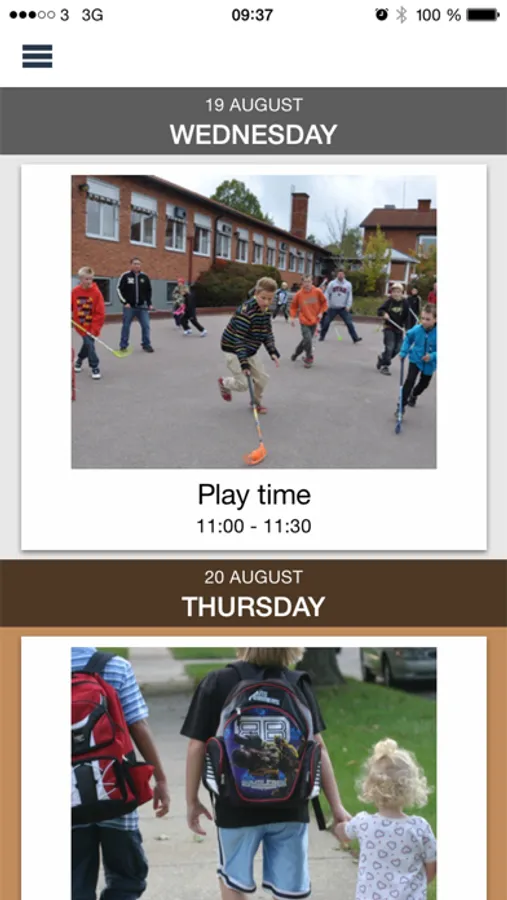
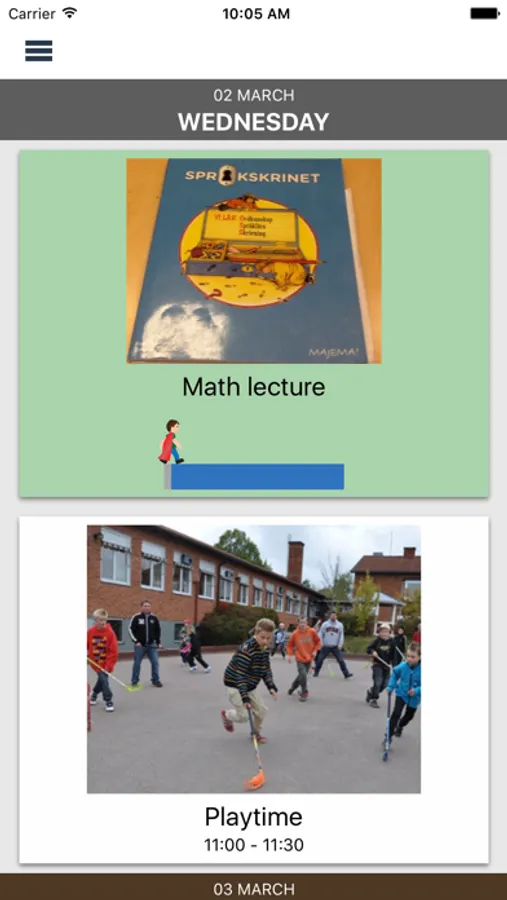
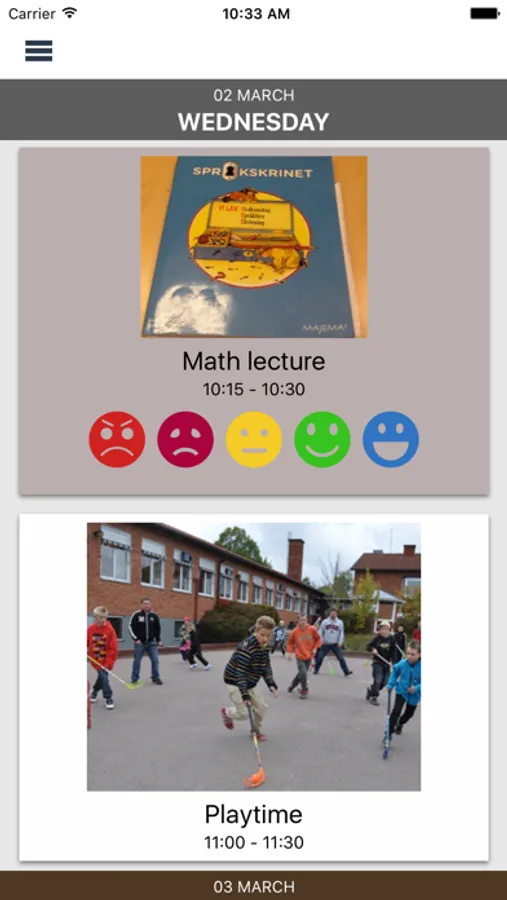
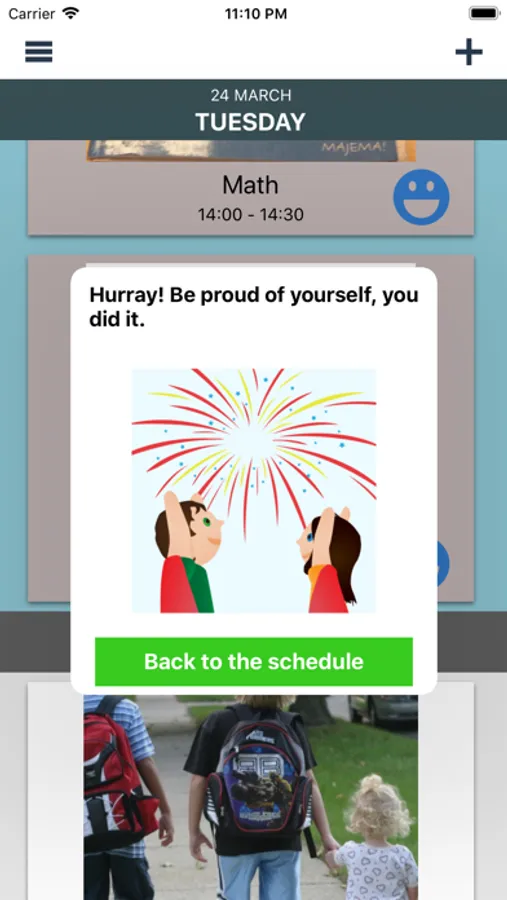
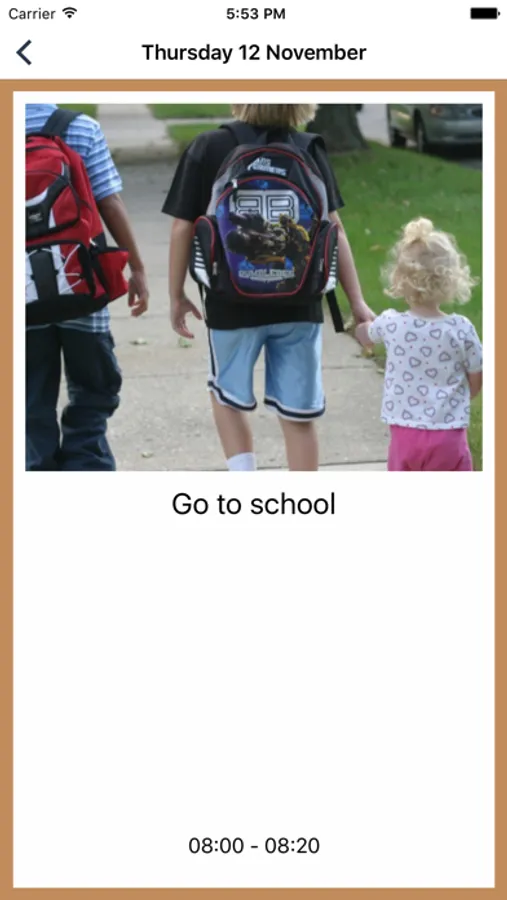
DayCape is your visual schedule for the whole family. With images, timers, and Cape-friends, it’s easier to feel prepared for the day!
If you are a parent, teacher, or support person, you can create and manage schedules for your children, students, or individuals. Add events with images and follow up on progress in the app.
App features include:
- Create activities with images
- Notification reminders
- Visual timers
- Invite and manage Cape-planners
DayCape offers free use for children in and an auto-reenable subscription feature for Parents and Teachers to easily plan the day for their children and students.
- Parent subscription enables you to plan the day for 3 children and invite more people to help to plane the day.
- School subscription enables you to plan for up to 15 students and invite teachers and parents to help to plane the day.
– DayCape offers 30 days free trial for parents and teachers from when you start your
account without any need to start a subscription. Only after the 30 days trial, you need to subscripts to continue access Parent and Teacher features.
The subscription charges every month from when you decide to start a subscription.
– Payment will be charged to iTunes Account at confirmation of purchase
– Subscription automatically renews unless auto-renew is turned off at least 24-hours before the end of the current period
– The account will be charged for renewal within 24-hours prior to the end of the current period, and identify the cost of the renewal
– Subscriptions may be managed by the user and auto
-renewal may be turned off by going to the user's Account Settings after purchase
– Privacy Policy: https://www.daycape.com/privacy-policy/
- Terms of use: https://www.daycape.com/terms-of-use/
If you are a parent, teacher, or support person, you can create and manage schedules for your children, students, or individuals. Add events with images and follow up on progress in the app.
App features include:
- Create activities with images
- Notification reminders
- Visual timers
- Invite and manage Cape-planners
DayCape offers free use for children in and an auto-reenable subscription feature for Parents and Teachers to easily plan the day for their children and students.
- Parent subscription enables you to plan the day for 3 children and invite more people to help to plane the day.
- School subscription enables you to plan for up to 15 students and invite teachers and parents to help to plane the day.
– DayCape offers 30 days free trial for parents and teachers from when you start your
account without any need to start a subscription. Only after the 30 days trial, you need to subscripts to continue access Parent and Teacher features.
The subscription charges every month from when you decide to start a subscription.
– Payment will be charged to iTunes Account at confirmation of purchase
– Subscription automatically renews unless auto-renew is turned off at least 24-hours before the end of the current period
– The account will be charged for renewal within 24-hours prior to the end of the current period, and identify the cost of the renewal
– Subscriptions may be managed by the user and auto
-renewal may be turned off by going to the user's Account Settings after purchase
– Privacy Policy: https://www.daycape.com/privacy-policy/
- Terms of use: https://www.daycape.com/terms-of-use/
DayCape Screenshots
Tap to Rate:
Reviews for DayCape
Ethan Petix
Horrible! Stay away!
Do not download!!! It’s a terrible app that doesn’t work and does not let you unsubscribe.
Instructional Coach
Internet and saving issues
Great idea but I can't get it to work because it keep saying there is no internet connection when in fact there is an internet connection.