
In this text editor, users can input and edit source code, HTML, Markdown, and other text files with syntax highlighting and line numbering. Includes file management, cloud storage integration, preview options for HTML and Markdown, and support for multiple files.
AppRecs review analysis
AppRecs rating 3.8. Trustworthiness 80 out of 100. Review manipulation risk 23 out of 100. Based on a review sample analyzed.
★★★☆☆
3.8
AppRecs Rating
Ratings breakdown
5 star
52%
4 star
19%
3 star
10%
2 star
1%
1 star
18%
What to know
✓
Low review manipulation risk
23% review manipulation risk
✓
Credible reviews
80% trustworthiness score from analyzed reviews
✓
Good user ratings
72% positive sampled reviews
About Text editor-PWEditor
It is a text editor for source code input on iPhone, iPad.
It supports not only source code but also any text input such as HTML, Markdown, memo etc.
Compiling is possible in cooperation with the online compiler.
※ We are using SphereEngine of external service.
SphereEngine account is required.
※ It corresponds to multiple languages.
For details, please refer to SphereEngine's site.
Https://sphere-engine.com/
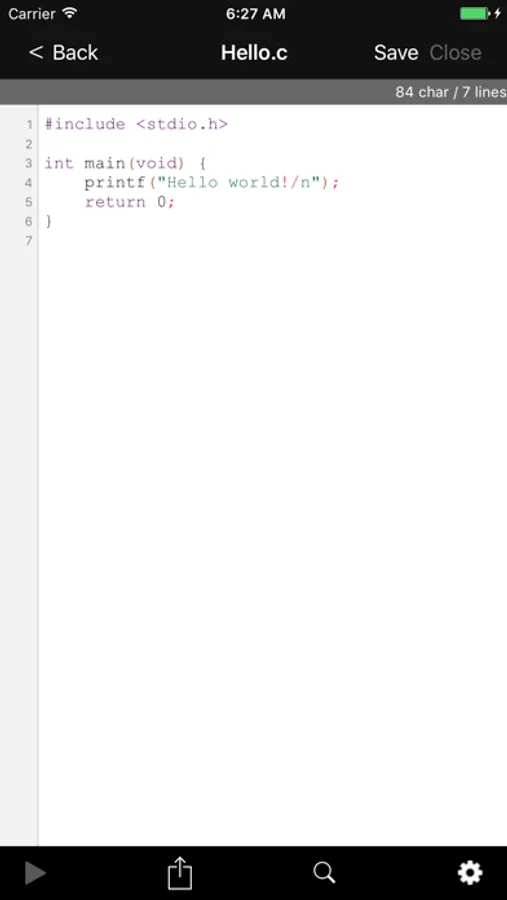
On the edit screen, it strongly supports source code input.
· Syntax highlight
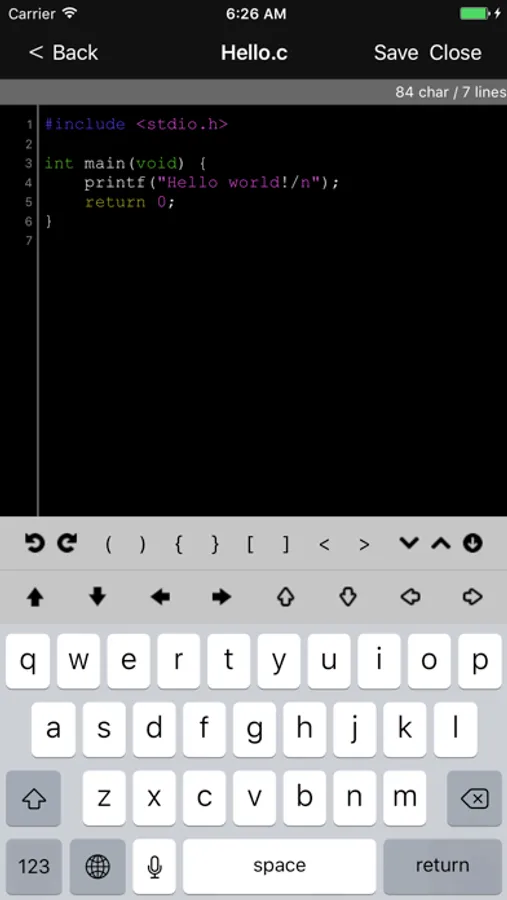
· Displays pads exclusively for symbol input and cursor movement on the top of the keyboard, supports symbol input and cursor movement (can be switched between display and non-display on the setting screen)
· Provide Undo / Redo function on iPhone.
· Display the line number.
· You can search and replace words.
· Display number of characters and number of lines (Displayable / non-displayable in setting screen possible)
· Multiple files can be edited simultaneously.
· Invisible characters (new line, tab, half-width space, full-width space) display / non-display can be switched.
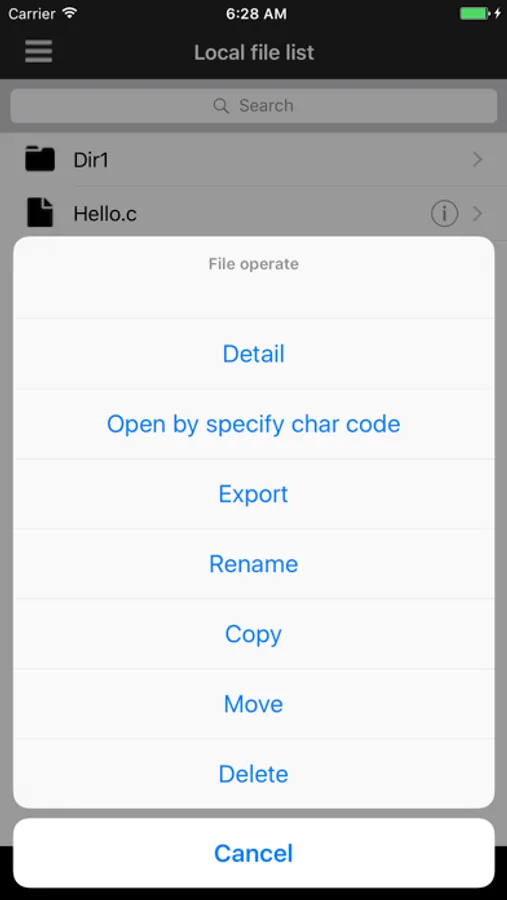
Various file operations are also possible.
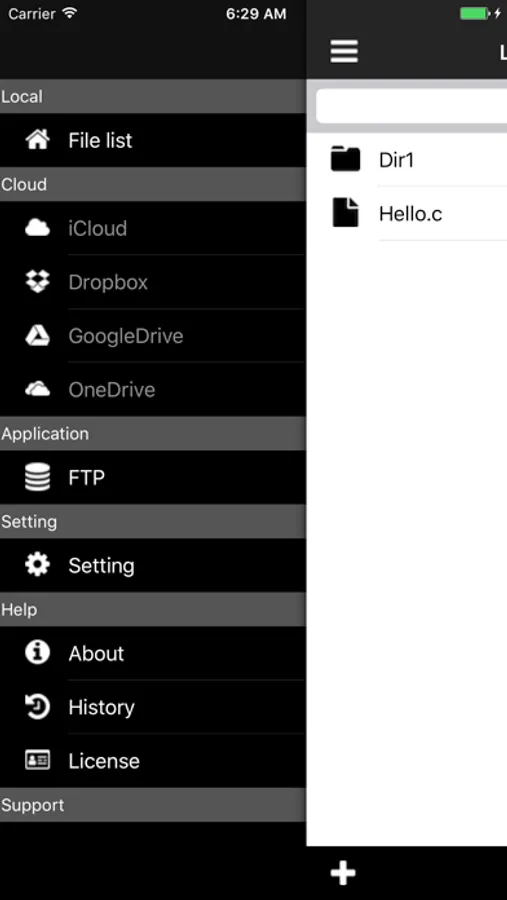
· Display a list of files and directories.
· New files, directories can be created, deleted, copied, moved.
· You can check detailed information of the file (path name, size, creation date etc).
· Grep search is possible for local files.
File operation can be seamlessly performed in cooperation with each cloud storage.
It works in conjunction with the following cloud storage.
* Cloud storage account for each use is required for use.
· iCloud
· Dropbox
· GoogleDrive
· OneDrive
· Box
Other features
· Preview display of HTML and Markdown files is possible.
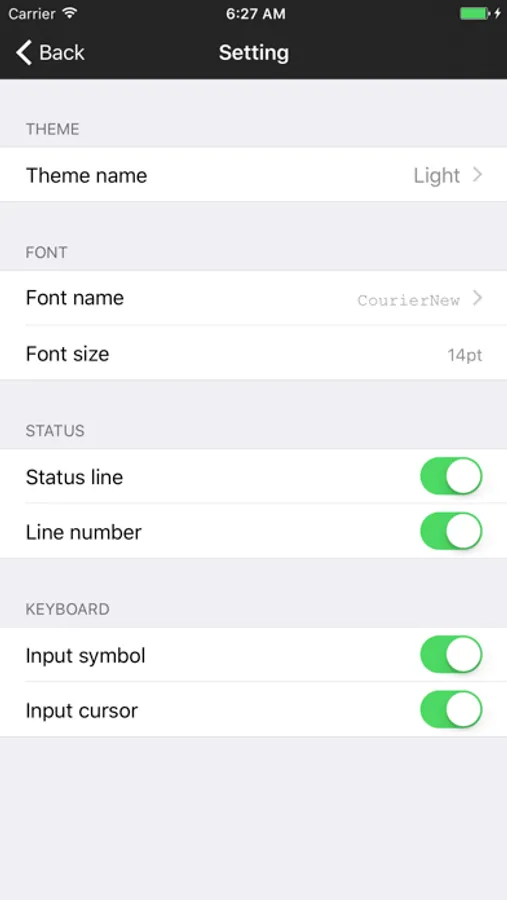
· Change font type and change font size.
· File operation to external FTP site by FTP is possible.
· Image files and PDF files can be displayed.
You can automatically update the application by setting the terminal.
For setting method, please set [Settings] → [iTunes & App Store] → [Updates] of the terminal to ON.
We will encourage development if you can write such impressions used in the review column and requests for additional functions.
We will actively incorporate your opinions into future development.
I tweet the development situation on twitter.
@devpweditor
Please send me your comments, requests, and bug reports on the following contacts.
devpweditor@gmail.com
It supports not only source code but also any text input such as HTML, Markdown, memo etc.
Compiling is possible in cooperation with the online compiler.
※ We are using SphereEngine of external service.
SphereEngine account is required.
※ It corresponds to multiple languages.
For details, please refer to SphereEngine's site.
Https://sphere-engine.com/
On the edit screen, it strongly supports source code input.
· Syntax highlight
· Displays pads exclusively for symbol input and cursor movement on the top of the keyboard, supports symbol input and cursor movement (can be switched between display and non-display on the setting screen)
· Provide Undo / Redo function on iPhone.
· Display the line number.
· You can search and replace words.
· Display number of characters and number of lines (Displayable / non-displayable in setting screen possible)
· Multiple files can be edited simultaneously.
· Invisible characters (new line, tab, half-width space, full-width space) display / non-display can be switched.
Various file operations are also possible.
· Display a list of files and directories.
· New files, directories can be created, deleted, copied, moved.
· You can check detailed information of the file (path name, size, creation date etc).
· Grep search is possible for local files.
File operation can be seamlessly performed in cooperation with each cloud storage.
It works in conjunction with the following cloud storage.
* Cloud storage account for each use is required for use.
· iCloud
· Dropbox
· GoogleDrive
· OneDrive
· Box
Other features
· Preview display of HTML and Markdown files is possible.
· Change font type and change font size.
· File operation to external FTP site by FTP is possible.
· Image files and PDF files can be displayed.
You can automatically update the application by setting the terminal.
For setting method, please set [Settings] → [iTunes & App Store] → [Updates] of the terminal to ON.
We will encourage development if you can write such impressions used in the review column and requests for additional functions.
We will actively incorporate your opinions into future development.
I tweet the development situation on twitter.
@devpweditor
Please send me your comments, requests, and bug reports on the following contacts.
devpweditor@gmail.com
Text editor-PWEditor Screenshots
Tap to Rate:
Reviews for Text editor-PWEditor
Natron Pallando
Very very good
The only negative is that seems to not be updated. I don’t any more features. Just trying to stay current with Apple is almost a full time job. I would buy this app for $5 to turn off the ads.
BewBew 2.0
How?
How in the world do you use this thing? I tried so many times and I cannot even make a single font! Please tell me how to use