With this image file converter app, you can convert various image formats such as HEIF, GIF, BMP, TIFF, and more to JPEG or PNG. Includes format conversions and automatic saving to the Photos app.
AppRecs review analysis
AppRecs rating 4.6. Trustworthiness 72 out of 100. Review manipulation risk 30 out of 100. Based on a review sample analyzed.
★★★★☆
4.6
AppRecs Rating
Ratings breakdown
5 star
79%
4 star
10%
3 star
4%
2 star
1%
1 star
6%
What to know
✓
Credible reviews
72% trustworthiness score from analyzed reviews
✓
High user satisfaction
79% of sampled ratings are 5 stars
About JPEG,PNG Image file converter
Convert images to JPEG or PNG with a simple, lightweight app.
This is the paid, ad-free version.
This app supports HEIF/HEIC and many common image formats, and saves the converted images directly to the Photos app.
◇ Key Features ◇
- Convert to JPEG or PNG
- Supports HEIF/HEIC (.heic) conversion
- Converted images are saved to the Photos app
(Albums named “JPEG” or “PNG” will be created automatically.)
◇ Notes ◇
- Some printers do not support PNG files. You can convert PNG images to JPEG for printing.
- JPEG does not support transparency. Transparent areas will be saved as white when converting to JPEG.
◇ Supported input formats ◇
- JPEG / JPG
- PNG
- GIF
- BMP
- TIFF
- TGA
- HEIF / HEIC (.heic)
This is the paid, ad-free version.
This app supports HEIF/HEIC and many common image formats, and saves the converted images directly to the Photos app.
◇ Key Features ◇
- Convert to JPEG or PNG
- Supports HEIF/HEIC (.heic) conversion
- Converted images are saved to the Photos app
(Albums named “JPEG” or “PNG” will be created automatically.)
◇ Notes ◇
- Some printers do not support PNG files. You can convert PNG images to JPEG for printing.
- JPEG does not support transparency. Transparent areas will be saved as white when converting to JPEG.
◇ Supported input formats ◇
- JPEG / JPG
- PNG
- GIF
- BMP
- TIFF
- TGA
- HEIF / HEIC (.heic)
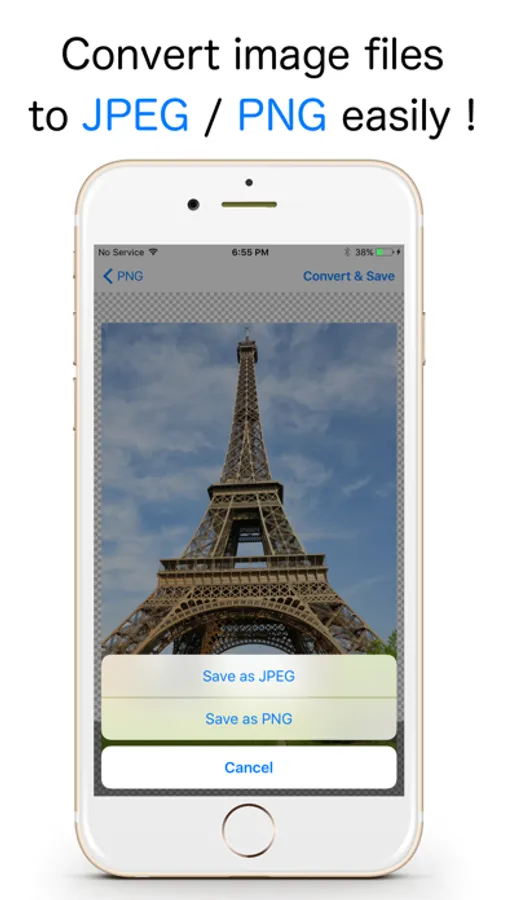
JPEG,PNG Image file converter Screenshots
Tap to Rate:
Reviews for JPEG,PNG Image file converter
FrankenRodeo Driver
Doesn’t rotate for iPad
I use an u Ipad with magic keyboard. This doesn’t rotate so painful to use
Coastaldog
This One’s Good!!!
Wasn’t thrilled with the “free” version of this app as they wanted my credit card number for some reason. Found this version where I paid through the app store and downloaded it. So far it is really good! Works well and works FAST!