TI-84 CE Calculator Manual
Di Venisco UG (haftungsbeschrankt)
3.2 ★
82 ratings
$4.99
With this calculator manual, you can learn to perform functions, solve equations, and explore calculus topics. Includes step-by-step guides, screenshots, and practice problems.
AppRecs review analysis
AppRecs rating 3.1. Trustworthiness 82 out of 100. Review manipulation risk 24 out of 100. Based on a review sample analyzed.
★★★☆☆
3.1
AppRecs Rating
Ratings breakdown
5 star
50%
4 star
2%
3 star
5%
2 star
2%
1 star
40%
What to know
✓
Low review manipulation risk
24% review manipulation risk
✓
Credible reviews
82% trustworthiness score from analyzed reviews
⚠
High negative review ratio
43% of sampled ratings are 1–2 stars
About TI-84 CE Calculator Manual
The must-have companion for your TI-84 Plus CE:
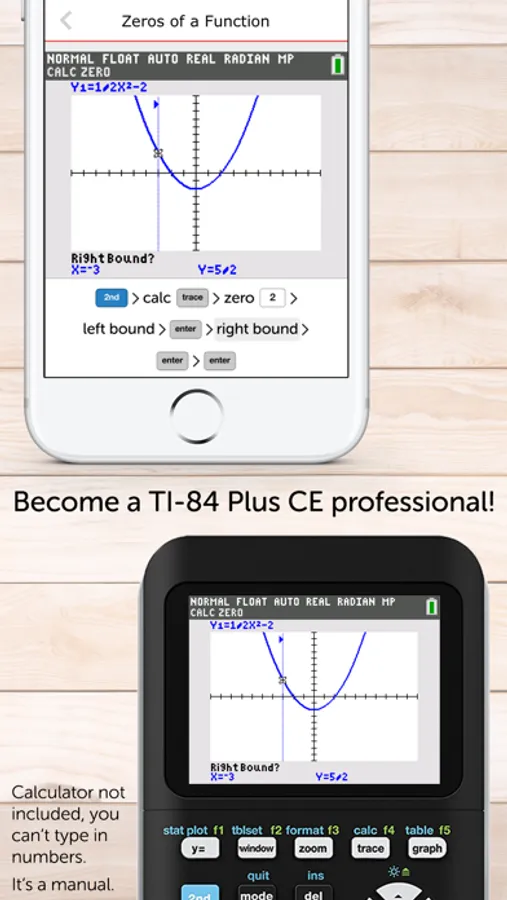
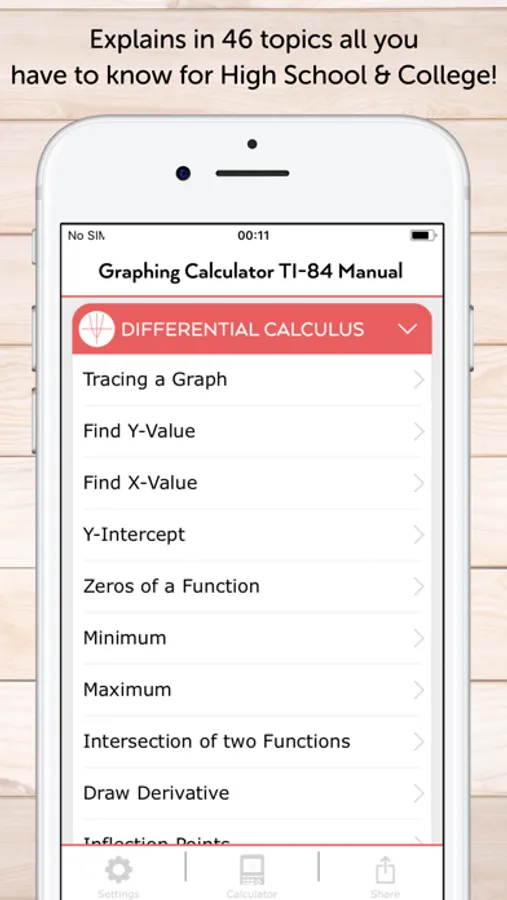
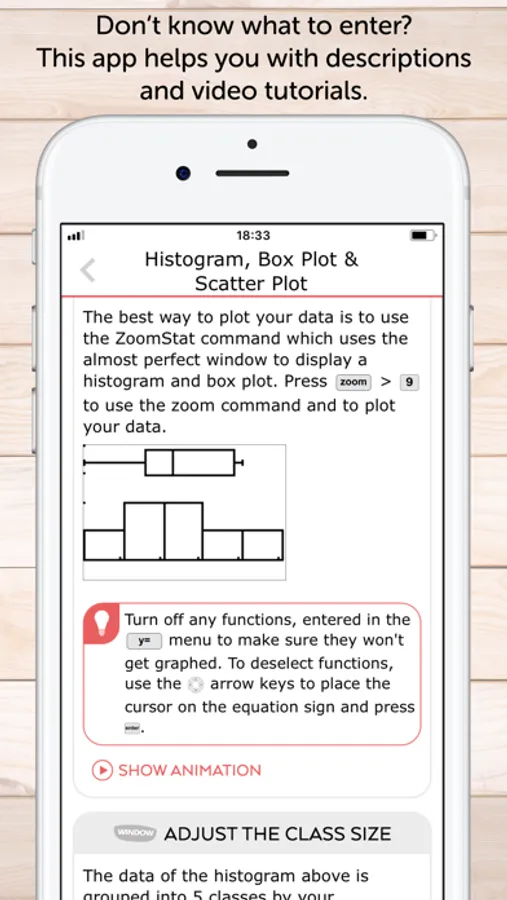
• This manual shows all important functions of the graphing calculator TI-84 Plus CE you need to know for high school or college. It comes with step-by-step key press sequences and some secret tips about your calculator. In total it covers 46 topics which will transform you into a TI-84 master.
• The following chapters are available: First Steps, Graphing Basics, Differential Calculus, Solve Equations, Integral Calculus, Matrices and Statistics & Probability.
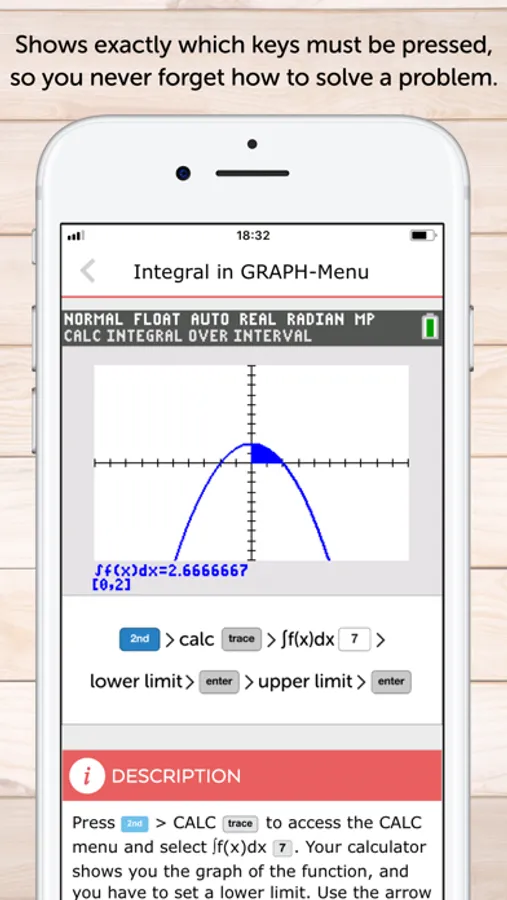
• You can swipe through screenshots of the original graphing calculator which show every steps you have to do (220 screenshots in total) or watch small animations to see how it works on the TI-84 CE!
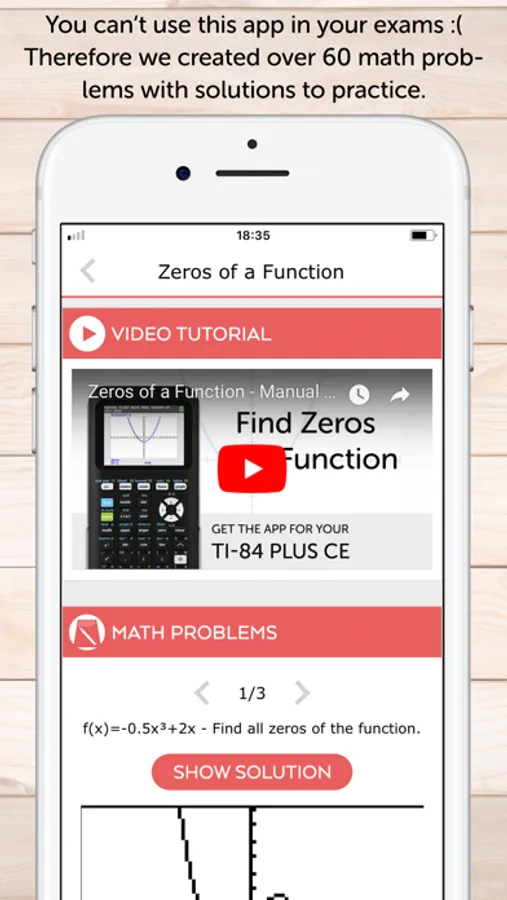
• More than 60 math problems with solutions to practice your skills!
• Ideal for exam preparation as you often don't remember all instructions of the calculator after several months. It covers all you need to know for the ACT and SAT.
• The app contains the following topics:
FIRST STEPS
• The Basics of the Basics
• Mode Settings
• Basic Arithmetic
• Storing Variables
• Working with Fractions
• Testing Numbers
• Converting Angles & DMS
GRAPHING BASICS
• Enter Functions
• Enter Families of Functions
• Formatting the Graph
• Setting the Graph Window
• Zooming the Graph Window
DIFFERENTIAL CALCULUS
• Tracing a Graph
• Find Y-Value
• Find X-Value
• Y-Intercept
• Zeros of a Function
• Minimum
• Maximum
• Intersection of two Functions
• Draw Derivative
• Inflection Points
• Calculate Tangent
SOLVE EQUATIONS
• Polynomial
• Solve any Equation
• Equation Solver
INTEGRAL CALCULUS
• Calculate Integral
• Integral in GRAPH-Menu
• Find Area with Absolute Value
• Area between two Functions
• Integral Function
MATRICES
• Save Matrix
• Delete Matrix
• Put into Row Echelon Form
• Solve Matrix
• Determinant of a Matrix
• Transpose of a Matrix
• Identity Matrix
• Inversion of a Matrix
• Matrix Arithmetic Operations
STATISTICS & PROBABILITY
• Permutations, Combinations & Factorials
• Random Numbers
• Lists & Statistical Data
• Histogram, Box Plot & Scatter Plot
• Statistical Data Analysis
• Regression
MATH PROBLEMS
• Practice with over 60 math problems and solutions.
We also have apps for the calculators: TI-Nspire CX (and CAS), TI-84 Plus, TI-84 Plus CE, CASIO fx-9860GlI
NO ACTUAL GRAPHING CALCULATOR INCLUDED. THE APP IS A MANUAL!
• This manual shows all important functions of the graphing calculator TI-84 Plus CE you need to know for high school or college. It comes with step-by-step key press sequences and some secret tips about your calculator. In total it covers 46 topics which will transform you into a TI-84 master.
• The following chapters are available: First Steps, Graphing Basics, Differential Calculus, Solve Equations, Integral Calculus, Matrices and Statistics & Probability.
• You can swipe through screenshots of the original graphing calculator which show every steps you have to do (220 screenshots in total) or watch small animations to see how it works on the TI-84 CE!
• More than 60 math problems with solutions to practice your skills!
• Ideal for exam preparation as you often don't remember all instructions of the calculator after several months. It covers all you need to know for the ACT and SAT.
• The app contains the following topics:
FIRST STEPS
• The Basics of the Basics
• Mode Settings
• Basic Arithmetic
• Storing Variables
• Working with Fractions
• Testing Numbers
• Converting Angles & DMS
GRAPHING BASICS
• Enter Functions
• Enter Families of Functions
• Formatting the Graph
• Setting the Graph Window
• Zooming the Graph Window
DIFFERENTIAL CALCULUS
• Tracing a Graph
• Find Y-Value
• Find X-Value
• Y-Intercept
• Zeros of a Function
• Minimum
• Maximum
• Intersection of two Functions
• Draw Derivative
• Inflection Points
• Calculate Tangent
SOLVE EQUATIONS
• Polynomial
• Solve any Equation
• Equation Solver
INTEGRAL CALCULUS
• Calculate Integral
• Integral in GRAPH-Menu
• Find Area with Absolute Value
• Area between two Functions
• Integral Function
MATRICES
• Save Matrix
• Delete Matrix
• Put into Row Echelon Form
• Solve Matrix
• Determinant of a Matrix
• Transpose of a Matrix
• Identity Matrix
• Inversion of a Matrix
• Matrix Arithmetic Operations
STATISTICS & PROBABILITY
• Permutations, Combinations & Factorials
• Random Numbers
• Lists & Statistical Data
• Histogram, Box Plot & Scatter Plot
• Statistical Data Analysis
• Regression
MATH PROBLEMS
• Practice with over 60 math problems and solutions.
We also have apps for the calculators: TI-Nspire CX (and CAS), TI-84 Plus, TI-84 Plus CE, CASIO fx-9860GlI
NO ACTUAL GRAPHING CALCULATOR INCLUDED. THE APP IS A MANUAL!
TI-84 CE Calculator Manual Screenshots
Tap to Rate:
Reviews for TI-84 CE Calculator Manual
Iris.........
Out of run,don’t buy it
Out of run,don’t buy it !
a whaaaat
Garbage
Absolute waste of money it was a complete scam