beorg: To-Do List & Agenda
Apps On The Move Limited
4.9 ★
993 ratings
Free
Sentence 1: With this task manager app, you can create and organize tasks, view weekly agendas, and sync files across platforms. Sentence 2: Includes task creation, outline editing, reminders, and synchronization options.
AppRecs review analysis
AppRecs rating 4.6. Trustworthiness 72 out of 100. Review manipulation risk 22 out of 100. Based on a review sample analyzed.
★★★★☆
4.6
AppRecs Rating
Ratings breakdown
5 star
91%
4 star
6%
3 star
2%
2 star
0%
1 star
0%
What to know
✓
Low review manipulation risk
22% review manipulation risk
✓
Credible reviews
72% trustworthiness score from analyzed reviews
✓
High user satisfaction
91% of sampled ratings are 5 stars
About beorg: To-Do List & Agenda
beorg is free to use with optional extensions available as individual in-app purchases - or become a beorg Premium subscriber to unlock everything.
Use beorg to:
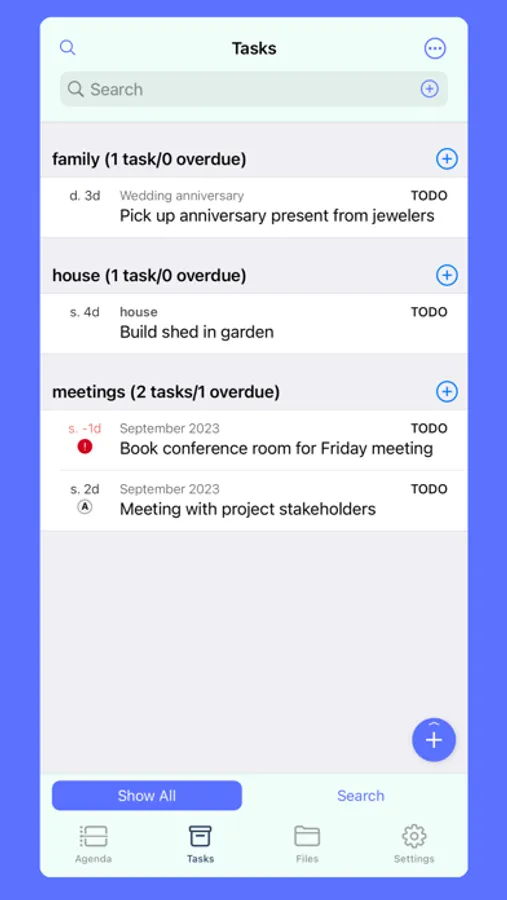
+ Create tasks, notes and manage projects
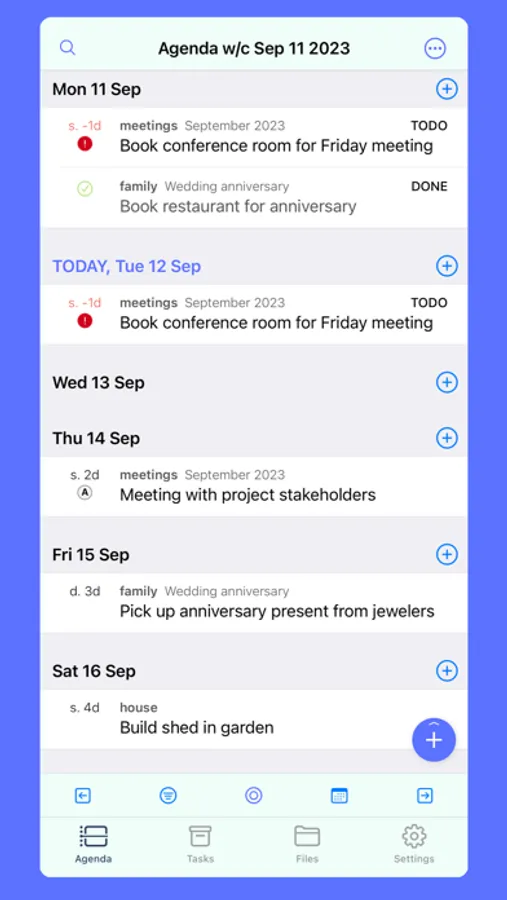
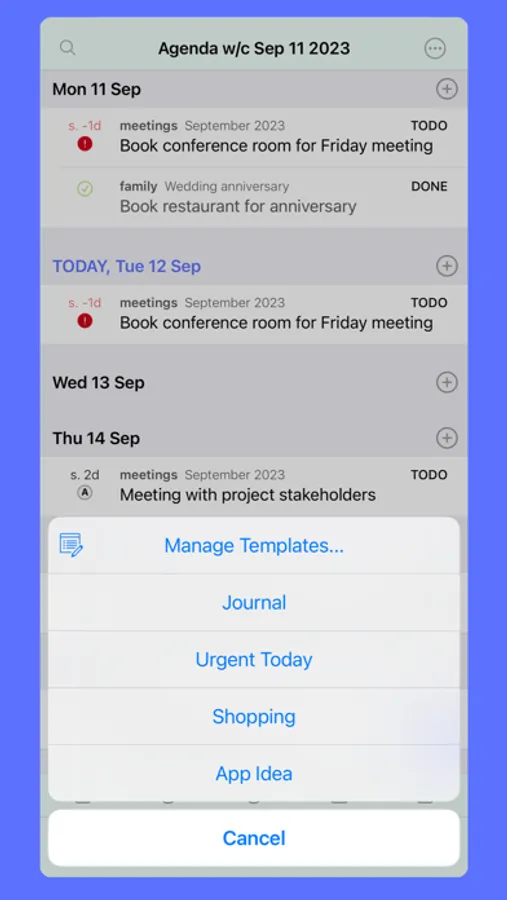
+ See a weekly agenda of everything going on
+ Check your agenda from your Apple Watch
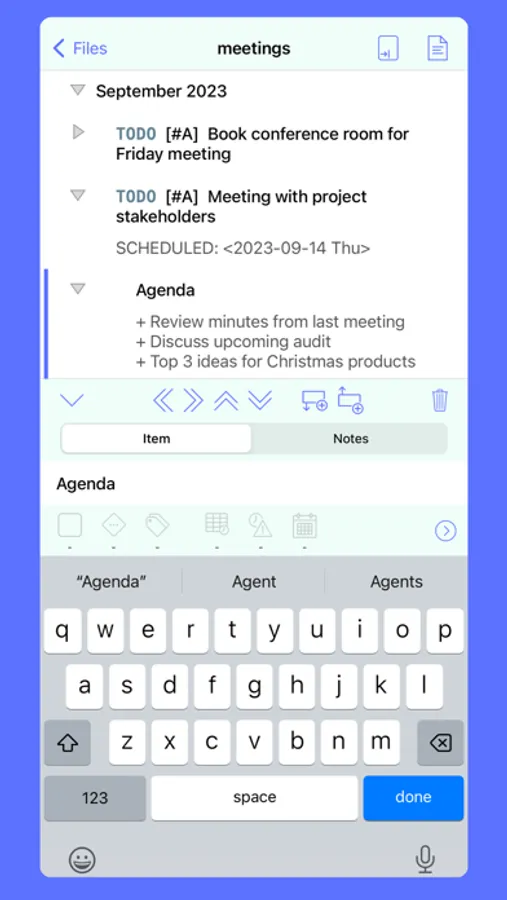
+ Use the outliner to create structured documents which can be exported to PDF
+ Sync the plain text Org mode files created by beorg with iCloud, Dropbox, WebDAV, a folder in another app or Box*
* (in-app purchase required for Box sync)
Features:
+ AGENDA: Gives you a weekly agenda on your iPhone and iPad. Events from your org files are shown alongside those from your calendar.
+ CREATE TASKS: Assign dates, status, priorities and notes. Add to your inbox or assign to a file. Set tasks to repeat on daily, weekly, monthly or yearly custom intervals.
+ SEARCH: Search all of your tasks, and use a simple query syntax to get exactly what you want. An in-app purchase allows you to save searches for quick access.
+ TEMPLATES: Define templates for common types of items you'll create.
+ OUTLINES: Use the outline editor to organize your tasks and notes. Use folding to hide/show sections and copy/paste text content into and out of other apps. Paste OPML content from other outlining and mind mapping apps.
+ TIME TASKS: Start and stop timers for each task to track how you are spending your time.
+ NOTIFICATIONS: Have your iPhone/iPad notify you of upcoming scheduled items and deadlines.
+ APPLE WATCH: View your agenda on your wrist with the Apple Watch app and complications. Siri watch face support also included!
+ QUICK CAPTURE: Add to your quick capture document from other apps or in beorg. The beorg share extension can quickly add text and links to your inbox.
+ GET IT DONE: When adding tasks use the optimised UI to quickly add schedule or deadline dates. Shift dates with ease by day or week.
+ EXPORT PDF: Generate PDFs of your outlines to save or print.
+ KEEP IN SYNC: Sync your org files using iCloud, Dropbox or WebDAV. WebDAV is supported by services as OpenDrive and ownCloud.
+ SCRIPTABLE: For advanced users use the built-in Scheme scripting language to customize beorg.
+ AUTOMATION: Use the beorg URL scheme with Shortcuts to add tasks and search for items.
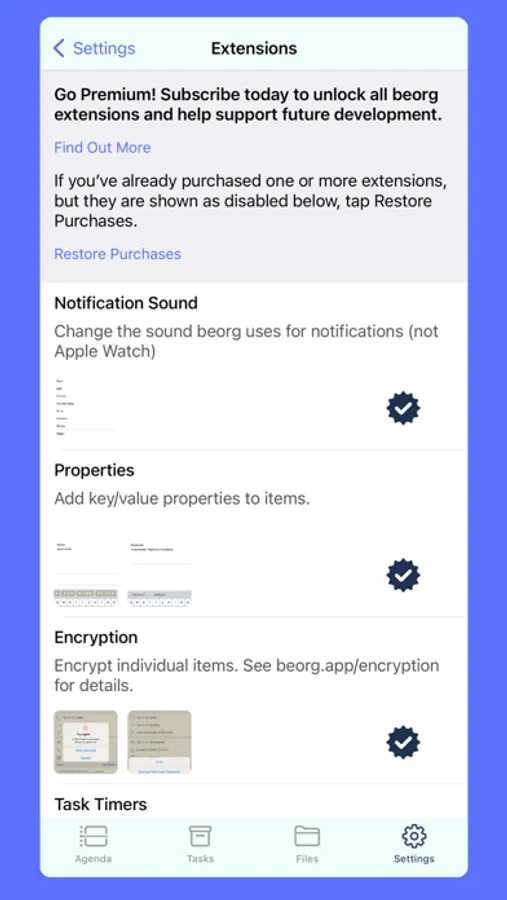
+ GET STARTED FOR FREE: Saved Searches, Unlimited Templates, Encryption, Export Themes, Box sync and Properties are available as in-app purchases.
To find out more view the Users' Guide at https://beorgapp.com/manual
Some comments from users of beorg:
"It just feels like a really natural way to do things"
"Thanks for making something I've been waiting a long time for"
"Editing is intuitive and makes things easy. I love the feature that compiles my org file into html."
"Wow! Beorg was already used for for reviewing files on the go and capturing to do items, but the new editing functionality is impressive."
beorg Premium:
+ Monthly and annual subscriptions - save money by taking out an annual subscription.
+ Payment will be charged to your iTunes account at confirmation of purchase.
+ Your subscription will automatically renew unless auto-renew is disabled at least 24 hours before the end of the current subscription period.
+ Automatic renewals will be charged at the same price you were originally charged for the subscription.
+ You can manage and cancel your subscriptions by going to your account settings on the App Store after purchase.
Terms: https://beorg.app/terms/
Privacy Policy: https://beorg.app/privacy/
* Available as an in-app purchase.
beorg: To-Do List & Agenda Screenshots
Tap to Rate:
Reviews for beorg: To-Do List & Agenda
TheArthur
a tool for pros that grows with you
most notes and todo tools can’t grow with you as you progress in your field, this one has quite a learning curve, and will extend with you as you master your art of getting things done
alexfridlyand
Incredible app
I have never used such customizable and closely resembling my workflow piece of software. Works with my Dropbox, setup on macOS, Linux and iOS. This is incredibly unique piece of software. I am doing journaling, planning and this replaces Apple Notes and Reminders for me easily with same speed. I just dont know how to make this app live my whole life. Decades of support i wish!!