Consumer Accounts with UMR
United HealthCare Services, Inc.
4.2 ★
113 ratings
Free
With this app, you can access and manage your health benefits, view balances, claims, and statements. Includes secure login with Touch ID or Face ID, account balances, claims, and customer support options.
AppRecs review analysis
AppRecs rating 4.0. Trustworthiness 76 out of 100. Review manipulation risk 22 out of 100. Based on a review sample analyzed.
★★★★☆
4.0
AppRecs Rating
Ratings breakdown
5 star
69%
4 star
10%
3 star
4%
2 star
3%
1 star
15%
What to know
✓
Low review manipulation risk
22% review manipulation risk
✓
Credible reviews
76% trustworthiness score from analyzed reviews
✓
High user satisfaction
79% of sampled ratings are 4+ stars (4.2★ average)
About Consumer Accounts with UMR
Login information
· If you are a new mobile app user, select “New User? Set up your account” to setup.
· If you have already viewed your account(s) through umr.com and don’t remember your separate mobile app username and password, select “Forgot password?”
· If you experience issues logging in, email umr-fsa@umr.com or call 800-826-9781.
Save time and hassle while making the most of your Consumer Account$ by quickly checking your balances and details. Our secure app makes managing your health benefits easy through real-time access and intuitive navigation to all your important account information on the go! Powerful features of the app include:
Easy, Convenient & Secure
· No sensitive account information is ever stored on your mobile device
· Use Touch ID or Face ID to quickly log in to the mobile app
· Setup security questions on your first login to protect your account
Connects You with the Details
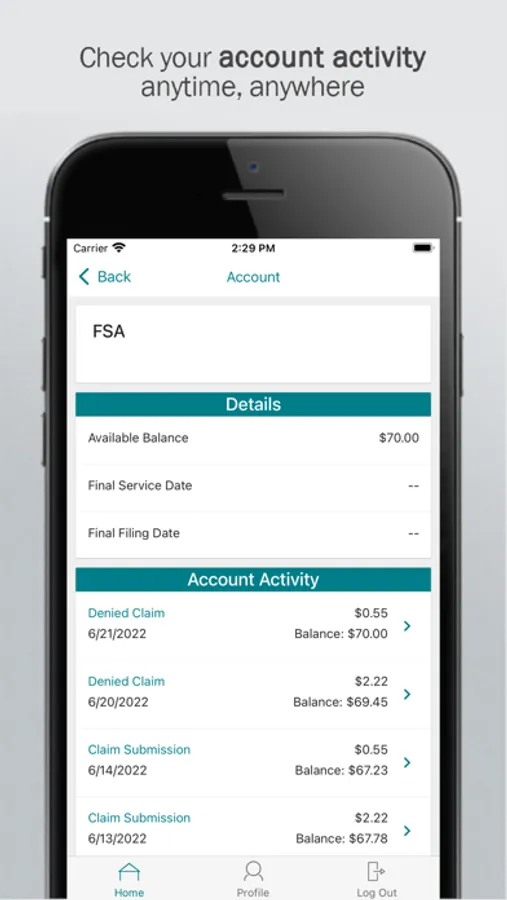
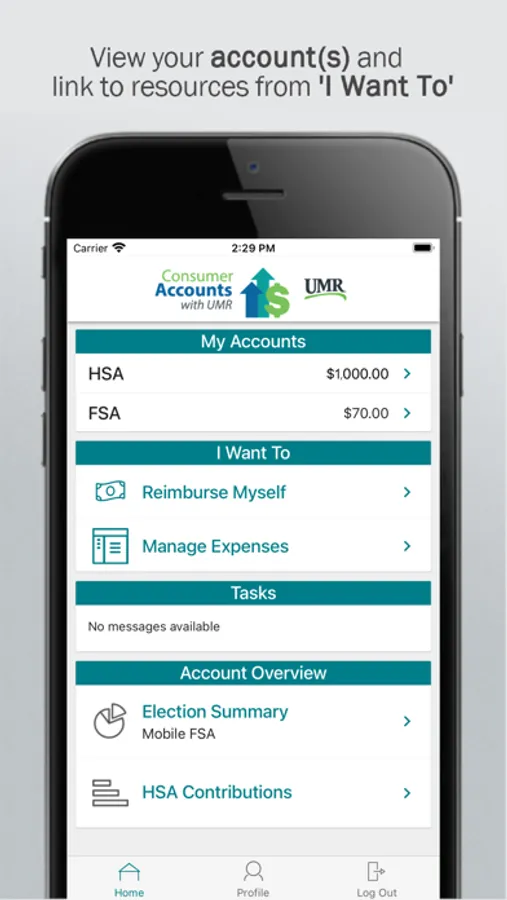
· Quickly check available balances 24/7
· View charts summarizing account(s)
· View existing claims
· Click to call or email customer service
· View your statements and notifications
· Scan product barcodes to determine their eligibility as a 213(d) qualified expense
Provides Additional Time-Saving Options (if supported or applicable to your account(s))
· Reimburse yourself
· Take or upload a picture of a receipt and submit for a new or existing claim
· View, contribute and distribute HSA transactions
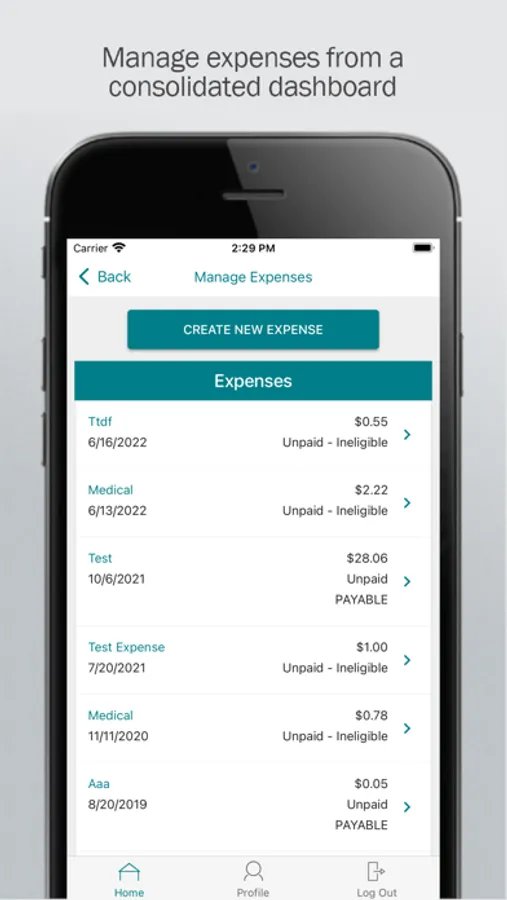
· Manage your expenses by entering medical expense information and supporting documentation
· View your HSA investments
· Retrieve your forgotten username/password
· Report a debit card as lost or stolen
Powered by WEX©
· If you are a new mobile app user, select “New User? Set up your account” to setup.
· If you have already viewed your account(s) through umr.com and don’t remember your separate mobile app username and password, select “Forgot password?”
· If you experience issues logging in, email umr-fsa@umr.com or call 800-826-9781.
Save time and hassle while making the most of your Consumer Account$ by quickly checking your balances and details. Our secure app makes managing your health benefits easy through real-time access and intuitive navigation to all your important account information on the go! Powerful features of the app include:
Easy, Convenient & Secure
· No sensitive account information is ever stored on your mobile device
· Use Touch ID or Face ID to quickly log in to the mobile app
· Setup security questions on your first login to protect your account
Connects You with the Details
· Quickly check available balances 24/7
· View charts summarizing account(s)
· View existing claims
· Click to call or email customer service
· View your statements and notifications
· Scan product barcodes to determine their eligibility as a 213(d) qualified expense
Provides Additional Time-Saving Options (if supported or applicable to your account(s))
· Reimburse yourself
· Take or upload a picture of a receipt and submit for a new or existing claim
· View, contribute and distribute HSA transactions
· Manage your expenses by entering medical expense information and supporting documentation
· View your HSA investments
· Retrieve your forgotten username/password
· Report a debit card as lost or stolen
Powered by WEX©
Consumer Accounts with UMR Screenshots
Tap to Rate:
Reviews for Consumer Accounts with UMR
jjtimmons
$UMR is the worst health savings account to deal with
Items listed as covered do not process at the store. Inconvenient to have to submit for reimbursement. Also having to submit medical office copay receipts is inconvenient as well
Zbisquit
Doesn’t work
Can’t access account from app