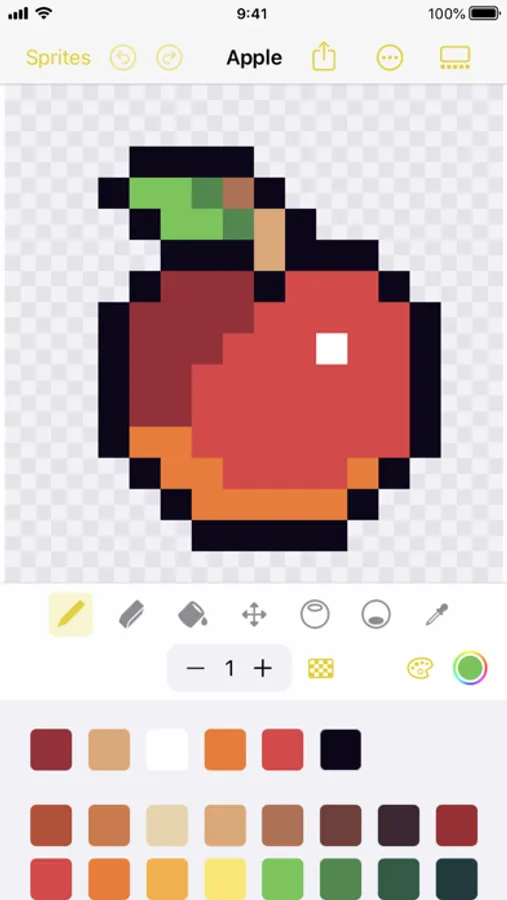
With this pixel art app, you can create and edit sprites using drawing tools, color palettes, and editing features. Includes iCloud Drive support, Apple Pencil compatibility, and sprite transformation options.
AppRecs review analysis
AppRecs rating 4.6. Trustworthiness 75 out of 100. Review manipulation risk 24 out of 100. Based on a review sample analyzed.
★★★★☆
4.6
AppRecs Rating
Ratings breakdown
5 star
76%
4 star
15%
3 star
5%
2 star
2%
1 star
2%
What to know
✓
Low review manipulation risk
24% review manipulation risk
✓
Credible reviews
75% trustworthiness score from analyzed reviews
✓
High user satisfaction
76% of sampled ratings are 5 stars
About Sprite Pencil
FEATURES:
• iCloud Drive support
• Apple Pencil support
�� Drawing engine built exclusively for Apple platforms
• Handpicked color palettes
• Import color palettes
• Move, rotate, flip, fill, and posterize sprites
• Easy outlines
• Symmetric drawing mode
• Automatic shading brushes
• Share your pixel art with scaling options
• Create pixel art stickers in the iMessage app
• Display your sprites in a widget
Sprite Pencil Screenshots
Tap to Rate:
Reviews for Sprite Pencil
Hasan&Laura
No Undo … Not ready for prime time.
Table stakes for an image editor is undo. Must be able to map it to a keystroke or action. The tool looks interesting otherwise, would love to revise this review if the product meets the minimum bar.
HomeSlice3332
I love
10 out of 10 except for one thing. I’m trying to upload one of my sprites in the import tab but when I click the button it doesn’t do anything. I still love this app and it’s great for making simple sprites for coding games or animations