AppRecs review analysis
AppRecs rating 4.8. Trustworthiness 71 out of 100. Review manipulation risk 25 out of 100. Based on a review sample analyzed.
★★★★☆
4.8
AppRecs Rating
Ratings breakdown
5 star
81%
4 star
13%
3 star
6%
2 star
0%
1 star
0%
What to know
✓
Low review manipulation risk
25% review manipulation risk
✓
Credible reviews
71% trustworthiness score from analyzed reviews
✓
High user satisfaction
81% of sampled ratings are 5 stars
About Timeview - Calendar Statistics
- Statistics
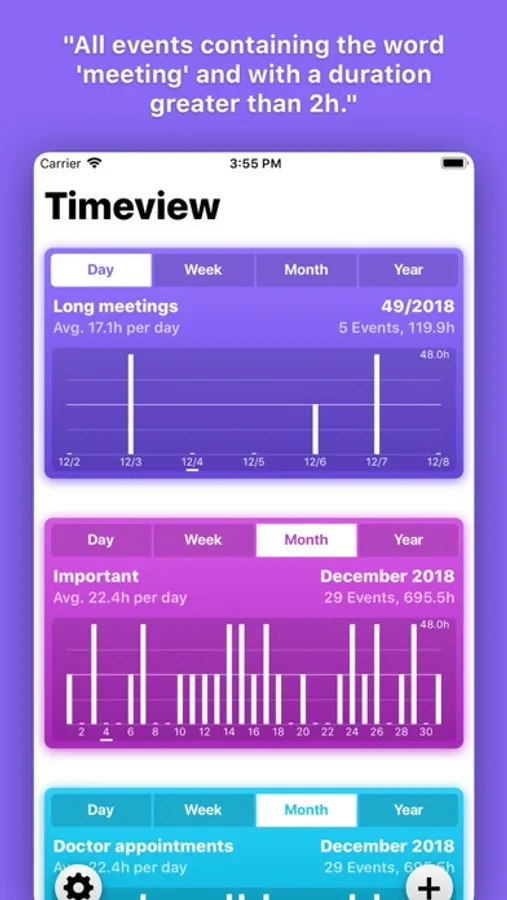
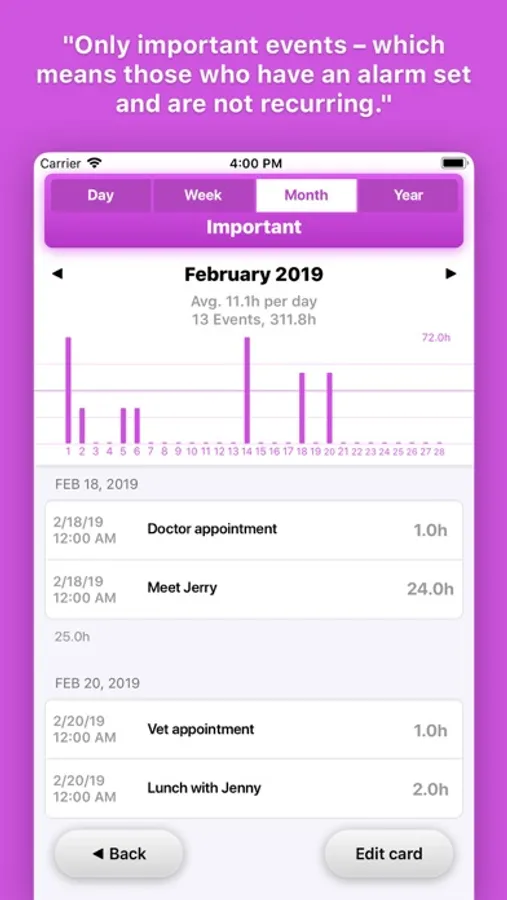
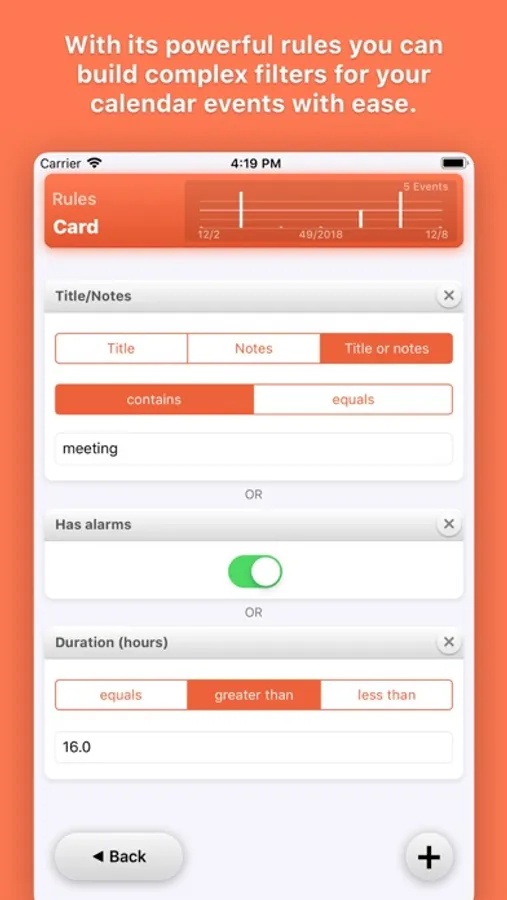
Make statistics for things like "all my calendar events from work containing the word 'meeting'" or "all my private events with an alarm set". With Timeview the possibilities are almost endless.
- Cards
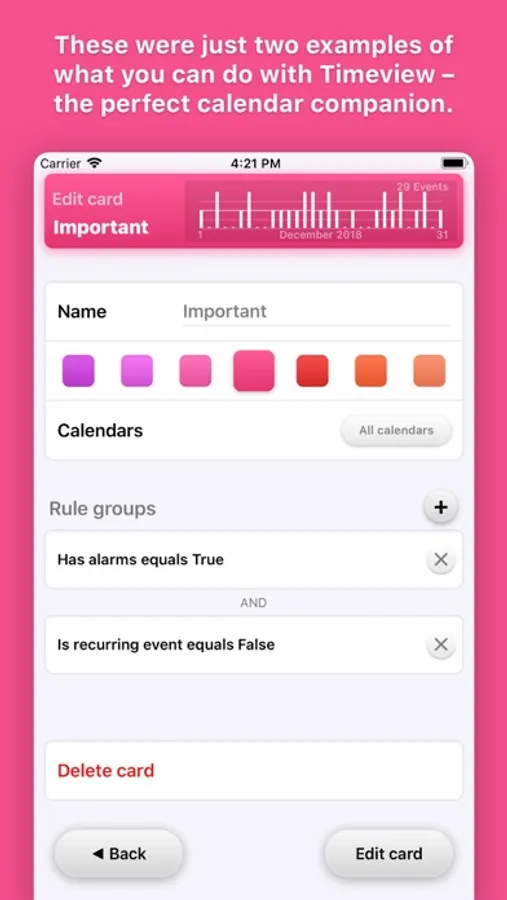
Every statistic about your calendar is a card. You can add as many as you wish and customise them to your needs.
- Rules
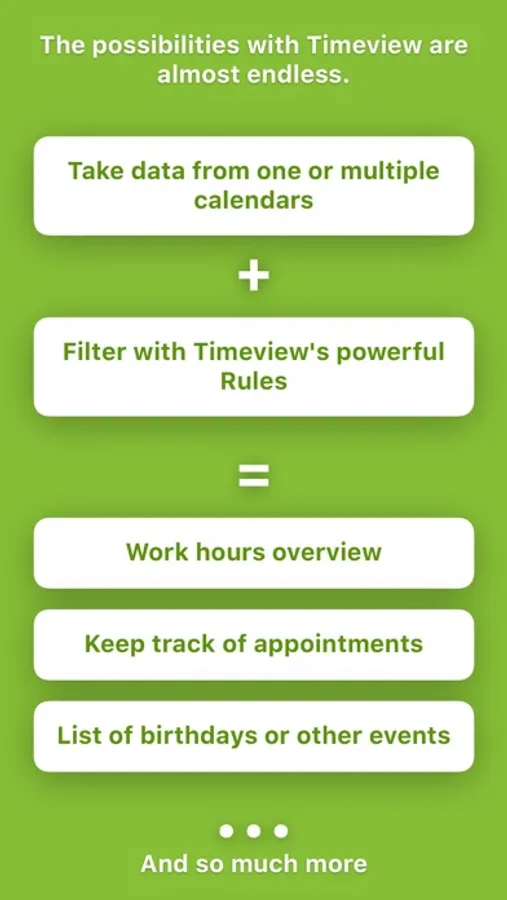
A card takes its data from one or multiple calendars and can apply a set of rules (defined by you). Thanks to this system you can track almost everything you can imagine.
- Elegant
The user interface was built with our big devices in mind. All important buttons are placed on the bottom and can be reached with one hand. Also: buttons finally look like buttons again.
- Dark mode and context menus
- Universal
One app for your iPhone and your iPad. While on smaller devices the cards are presented in a list, on your iPad you'll be greeted with a beautiful grid.
- Free to try
Timeview is free forever with up to two cards. With a one time purchase you can add as many cards as you want and also unlock some alternative icons. No subscription or hidden fees.
- Useful interactive widget to have your calendar statistics and insights directly on your home screen
It's useful for planning your time ahead, looking back how you spent your time, having an overview over your work times, events, everything is imaginable as long as it's in your calendar!
Timeview - Calendar Statistics Screenshots
Tap to Rate:
Reviews for Timeview - Calendar Statistics
Happy Ladybug
Fantastic on iPhone; stats all wrong on MacBook Air
This app is EXACTLY what I needed to ensure my calendar isn't overbooked-- before adding a future appointment I look at the stats to know how many hours are already booked for that week. Its a great tool for managing capacity and workflow. The rules were easy to set up for a concise and easy to interpret display. The two free cards for stats are all I need! Awesome! After I updated to iOS 14, I hoped to also use the app on my MacBook Air. It runs and syncs the same cards with the same calendars… but instead of reporting 10 events/10.8 hours for this week it reports 58 events/100.8 hours. The iPhone app is still fine. I'm hoping this is some small error to be addressed by a future bug fix. In the meantime ill enjoy the app on my iPhone.
Wooooooooooooooo0
Nice interface + great functionality.
This app great... It has a snazzy interface, it makes pretty pictures, it's become a full-fledged events browser... Innovative implementation of smart groups allows the user to hone-in on specific events not just on specific calendars... So many other calendar apps are stagnant or slow or subscription-only -- but not Timeview... App's functionality is impressive, its developer is responsive, its future looks bright... Timeview a slam dunk. Buy the Pro add-ons!