With this app, you can transfer files wirelessly between devices and manage content on your computer. It supports data sharing across iPhone, iPad, phones, tablets, and cloud drives. Includes cloud drive browsing, file uploads and downloads, content backup, and device content management features.
AppRecs review analysis
AppRecs rating 2.2. Trustworthiness 74 out of 100. Review manipulation risk 26 out of 100. Based on a review sample analyzed.
★★☆☆☆
2.2
AppRecs Rating
Ratings breakdown
5 star
25%
4 star
7%
3 star
5%
2 star
6%
1 star
57%
What to know
⚠
Pricing complaints
Many low ratings mention paywalls or pricing
⚠
Mixed user feedback
Average 2.4★ rating suggests room for improvement
⚠
High negative review ratio
63% of sampled ratings are 1–2 stars
About AnyTrans: Send Files Anywhere
AnyTrans is an iOS content transfer app to transfer files across iPhone, iPad, other phones/tablets, computer, even cloud drives. AnyTrans can manage diverse categories of data on computer in a more stable way. No matter you want to send photos, share videos, transfer music, copy contacts, or upload files to cloud, it goes wirelessly and instantly. You can send files to anywhere in any way you like!
1. Fast File Transfer from Phone to Phone
- Copy data/files from iPhone to iPhone, iPhone to iPad, iPhone to other phones/tablets.
- Move data/files from old phone to the new iPhone/iPad for device switch without erasing data.
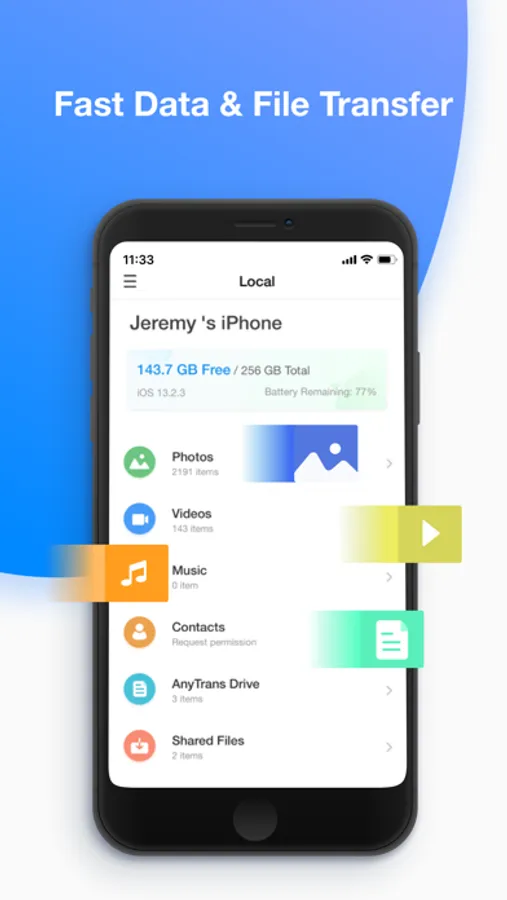
- Browse iPhone/iPad photos, music, videos, movies, contacts by category to back up and share files you want.
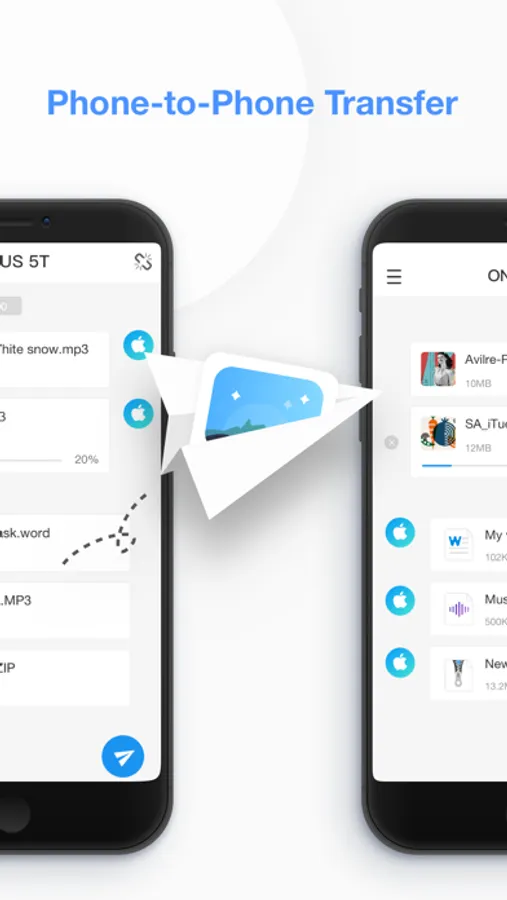
- Direct phone-to-phone transfer via same wifi or hotspot. And simply air content to start file transfer.
- Compatible with all iPhone/iPad/iPod touch running iOS 9.0 and above, including iOS 14.
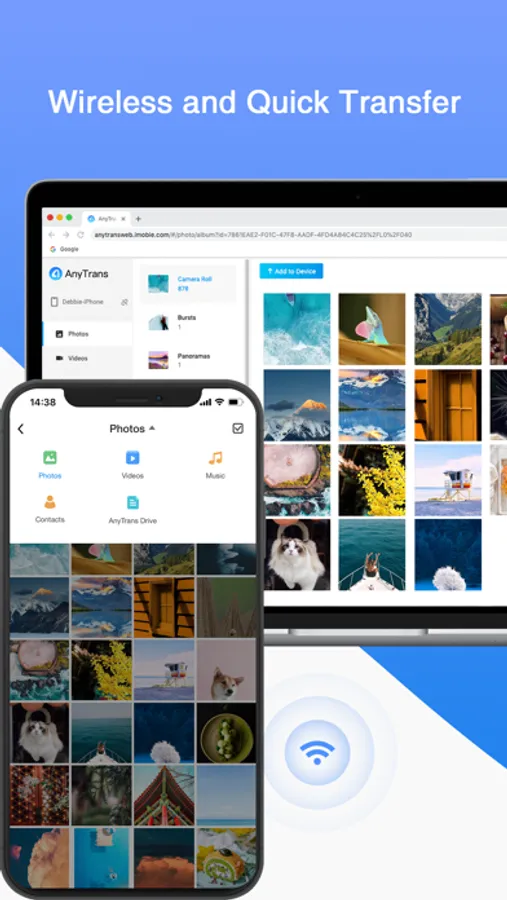
2. Wireless transfer between iPhone/iPad and Computer- Export photo, music, movie, document, etc. whatever data & files from iPhone/iPad to computer.- Manage your content in the safest way on computer. (Selectively back up iPhone/iPad to computer without USB using)- Air display iPhone/iPad video, movie, music from iPhone/iPad to computer, and play it on the big screen.- Import photos, music, contacts, files like PDF, Word, etc., from PC/Mac to iPhone/iPad without installing any program on computer.- Work with all web browsers running IE 9 or later, such as Google Chrome, Safari, Firefox, Opera, etc.
3. File Explorer and File Downloader for Multiple Cloud Drives
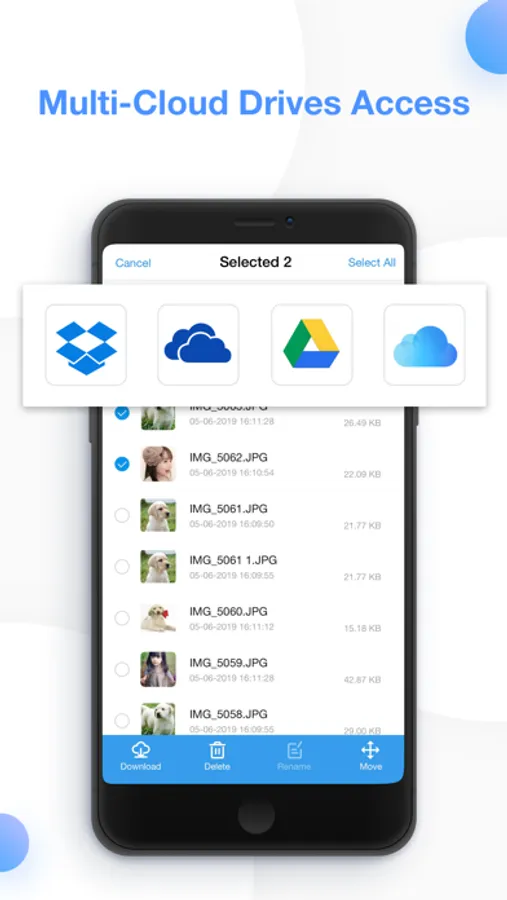
- View files and folders from iCloud Drive, Google Drive, OneDrive, Dropbox within one single app on iPhone/iPad.
- Send, move, delete, rename, upload or download photos, videos, documents, and more from Google Drive, Dropbox, iCloud Drive, etc.
- Back up photos/live photo/music, save files/documents, copy videos/movies and more to cloud drives.
- Protected by 256-bit SSL encryption when uploading and downloading files/documents.
- AnyTrans never retains any of your data or information on our servers.
4. File Manager and File Organizer for iPhone/iPad Contents
- Organize iPhone/iPad pictures, live photo, live photo video, music, videos, contacts, documents, zip files by category, and share it as you want, no quality loss.
- Built in an mp3 player and video player to play music, videos, or movies in MP3, MP4, MOV, M4A, or other formats.
- Access and play music synced from iTunes library or music shared from others.
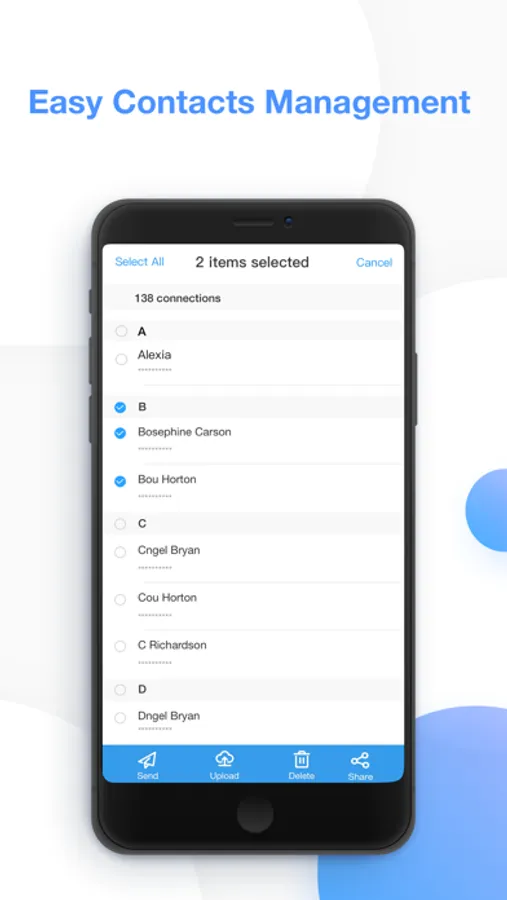
- Quickly delete multiple contacts at once, and share files with friends, including large files.
- View iPhone/iPad free storage space, and battery remaining status.
We're always pleased to hear from you! If you have any feedback, questions, or concerns, please email us at cs@imobie.com
Or connect with us for the latest news and tips:
Facebook: https://www.facebook.com/iMobie
Twitter: https://twitter.com/iMobie_Inc
YouTube: https://www.youtube.com/user/iMobieInc
1. Fast File Transfer from Phone to Phone
- Copy data/files from iPhone to iPhone, iPhone to iPad, iPhone to other phones/tablets.
- Move data/files from old phone to the new iPhone/iPad for device switch without erasing data.
- Browse iPhone/iPad photos, music, videos, movies, contacts by category to back up and share files you want.
- Direct phone-to-phone transfer via same wifi or hotspot. And simply air content to start file transfer.
- Compatible with all iPhone/iPad/iPod touch running iOS 9.0 and above, including iOS 14.
2. Wireless transfer between iPhone/iPad and Computer- Export photo, music, movie, document, etc. whatever data & files from iPhone/iPad to computer.- Manage your content in the safest way on computer. (Selectively back up iPhone/iPad to computer without USB using)- Air display iPhone/iPad video, movie, music from iPhone/iPad to computer, and play it on the big screen.- Import photos, music, contacts, files like PDF, Word, etc., from PC/Mac to iPhone/iPad without installing any program on computer.- Work with all web browsers running IE 9 or later, such as Google Chrome, Safari, Firefox, Opera, etc.
3. File Explorer and File Downloader for Multiple Cloud Drives
- View files and folders from iCloud Drive, Google Drive, OneDrive, Dropbox within one single app on iPhone/iPad.
- Send, move, delete, rename, upload or download photos, videos, documents, and more from Google Drive, Dropbox, iCloud Drive, etc.
- Back up photos/live photo/music, save files/documents, copy videos/movies and more to cloud drives.
- Protected by 256-bit SSL encryption when uploading and downloading files/documents.
- AnyTrans never retains any of your data or information on our servers.
4. File Manager and File Organizer for iPhone/iPad Contents
- Organize iPhone/iPad pictures, live photo, live photo video, music, videos, contacts, documents, zip files by category, and share it as you want, no quality loss.
- Built in an mp3 player and video player to play music, videos, or movies in MP3, MP4, MOV, M4A, or other formats.
- Access and play music synced from iTunes library or music shared from others.
- Quickly delete multiple contacts at once, and share files with friends, including large files.
- View iPhone/iPad free storage space, and battery remaining status.
We're always pleased to hear from you! If you have any feedback, questions, or concerns, please email us at cs@imobie.com
Or connect with us for the latest news and tips:
Facebook: https://www.facebook.com/iMobie
Twitter: https://twitter.com/iMobie_Inc
YouTube: https://www.youtube.com/user/iMobieInc
AnyTrans: Send Files Anywhere Screenshots
Tap to Rate:
Reviews for AnyTrans: Send Files Anywhere
Talestry
Had this for years
Started to not work recently
Jerald 628944
Anytrans
Paid for Anytrans, tried to install buy would not install. Cannot get in touch with them for help!