AppRecs review analysis
AppRecs rating 4.5. Trustworthiness 58 out of 100. Review manipulation risk 29 out of 100. Based on a review sample analyzed.
★★★★☆
4.5
AppRecs Rating
Ratings breakdown
5 star
94%
4 star
6%
3 star
0%
2 star
0%
1 star
0%
What to know
✓
High user satisfaction
94% of sampled ratings are 5 stars
About Xequence AU | Keys
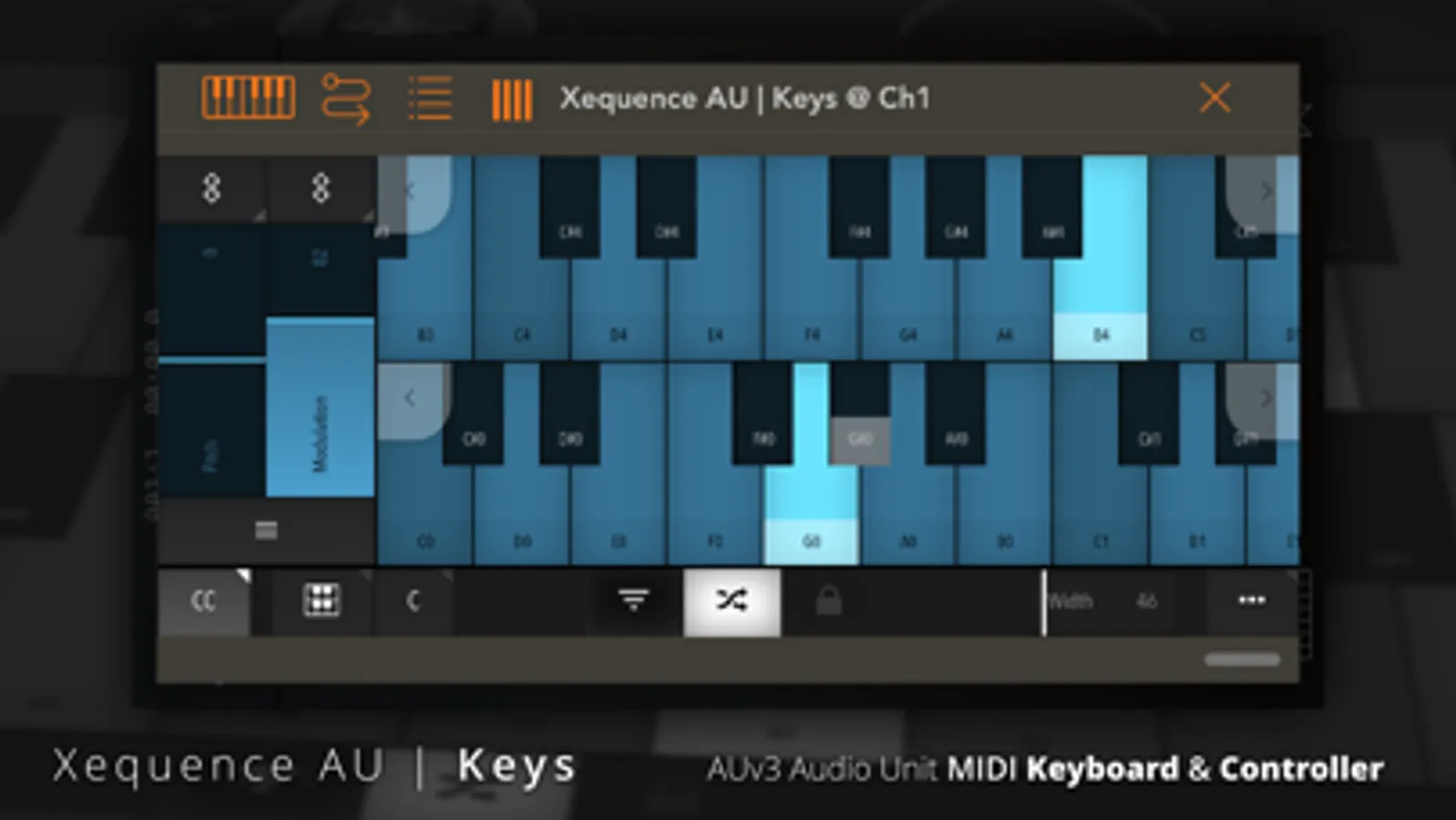
Xequence AU | Keys is a comprehensive and expressive keyboard controller for use inside AU (Audio Unit) hosts like AUM, Cubasis, apeMatrix, etc.
It features the same, widely acclaimed keyboard that users of Xequence, our advanced MIDI workstation, have grown to love.
HIGHLIGHTS:
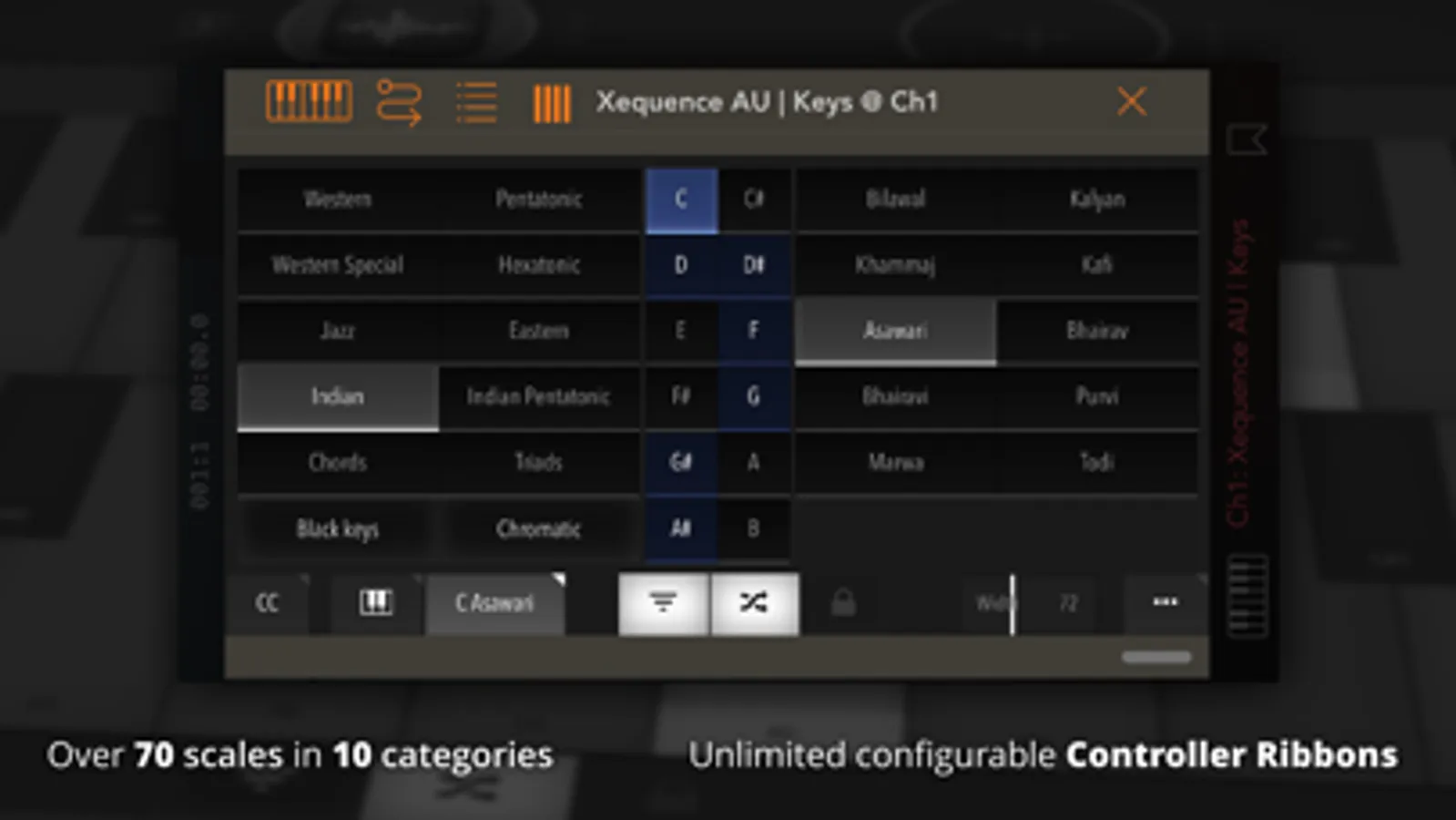
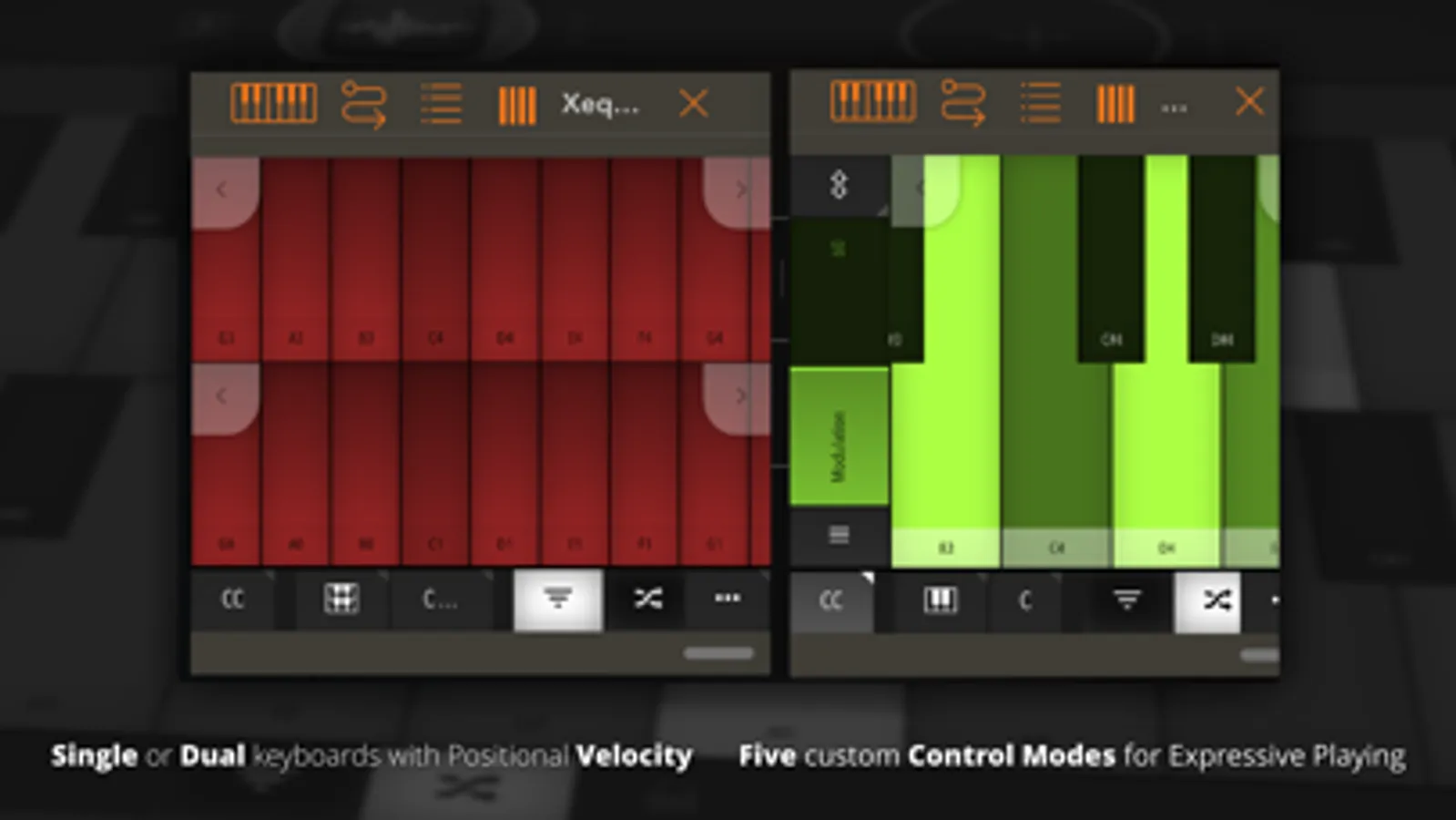
- Fully scale-aware, very playable single or dual keyboard
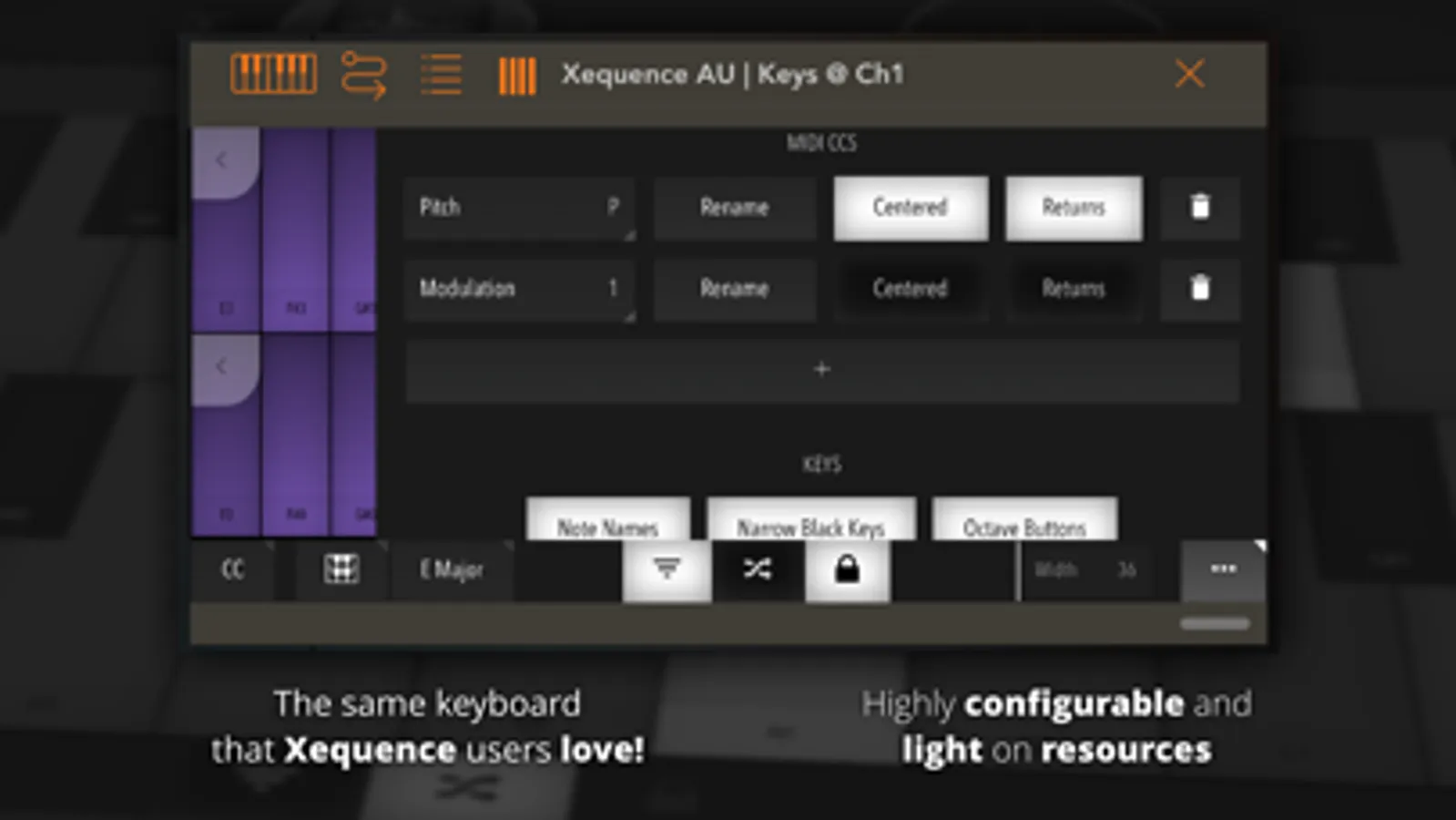
- Extremely fast and light on resources
- Over 70 scales in 10 categories included
- Freely adjustable key width
- "Glide" mode for triggering keys by sliding between them
- Velocity emulation (via vertical position on key)
- Automatically adapts to nearly any plugin window size or aspect ratio
- Unlimited instances
- Full support for AU presets (and state saving / restoration) in the host
- Configurable keyboard color and MIDI channel
CONTROLLERS:
- Any number of MIDI CCs (controllers) can be freely configured and shown as touch ribbons next to the keyboard
- A number of standard controller numbers (such as 74 = Cutoff, 7 = Volume etc.) are included and can be set with a single tap
SPECIAL CONTROLLER MODES:
The following special modes can be set per controller and give an "MPE-like" feel while being compatible with non-MPE synths:
- DEVICE ROTATION - controller moves according to device rotation
- GATE - controller can be set to a default position, and then tapped anywhere to toggle it to that position and back (think "Trance gates" when used with eg. CC 7 / Volume)
- KEY POSITION - controller moves when touching a keyboard key, depending on vertical position
- KEY SLIDE - controller moves along when one or more fingers are moved vertically while holding any number of keys
- The above modes can also be combined
- Note that this is NOT MPE - controllers are always sent for all notes at once, not per individual note!
Please report any issues via our website, we provide quick and comprehensive support!
Xequence AU | Keys Screenshots
Tap to Rate:
Reviews for Xequence AU | Keys
Enrique Raphaël Page Pérez
Has a few bugs but it’s pretty good anyway
I’ve already committed to the developer to inform them of the bugs I’ve found so they can fix it (I will do so soon Dev), but in general these are well worth apps. My only request: Please make them MPE compatible - naturally not by default but being able to send midi through multiple channels (channel per note) would be great for stuff like NOISE, Synthclavier, Volt and all those fancy MPE synths.
👍!WOW!
This app is crazy good!
Make sure you’re interested in AUv3 before you buy. Grab this up as soon as possible!