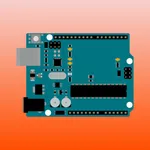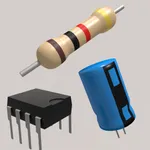
With this app, you can create 3D designs, simulate circuits, and code with integrated tools. Includes import and export options, AR viewing, and compatibility with microcontrollers.
AppRecs review analysis
AppRecs rating 4.6. Trustworthiness 72 out of 100. Review manipulation risk 28 out of 100. Based on a review sample analyzed.
★★★★☆
4.6
AppRecs Rating
Ratings breakdown
5 star
81%
4 star
10%
3 star
4%
2 star
1%
1 star
4%
What to know
✓
Low review manipulation risk
28% review manipulation risk
✓
Credible reviews
72% trustworthiness score from analyzed reviews
✓
High user satisfaction
81% of sampled ratings are 5 stars
About Tinkercad
Tinkercad is a free app that equips the next generation of designers and engineers with the foundational skills for innovation: 3D design, electronics, and coding.
• FREE FOR EVERYONE: No strings attached. Start creating from the first click.
• LEARN BY DOING: Build confidence, persistence, and problem-solving skills.
• SAFE FOR ALL AGES: Ad-free. kidSAFE certified. Privacy first.
KEY FEATURES
• Easily build 3D with controls optimized for your device.
• Connect, code, and simulate circuit components with Arduino and micro:bit microcontrollers.
• Make 3D designs from code using Tinkercad Codeblocks.
• Bring your designs into the real world with the Tinkercad AR viewer.
• Import STL, OBJ and SVG files into the 3D design space to build on an existing design.
• Export your files including STL, OBJ, USDZ, and SVG or send them to other programs.
• All you need is a device and an internet connection.
• Apple Pencil compatible.
FOR EDUCATORS
• Tinkercad Classrooms allows teachers to assign Activities, send and receive assignments, invite co-teachers, and monitor student progress—all from your dashboard.
• Tinkercad Lesson Plans and starters available for students to get started with 3D CAD design, electronics simulation, and block-based programming.
• Compatible with Google Classroom.
Tinkercad is a free product from Autodesk, a leader in 3D design, engineering, and entertainment software. Tomorrow's innovators start here.
Children’s Privacy Statement: https://www.autodesk.com/company/legal-notices-trademarks/privacy-statement/childrens-privacy-statement
• FREE FOR EVERYONE: No strings attached. Start creating from the first click.
• LEARN BY DOING: Build confidence, persistence, and problem-solving skills.
• SAFE FOR ALL AGES: Ad-free. kidSAFE certified. Privacy first.
KEY FEATURES
• Easily build 3D with controls optimized for your device.
• Connect, code, and simulate circuit components with Arduino and micro:bit microcontrollers.
• Make 3D designs from code using Tinkercad Codeblocks.
• Bring your designs into the real world with the Tinkercad AR viewer.
• Import STL, OBJ and SVG files into the 3D design space to build on an existing design.
• Export your files including STL, OBJ, USDZ, and SVG or send them to other programs.
• All you need is a device and an internet connection.
• Apple Pencil compatible.
FOR EDUCATORS
• Tinkercad Classrooms allows teachers to assign Activities, send and receive assignments, invite co-teachers, and monitor student progress—all from your dashboard.
• Tinkercad Lesson Plans and starters available for students to get started with 3D CAD design, electronics simulation, and block-based programming.
• Compatible with Google Classroom.
Tinkercad is a free product from Autodesk, a leader in 3D design, engineering, and entertainment software. Tomorrow's innovators start here.
Children’s Privacy Statement: https://www.autodesk.com/company/legal-notices-trademarks/privacy-statement/childrens-privacy-statement
Tap to Rate:
Reviews for Tinkercad
Munchikenman2019
I love this app!
Honestly love it it’s so fun to use for my 3d printer at home and is great for modeling
V2fegrfg
Tinker cad
Best experience ever