AppRecs review analysis
AppRecs rating 3.5. Trustworthiness 78 out of 100. Review manipulation risk 25 out of 100. Based on a review sample analyzed.
★★★☆☆
3.5
AppRecs Rating
Ratings breakdown
5 star
50%
4 star
17%
3 star
0%
2 star
0%
1 star
33%
What to know
✓
Low review manipulation risk
25% review manipulation risk
✓
Credible reviews
78% trustworthiness score from analyzed reviews
✓
Good user ratings
67% positive sampled reviews
About Photo Markup - Draw & Annotate
Add notes, highlight, draw lines, circle an object, add smileys, emojis and many more. The application supports more than 300 smileys and emojis to enhance the images. Smileys and emojis also help to show expression making the photos better and more expressive. You could also directly draw on the images. You could write using your fingers or Apple Pencil to show your messages in more expressive way. Handwritten messages or text adds more meaning to the images.
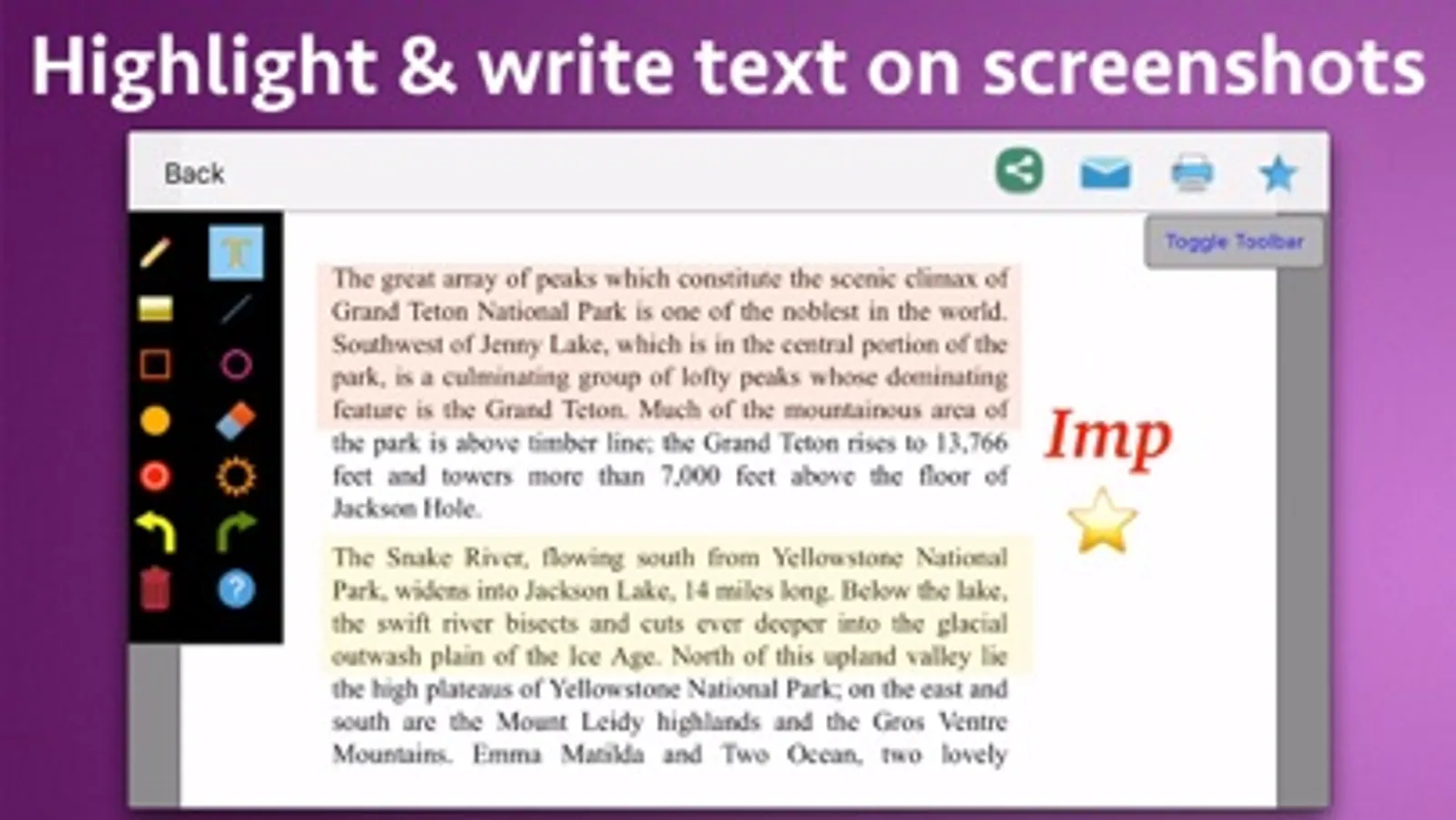
You could take a screenshot on the phone and edit it in the application. In the application, you could write text on screenshots, add emojis and smileys, draw using your fingers, highlight using rectangle or circle and underline text as well. Using the image markup, you could easily explain things on the screenshots or the images to the other people.
Using the image markup, you could easily point to important things in an image. For example, you could highlight yourself in a group of people.
The application also comes with various other tools. For example : Using eraser, the drawn content could be deleted. The application has the undo and redo options. The application also comes with options to change the drawing color and thickness of the borders of the drawn objects.
Using the application you could draw randomly on the screen, draw a line, rectangle or circle, write text on the screen and highlight an area . When you write the text, you could change the Font, Size and colour as well.
You could take a screenshot on the phone and edit it in the application. In the application, you could write text on screenshots, add emojis and smileys, draw using your fingers, highlight using rectangle or circle and underline text as well. Using the image markup, you could easily explain things on the screenshots or the images to the other people.
Using the image markup, you could easily point to important things in an image. For example, you could highlight yourself in a group of people.
The application also comes with various other tools. For example : Using eraser, the drawn content could be deleted. The application has the undo and redo options. The application also comes with options to change the drawing color and thickness of the borders of the drawn objects.
Using the application you could draw randomly on the screen, draw a line, rectangle or circle, write text on the screen and highlight an area . When you write the text, you could change the Font, Size and colour as well.
Photo Markup - Draw & Annotate Screenshots




Tap to Rate:
Reviews for Photo Markup - Draw & Annotate
boilerman1959
Good deal
Had a slight problem at first, but one message to support and the had me fixed up!!! Great app and great service
RobSmith55
Good and easy to use
I have annotated many of my photos using this application. It works great. It has tons of options and customisations to suit my requirements. Overall it is a good purchase.