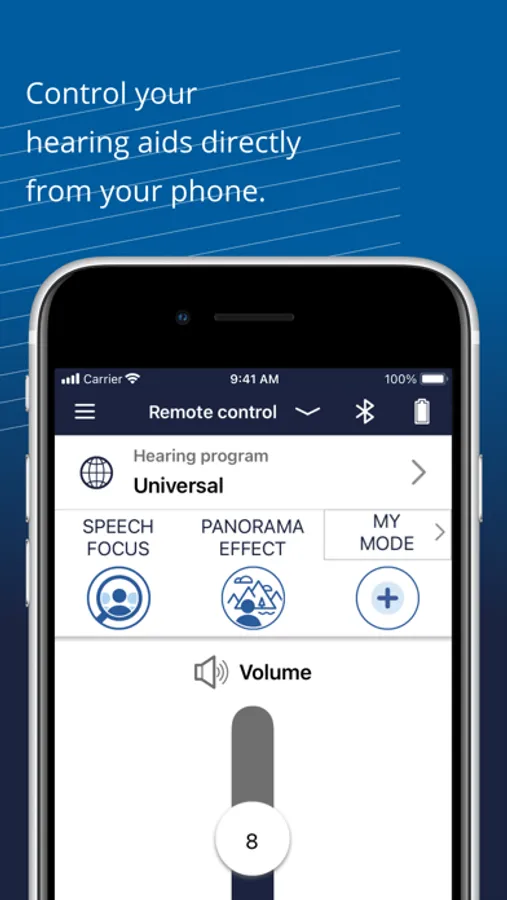
With this hearing aid control app, you can adjust volume, change listening programs, and activate specialized features like SPEECH FOCUS and PANORAMA EFFECT. Includes multimedia streaming, device status monitoring, and user guide access.
AppRecs review analysis
AppRecs rating 4.3. Trustworthiness 78 out of 100. Review manipulation risk 20 out of 100. Based on a review sample analyzed.
★★★★☆
4.3
AppRecs Rating
Ratings breakdown
5 star
64%
4 star
19%
3 star
9%
2 star
3%
1 star
5%
What to know
✓
Low review manipulation risk
20% review manipulation risk
✓
Credible reviews
78% trustworthiness score from analyzed reviews
✓
High user satisfaction
83% of sampled ratings are 4+ stars (4.3★ average)
About hear.com HORIZON
Remote Control
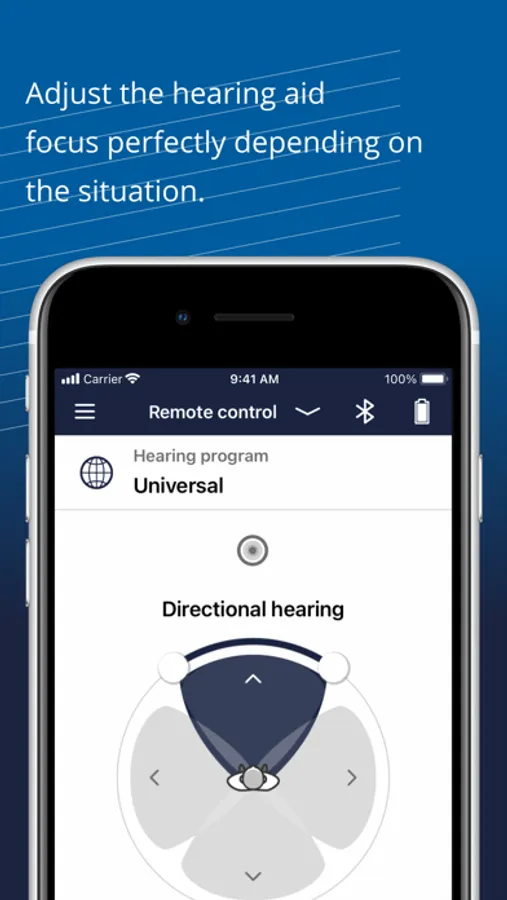
Control all functions and settings of your hear.com horizon hearing aid from the smartphone screen:
• Volume
• Hearing programs
• Tonal balance
• SPEECH FOCUS for particularly clear speech understanding
• PANORAMA EFFECT for a unique 360° all-round listening experience
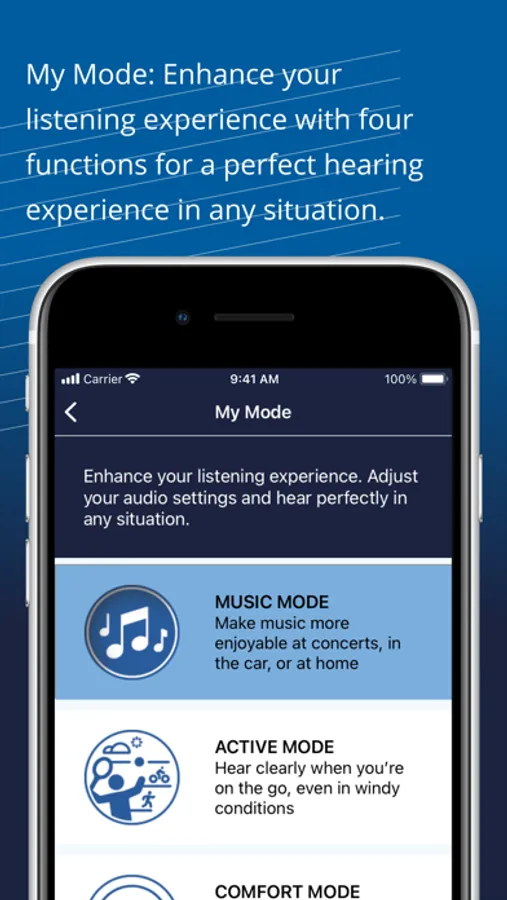
• MY MODE with four new functions making each hearing situation perfect: MUSIC MODE, ACTIVE MODE, COMFORT MODE and RELAX MODE.
Direct Streaming
Transfer multimedia content directly to the hearing aid via Bluetooth connection:
• Music
• Calls
• TV sound
• Audio books
• Web content
Device information:
• Battery status
• Warning message
• Statistics on device usage
The user guide for the app can be accessed from the app settings menu. Alternatively, you can download the user guide in electronic form from www.wsaud.com or order a printed version from the same address. The printed version will be made available to you free of charge within 7 working days.
Manufactured by
WSAUD A/S
Nymøllevej 6
3540 Lynge
Denmark
UDI-DI (01)05714880113228
hear.com HORIZON Screenshots

Tap to Rate:
Reviews for hear.com HORIZON
Reffinej1
App needs work
I continually need to reset the App Bluetooth tooth disconnects and will not reconnect autonomously. If I lower the volume they disconnect from the app. There is no simple transition between devices (I have multiple cellular phones and other devices I pair with) and that transition needs to occur easily If I need to pair with a device all previous settings are reset to default Volume controls are not saved etc This app needs a lot of work
IMitchWalker
New client
I am a brand new client and I am learning more and more.