AppRecs review analysis
AppRecs rating 3.5. Trustworthiness 66 out of 100. Review manipulation risk 22 out of 100. Based on a review sample analyzed.
★★★☆☆
3.5
AppRecs Rating
Ratings breakdown
5 star
46%
4 star
8%
3 star
15%
2 star
8%
1 star
23%
What to know
✓
Low review manipulation risk
22% review manipulation risk
About Cast Button 4 Instagram Video
Stream your Instagram and IGTV videos to Televisions that are connected to a Chromecast device, or to a cast-enabled smart speaker.
1. Make sure you are on the same WiFi network as your cast-enabled device.
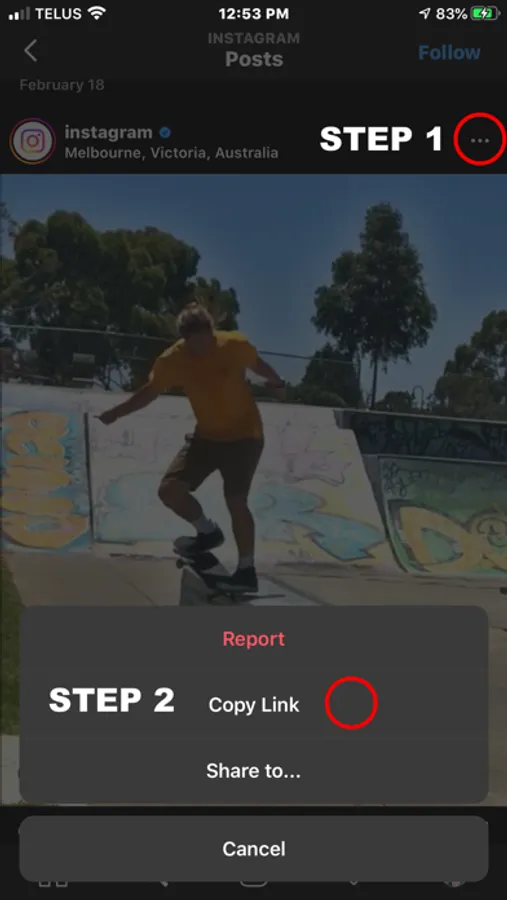
2. In Instagram, go to any public video, and select ... and Copy Link
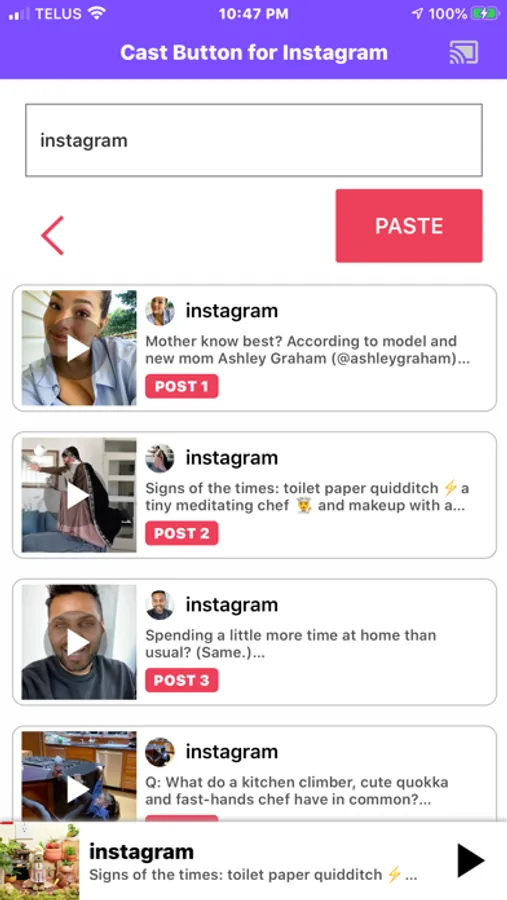
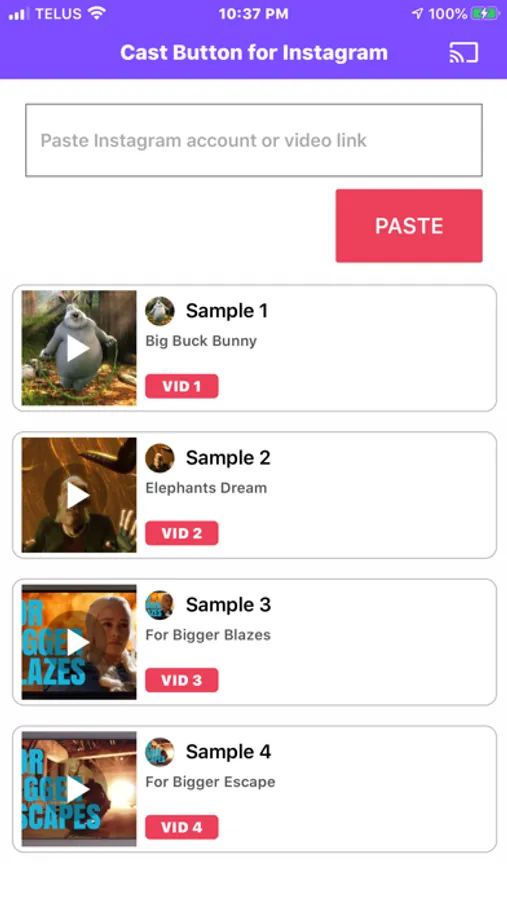
3. Return to the app and press PASTE, or you can type the profile handle of any public Instagram profile.
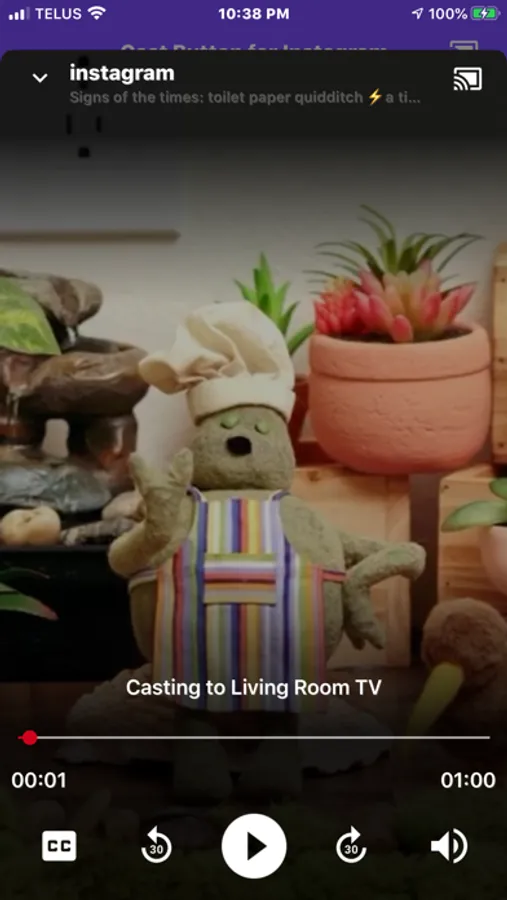
4. Press the Chrome cast icon in the top right, and select your TV or Bluetooth speaker to Cast to.
5. You are now casting!
You can also type the name of the instagram account and see the top videos on that account.
Only videos can be casted.
Things you should know:
1. Make sure your phone is on the same WiFi network as your cast devices. (Casting will not work over Cell / LTE / 3G)
2. Make sure your cast devices are connected to power to be discoverable by the app.
3. You can cast to a Chromecast equipped TV or also to a Cast enabled smart speaker, if you only want to play Audio from Instagram/IGTV posts.
We are always trying to improve our apps. Please send all feedback to: CastForInstagramIOS@gmail.com
1. Make sure you are on the same WiFi network as your cast-enabled device.
2. In Instagram, go to any public video, and select ... and Copy Link
3. Return to the app and press PASTE, or you can type the profile handle of any public Instagram profile.
4. Press the Chrome cast icon in the top right, and select your TV or Bluetooth speaker to Cast to.
5. You are now casting!
You can also type the name of the instagram account and see the top videos on that account.
Only videos can be casted.
Things you should know:
1. Make sure your phone is on the same WiFi network as your cast devices. (Casting will not work over Cell / LTE / 3G)
2. Make sure your cast devices are connected to power to be discoverable by the app.
3. You can cast to a Chromecast equipped TV or also to a Cast enabled smart speaker, if you only want to play Audio from Instagram/IGTV posts.
We are always trying to improve our apps. Please send all feedback to: CastForInstagramIOS@gmail.com
Cast Button 4 Instagram Video Screenshots
Tap to Rate:
Reviews for Cast Button 4 Instagram Video
Nick0Name01111
This app needs repair!
Used to work great months ago, now it crashes and won’t recognize any of my connections.
Christyjoy25
App doesn’t work
Crashes immediately when you paste