
AppRecs review analysis
AppRecs rating 4.5. Trustworthiness 60 out of 100. Review manipulation risk 23 out of 100. Based on a review sample analyzed.
★★★★☆
4.5
AppRecs Rating
Ratings breakdown
5 star
91%
4 star
9%
3 star
0%
2 star
0%
1 star
0%
What to know
✓
Low review manipulation risk
23% review manipulation risk
✓
High user satisfaction
91% of sampled ratings are 5 stars
About Jyutping - Cantonese Keyboard
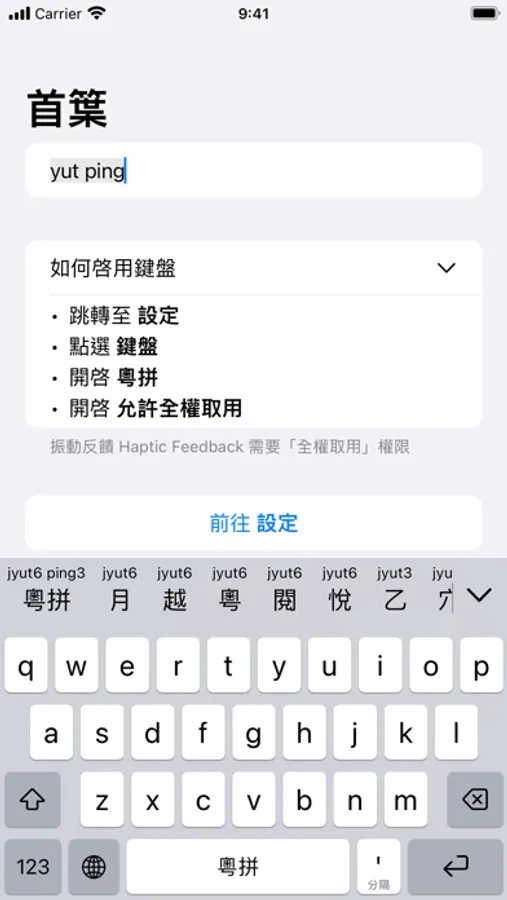
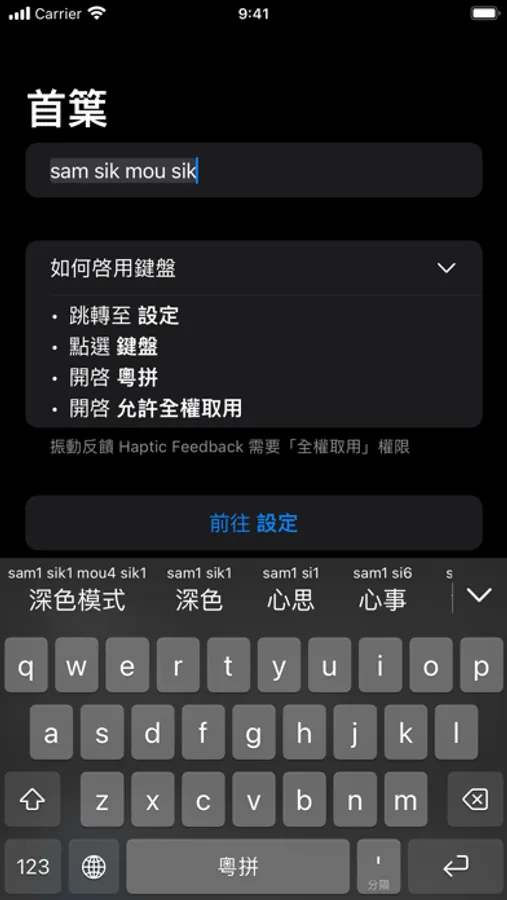
Jyutping keyboard is a precise, fluent and easy-to-use Cantonese input method.
It fully supports the LSHK Jyutping romanization system, helping you type quickly and accurately, and making the typing experience effortless and enjoyable.
With Jyutping, every input reinforces your pronunciation. The more you type with Jyutping, the more proficient you'll become in Cantonese.
It's ready to use right out of the box; no complicated setup required.
Completely free, open source, and ad-free. Works entirely offline, so you never have to worry about privacy concerns.
You can reverse lookup Jyutping using input methods you're familiar with, such as Mandarin Pinyin, Cangjie, Quick (Sucheng), or Stroke input.
Keyboard feature highlights:
• Regular Jyutping input: For example, neihou → 你好.
• Abbreviated input with Jyutping initials: For example, nh / nhou / neih → 你好.
• Accurate input with Jyutping tones: Type precisely while helping learners become familiar with Cantonese tones.
• Jyutping annotations/hints on candidates: Makes it easier to get started, while letting you practice, review, and correct pronunciation.
• Supports Traditional and Simplified Chinese characters: Freely switch between scripts. Traditional characters follow both Hong Kong and Taiwan standards.
• Reverse lookup with Mandarin Pinyin: Start with r, then enter Mandarin Pinyin (e.g., rlin → 林).
• Reverse lookup with Cangjie or Quick (Sucheng): Start with v, then enter Cangjie or Quick code (e.g., vdd → 林).
• Reverse lookup with Stroke input: Start with x, then enter Stroke code (e.g., xwsad → 木).
• Reverse lookup with character components: Start with q, then input the Jyutping of two component characters (e.g., qmukmuk → 林).
• Emoji candidate suggestions: Match Cantonese words. For example, typing “daai cung (大蟲)” gives you the tiger emoji.
• Massive Cantonese vocabulary, aligned with Cantonese sentence structure, ensures smooth and fluent typing.
• Multiple keyboard layouts available, including a 26-key QWERTY layout, 26-key triple-stroke layout, and 10-key (T9) layout.
• Convenient tools for copying, cutting, pasting, and moving the cursor backward/forward.
• Sound and haptic feedback with multiple options available.
Key features of the main app:
• Detailed guide to all Jyutping keyboard functions.
• Jyutping romanization scheme tables.
• Common Cantonese words and expressions.
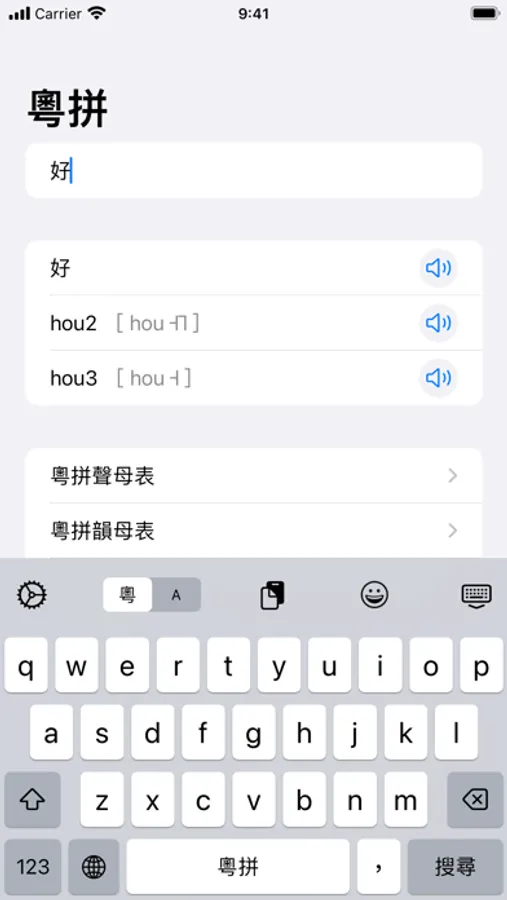
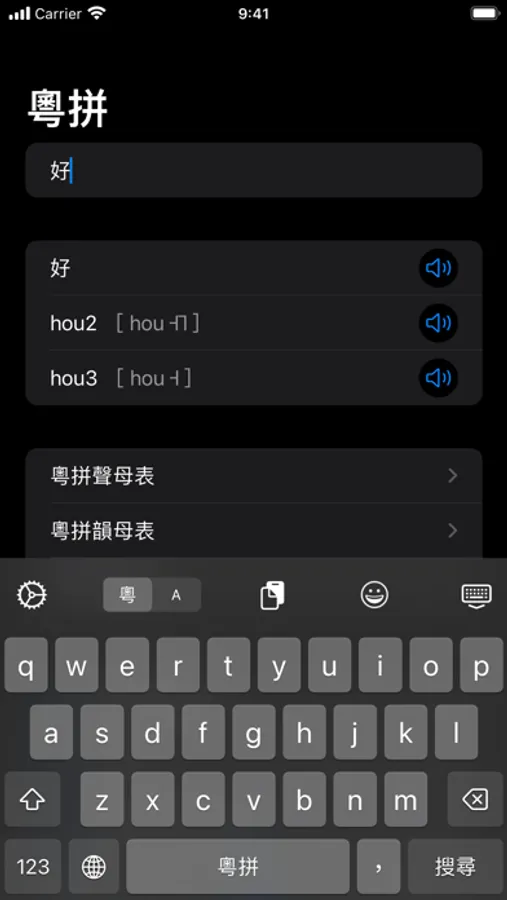
• Pronunciation of frequently used Cantonese words.
• Cantonese pronunciation search and dictionary lookup.
• Text-to-Jyutping conversion.
• Cantonese text-to-speech.
We do not collect or share any personal information.
This app is fully open source on GitHub:
https://github.com/yuetyam/jyutping
To learn more about Jyutping and Cantonese keyboards, visit our official website:
https://jyutping.app
It fully supports the LSHK Jyutping romanization system, helping you type quickly and accurately, and making the typing experience effortless and enjoyable.
With Jyutping, every input reinforces your pronunciation. The more you type with Jyutping, the more proficient you'll become in Cantonese.
It's ready to use right out of the box; no complicated setup required.
Completely free, open source, and ad-free. Works entirely offline, so you never have to worry about privacy concerns.
You can reverse lookup Jyutping using input methods you're familiar with, such as Mandarin Pinyin, Cangjie, Quick (Sucheng), or Stroke input.
Keyboard feature highlights:
• Regular Jyutping input: For example, neihou → 你好.
• Abbreviated input with Jyutping initials: For example, nh / nhou / neih → 你好.
• Accurate input with Jyutping tones: Type precisely while helping learners become familiar with Cantonese tones.
• Jyutping annotations/hints on candidates: Makes it easier to get started, while letting you practice, review, and correct pronunciation.
• Supports Traditional and Simplified Chinese characters: Freely switch between scripts. Traditional characters follow both Hong Kong and Taiwan standards.
• Reverse lookup with Mandarin Pinyin: Start with r, then enter Mandarin Pinyin (e.g., rlin → 林).
• Reverse lookup with Cangjie or Quick (Sucheng): Start with v, then enter Cangjie or Quick code (e.g., vdd → 林).
• Reverse lookup with Stroke input: Start with x, then enter Stroke code (e.g., xwsad → 木).
• Reverse lookup with character components: Start with q, then input the Jyutping of two component characters (e.g., qmukmuk → 林).
• Emoji candidate suggestions: Match Cantonese words. For example, typing “daai cung (大蟲)” gives you the tiger emoji.
• Massive Cantonese vocabulary, aligned with Cantonese sentence structure, ensures smooth and fluent typing.
• Multiple keyboard layouts available, including a 26-key QWERTY layout, 26-key triple-stroke layout, and 10-key (T9) layout.
• Convenient tools for copying, cutting, pasting, and moving the cursor backward/forward.
• Sound and haptic feedback with multiple options available.
Key features of the main app:
• Detailed guide to all Jyutping keyboard functions.
• Jyutping romanization scheme tables.
• Common Cantonese words and expressions.
• Pronunciation of frequently used Cantonese words.
• Cantonese pronunciation search and dictionary lookup.
• Text-to-Jyutping conversion.
• Cantonese text-to-speech.
We do not collect or share any personal information.
This app is fully open source on GitHub:
https://github.com/yuetyam/jyutping
To learn more about Jyutping and Cantonese keyboards, visit our official website:
https://jyutping.app
Jyutping - Cantonese Keyboard Screenshots
Tap to Rate:
Reviews for Jyutping - Cantonese Keyboard
Joo_ooe
加一
希望有手寫反查會更好!!!
Luckbymyside
九鍵有啲困難噃
我自己習慣用九鍵單手輸入,而家支持九鍵好開心,但係發現有啲困難,首先無法用r拼音功能打出不會粵拼嘅字,第二,九鍵差唔多無模糊拼音,必須要我打出全啱嘅粵拼才出對應字,仲有y同j喺26鍵可以混用,比如*一*可以係jat,但你輸入yat也ok,但係喺9鍵輸入下yat就搵唔到,聯想功能也係26叻啲,出嚟嘅*出*字唔係coet咩,9鍵打唔出來喂,開發大佬可否等陣優化下咧😄