
WinkNotes - Easy Flashcards
Detailsoft Co., Ltd.
4.8 ★
124 ratings
Free
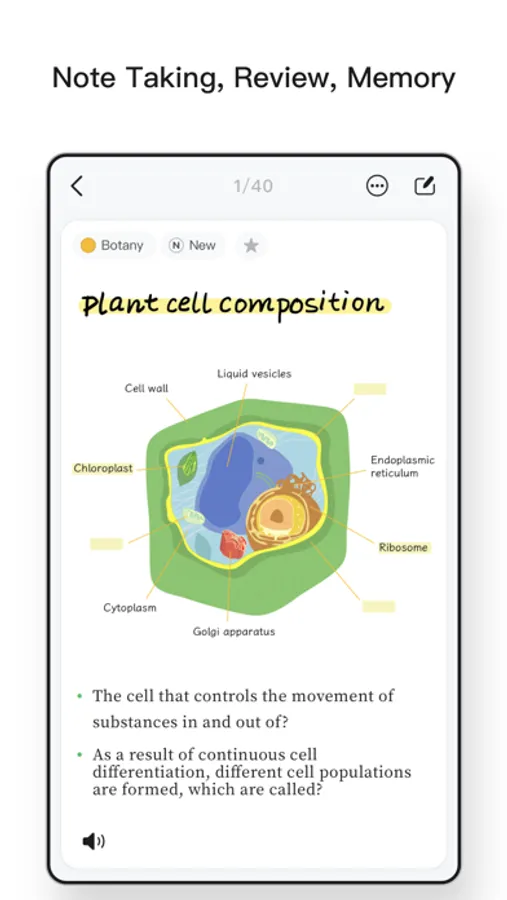
In this note-taking app, you can create and organize colorful, formatted notes with images and drawings. Includes cloud sync, filtering, search, and customizable review schedules.
AppRecs review analysis
AppRecs rating 4.4. Trustworthiness 71 out of 100. Review manipulation risk 23 out of 100. Based on a review sample analyzed.
★★★★☆
4.4
AppRecs Rating
Ratings breakdown
5 star
90%
4 star
4%
3 star
3%
2 star
0%
1 star
2%
What to know
✓
Low review manipulation risk
23% review manipulation risk
✓
Credible reviews
71% trustworthiness score from analyzed reviews
✓
High user satisfaction
90% of sampled ratings are 5 stars
About WinkNotes - Easy Flashcards
Taking detailed notes, but can't always find the key points?
You take serious notes, but your mind is empty when you recall them?
The fragmented knowledge is getting more and more, and there is no way to organize and summarize it?
Preparing for the exams, but do not know how to review?
All kinds of troubles, "WinkNotes" help you solve.
"WinkNotes" innovatively adopts the form of columnar notes, integrating the complete notes with key points, distilled thinking and other information, using the interval memory to help users review, thus improving the efficiency of memory learning.
You can use WinkNotes on iPhone, iPad, and Mac, and sync content in the cloud with your iCloud account.
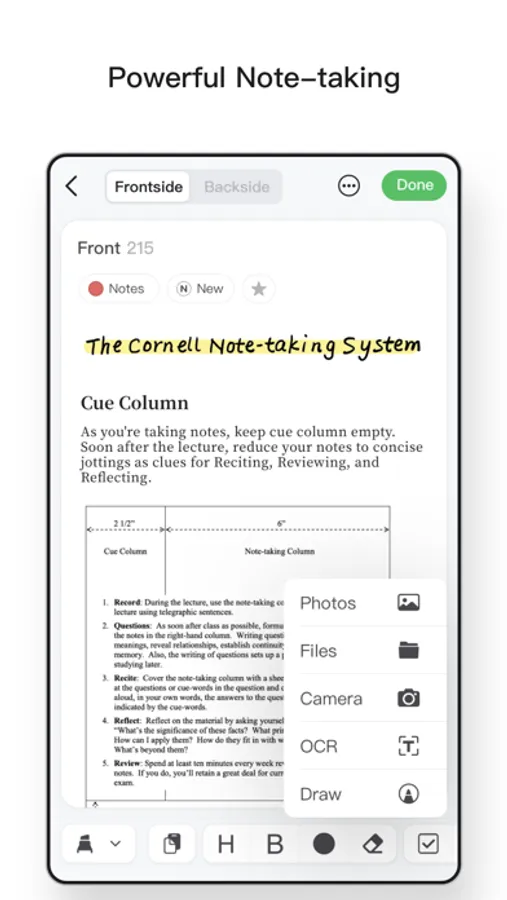
Powerful note taking features
- Ideal mix of graphics and text.
- Rich text formatting: title, bold, underline, strikethrough, super/subscript, list, indent, split line.
- Colorful notes: add rich colors to the text and retain the original text color even when copied in.
- Markdown compatible: Focus on taking quick notes of content, copied content automatically converts Markdown tags to rich text style.
- Write and scribble: Draw with your finger or on a compatible iPad with the Apple Pencil.
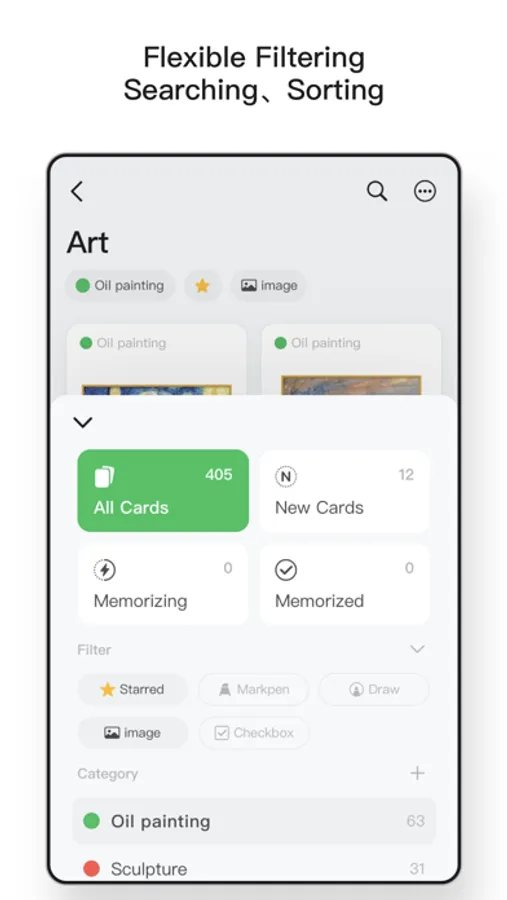
Flexible filtering, searching and organizing
- Organize by memory status: new notes, in memory, and remembered content at a glance.
- Filter by category: customize categories, set different colors and filter
- Real-time search: Quickly search for keywords and display results in the current list.
- Combined search: The above filtering and searching methods can be freely combined for fast, multi-latitude search.
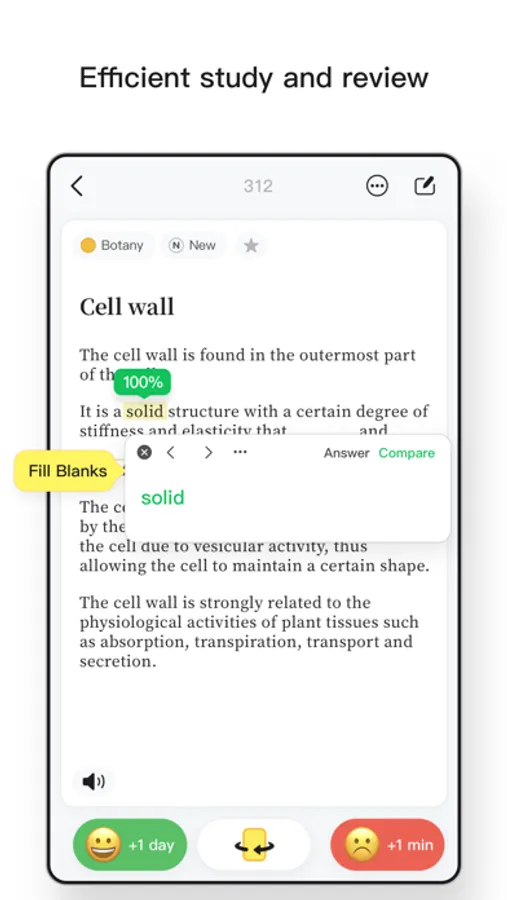
Efficient learning and review
- Ebbinghaus Memory Curve: Automatically arrange study and review plan according to the memory law.
- Customized next memory time: Flexible selection of memory stages and next memory time.
- Detailed memory record: Each memory record of all devices will be combined and recorded.
- Marker memory: Mark out key words with markers, which can be used for masking memory and fill-in-the-blank practice.
- Offline voice reading aloud: support real-time offline reading aloud in 30+ languages with customizable reading language and speed.
- Drafting paper : Using draft paper with Apple Pencil in iPad helps you quickly practice mimeographing or doing questions.
Subscribe to WinkNotes PRO to unlock all features
- iCloud sync: Sync all data on iPhone, iPad, Mac.
- Advanced card packs: Unlock unlimited card decks, number of cards created, customize card deck cover art, use card pack grouping for organization.
- Voice reading: Unlock unlimited number of pronunciation readings in 30+ languages.
- Get regular updates.
- Etc.
1 Service name: WinkNotes PRO membership continuous annual package
2 After you purchase an automatic subscription, your iTunes account will be charged 24 hours before the subscription period expires, and the subscription will be renewed for one more subscription period after a successful charge.
3 To cancel your subscription, please manually open "Settings" → "iTunes Store and App Store" → "Apple ID" on your Apple phone and select "View Apple ID". Select "View Apple ID", enter the "Account Settings" page, click "Subscriptions", and select WinkNotes PRO membership to cancel your subscription. If you do not close your subscription at least 24 hours prior to the end of the subscription period, you will be deemed to have agreed to continue your license and the subscription will automatically renew.
Privacy
https://www.appnice.cn/privacy.htm
Member Service Agreement (User Agreement) / terms of use
https://www.appnice.cn/useragreement.html
For assistance
Please write to: winkcard@qq.com
WinkNotes - Easy Flashcards Screenshots
Tap to Rate:
Reviews for WinkNotes - Easy Flashcards
Ferchorduy
Awesome UI, needs better explaining or better features.
I love this app. However, I wish I could enter Tab and switch from one side of the flashcard to the other side while I’m creating them. If there is a way to do this, it should be more obvious to the user. Also, I would like to copy and paste or duplicate a flashcard on the keyboard quickly, not hit duplicate and the menu of flashcards show up. I want to duplicate within the same flashcard set, not to a different set. Please make this a reality. Make it so I never have to touch my mouse to effectively and efficiently make my flashcards please Edit: Esc + Tab is how you switch between card sides when editing, so that issue was resolved. However, I realized you can’t put a pack/group of cards within a group of cards. Please add that feature!
PomeloTeaSweet
非常听用户意见的开发商
今天是2025年六月12,大概两周前我发了邮件关于一些更新的意见,比如能不能一次性删除集合包,而不是要手动删除一个一个卡片集。结果该开发商很快听取了用户的意见,马上就做出了这个功能。我很感谢开发商能够听取用户意见。非常推荐大家用这个软件,我用这个软件将近五年了,功能越来越好了。如果下一步能够结合AI就更好了,以及卡片背面能够添加选择题选项就能更好了。或者植入AI功能直接把用户要记忆的比如说长段落,能够AI功能提炼成选择题,而不是我现在每次手动从别的AI软件复制粘贴自己制作卡片,挺麻烦的。