
AppRecs review analysis
AppRecs rating 3.2. Trustworthiness 83 out of 100. Review manipulation risk 21 out of 100. Based on a review sample analyzed.
★★★☆☆
3.2
AppRecs Rating
Ratings breakdown
5 star
33%
4 star
13%
3 star
10%
2 star
10%
1 star
33%
What to know
✓
Low review manipulation risk
21% review manipulation risk
✓
Credible reviews
83% trustworthiness score from analyzed reviews
✓
Detailed user feedback
41% of sampled reviews provide substantial detail
About OWC Copy That Mobile
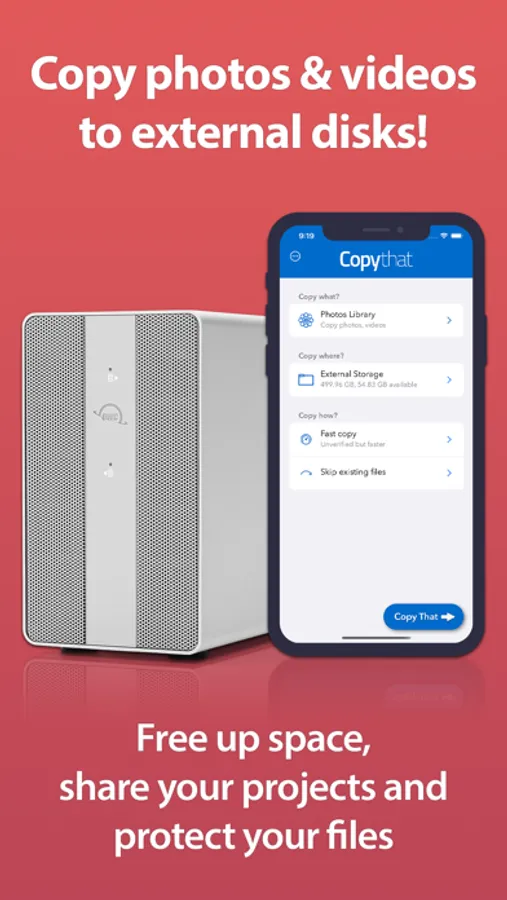
Whether you're a hobbyist out in the field taking nature photos, an influencer shooting daily videos, or a parent capturing that precious family event, Copy That helps you free up internal storage space while protecting your valuable content.
Choose. Copy. Create.
The process is simple: Connect your iPhone or iPad to an external drive. Select the photo or video you want to copy and how you want to copy it. Then just click the “Copy That” button and you’re done.
Why use Copy That Mobile?
• More room: transferring photos and videos to an external drive frees up space on devices, enabling space for additional apps and OS upgrades
• Extends use life: great for limited storage space on older iOS devices
• Effortless sharing: external drives make it much easier to share files with desktops, laptops, and other users
• Copy Anywhere: transfer files to almost any destination, including attached external storage and even network shares
• Duplicate with ease: once data is copied to external storage, data duplication and backups are easier and faster
Smart, Safe, Fast.
Copy That Mobile includes smart copy functions that streamline the copy process. You can exclude screenshots and selfies and decide what you want to do with existing files. Copy That Mobile puts you in control of your data. These settings are sticky: Once they are set, they become your default settings until you change them. This makes it a breeze to copy files in batches whenever you need.
In-app purchases give additional copy features including:
* Verified copies to make sure your files are safe
* Option to remove original files from your device after the copy is complete.
* Option to filter media to be copied by date
* Options to customize folder organization on the destination disk
How it works:
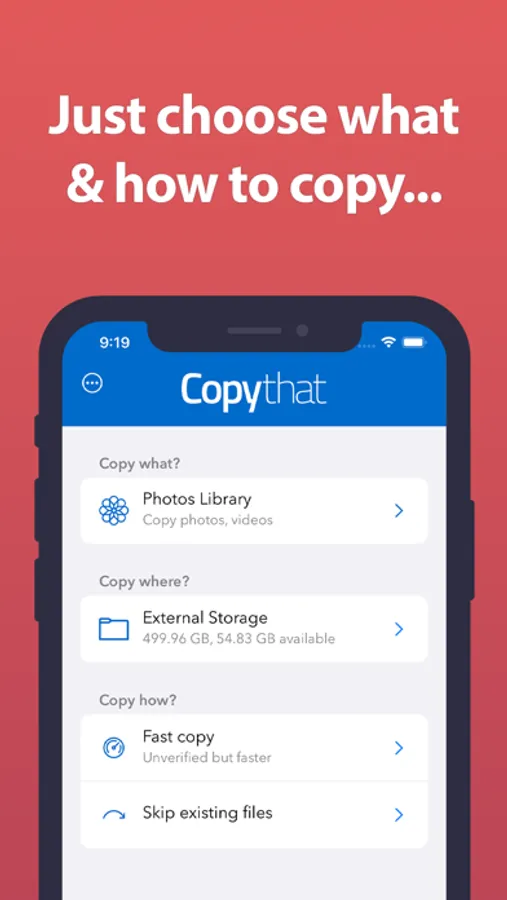
1. Copy what? Select the photos and video you want to copy.
2. Copy where? Pick your copy destination.
3. Copy how? Choose specific copy options.
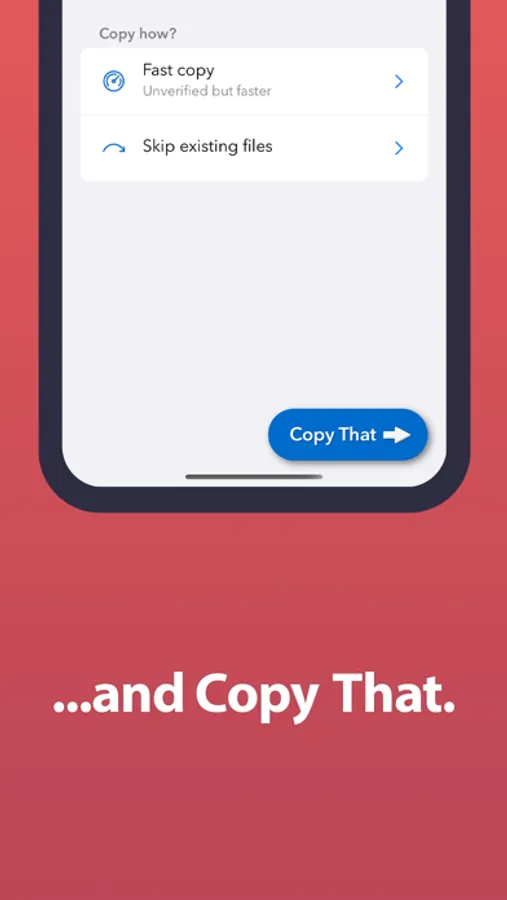
4. Press the big, blue “Copy That!” button to start the copy.
You no longer have to click and click to copy photos and videos. Copy That Mobile makes the process quick and easy.
Need to check the speed of your external drives on your mobile device? Check out OWC Drive Speed!
Note: Most external disks will require a separate power supply, although basic thumb drives often work directly.
* If you have an iPhone or iPad with a USB-C port, you can connect directly to external storage with the appropriate cable.
* If your iPhone or iPad has a Lightning port, you’ll need a Lightning-to-USB adapter. Some disks will need a Lightning-to-USB adapter with an additional Lightning port to provide extra power. See owccopythat.com for more information.
Choose. Copy. Create.
The process is simple: Connect your iPhone or iPad to an external drive. Select the photo or video you want to copy and how you want to copy it. Then just click the “Copy That” button and you’re done.
Why use Copy That Mobile?
• More room: transferring photos and videos to an external drive frees up space on devices, enabling space for additional apps and OS upgrades
• Extends use life: great for limited storage space on older iOS devices
• Effortless sharing: external drives make it much easier to share files with desktops, laptops, and other users
• Copy Anywhere: transfer files to almost any destination, including attached external storage and even network shares
• Duplicate with ease: once data is copied to external storage, data duplication and backups are easier and faster
Smart, Safe, Fast.
Copy That Mobile includes smart copy functions that streamline the copy process. You can exclude screenshots and selfies and decide what you want to do with existing files. Copy That Mobile puts you in control of your data. These settings are sticky: Once they are set, they become your default settings until you change them. This makes it a breeze to copy files in batches whenever you need.
In-app purchases give additional copy features including:
* Verified copies to make sure your files are safe
* Option to remove original files from your device after the copy is complete.
* Option to filter media to be copied by date
* Options to customize folder organization on the destination disk
How it works:
1. Copy what? Select the photos and video you want to copy.
2. Copy where? Pick your copy destination.
3. Copy how? Choose specific copy options.
4. Press the big, blue “Copy That!” button to start the copy.
You no longer have to click and click to copy photos and videos. Copy That Mobile makes the process quick and easy.
Need to check the speed of your external drives on your mobile device? Check out OWC Drive Speed!
Note: Most external disks will require a separate power supply, although basic thumb drives often work directly.
* If you have an iPhone or iPad with a USB-C port, you can connect directly to external storage with the appropriate cable.
* If your iPhone or iPad has a Lightning port, you’ll need a Lightning-to-USB adapter. Some disks will need a Lightning-to-USB adapter with an additional Lightning port to provide extra power. See owccopythat.com for more information.
OWC Copy That Mobile Screenshots
Tap to Rate:
Reviews for OWC Copy That Mobile
JBeechcraft
Could NOT BE HAPPIER!
As always, a quality product from OWC. Use it all the time to move photos off the iphone to a hard drive. LOVE IT!
ilokano
Very Slow Now To Back Up
Why of all the sudden it’s taking a long time to back up files now? It used to be so quick.