WoodSynth
Woodman's Immaculate Maple Syrup Studio
4.0 ★
26 ratings
$15.99
In this music production app, you can create complex sounds using four independent synth layers with multiple modulation options. Includes MPE support, sample loading, and a polyphonic pitch-bending touch bar.
AppRecs review analysis
AppRecs rating 4.5. Trustworthiness 84 out of 100. Review manipulation risk 18 out of 100. Based on a review sample analyzed.
★★★★☆
4.5
AppRecs Rating
Ratings breakdown
5 star
62%
4 star
12%
3 star
4%
2 star
12%
1 star
12%
What to know
✓
Low review manipulation risk
18% review manipulation risk
✓
Credible reviews
84% trustworthiness score from analyzed reviews
✓
High user satisfaction
73% of sampled ratings are 4+ stars (4.0★ average)
About WoodSynth
Each layer has 3 VCO’s plus a samples or wavetable based source, coming from a file or from recording the audio track.
Up to 16 voices can be set per layer.
Layers can be used in parallel, assigned to a region of the keyboard or used in a sequential mode where the first note(s) on are played by layer 1 and the next note(s) by layer 2 and so on.
This last mode allows to have a different sound per note played (and independent from a keyboard region).
WoodSynth has a polyphonic pitch-bending touch bar which also displays notes received from a keyboard.
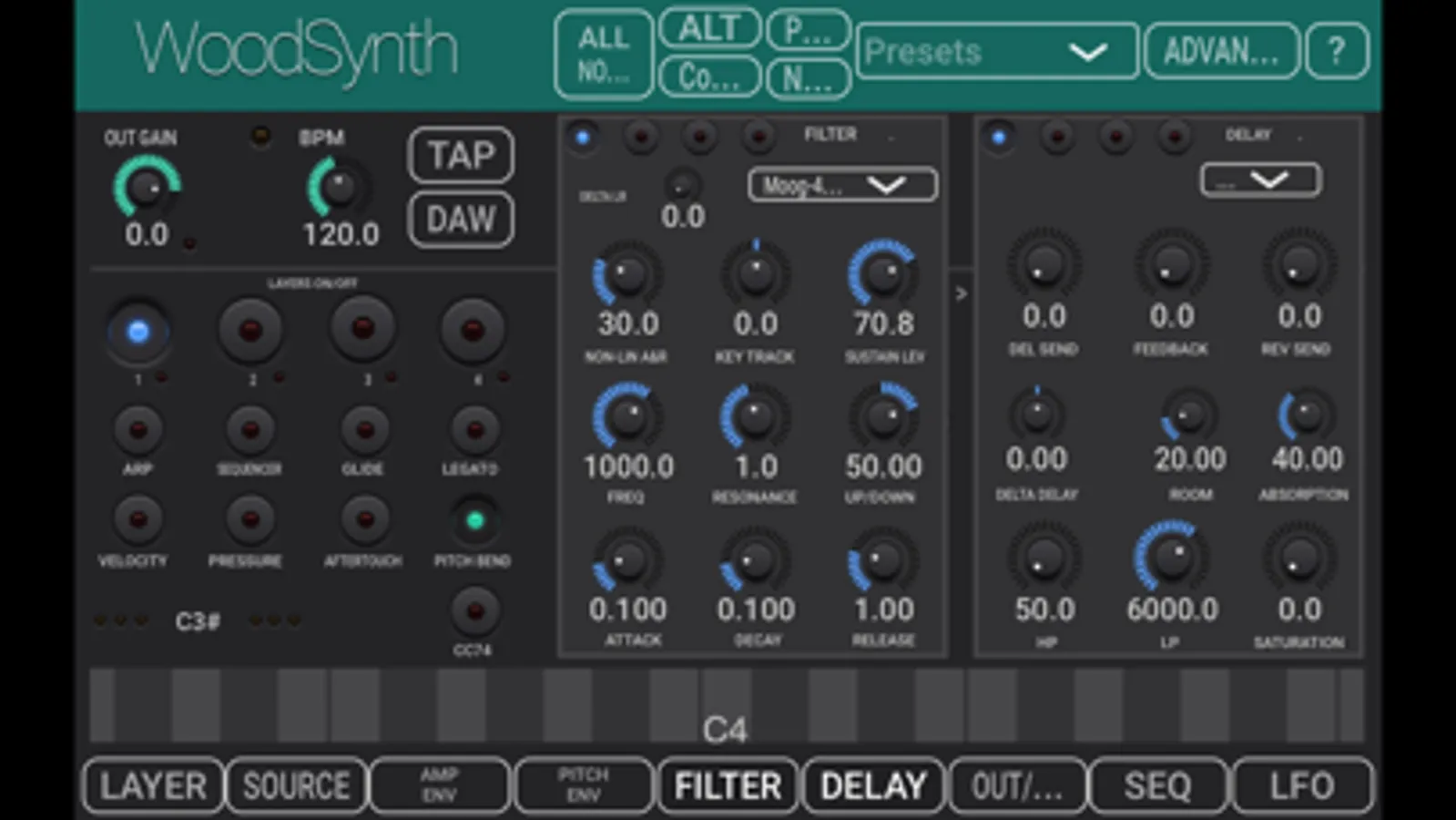
Each layer has its own filter and envelope with ADSR per voice, a pitch shifting envelope per VCO, a delay, a basic reverb, a modulator LFO per VCO, 2 general LFO’s and a 16 steps sequencer.
Key tracking can be applied on the ADSR attack and release, on the filter cutoff and on the VCO modulation.
The app can be used stand-alone (device audio input and output) or as a plugin in a DAW.
- IOS plugin type : AUv3 and stand-alone app.
- Has 4 independent synthesizers, each with up to 16 voices.
- Supports MPE and Midi V2.
- Has a polyphonic touch bar with polyphonic pitch bending.
- Velocity, channel pressure, (polyphonic) aftertouch, CC74 can be used to modulate several synth parameters.
- VCO’s have the usual waveforms (sine, saw, square, triangle, pulse and noise) and can be modulated in various ways (FM, AM, Pulse Width, Slew rate)
- Samples can be recorded from the audio input/track or loaded from file (sample files should be in the WoodSynth iCloud folder)
- Wavetables can be loaded from file or converted from loaded or recorded samples.
- Each voice has a 4-pole Moog Lowpass filter with resonance and ADSR envelope.
- An offset can be set in the Filter cutoff for the R channel to create a stereo effect.
- Each voice has a pitch shifting ADSR envelope which can be independently enabled for each VCO.
- Has Key tracking for VCO pan, Filter cutoff, ADSR Envelope Attack and Release.
- Each layer has a delay unit (which can be separately panned) and a basic reverb.
- Each layer has a 16 steps sequencer which can run on multiple voices (poly mode).
- Each layer can set the midi channel and range of receiving midi notes (which allows for up to 4 split keyboard regions).
- Layers can be set in sequential mode : first note(s) played on layer1, next note(s) on layer2, etc.
- Layers have an additional high-pass filter saturation and crush control.
- Synth audio and delay can be panned independently.
- The 2 general LFO’s can have their source from the samples or wavetables (or track input).
- Supports Ableton Link to sync tempo and start-stop.
- Has 4 User Control rotaries which can be freely assigned.
- The User Controls can be controlled by a midi CC which can be set or learned.
- Presets can be stored in iCloud Drive (makes them available on all your devices).
- Supports CV out and Sequencer Midi out.
WoodSynth Screenshots
Tap to Rate:
Reviews for WoodSynth
Matthew savant
Extremely disappointed
I am super disappointed with this synth, I wish I could return it and get my money back. The interface is clunky and feels very old and the over all sound of the synth engine isn’t good and feels very underdeveloped for example when I crank up the resonance instead of the filter self-oscillating it just puts out a horrible glitchy sound that left my ears ringing (I was wearing headphones). I’ve bought almost every synth that’s available on iOS and this is one of the most disappointing I’ve come across. I feel like I wasted my money.
fgjyfdf
Unable to change settings in any drop down window in AUV3 mode.
The only drop down window that works is the preset window. Any drop down window will not allow changes in AUV3 mode.