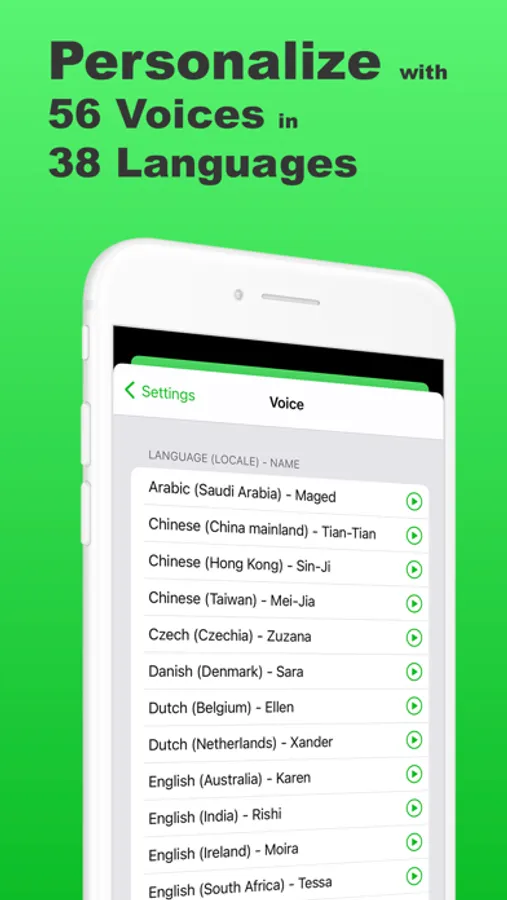
In this text to speech app, you can type messages and press "speak" to produce natural sounding speech. Includes 56 voices in 38 languages, with options to adjust volume, pitch, and rate.
AppRecs review analysis
AppRecs rating 4.7. Trustworthiness 68 out of 100. Review manipulation risk 29 out of 100. Based on a review sample analyzed.
★★★★☆
4.7
AppRecs Rating
Ratings breakdown
5 star
83%
4 star
10%
3 star
3%
2 star
1%
1 star
2%
What to know
✓
Low review manipulation risk
29% review manipulation risk
✓
High user satisfaction
83% of sampled ratings are 5 stars
About Text to Speech •
Text to Speech is a modern TTS (text to speech) app, designed to helps people who’ve lost their voice communicate again in person and call.
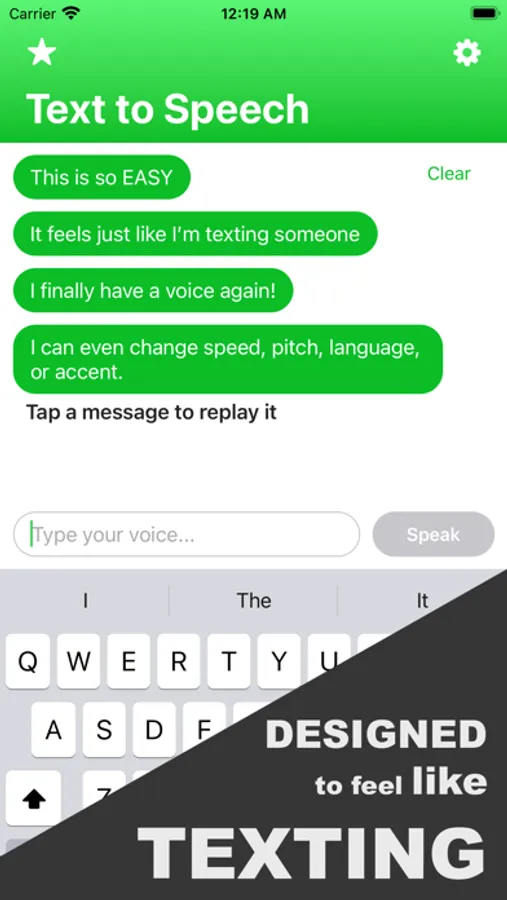
Text to Speech has a familiar “chat-style” interface, so it feels just like you're texting somebody, helping you speak with SPEED and EFFICIENCY.
HOW IT WORKS
————————
That’s easy – just type, then press “speak”.
More specifically, AI Text to Speech produces natural sounding speech from the words that you type.
WHO THIS APP IS FOR
———————————
For people who rely on text to speech every day:
Designed to be stable, predictable, and easy to use when you need it most.
Clear playback, saved phrases, and consistent behavior you can depend on.
USES
———
- I lost my voice, and I use to struggle to communicate with others. But then I found this app which enables me to speak to people again!
- I was bored, but not anymore! This app is surprisingly addicting and makes a fun and entertaining way to have my phone say funny things.
- I can even use this text to speech app as a text reader. Just copy and paste online articles, books, etc., and this TTS reader will read it to me.
Features we DO have
——————————
- Free to download. No ads either.
- Natural text to speech with a clean, chat-style interface.
- 56 voices across 38 languages.
- Adjust volume, pitch, rate, and tone.
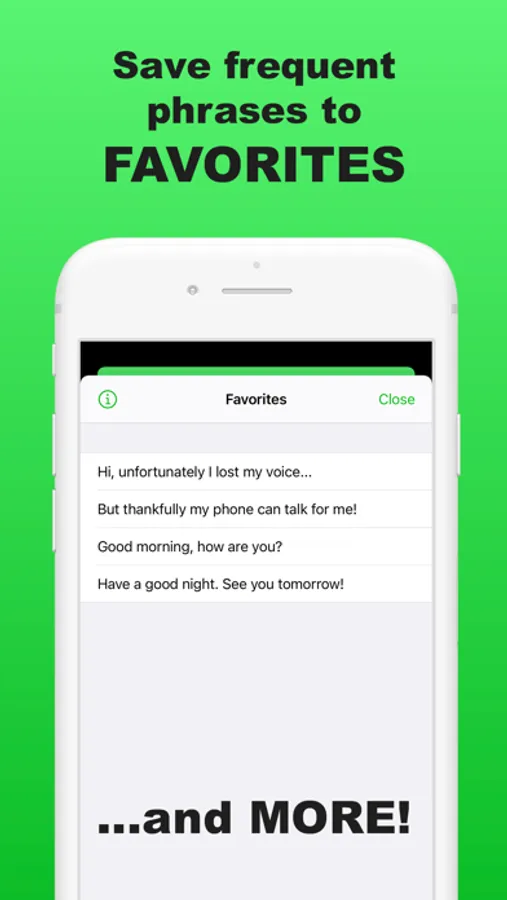
- Save frequent phrases for quick access.
- Background Audio implemented so the text reader can continue playing even when your phone is locked.
- Email Support. Don’t hesitate to email any questions or suggestions you have while using this app. We hope to make your experience as great as possible.
Advanced features
—————————
- Voice clone for a more personal voice.
- Lifelike avatar voices with expressive tone control.
- Save spoken audio for replay or sharing.
- Smart Reply suggestions to speed up typing.
- Call for Me: let the app make phone calls for you.
Features we (happily) DON’T have
————————————————
- NO Ads
- Sorry, we know you love being blasted by popup ads every second like many text to speech apps, but this app doesn’t have any.
- EASY to Try
- A free text to speech app for basic communication and text reading.
- Subscription unlocks unlimited communication and advanced features.
Voices - 56 different voices in 38 languages
—————————————————————
Arabic (Saudi Arabia)
Chinese (China mainland)
Chinese (Hong Kong)
Chinese (Taiwan)
Czech (Czechia)
Danish (Denmark)
Dutch (Belgium)
Dutch (Netherlands)
English (Australia)
English (United Kingdom)
English (Ireland)
English (India)
English (United States)
English (South Africa)
Finnish (Finland)
French (Canada)
French (France)
German (Germany)
Greek (Greece)
Hebrew (Israel)
Hindi (India)
Hungarian (Hungary)
Indonesian (Indonesia)
Italian (Italy)
Japanese (Japan)
Korean (South Korea)
Norwegian (Norway)
Polish (Poland)
Portuguese (Brazil)
Portuguese (Portugal)
Romanian (Romania)
Russian (Russia)
Slovak (Slovakia)
Spanish (Spain)
Spanish (Mexico)
Swedish (Sweden)
Thai (Thailand)
Turkish (Turkey)
Note: You can download additional voices by going to the Settings app, then Accessibility > VoiceOver > Speech > Voice (though not all voices listed will be available for use in the app).
By using text to speech, you agree to Term of Use: https://docs.google.com/document/d/1FSUF72yinC843QxU4we-8tOAFrRBF_nJqqBI0TsY6HE/edit?usp=sharing
Attribution:
Circle vector created by macrovector - www.freepik.com (https://www.freepik.com/vectors/circle)
Text to Speech • Screenshots
Tap to Rate:
Reviews for Text to Speech •
KeyasAltyer
Rate Option
whats the point in having the option to change how fast the voice talks if it doesnt work?
eschwartz2007
PERFECT for after tonsillectomy
Using this app to speak for me after my tonsillectomy and we LOVE IT! Has really improved the relationship between me and my mom as a caregiver—we love how hilariously chipper the voice Noah is—not grumpy at all when he is describing his mouth being painful and torn to shreds! :) Naturalistic voice it’s absolutely great and simple and intuitive