Text to Speech, Speech to Text
Maryam Derakhshesh
4.4 ★
160 ratings
Free
With this speech-to-text and text-to-speech app, you can transcribe spoken words into text and have texts read aloud with adjustable settings. Includes speech recognition, text library, language options, and playback customization.
AppRecs review analysis
AppRecs rating 4.4. Trustworthiness 87 out of 100. Review manipulation risk 25 out of 100. Based on a review sample analyzed.
★★★★☆
4.4
AppRecs Rating
Ratings breakdown
5 star
73%
4 star
13%
3 star
3%
2 star
1%
1 star
11%
What to know
✓
Low review manipulation risk
25% review manipulation risk
✓
Credible reviews
87% trustworthiness score from analyzed reviews
✓
High user satisfaction
86% of sampled ratings are 4+ stars (4.4★ average)
About Text to Speech, Speech to Text
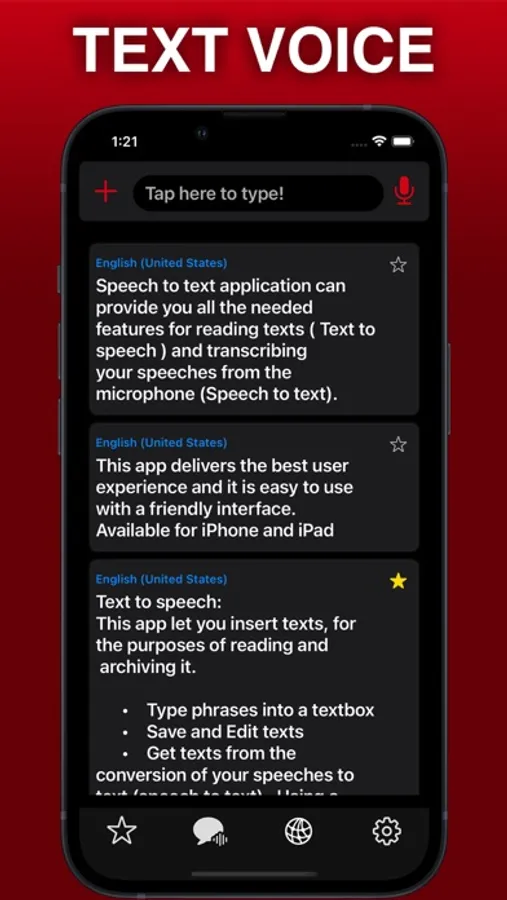
This app delivers the best user experience and it is easy to use with a friendly interface.
Text to speech:
The app can read the inserted text for you.
Inserting texts :
Type phrases into the textbox
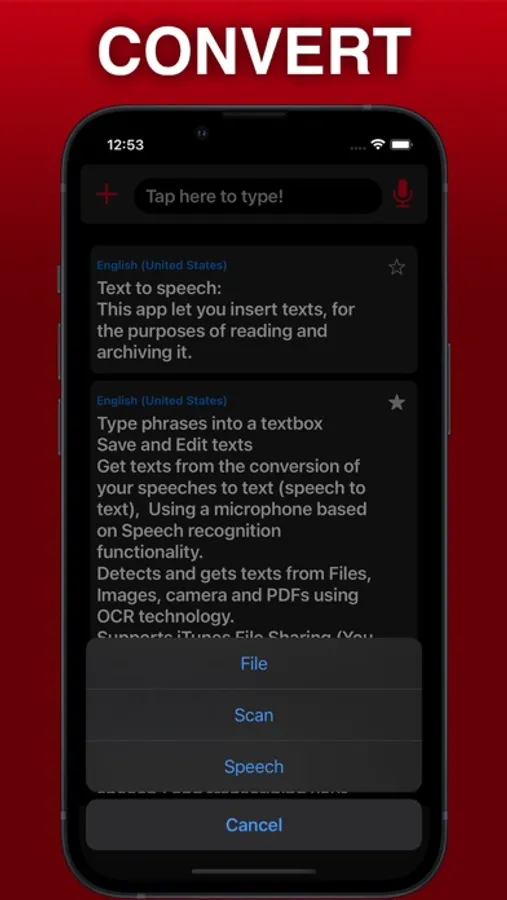
Transcribing speeches to text using microphone (speech to text) based on Speech recognition functionality
Get texts from files, Images, PDFs, or even a camera using OCR technology , the app make it ready to be played
Reading Texts:
Save texts in the library for later use with no limitation
Play, Pause and Stop reading texts
Edit Texts before and after saving
Settings:
Text to Speech Synthesis with different settings and languages
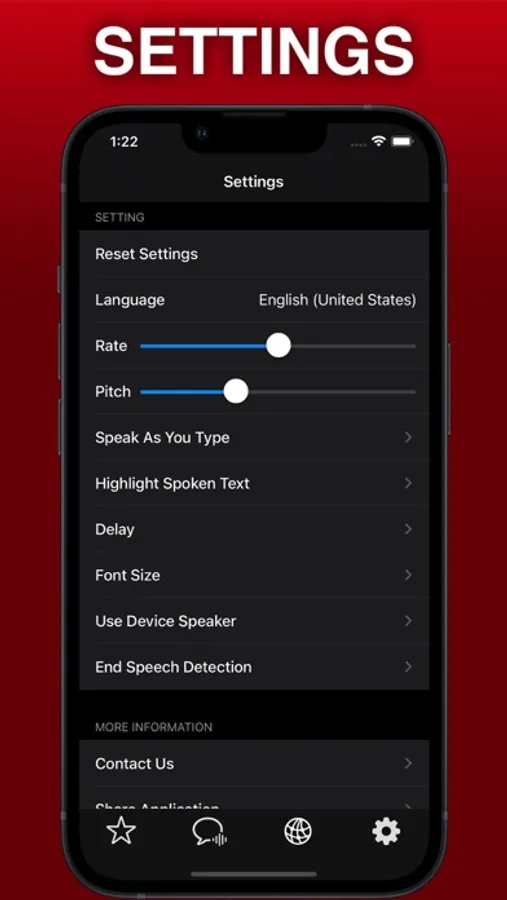
You can adjust the language
Change the rate and pitch of the reader
Read as you type (Optional)
Highlight Reading text By word, by sentence or by new line.
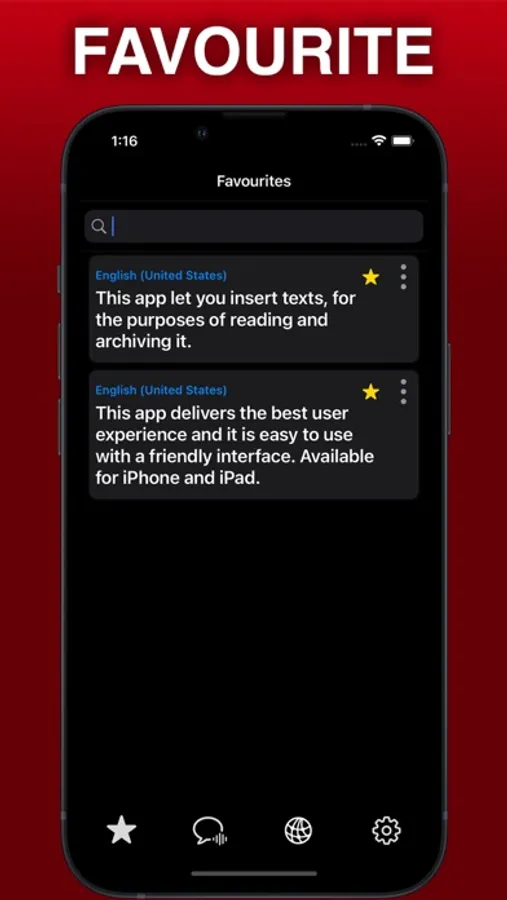
Star and collect your favorite phrases
Adding delay to the beginning of the reading
Change Font size of texts
Speech to text
Based on Speech recognition functionality ,It transcribes your speeches to text and makes it ready to be played any time.
Get texts from the conversion of your speeches to text using microphone (speech to text) ,
You can edit and save the transcribed texts
End Speech detection, a handy option that you can use for transcribing speeches to texts (optional) .
Voices
-------------------------
Arabic (World)
Basque (Spain)
Bengali (India)
Bhojpuri (India)
Bulgarian (Bulgaria)
Catalan (Spain)
Chinese (China mainland)
Chinese (Hong Kong)
Chinese (Liaoning, Mainland China)
Chinese (Shaanxi, Mainland China)
Chinese (Sichuan, Mainland China)
Chinese (Taiwan)
Croatian (Croatia)
Czech (Czechia)
Danish (Denmark)
Dutch (Belgium)
Dutch (Netherlands)
English (Australia)
English (India)
English (Ireland)
English (Scotland, UK)
English (South Africa)
English (United Kingdom)
English (United States)
Finnish (Finland)
French (Belgium)
French (Canada)
French (France)
Galician (Spain)
German (Germany)
Greek (Greece)
Hebrew (Israel)
Hindi (India)
Hungarian (Hungary)
Indonesian (Indonesia)
Italian (Italy)
Japanese (Japan)
Kannada (India)
Korean (South Korea)
Malay (Malaysia)
Marathi (India)
Norwegian Bokmål (Norway)
Persian (Iran)
Polish (Poland)
Portuguese (Brazil)
Portuguese (Portugal)
Romanian (Romania)
Russian (Russia)
Shanghainese (China mainland)
Slovak (Slovakia)
Slovenian (Slovenia)
Spanish (Argentina)
Spanish (Chile)
Spanish (Colombia)
Spanish (Mexico)
Spanish (Spain)
Swedish (Sweden)
Tamil (India)
Telugu (India)
Thai (Thailand)
Turkish (Turkey)
Ukrainian (Ukraine)
Vietnamese (Vietnam)
Notes
-------------------------
.More voices are available in system settings Device
.Device (iPhone or iPad) Settings → Accessibility → Spoken Content → Voices
.Exporting speech and choose Languages speech requires iOS 13
in-App purchase included :
.Speech to text
transcribing speeches to text
.Player For Reading Texts
play,Pause,Stop,Forward & BackWard.
.Upload text files
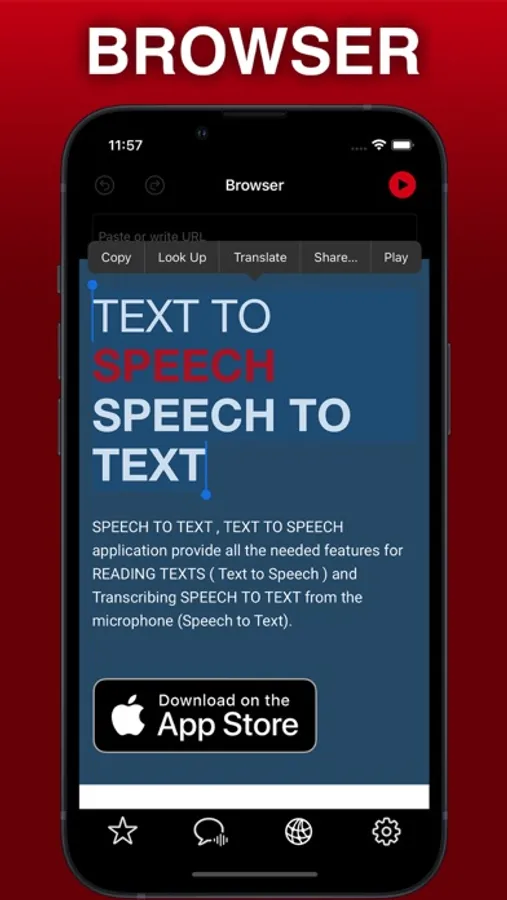
reading texts of web pages.
.Scanner (OCR)
Convert Images to text.
Choose between different character voices
For Video creators,Convert written text into Audio Files
Create & Export Audio files from texts
Share Audio Files
Share Text
Your subscription automatically renews unless auto-renew is turned off at least 24-hours before the end of the current period. Your credit card will be charged through your iTunes account. You can turn off auto-renew at any time from your iTunes Account Settings but refunds will not be provided for any unused portion of the term. Alternatively, there is a "Manage Subscription" menu option in the App Settings menu. Payment will be charged to iTunes Account at confirmation of purchase. Any unused portion of a free trial period will be forfeited when you purchase a subscription.
Terms of use : https://www.texttospeechspeechtotext.com/terms
Privacy-policy: https://www.texttospeechspeechtotext.com/privacy
Text to Speech, Speech to Text Screenshots
Tap to Rate:
Reviews for Text to Speech, Speech to Text
cafegirl22
How is this good?
Got in and didn’t even know the directions and it was money and a super glitchy app that doesn’t even work. Why would it be good? Horrible and non using app
You.Merek. 78
Best features right there in this app
I love the way I can export MP3 Audios from the speaker. It is amazingly helpful for me. For the voice to text feature, sometimes it has some weakness to recognize my accent but when I talk clearly, it works well. Very Great Job 👌 Happy experience