In this browser extension, you can quickly switch between search engines and perform multisearch with shortcuts. Includes options for customizing search engines and searching within other apps using URL schemes.
AppRecs review analysis
AppRecs rating 4.3. Trustworthiness 80 out of 100. Review manipulation risk 22 out of 100. Based on a review sample analyzed.
★★★★☆
4.3
AppRecs Rating
Ratings breakdown
5 star
81%
4 star
6%
3 star
2%
2 star
3%
1 star
8%
What to know
✓
Low review manipulation risk
22% review manipulation risk
✓
Credible reviews
80% trustworthiness score from analyzed reviews
✓
High user satisfaction
87% of sampled ratings are 4+ stars (4.5★ average)
About xSearch for Safari
# Featured on Dailytekk's YouTube channel: "BEST iPad Browser Extensions (Apps)"
# Featured on Christopher Lawley's YouTube channel: "Must Have Safari Extension for iOS/iPadOS 15"
# Featured on MacStories's YouTube channel: "Safari Extensions for iPhone and iPad"
# Featured on MacStories: "Beyond ChatGPT’s Extension: How to Redirect Safari Searches to Any LLM"
Upgrade your Safari browsing experience with xSearch, the all-in-one search tool that supports iOS, iPadOS and macOS with just one purchase.
Elevate your Safari browsing experience with xSearch, the all-in-one search tool that offers unparalleled functionality across all Apple platforms. xSearch is a Safari extension that enables you to seamlessly switch between multiple search engines with ease, and even search directly from Spotlight, making your browsing experience more efficient and efficient.
For example: use "g apple" to search apple with Google search engine, and "ddg apple" to search apple with DuckDuckGo search engine.
One of the best things about xSearch is that it is built with your privacy in mind. We don’t request unnecessary permissions, ensuring we have no access to your personal data, which gives you peace of mind when using our tool. Starting with iOS 17, xSearch requires permission to view browsing history to function effectively within the Safari extension. However, it only accesses the URL of the current session to identify the search engine, with all processing done locally on your device. No personal information is stored or transmitted, keeping your privacy fully protected.
Some of xSearch's key features include:
◆ Quickly switch between search engines using shortcuts.
◆ Use URL Scheme to search within other apps, such as Twitter.
◆ Customize Safari's default search engine with xSearch's variety of engines.
◆ Multisearch capability enables simultaneous searching across multiple engines with a single shortcut.
◆ Random mode in multisearch allows the system to automatically select an engine for you during searches.
◆ Integration with Shortcuts provides convenient access to xSearch from anywhere.
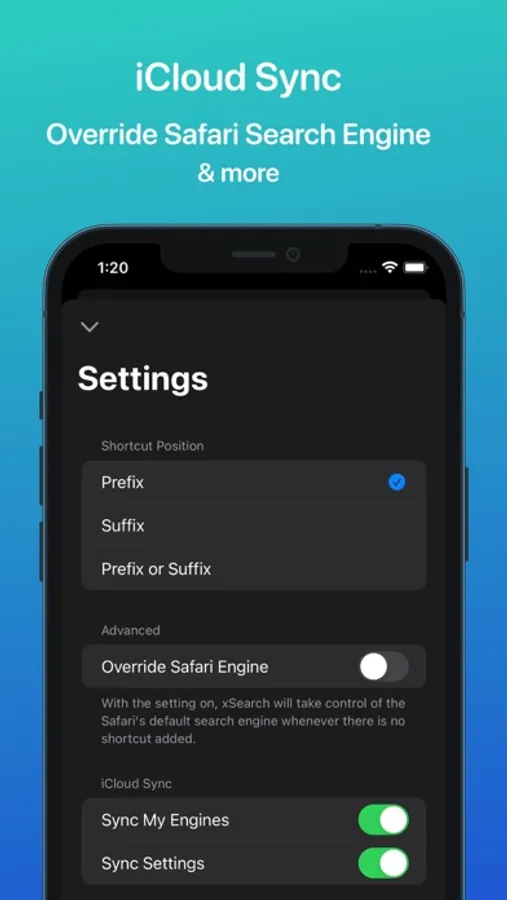
◆ Synchronize your search engines across all your devices with iCloud.
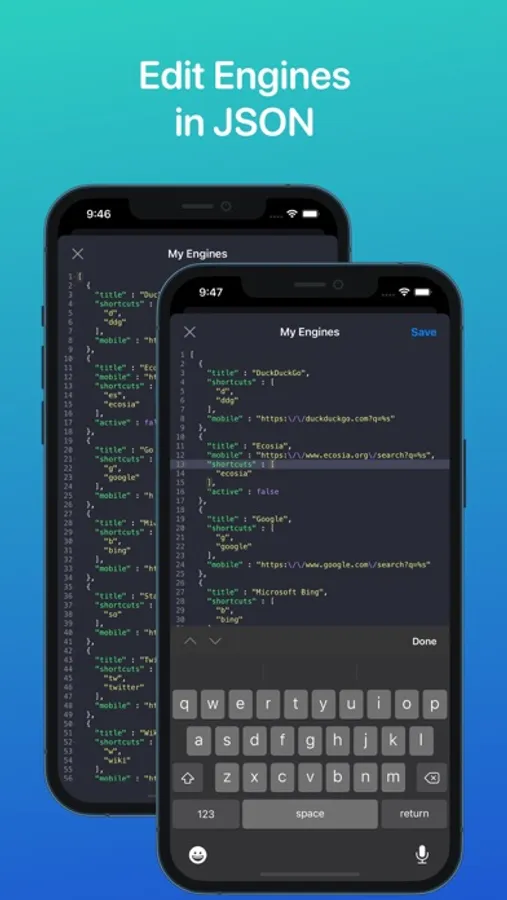
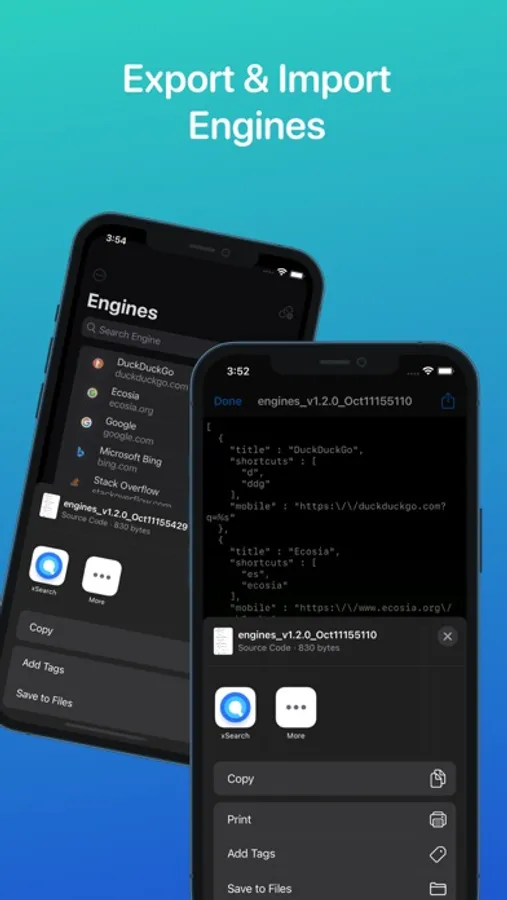
◆ Backup and share your search engines using the export and import JSON file feature.
◆ Use the share extension to search any text in any app with xSearch.
xSearch for Safari Screenshots


Tap to Rate:
Reviews for xSearch for Safari
Bling Diggity
Needs better setup instructions
So I’ve had this extension forever but I’ve never been able to get it to work. Even making sure ONLY this extension was enabled and making sure the prefix was enabled and shortcut phrase was correct. Turns out, there’s an extra final step needed to get the extension to work. In Safari, when you tap the address bar, under the search section you should see an option that says “xSearch” with the icon next to it. You have to tap that and give xSearch the necessary permissions, or it will never work no matter what. Took me this long (months) to finally figure it out. Definitely need better setup instructions for this extension, as well as the ability toto re-access initial setup instructions in case a step gets overlooked.
iLeopard
Very Nice Application for Searching
Very nice tool