
AppRecs review analysis
AppRecs rating 4.5. Trustworthiness 67 out of 100. Review manipulation risk 33 out of 100. Based on a review sample analyzed.
★★★★☆
4.5
AppRecs Rating
Ratings breakdown
5 star
64%
4 star
21%
3 star
14%
2 star
0%
1 star
0%
What to know
✓
High user satisfaction
86% of sampled ratings are 4+ stars (4.5★ average)
About DeArrow for YouTube
The goal of DeArrow is to make titles accurate and reduce sensationalism.
Titles can be any arbitrary text. Thumbnails are screenshots from specific timestamps in the video. These are user submitted and voted on.
By default, if there are no submissions, it will format the original title to the user-specified format, and set a screenshot from a random timestamp as the thumbnail. This can be configured in the options to disable formatting, or show the original thumbnail by default.
If the original thumbnail is actually good, you can still vote for it in the submission menu, and then it will act like a submission.
No more dealing with clickbait, arrows, or annoying faces.
Users can submit better titles and thumbnails for each video and vote on them.
How does DeArrow differ from Clickbait Remover for YouTube?
- Unlike Clickbait Remover, DeArrow's main purpose is for crowdsourcing better titles and thumbnails
- When a crowdsourced title is not available, DeArrow will auto-format it according to your setting, but does it in a more sophisticated way than Clickbait Remover. Instead of only setting all words to lower case, or capitalizing every word, DeArrow supports casing systems such as "Title Case" and "Sentence case". These will still allow acronyms and proper names to remain capitalized.
- When a crowdsourced thumbnail is not available, DeArrow by default shows a screenshot at a random timestamp in the video. Clickbait Remover's thumbnails use YouTube auto-generated thumbnails, and while they are seemingly random, they are chosen by a machine learning algorithm to favor faces with expressions, and other overstimulating features. DeArrow uses truly random timestamps generated by its own server. DeArrow will also check the SponsorBlock database to ensure the randomized thumbnail is not inside of a sponsor segment.
---
Source code: https://github.com/ajayyy/DeArrow
Permissions:
Access your data for youtube.com, www.youtube-nocookie.com:
- Used to modify the YouTube webpage
This add-on may also **ask*" to access data for any website:
- You can add your own instances of 3rd party YouTube front-ends, and it will ask for permission to modify each site you add
- It will never ask for permission for all sites, only the sites you request
- Invidious support is not finished at the moment
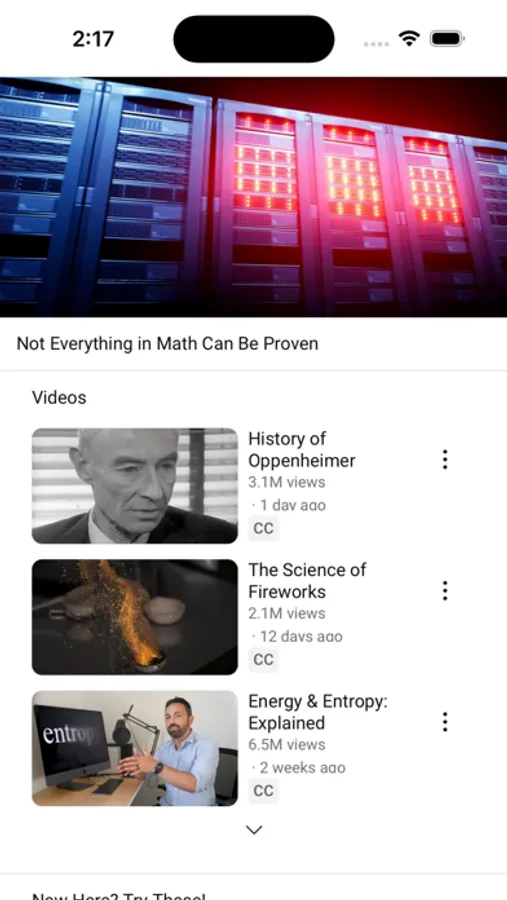
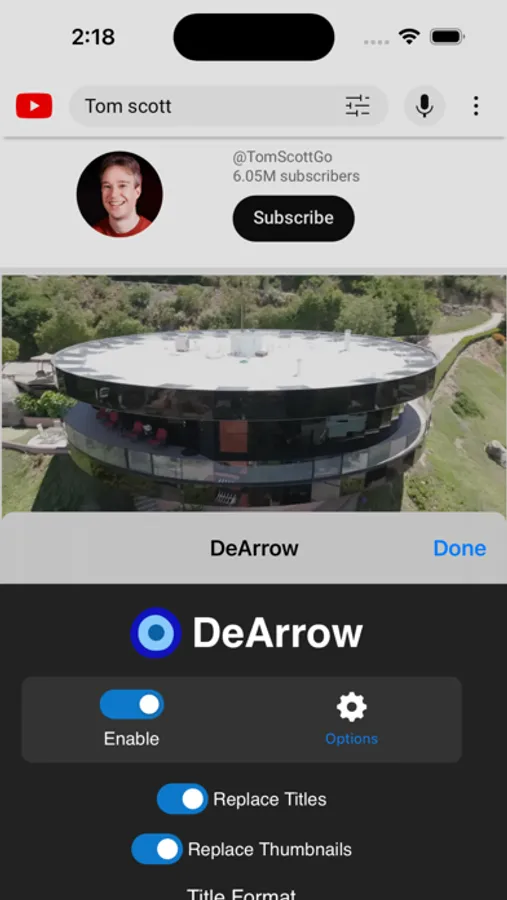
DeArrow for YouTube Screenshots
Tap to Rate:
Reviews for DeArrow for YouTube
Hazeldn11
When it works, it works but not lately
So this app has been getting worse and worse lately over the past few months, even after updating my app, it is becoming increasingly harder to use with my personal settings of having a button to toggle the updated video titles over the clickbait ones. I will press multiple times, and the text will not show. It just opens up the description for the video instead and doesn’t allow me to see the non clickbait title.
Adam926
Not perfect, but pretty good!
Great, but not perfect for all videos. I.e., "Why I no longer [x]" titles typically stay the same, but are still clickbaity. Would be nice to integrate some basic AI rewriting to make all titles third person (as opposed to first/second) and just summarize the core argument of the video, perhaps based on transcripts. Would happily pay more for that!