AppRecs review analysis
AppRecs rating 4.2. Trustworthiness 65 out of 100. Review manipulation risk 28 out of 100. Based on a review sample analyzed.
★★★★☆
4.2
AppRecs Rating
Ratings breakdown
5 star
91%
4 star
0%
3 star
0%
2 star
0%
1 star
9%
What to know
✓
Low review manipulation risk
28% review manipulation risk
✓
High user satisfaction
91% of sampled ratings are 5 stars
About Rubric Scorer (cloud)
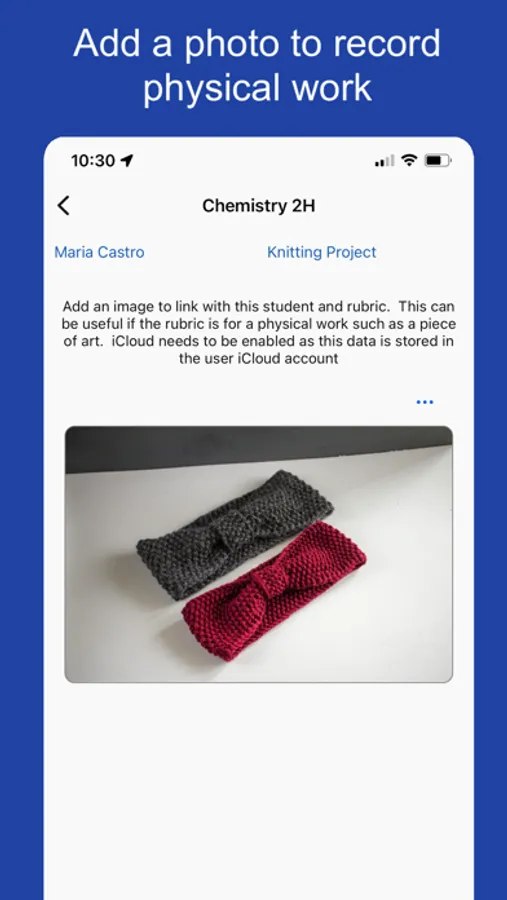
Rubric Scorer (cloud) is a new release of the Rubric Scorer app. The major change is this version stores data in the cloud instead of only locally on the device. This means the data is accessible from multiple devices such as an iPhone, an iPad and a MacBook computer. Your data automatically syncs across all your devices. This new version does not offer support for photos of students work, but that may be added in the future.
FEATURES
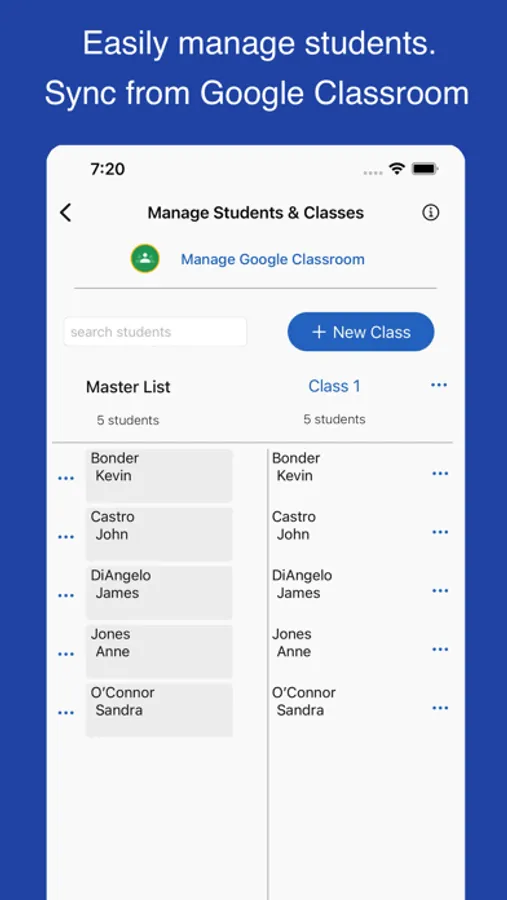
• Import student rosters directly from Google Classroom
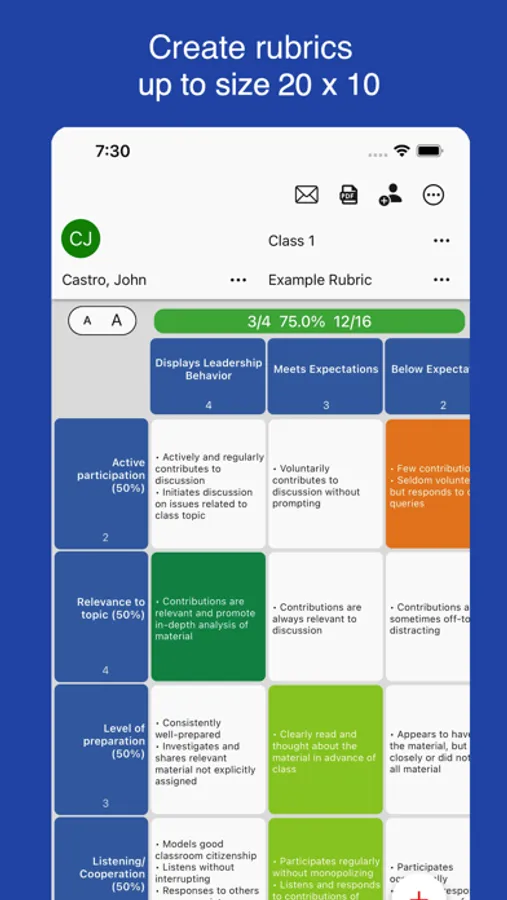
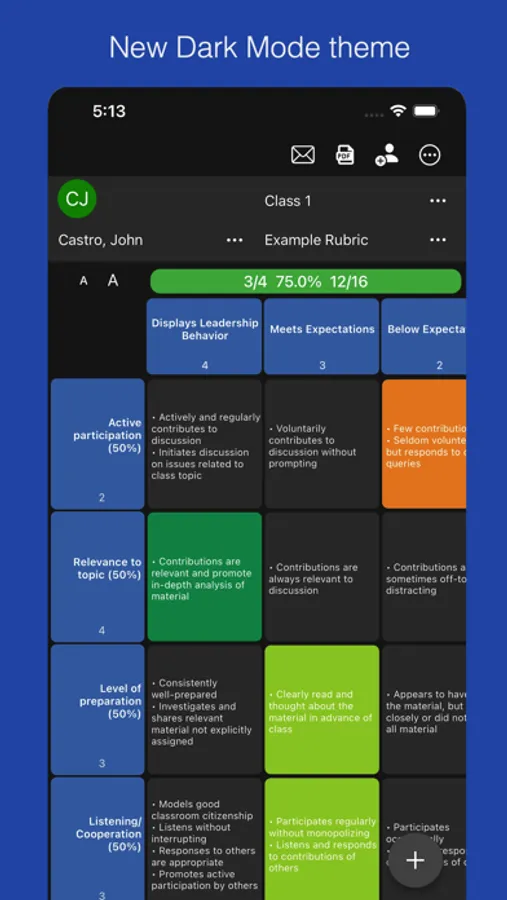
• Support up to a 20 row x 10 column rubric
• Add a photo of any physical work for a student
• Sync the rubric score to a Google Classroom assignment
• Import a rubric from a Spreadsheet CSV file
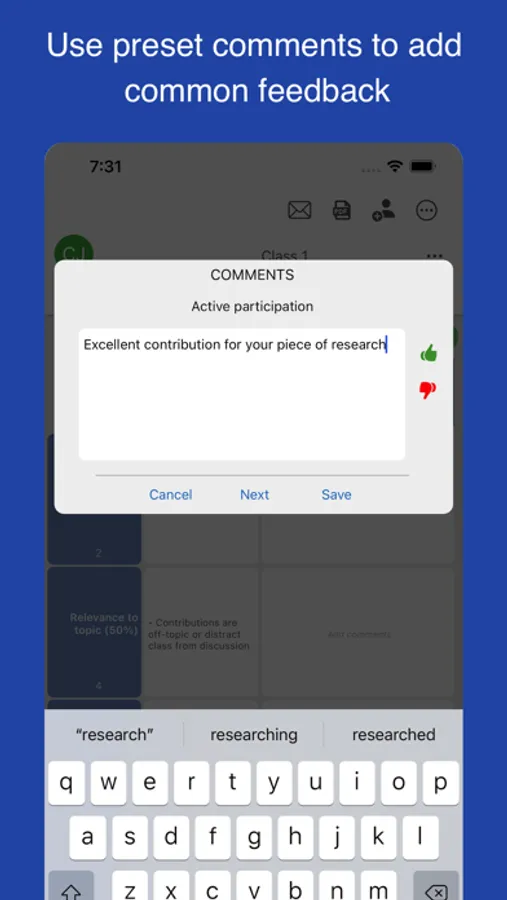
• Feedback with comments
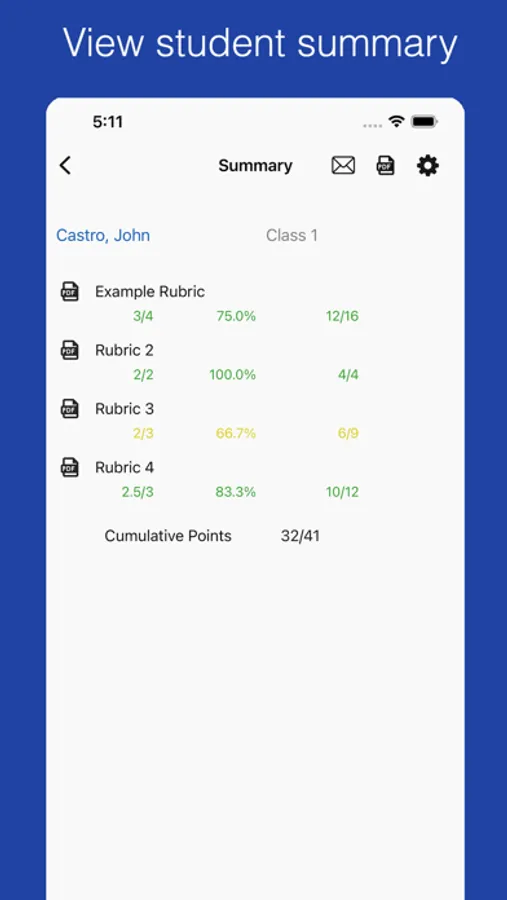
• Email all students in a class a copy of their rubric with 1 tap.
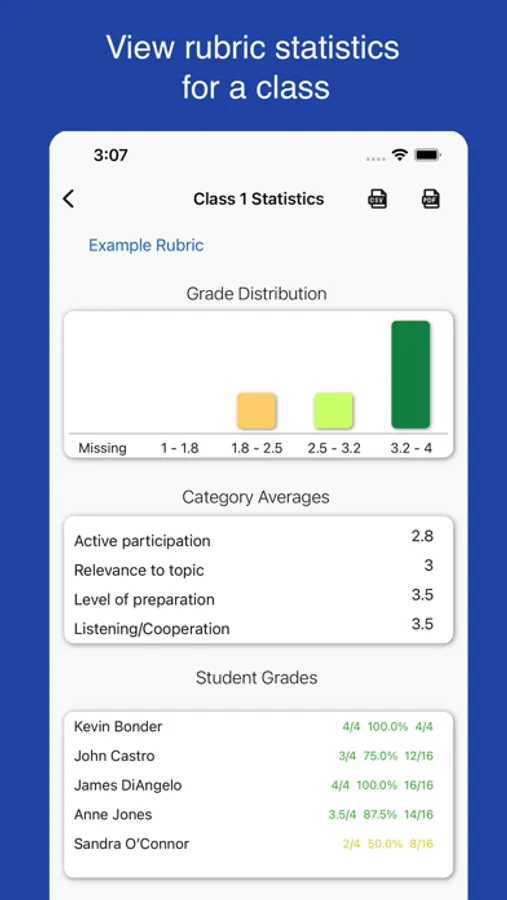
• View rubric statistics screen for a class
Rubric Scorer makes it grading rubrics fast and easy. Teachers can easily add custom comments as well as set up a list of common comments that can be easily accessed.
Try Rubric Scorer for free for one class for a month.
The monthly or yearly renewable subscription supports up to 20 classes, with up to 100 rubrics each, along with premium features such as bulk email of PDF's to students and guardians.
Auto renewable Subscription Details
To access premium features the user needs to subscribe to an auto renewable subscription. This means the subscription automatically renews 24 hours before the end of the subscription date. Auto renewable subscriptions can be managed from the user iTunes account, and a link is provided in the subscription screen while in the app. All future updates are included with the auto renewable subscription. The subscription may be cancelled for any future months, and the user will still have access to the data, only the additional features will be disabled. Any unused portion of a free trial period, if offered, will be forfeited when the user purchases a subscription to that publication, where applicable
Please email the developer at support@inpocketsolutions.com with any questions or suggestions.
Privacy Policy: https://inpocketsolutions.com/privacy-policy
Terms of Use: https://inpocketsolutions.com/terms
Rubric Scorer (cloud) Screenshots
Tap to Rate:
Reviews for Rubric Scorer (cloud)
gh68393
Great, intuitive, and reliable rubric app!
I have been using the Rubric Scorer app for a few months now and really love how simple, yet customizable it is and how smoothly it syncs between devices. Here are some of my favorite features: 1) First, it's so much better than a browser-based rubric. Rubric Scorer requires far less clicking around than my LMS (Canvas), and you don't have to worry about mistakenly refreshing, swiping back, or closing a tab and losing all your notes to a student. It's also much easier to move back and forth between classes and students thanks to the arrow key function. 2) The built-in mail merge is fast and easy. I love that you can pull rosters straight from Classroom and click a button to send all the completed rubrics. No worries about mislabeling a file and sending feedback to the wrong student. I've found that my students also prefer emailed feedback (in part, I suspect, because they also hate navigating through a thousand steps in Canvas--opening a crisp PDF straight from their inbox removes several barriers). 3) The CSV import option is super smooth and quick (just copy and paste) -- same with transferring rubrics between classses. 4) The option to save a handful of frequently used comments for each row is really nice. 5) Syncing across devices works great; I can grade papers on my Mac, then pick right up where I left off on my iPad. Suffice to say, I would very much recommend this app to fellow teachers looking for a dependable and simple, but feature-rich rubric tool. It's saved me a lot of time this year.
Snedwell
Helpful software
I have used the app on my iPad and laptop across nearly 200 students in six classes. It has sped up my ability to give feedback to each student, and I appreciate the ability to sync scores and rosters with Classroom. I had some issues at the start and the developer was quick to help and deliver fixes.