AppRecs review analysis
AppRecs rating 4.4. Trustworthiness 65 out of 100. Review manipulation risk 29 out of 100. Based on a review sample analyzed.
★★★★☆
4.4
AppRecs Rating
Ratings breakdown
5 star
90%
4 star
0%
3 star
5%
2 star
5%
1 star
0%
What to know
✓
Low review manipulation risk
29% review manipulation risk
✓
High user satisfaction
90% of sampled ratings are 5 stars
About Calendar Clock Administrator
The Calendar Clock Administrator application can only be used in combination with the Calendar Clock application.
The Calendar Clock is a clock with a message function that supports those with reduced awareness of time and/or memory problems.
Calendar Clock displays the time of day and time (analogue or digital) and also shows important agenda items, reminders and/or personal messages.
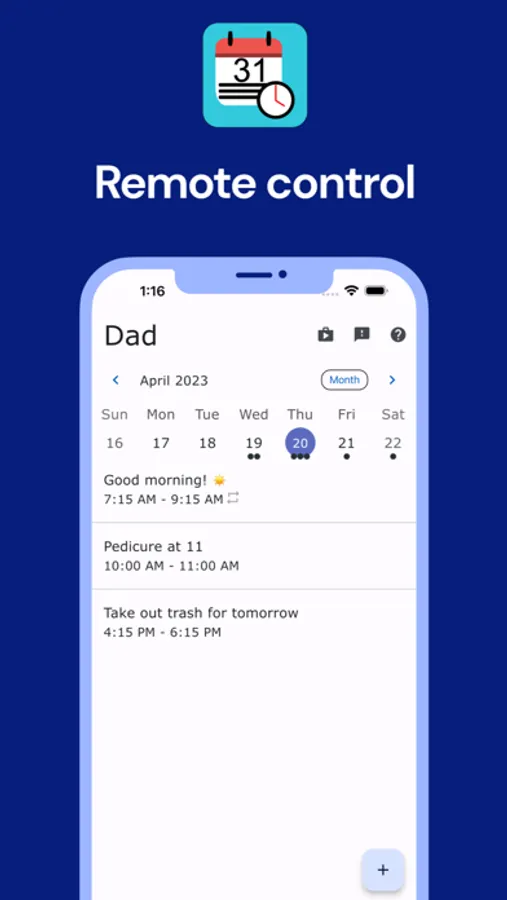
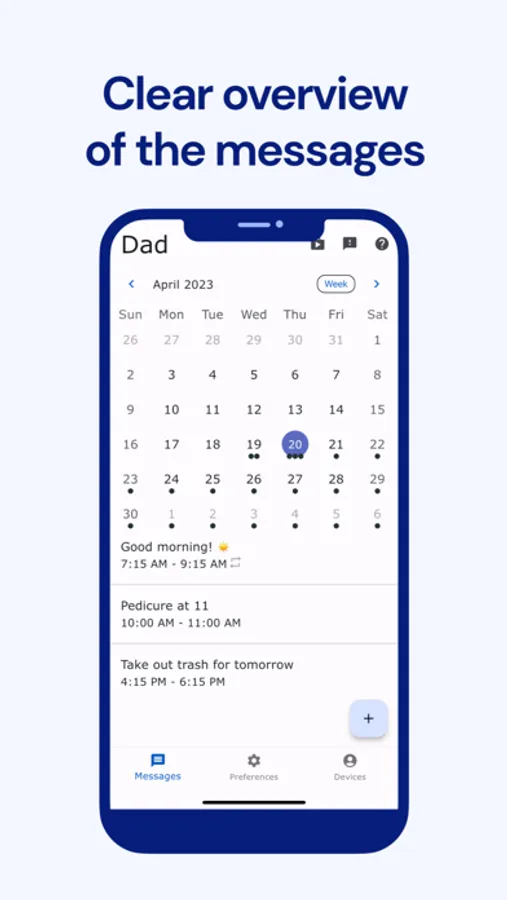
Caretakers (professionals, relatives or friends) can schedule, edit and delete messages, reminders or personal messages.
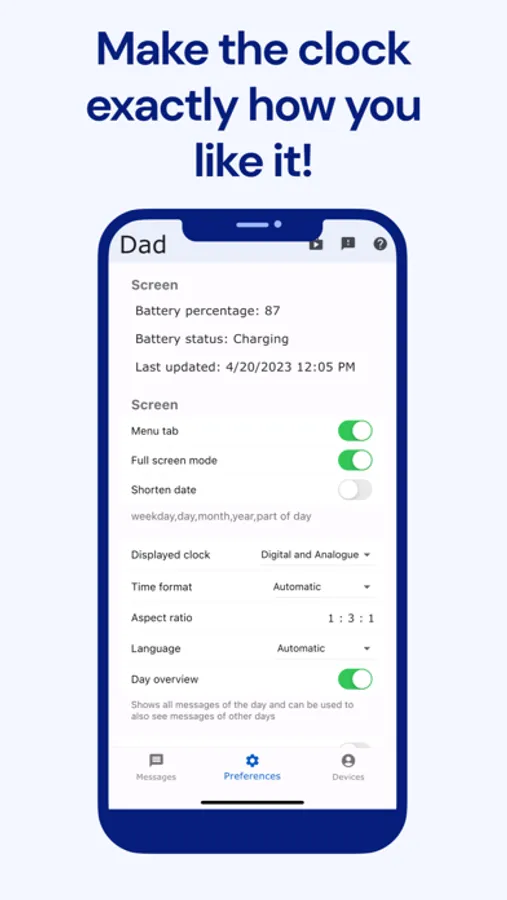
Multiple administrators can connect to the same Calendar Clock - application and therefore post messages. The appearance of the Calendar Clock application can also be changed from this application. Moreover, using the video calling feature, a direct connection can always be established.
This application:
• Is FREE;
• Can create, edit and delete agenda items, reminders and/or personal messages;
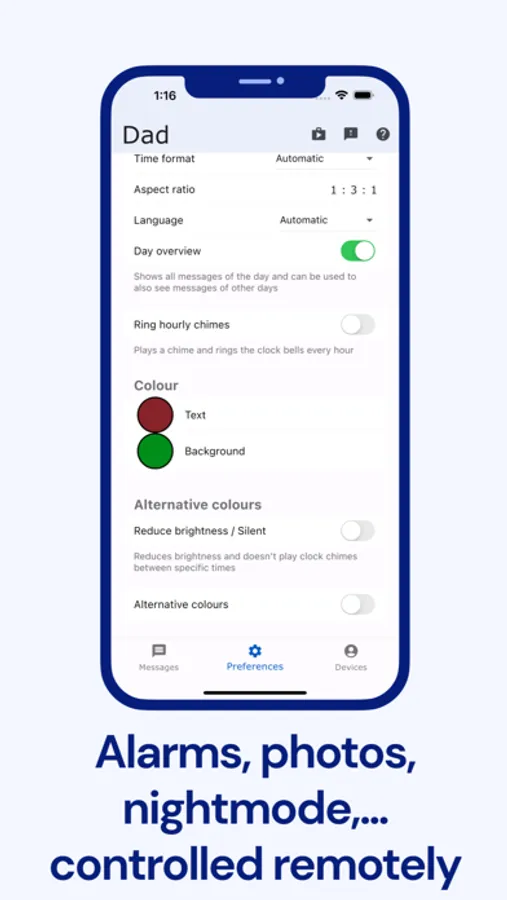
• Can disable certain functionalities so that only the desired functionalities remain;
• Can start video calls with Calendar Clock applications;
• Can control multiple Calendar Clock applications;
• Can change the text and background colour;
• Can add pictures and enable the showing of the weather;
• Internet connection is required for the messaging function;
• Synchronization of the message function takes about 30 minutes;
• Stimulates mutual contact;
• Is not a substitute for direct/personal contact.
Privacy and data processing
With the app you can save calendar and personal messages and settings to the Calendar Clock system via a secure connection. This data is only accessible to people with permission from the owner of the managed application. Calendar Clock only stores this data so that it can be changed by the administrator (s) and does nothing further with it. We therefore do not further process and analyse this data and they can also be deleted at any time upon request. For more information, see our Privacy Policy or contact us.
Calendar Clock Administrator Screenshots
Tap to Rate:
Reviews for Calendar Clock Administrator
Bluebunnybabe
Thank you!
I have been shopping for dementia clocks / calendars for my mom, but hated to spend the money on them without knowing if they will be helpful or not. I found this app last night, and my husband put it on a tablet we had laying around. I have been playing with the admin app on my phone to figure out how to add things to the calendar. I am not good with this type of thing at all, but I've figured everything out, and will be taking the tablet to my mom sometime this week. I really appreciate being able to use this without the subscription to see if it will be helpful to my mom before I upgrade. Thank you!
ndzied1
Hopeful
Trying this app with an older relative. Hoping it helps them keep track of the days and nights better. Looking forward to the message feature as well. Testing messages I’m thinking it would be nice if the administrator app showed confirmation of when a particular message is actually shown on the iPad. I understand the 30 minuted update time and really appreciate the feature.