
With this Safari extension, you can seamlessly open Google Maps links and addresses in Apple Maps. Includes support for all Google domains, smart fallback to web app, and no data collection.
AppRecs review analysis
AppRecs rating 4.4. Trustworthiness 75 out of 100. Review manipulation risk 33 out of 100. Based on a review sample analyzed.
★★★★☆
4.4
AppRecs Rating
Ratings breakdown
5 star
75%
4 star
5%
3 star
4%
2 star
2%
1 star
14%
What to know
✓
Credible reviews
75% trustworthiness score from analyzed reviews
✓
High user satisfaction
80% of sampled ratings are 4+ stars (4.2★ average)
✓
Authentic reviews
No red flags detected
About Mapper for Safari
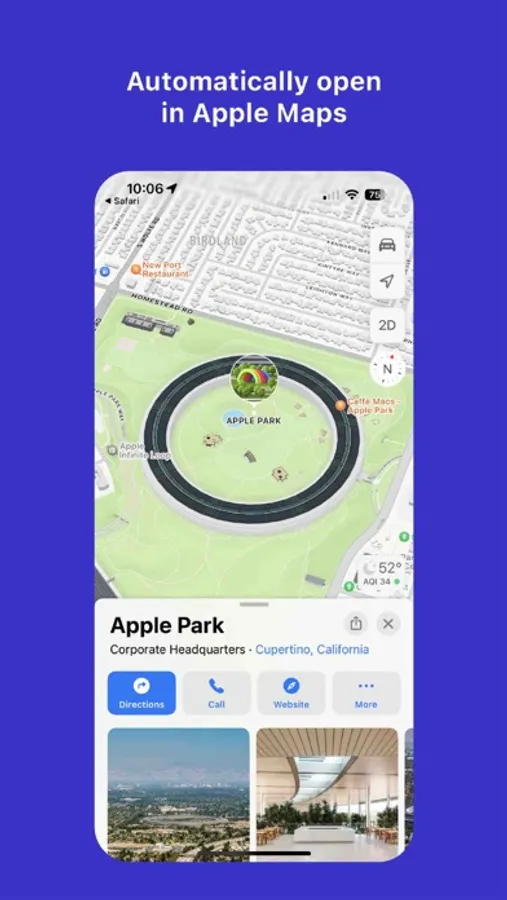
Mapper is a Safari extension that instantly opens Google Maps links from the Google search page in Apple Maps. No more copy/pasting addresses or switching apps.
Key features:
- Redirect Google Maps links, addresses, direction buttons, and map thumbnails directly to Apple Maps.
- Support every Google domain (google.com, .co.uk, .ca, etc.) on iOS and macOS.
- Smart fallbacks: if Mapper can’t resolve a link, you’ll land on the Google Maps web app and then automatically redirect to Apple Maps.
- Zero data collection: Mapper only scans for map links on Google search pages and never stores personal or location data.
How it works:
- Install Mapper and enable the extension in Settings → Safari → Extensions.
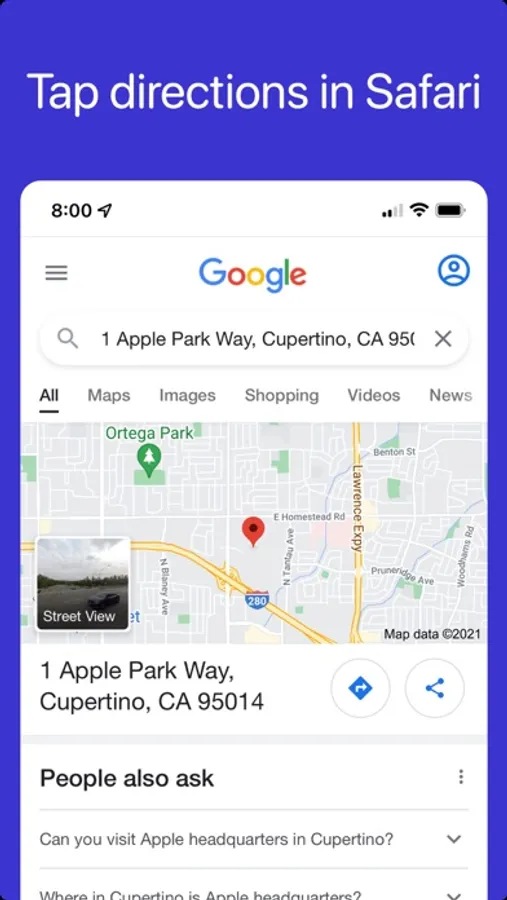
- Browse to Google in Safari.
- Tap any map link, directions button, or thumbnail.
- Mapper grabs the address or search term and opens Apple Maps with a single tap.
Mapper is built and maintained by a solo indie developer, ensuring it stays lightweight, reliable, and up-to-date. If you love Mapper, please consider leaving a rating or review. For questions or feedback, tap the Contact link within the Mapper app.
Key features:
- Redirect Google Maps links, addresses, direction buttons, and map thumbnails directly to Apple Maps.
- Support every Google domain (google.com, .co.uk, .ca, etc.) on iOS and macOS.
- Smart fallbacks: if Mapper can’t resolve a link, you’ll land on the Google Maps web app and then automatically redirect to Apple Maps.
- Zero data collection: Mapper only scans for map links on Google search pages and never stores personal or location data.
How it works:
- Install Mapper and enable the extension in Settings → Safari → Extensions.
- Browse to Google in Safari.
- Tap any map link, directions button, or thumbnail.
- Mapper grabs the address or search term and opens Apple Maps with a single tap.
Mapper is built and maintained by a solo indie developer, ensuring it stays lightweight, reliable, and up-to-date. If you love Mapper, please consider leaving a rating or review. For questions or feedback, tap the Contact link within the Mapper app.
Mapper for Safari Screenshots
Tap to Rate:
Reviews for Mapper for Safari
Paul621@
Great!
Awesome
Darkbroccoli
Great job
I prefer to use Apple Maps. I think it’s a great mapping system and I like still being able to use Google search but without using the mess that is Google maps great job thank you.