
With this task organization app, you can view daily tasks, add new ones, and integrate with calendar services. Includes task management, calendar synchronization, and offline access options.
AppRecs review analysis
AppRecs rating 4.7. Trustworthiness 73 out of 100. Review manipulation risk 24 out of 100. Based on a review sample analyzed.
★★★★☆
4.7
AppRecs Rating
Ratings breakdown
5 star
84%
4 star
7%
3 star
4%
2 star
2%
1 star
4%
What to know
✓
Low review manipulation risk
24% review manipulation risk
✓
Credible reviews
73% trustworthiness score from analyzed reviews
✓
High user satisfaction
84% of sampled ratings are 5 stars
About Ellie - Daily Planner
It has 3 primary features:
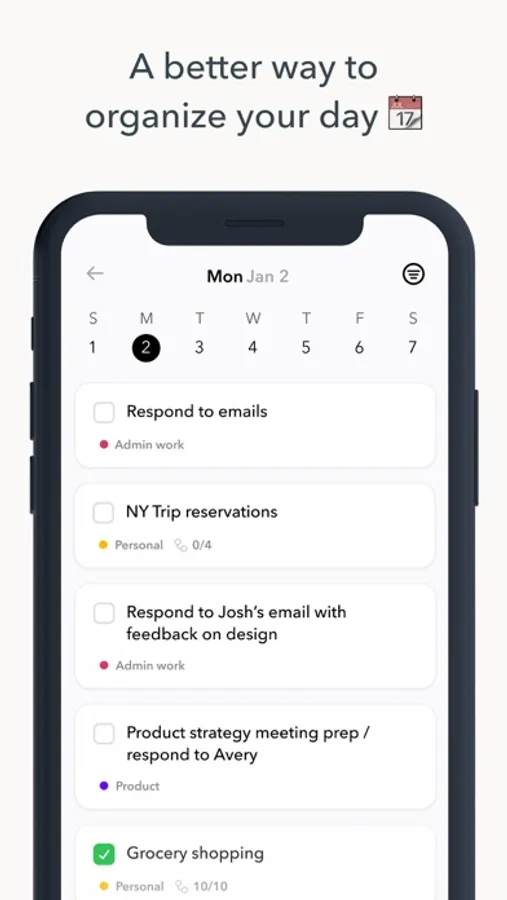
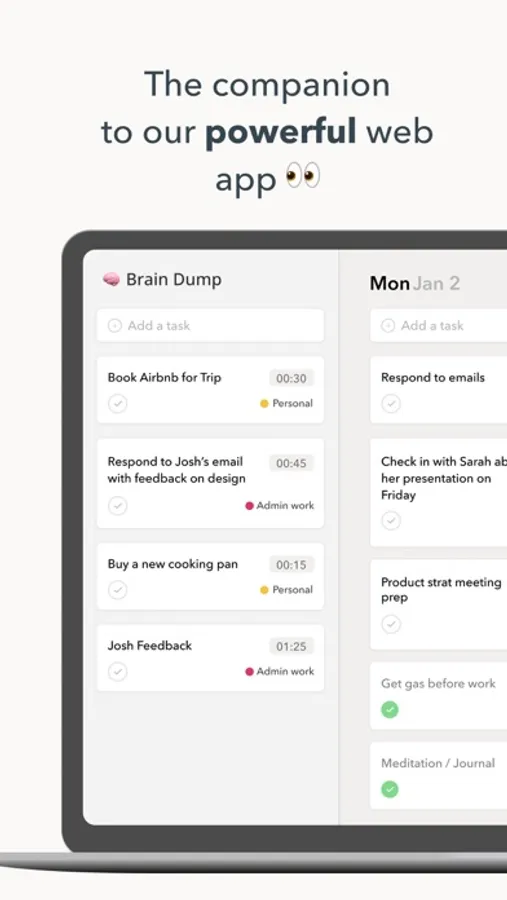
1. A planner view where you can view all of your tasks for each day
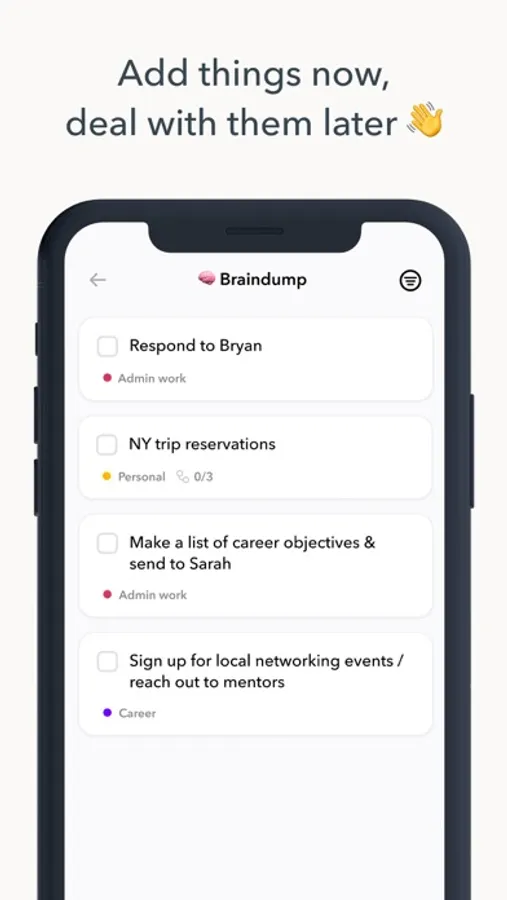
2. A brain dump where you can offload all tasks and clear your mind (and then deal with them later)
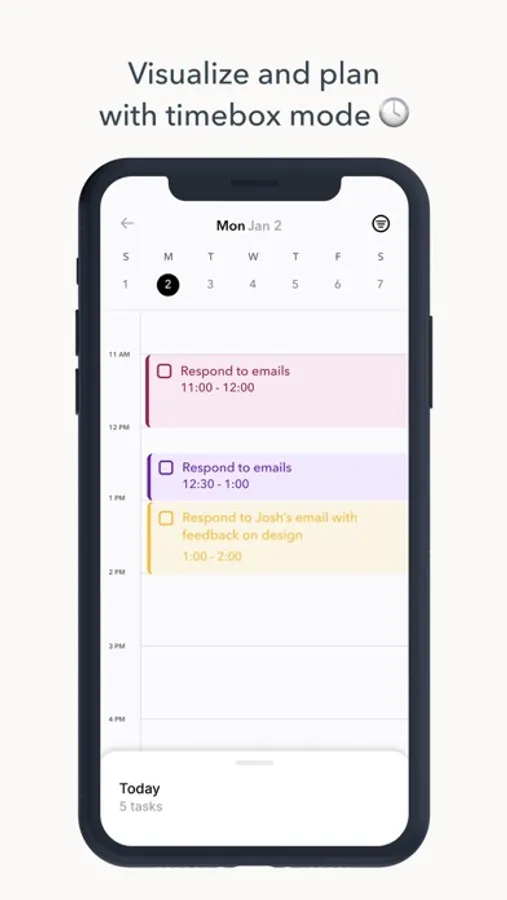
3. A time block/time box mode where you can drag your tasks into a calendar (Google calendar and Apple calendar integration available so you can view Google/Apple calendar events alongside your Ellie tasks!)
Ellie is available on the web at ellieplanner.com
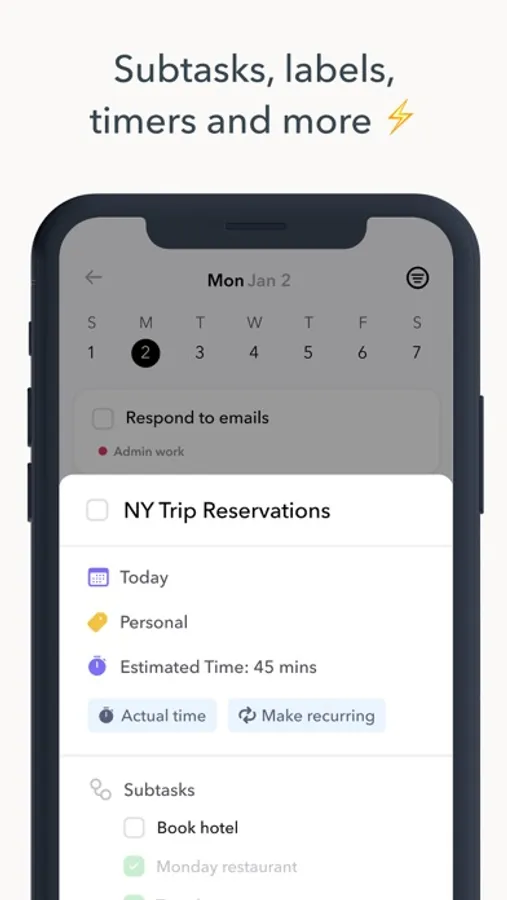
The free version of Ellie can create unlimited tasks. Upgrade to a Ellie Pro subscription ($9.99/month or $99.99/year or $299.99 once) to unlock additional pro features like labels, recurring tasks, subtasks and more.
Ellie is a great alternative to Todoist, Sunsama, Amie, Motion, Akiflow, Morgen and more!
If you’ve previously purchased a pro subscription, you’ll be able to use the Restore Purchases option in the app for access to all Ellie pro features.
These prices are for customers in the United States and may vary depending on your iTunes Account settings. In-app purchases and subscriptions cannot be shared using Family Sharing.
Ellie Terms of Service - https://www.ellie.so/legal/terms-of-service
Ellie Privacy Policy - https://www.ellie.so/legal/privacy
Ellie - Daily Planner Screenshots
Tap to Rate:
Reviews for Ellie - Daily Planner
knittedlogic
This app got me through grad school + working full time
I used this app to keep me organized when I was doing grad school and working full time and it was hands down THE BEST tool for organization. The combination of lists, labels, and calendar/time blocking was so huge for me. It’s like having a really large white board organized by lists and weekly time blocking, colored by label. Tasks are super flexible to move around from a list to your calendar, from one day to the next. I love it. And the check done feature is gratifying for me.
laserbitties
Love it! With some bugs
It’s the ideal concept for a time boxing app. However, I lose some of my tasks when scheduling from Brain Dump to a date. They just disappear! ✨🫣I hope Chris sees to it that this gets looked at. This is a very special application.