
AppRecs review analysis
AppRecs rating 4.3. Trustworthiness 74 out of 100. Review manipulation risk 30 out of 100. Based on a review sample analyzed.
★★★★☆
4.3
AppRecs Rating
Ratings breakdown
5 star
88%
4 star
0%
3 star
0%
2 star
13%
1 star
0%
What to know
✓
Credible reviews
74% trustworthiness score from analyzed reviews
✓
High user satisfaction
88% of sampled ratings are 5 stars
About PingPath - Blind AI Navigation
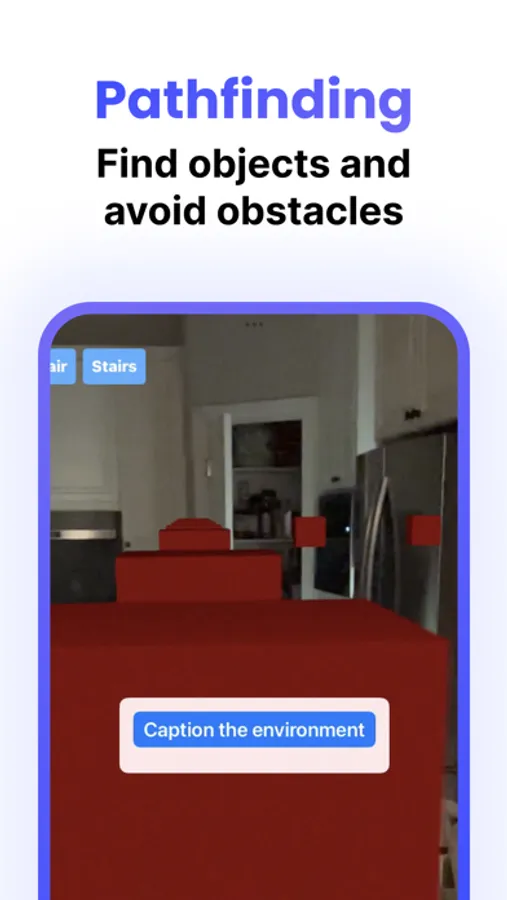
Effortless Navigation: With our innovative path-finding feature, PingPath guides you to avoid obstacles and locate objects. Seamlessly navigate through rooms, around obstacles, and towards your desired destination, whether you're at home, in the office, or exploring a new place. This is an early experimental feature that shouldn't be used without someone to assist with navigation.
Siri Integration: PingPath is integrated with Siri for even easier navigation. Just say "Ping Path to the door" or "Hey Siri, PingPath around me" and the app will do the rest.
Spatial Audio: With an added layer of situational awareness, PingPath uses spatial audio to guide you in a natural and intuitive way. Experience your surroundings like never before.
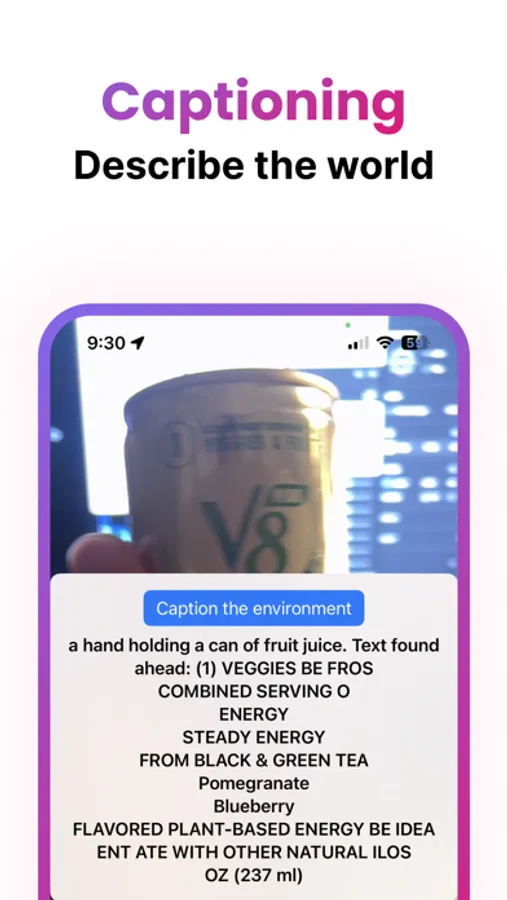
Captioning + Querying: Our captioning feature describes your surroundings, giving you a clearer picture of the world around you. Querying empowers you to ask questions about your environment.
LiDAR Compatibility: Optimized for LiDAR enabled phones, Ping Path offers you detailed and precise navigation. The app also works with standard cameras, ensuring no one is left behind.
At PingPath, we believe in empowering the visually impaired to navigate their world with confidence and independence. Join us on this journey and experience the difference today.
Privacy Policy: https://www.craft.do/s/ePRw8bs20jJPdy
Terms of Use: https://www.craft.do/s/1bBGHgNwxDQxbA
PingPath - Blind AI Navigation Screenshots

Tap to Rate:
Reviews for PingPath - Blind AI Navigation
Voiceover user2
Issues with volume on iPhone 14 Pro with iOS 18
When I open this app when it detects something such as a wall volume is normal. However, when I scroll using VoiceOver, the sound is so low that I can barely hear it even after I’ve made sure my volume is set to the maximum. This makes it near impossible to use. When I close the app, VoiceOver works normally on all my other open apps. Therefore I must assume the problem is with this app. Please check it out and fix. Thank you. I am giving a low score because as a blind user, I need the app and voiceover to work together properly.
Henry from Los Angeles
A total game changer
This is a must have app for the visually impaired tool box, I totally love it,