In this app, you can scan images using your phone's camera, extract text with advanced OCR technology, and export the results in various formats. Includes bulk processing, auto language detection, and editing features.
AppRecs review analysis
AppRecs rating 4.3. Trustworthiness 0 out of 100. Review manipulation risk 0 out of 100. Based on a review sample analyzed.
★★★★☆
4.3
AppRecs Rating
Ratings breakdown
5 star
93%
4 star
0%
3 star
0%
2 star
0%
1 star
7%
What to know
✓
High user satisfaction
93% of sampled ratings are 5 stars
About AI Image To Text Converter
Transform Your Phone into a Text Scanner with Our Advanced Image to Text Scanner App!
Unlock the power of your phone’s camera to scan to text, scan text, extract, and convert text using image to text, photo to text, and picture to text technology effortlessly. Our ocr text scanner app leverages the most advanced OCR technology, making image to text recognition faster and more accurate than ever.
Our text scanner image to text solution works perfectly for documents, photos, screenshots, and printed pages. Whether you need photo to text, picture to text, or quick scan to text, this ocr text scanner delivers reliable results every time.
Key Features:
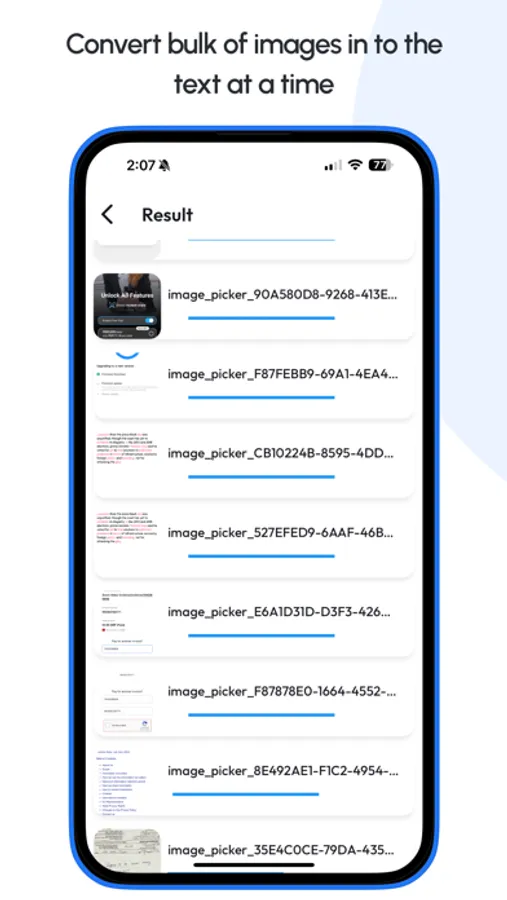
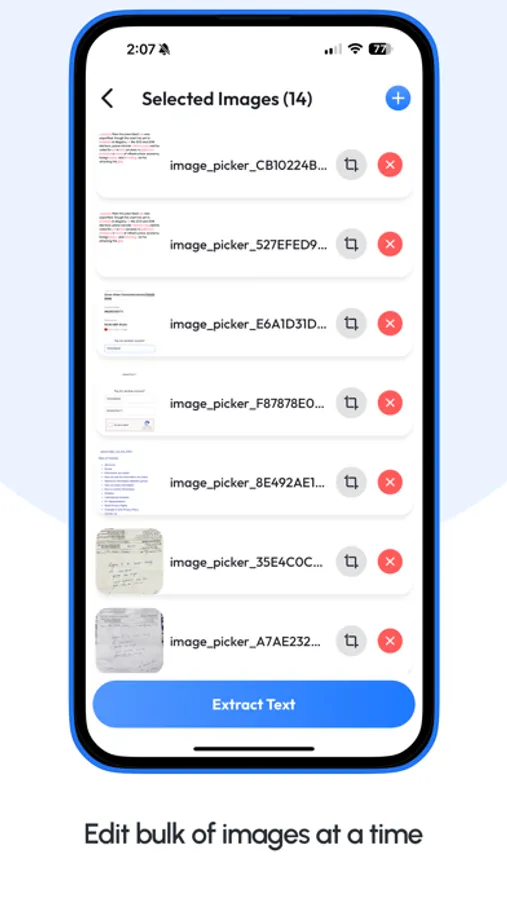
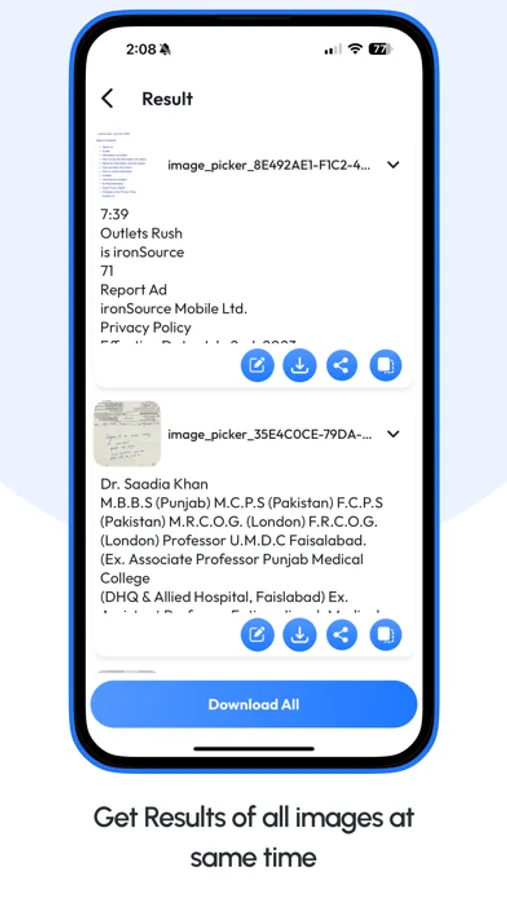
• Bulk Processing: Users can now scan up to 30 images at a time using image to text and text scanner image to text tools.
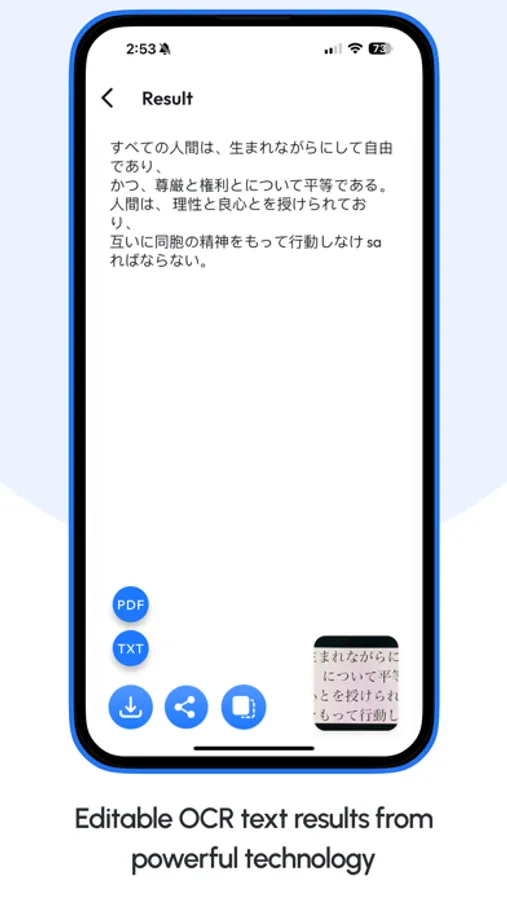
• Advanced OCR Technology: Experience the pinnacle of Optical Character Recognition with our ocr text scanner and word scanner capabilities.
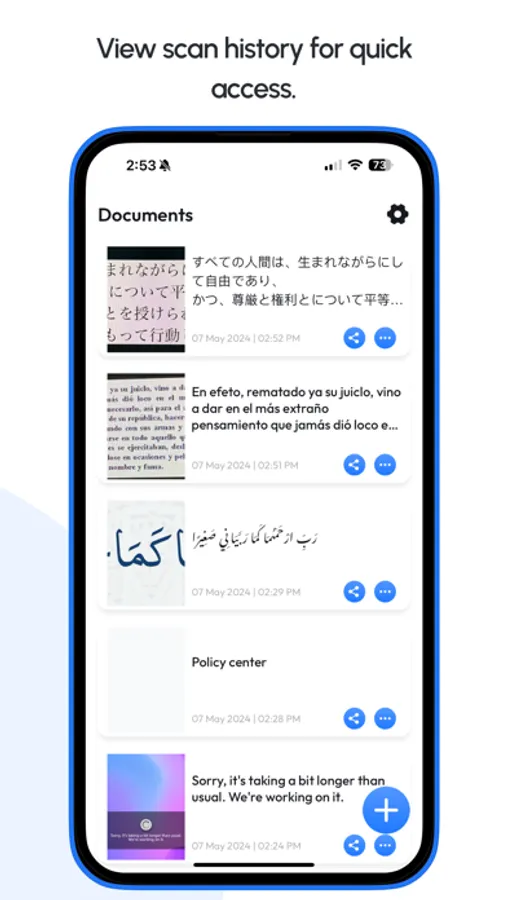
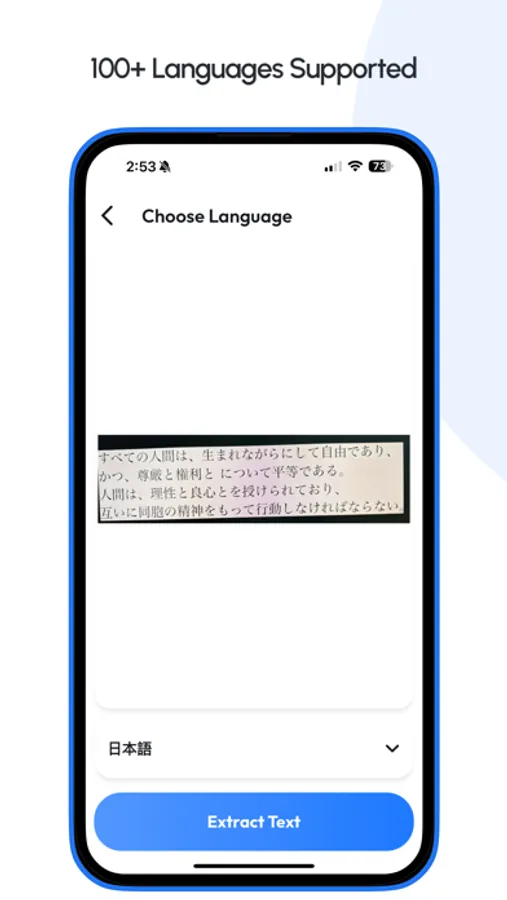
• Auto Language Detection: Automatically detect and scan text in over 110 languages with our image to text and photo to text engine, including complex multi-language documents.
• Export and Share: Edit scanned results from picture to text, scan to text, or text scanner image to text, then easily share via email, social media, or other apps. Export as PDF or TXT.
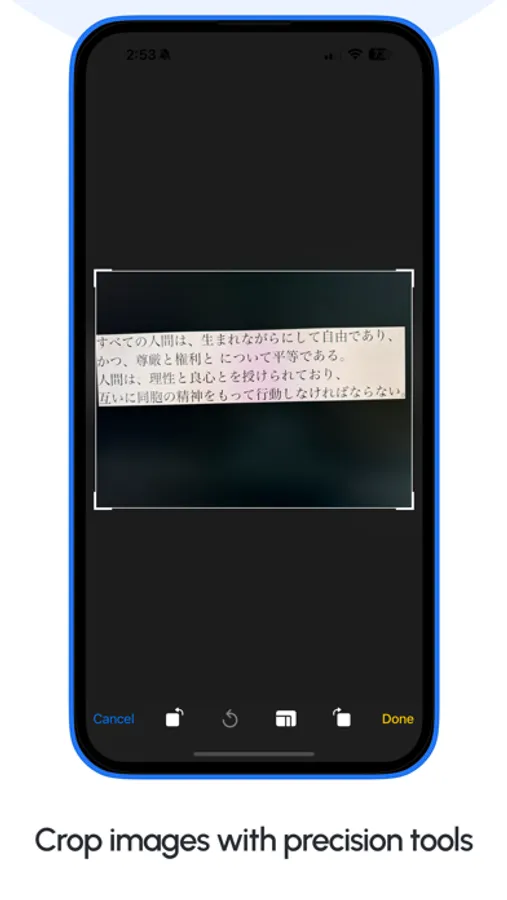
• Enhanced Image Processing: Automatically clean up images for better image to text, correct viewpoints, and straighten text lines for improved photo to text accuracy.
• Text Management: Edit, join, and delete scanned files created using ocr text scanner, scan text, and word scanner features.
• User-Friendly: Ideal for students, businessmen, journalists, and anyone needing text scanner, photo to text, or picture to text functionality.
• High-Quality Results: Get the best image to text and text scanner image to text results with clear pictures. Handwriting to text is not supported for now.
• Free to Use: Enjoy powerful scan to text, ocr text scanner, and text scanner features at no cost.
How It Works:
Capture: Use your phone’s camera to capture images for image to text, photo to text, or picture to text conversion.
Scan: Let our ocr text scanner instantly scan text and scan to text with high accuracy.
Edit and Export: Edit extracted results from text scanner image to text, then export as PDF, TXT, or share directly.
Our Image to Text and Text Scanner Image to Text app is designed to be your go-to ocr text scanner and word scanner for all scan to text needs. Whether you’re digitizing notes, extracting printed content, or experimenting with handwriting to text, photo to text, or picture to text, this app has you covered.
Why Choose Our App?
• Most Advanced OCR Technology: Industry-leading ocr text scanner for accurate image to text results.
• Versatile and Powerful: Supports text scanner, scan text, photo to text, and picture to text across many languages.
• Privacy-Focused: Offline scan to text and image to text processing keeps your data secure.
• User-Centric Design: Clean interface makes text scanner image to text simple for everyone.
If you love our text scanner and image to text app, please leave us a review! Your feedback means the world to us.
Privacy Policy:
https://techboeing.blogspot.com/2022/11/privacy-policy.html
Terms of Use:
https://techboeing.blogspot.com/2023/03/terms-of-use.html
Unlock the power of your phone’s camera to scan to text, scan text, extract, and convert text using image to text, photo to text, and picture to text technology effortlessly. Our ocr text scanner app leverages the most advanced OCR technology, making image to text recognition faster and more accurate than ever.
Our text scanner image to text solution works perfectly for documents, photos, screenshots, and printed pages. Whether you need photo to text, picture to text, or quick scan to text, this ocr text scanner delivers reliable results every time.
Key Features:
• Bulk Processing: Users can now scan up to 30 images at a time using image to text and text scanner image to text tools.
• Advanced OCR Technology: Experience the pinnacle of Optical Character Recognition with our ocr text scanner and word scanner capabilities.
• Auto Language Detection: Automatically detect and scan text in over 110 languages with our image to text and photo to text engine, including complex multi-language documents.
• Export and Share: Edit scanned results from picture to text, scan to text, or text scanner image to text, then easily share via email, social media, or other apps. Export as PDF or TXT.
• Enhanced Image Processing: Automatically clean up images for better image to text, correct viewpoints, and straighten text lines for improved photo to text accuracy.
• Text Management: Edit, join, and delete scanned files created using ocr text scanner, scan text, and word scanner features.
• User-Friendly: Ideal for students, businessmen, journalists, and anyone needing text scanner, photo to text, or picture to text functionality.
• High-Quality Results: Get the best image to text and text scanner image to text results with clear pictures. Handwriting to text is not supported for now.
• Free to Use: Enjoy powerful scan to text, ocr text scanner, and text scanner features at no cost.
How It Works:
Capture: Use your phone’s camera to capture images for image to text, photo to text, or picture to text conversion.
Scan: Let our ocr text scanner instantly scan text and scan to text with high accuracy.
Edit and Export: Edit extracted results from text scanner image to text, then export as PDF, TXT, or share directly.
Our Image to Text and Text Scanner Image to Text app is designed to be your go-to ocr text scanner and word scanner for all scan to text needs. Whether you’re digitizing notes, extracting printed content, or experimenting with handwriting to text, photo to text, or picture to text, this app has you covered.
Why Choose Our App?
• Most Advanced OCR Technology: Industry-leading ocr text scanner for accurate image to text results.
• Versatile and Powerful: Supports text scanner, scan text, photo to text, and picture to text across many languages.
• Privacy-Focused: Offline scan to text and image to text processing keeps your data secure.
• User-Centric Design: Clean interface makes text scanner image to text simple for everyone.
If you love our text scanner and image to text app, please leave us a review! Your feedback means the world to us.
Privacy Policy:
https://techboeing.blogspot.com/2022/11/privacy-policy.html
Terms of Use:
https://techboeing.blogspot.com/2023/03/terms-of-use.html
AI Image To Text Converter Screenshots
Tap to Rate:






![Text from Picture AI [OCR] icon](https://apprecs.org/ios/img/icons/webp/150/6470018354/Tav8PIIgnUKv3sEB9jtqNQIbMeJFUKxD6fOSEZ-Rqa4-icon)