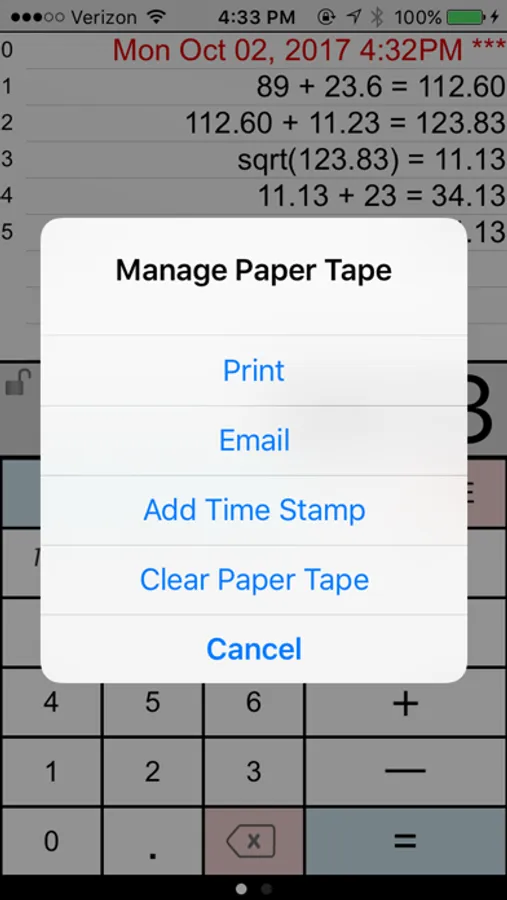
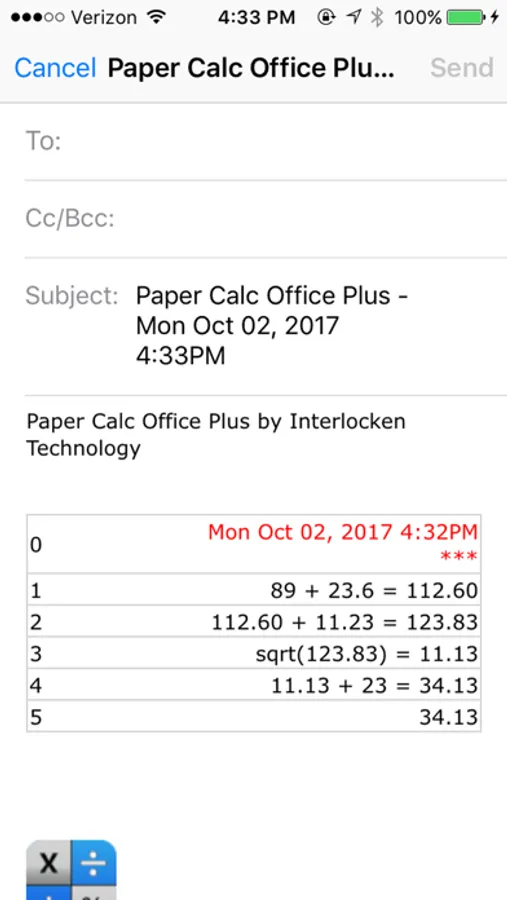
In this calculator app, you can perform basic arithmetic operations and review calculations using a virtual paper tape with comments and timestamps. Includes email and printing options, custom keyboard layouts, and adjustable display settings.
AppRecs review analysis
AppRecs rating 4.6. Trustworthiness 67 out of 100. Review manipulation risk 29 out of 100. Based on a review sample analyzed.
★★★★☆
4.6
AppRecs Rating
Ratings breakdown
5 star
77%
4 star
9%
3 star
7%
2 star
2%
1 star
5%
What to know
✓
Low review manipulation risk
29% review manipulation risk
✓
High user satisfaction
77% of sampled ratings are 5 stars
✓
Authentic reviews
Natural distribution, no red flags
About Paper Calc Office
=================
Selected by MagicSolver for Free App Magic of the day!
Selected by AppTurbo for Free "App of the Day" !
=================
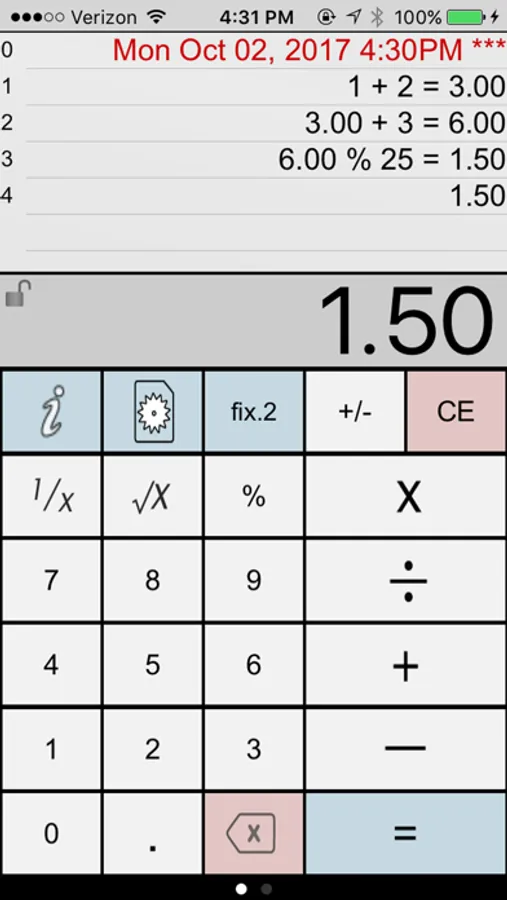
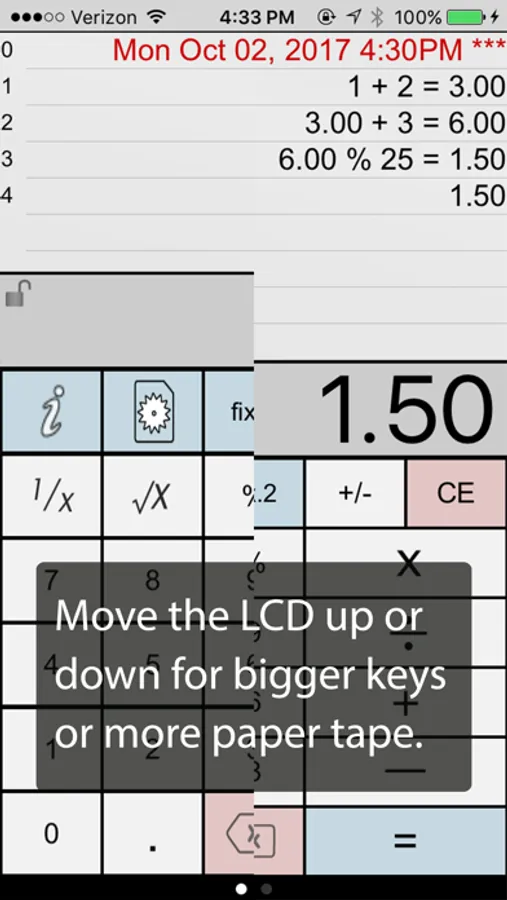
Make the keys larger by sliding the LCD display up, or show more paper tape by moving the LCD display down. Two keyboards are included, or, make & save up to three of your own.
PaperCalc Office Features:
CALCULATOR MODE
=================
> Great general purpose office calculator
> Oversized +, -, x, /, = keys
> 3 display formats
. - fixed Point from 2-8 places
. - float
. - eng (power to the x3)
VIRTUAL PAPER TAPE
==================
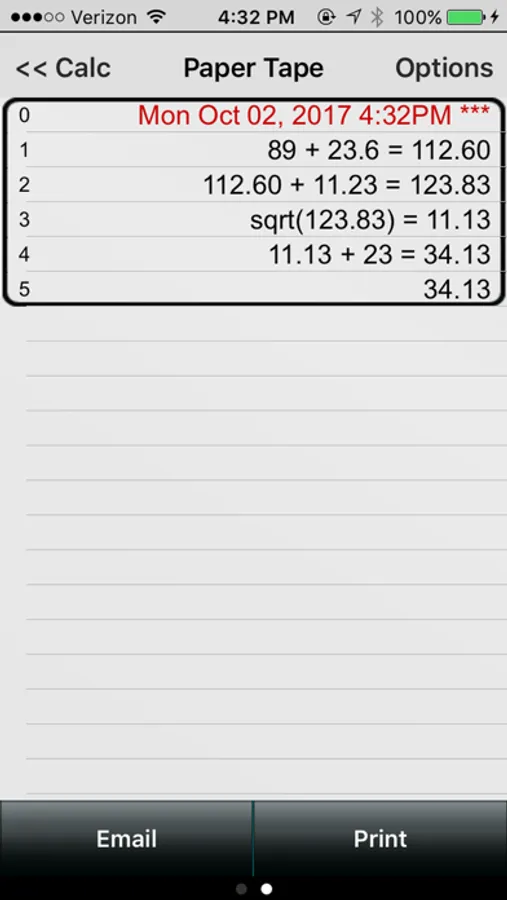
> 250 lines of virtual paper tape
> Full-screen view of the paper tape on the right-side scroll page.
> Copy numbers or lines to the Apple clipboard
> Grab numbers from the tape to use in your current calculation
> Add comments to any line
> Double tap the calculator's LCD display to clear the paper tape.
PRINT & EMAIL
=============
> Print (requires iOS4.2 & an AirPrint printer)
> Email an exact copy of the paper tape
EXTRAS
=======
> Move the calculator's LCD display to resize the keyboard.
> Create and save custom keyboard layouts to suit your personal needs.
> Key click sound (on/off)
> Hide rows of keys for extra paper tape space.
> Options are easy-to-access in the scroll-to-left view window.
> International number formatting (Settings → General → International → Region Format → select region)
Q & A:
=====
Q1. How does 'Office' differ from the other PaperCalc calculators?
A1. 'Office' has been designed as an easy to use chain calculator with basic math functions. The emphasis is on ease-of-use and an easy-to-follow paper trail of calculations performed.
Q2. How do I bring a number from the paper tape into my current calculation?
A2. Touch any line of the paper tape and select the number from the menu.
Q3. How can I quickly clear the paper tape?
A3. Make sure the option to 'Double Tap the LCD to Clear' is ON (see the right-side scroll page). Then just double-tap the LCD display to clear the paper tape (Office Full version only)
Q4. How do I use the '%' key?
A4. There are two ways to use the % key:
1. Obtain the % of a number:
- Press '200 % 5 ='
- Answer will be '10'
- PaperCalc took 5% of 200.
2. The % of a number is used in the operation on the number:
- Press: '200 - 5 % ='
- Answer will be '190'
- PaperCalc subtracted 5% of 200 from 200
Q5. How do I customize the keyboard layout?
A5. Press the large "i" (info) key. Select "Edit Keyboard Layout". Then touch and move keys to change locations. Tap keys to change sizes. Save custom keyboard layouts and rename them for later use.
Q6. How do I hide the top row of keys for additional Paper Tape space?
A6. Just touch and move the Calculator's LCD display until the keyboard background flashes red. Release the LCD and the keys will remain hidden.
PURCHASE DETAILS
. Payment will be charged to your iTunes
account at confirmation of purchase.
. This is a one-time purchase.
TERMS AND CONDITIONS
Your use of this application is governed by Interlocken Technology's Terms of Use (http://s354819480.onlinehome.us/InterlockenPrivacyPolicy/Interlocken%20Technology%20Privacy%20Policy.pdf) and Privacy Policy (http://s354819480.onlinehome.us/InterlockenPrivacyPolicy/InterlockenTechnologyTermsOfUse.pdf)
Paper Calc Office Screenshots
Tap to Rate:
Reviews for Paper Calc Office
NewsJunkie 123
It really works!
Great app. It’s just like using a 10-key with paper tape. I use it all the time. Update 8/31/25: still great. If you start seeing incorrect totals just close and reopen the app. It only happens when I use it for many hours.
llivingood
An Oldie But Goodie
I think I first installed this at least 10-12 years ago. Simple, easy to use, but capable of more complex uses. Does what it says it does. It seems it’s no longer being updated. I just want to give credit and thanks to the developer.