AppRecs review analysis
AppRecs rating 4.3. Trustworthiness 80 out of 100. Review manipulation risk 21 out of 100. Based on a review sample analyzed.
★★★★☆
4.3
AppRecs Rating
Ratings breakdown
5 star
44%
4 star
33%
3 star
0%
2 star
11%
1 star
11%
What to know
✓
Low review manipulation risk
21% review manipulation risk
✓
Credible reviews
80% trustworthiness score from analyzed reviews
✓
Good user ratings
78% positive sampled reviews
About iGIS
True GIS functionality is now available on the iPhone! Your iPhone. Your data. Your maps.
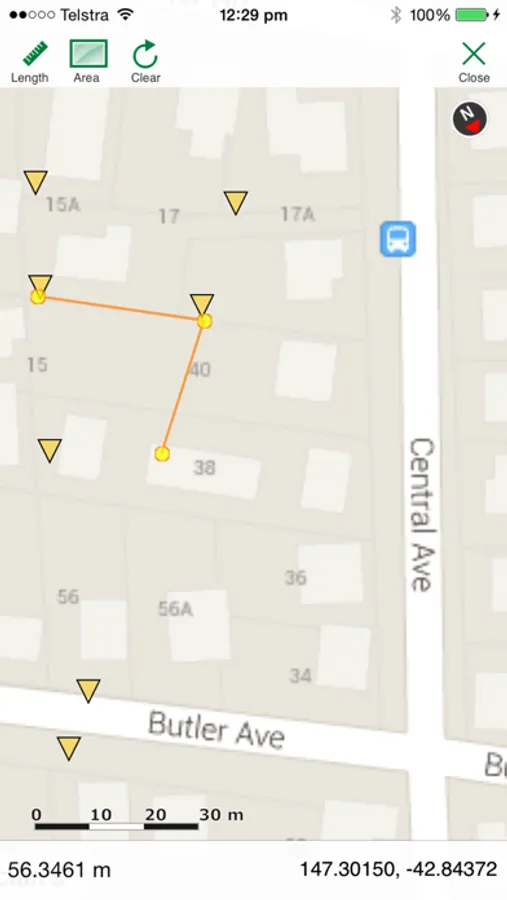
iGIS represents a new era in mobile GIS solutions by enabling users to load, view, investigate, create and export their own data over a background of map service imagery.
Importing data is easy with our unique data import facility using the USB cable or wirelessly on your Mac, PC and Linux. Raster data in many formats (pre-processing required) and ESRI Shapefiles (.shp) are supported at the moment.
Your spatial data is stored on the iPhone, so there’s no need for an Internet connection to see your data – great for field work. We also support over 3000 projections, so no need for re-projection.
We include support for multiple layers of points, lines, and polygons – all styled as you like. Imagery layers too in V5.
Add comments to your maps - A point layer is added with a name and description field.
Add and edit your own layers, via the map display and customisable data entry forms.
Export your layers to ESRI shapefiles for use back in your enterprise.
Other features include:
- Great speed, using our multi-threaded map renderer.
- Support for large datasets.
- Import and export of ESRI Shapefiles.
- Display current GPS location in your chosen projection ( + compass)
- Zoom to current location
- Zoom to data extent
- Map Pan, zoom in, zoom out
- Changeable drawing styles for a layer: size, color, transparency
- Set the draw order and visibility of map layers
- Set the zoom scale for layers via a simple slider
- Select and interrogate feature attributes via point and click
This application is designed for GIS professionals and an understanding of some basic GIS concepts such as layers, shapefiles, projections etc, would make using iGIS simpler. Please let us know if concepts in iGIS are unclear.
Continued use of GPS running in the background can dramatically decrease battery life.
iGIS Screenshots


Tap to Rate:
Reviews for iGIS
chaddavis
Best GIS app in App Store
I've looked at every app in the App Store surrounding mapping and this is easily the best - outside of the ridiculously priced $300 apps which I didn't try. Highly recommended to anyone who wants offline shapefiles on their device. Two features I wish it had though are the ability to connect to WMS and to be able to click any line to get features without having to change the viewing layer that's active. Great work, hope it continues to be developed!
paalexan
Best GIS on iOS
For my needs, this is the best GIS / GPS app for iOS. You can quickly and easily load, view, and edit shapefiles in a streamlined interface without a bunch of hassle. For more complicated field data collection and editing, you might want ArcPad, but if you want to do something straightforward like locate yourself in relationship to GIS layers and add record features, iGIS is dramatically more enjoyable to use and has a fraction of the learning curve. Oh, and you can have layers with different coordinate systems!