
In this contact management app, you can organize contacts into groups by dragging and editing, and send messages or emails to group members. Includes group creation, editing, deletion, automatic contact grouping, search, and backup features.
AppRecs review analysis
AppRecs rating 4.7. Trustworthiness 80 out of 100. Review manipulation risk 26 out of 100. Based on a review sample analyzed.
★★★★☆
4.7
AppRecs Rating
Ratings breakdown
5 star
84%
4 star
10%
3 star
2%
2 star
1%
1 star
2%
What to know
✓
Low review manipulation risk
26% review manipulation risk
✓
Credible reviews
80% trustworthiness score from analyzed reviews
✓
High user satisfaction
84% of sampled ratings are 5 stars
About GContact Lite 2
GContact(Ver Lite 2) is the most popular contact management software with easy-to-use.
Features
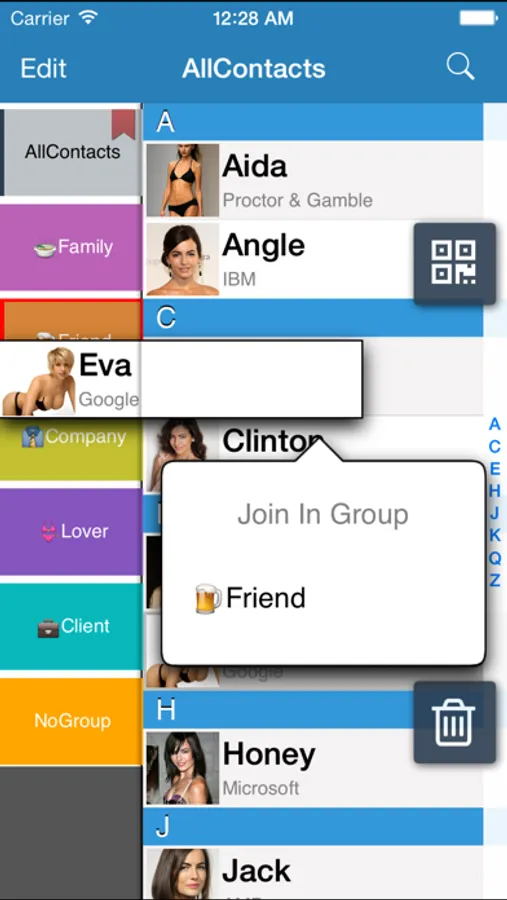
1.Drag & drop for the group editing
2. Contact could be gathered in the groups automatically by company names.
3. Groups could be created, edited, or deleted freely.
4. You could also create, delete, and edit a single contact.
5. It support to search for contacts
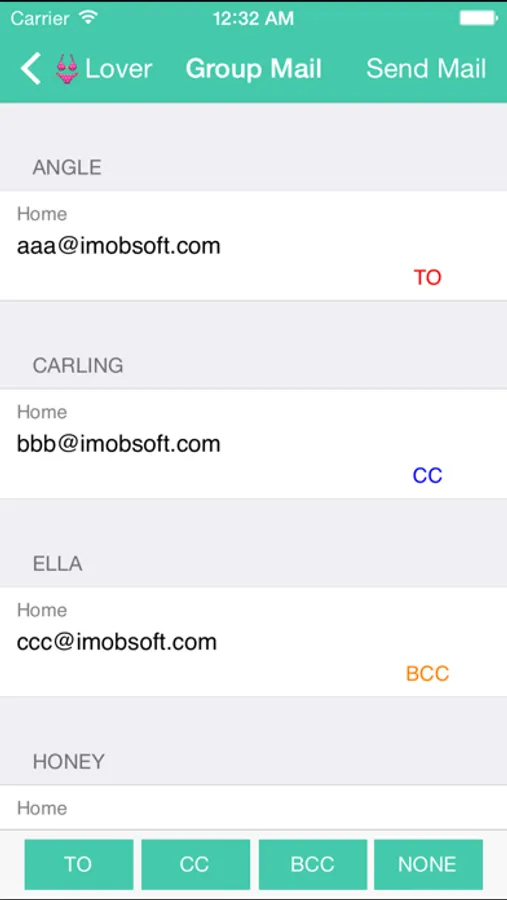
6. And send email to all group members
7. Fantastic respond speed
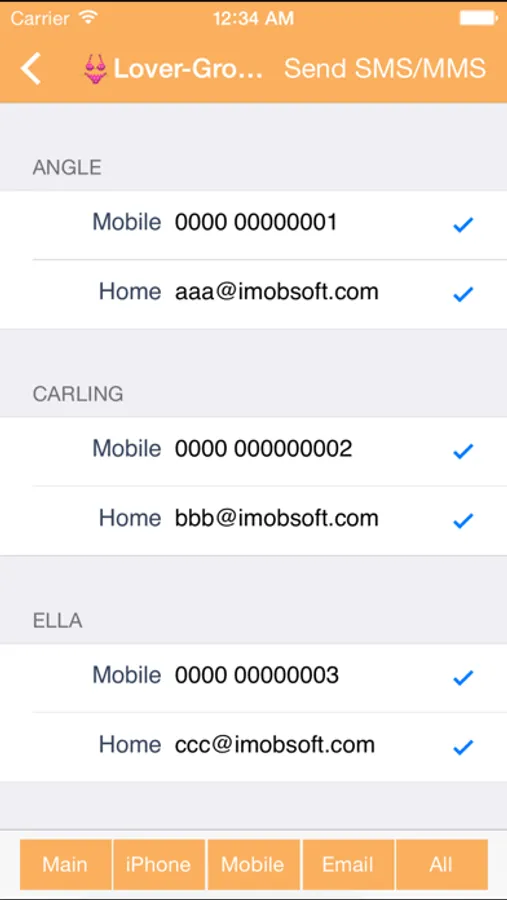
8. Support to send sms/mms to all group members
*The group mms just support the emoji only,picture and camera it can not be support in this version.
8.You could change the group's sort
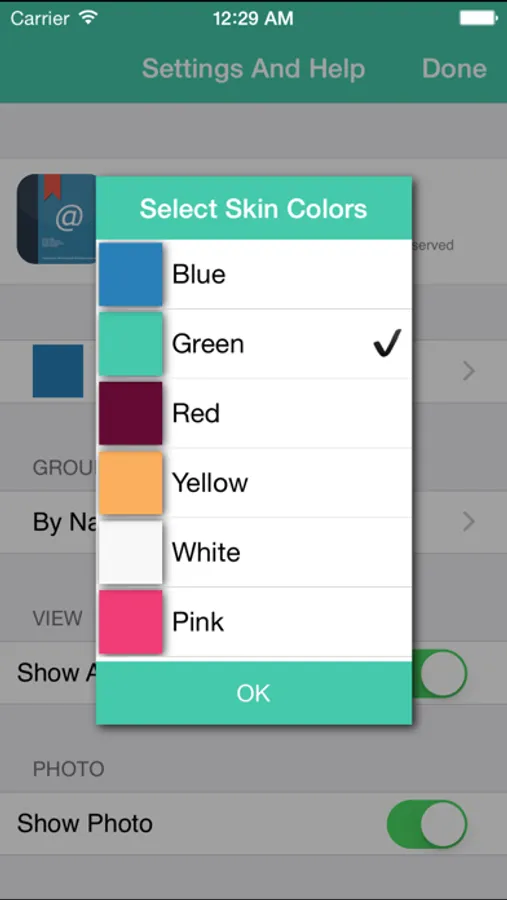
9.You could change the group's color
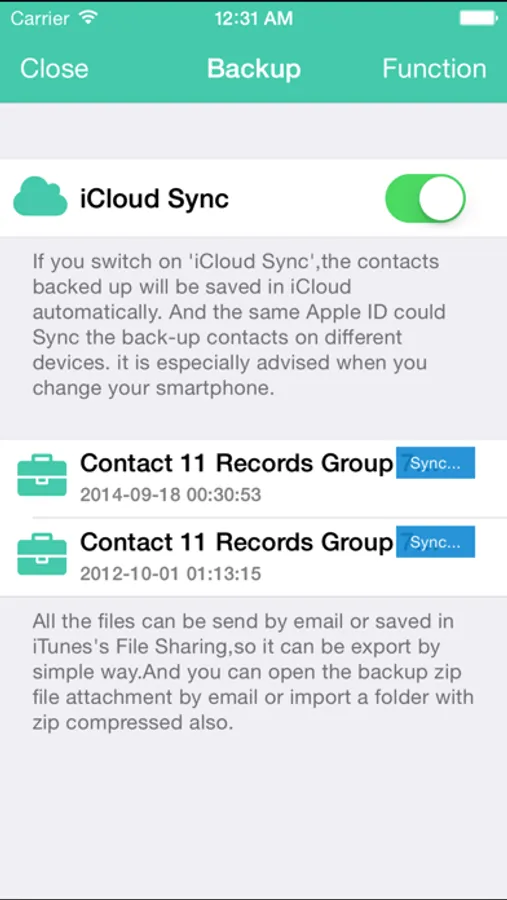
10.Backup your contacts and shared your archive file by iTunes connect or Mail
11.Scheduler for call or mail to somebody
Mark: English,Japanese,Chinese versions are available.
Tips:
Click group bottom twice continuously, you will see the menu including “Edit Group Members” “Change Group Name/Color” “Delete Group” “Send Group Mail” “Send Group SMS/MMS" “Cancel”.
We do apologize for the inconvenience to customers which caused by our incomplete illustration.
The following is the summary of questions mentioned by customers. Thanks you so much for your treasure feedbacks.
FAQ:
1. How to add contacts to groups
(1) Please have a browse of the tip mentioned above for reference.
(2) Firstly, click a contact in “No Group”, which you would like to add to a certain group. And then you will see a menu including “Contact Detail” “Join in group” “Cancel”. Once you choose and click “Join In Group”, the contact could be ready to add to your favor group.
2. How to delete the group which has been already added?
(1) Please have a browse of the tips mentioned above for reference.
(2) If you have cancelled GContact software, and plan to delete the groups remained in Apple’s Contacts, there are several ways to deal with it. One is deleting the groups by Exchange or Itune, and connecting your iphone or itouch to the computer, then doing synchronization. Another one is installing GContact again, and deleting the groups by it.
Because the function of deleting groups is not supported by Contacts, and only supported by SDK software of Apple.
3. How to change the name of groups?
Please have a browse of the tips mentioned above for reference.
4.Why some groups are added automatically, although we did not do any edition on it?
We are afraid it is not caused by GContact, but may be caused by other
familiar software or others’ computers, while doing synchronization on it.
By downloading or using this app, you agree to Apple's standard Terms of Use.
https://www.apple.com/legal/internet-services/itunes/dev/stdeula/
Features
1.Drag & drop for the group editing
2. Contact could be gathered in the groups automatically by company names.
3. Groups could be created, edited, or deleted freely.
4. You could also create, delete, and edit a single contact.
5. It support to search for contacts
6. And send email to all group members
7. Fantastic respond speed
8. Support to send sms/mms to all group members
*The group mms just support the emoji only,picture and camera it can not be support in this version.
8.You could change the group's sort
9.You could change the group's color
10.Backup your contacts and shared your archive file by iTunes connect or Mail
11.Scheduler for call or mail to somebody
Mark: English,Japanese,Chinese versions are available.
Tips:
Click group bottom twice continuously, you will see the menu including “Edit Group Members” “Change Group Name/Color” “Delete Group” “Send Group Mail” “Send Group SMS/MMS" “Cancel”.
We do apologize for the inconvenience to customers which caused by our incomplete illustration.
The following is the summary of questions mentioned by customers. Thanks you so much for your treasure feedbacks.
FAQ:
1. How to add contacts to groups
(1) Please have a browse of the tip mentioned above for reference.
(2) Firstly, click a contact in “No Group”, which you would like to add to a certain group. And then you will see a menu including “Contact Detail” “Join in group” “Cancel”. Once you choose and click “Join In Group”, the contact could be ready to add to your favor group.
2. How to delete the group which has been already added?
(1) Please have a browse of the tips mentioned above for reference.
(2) If you have cancelled GContact software, and plan to delete the groups remained in Apple’s Contacts, there are several ways to deal with it. One is deleting the groups by Exchange or Itune, and connecting your iphone or itouch to the computer, then doing synchronization. Another one is installing GContact again, and deleting the groups by it.
Because the function of deleting groups is not supported by Contacts, and only supported by SDK software of Apple.
3. How to change the name of groups?
Please have a browse of the tips mentioned above for reference.
4.Why some groups are added automatically, although we did not do any edition on it?
We are afraid it is not caused by GContact, but may be caused by other
familiar software or others’ computers, while doing synchronization on it.
By downloading or using this app, you agree to Apple's standard Terms of Use.
https://www.apple.com/legal/internet-services/itunes/dev/stdeula/
GContact Lite 2 Screenshots
Tap to Rate:
Reviews for GContact Lite 2
teacher death
First time
First time using this app - worked very easily.
Nodistlists
IOS 14 “Send all st one time” not working
Under the new Apple IOS 14 the “Send All At One Time” is not working for a group send. After you type your message to send and press the send Arrow it doesn’t do anything. The send one at a time still works but not the Send all at one time.