
AppRecs review analysis
AppRecs rating 3.0. Trustworthiness 0 out of 100. Review manipulation risk 0 out of 100. Based on a review sample analyzed.
★★★☆☆
3.0
AppRecs Rating
Ratings breakdown
5 star
40%
4 star
0%
3 star
0%
2 star
40%
1 star
20%
About RemoteFlight MAP
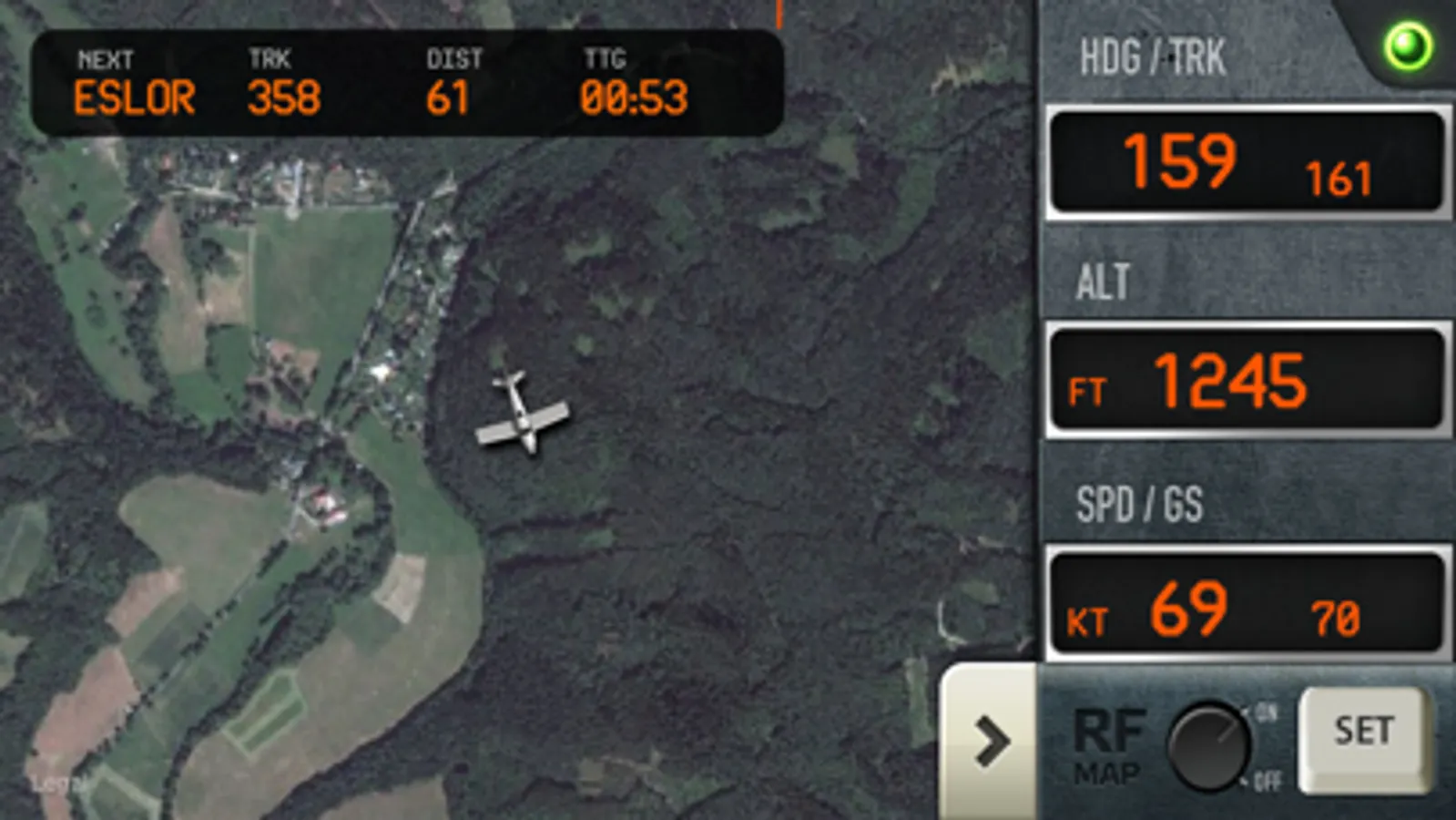
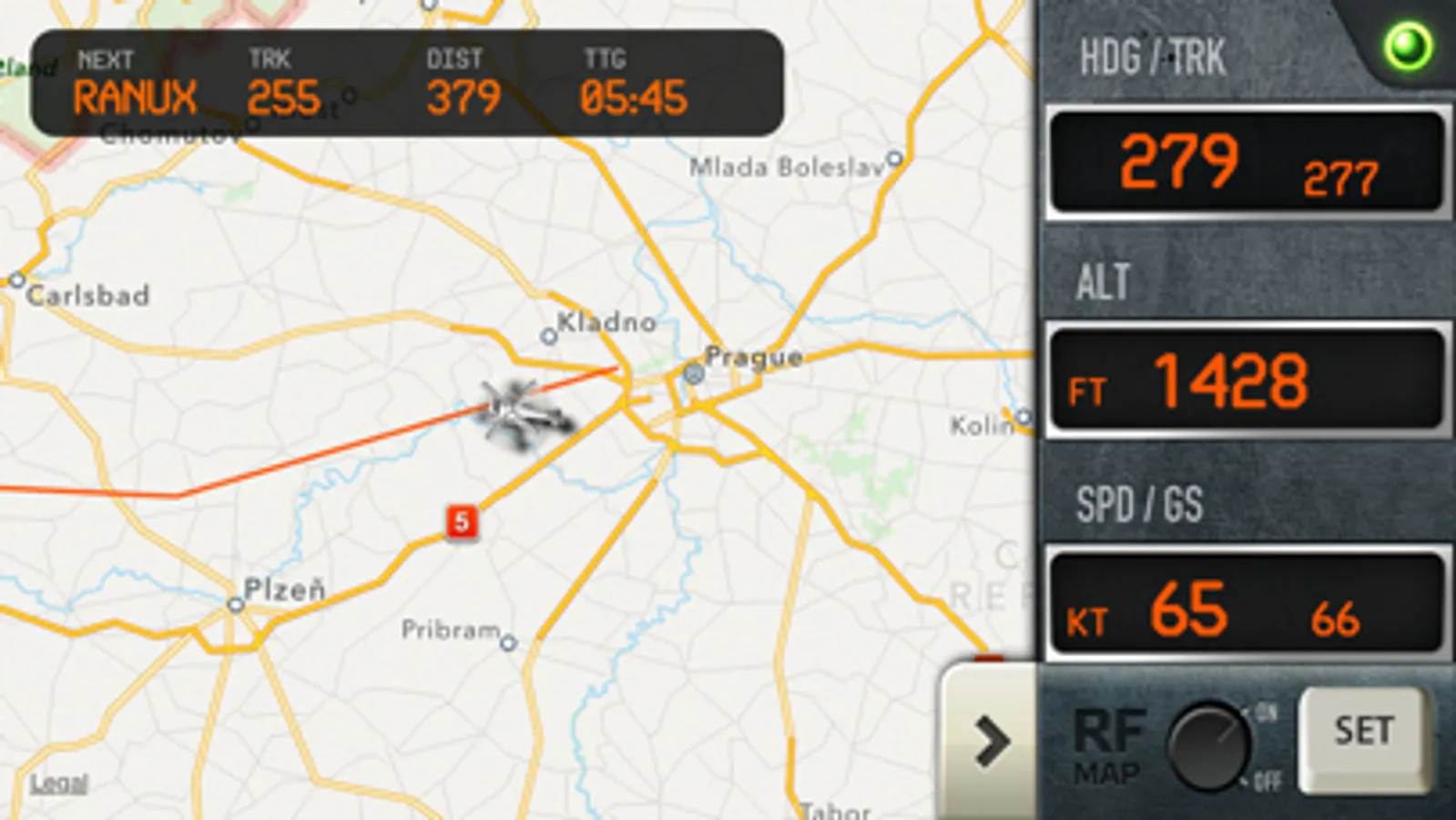
RemoteFlight MAP is an ideal companion for long haul flights in Flight Simulator (FSX /FS9/P3D) or X-Plane, as well as a tool for those, who like to explore the world while flying. Zoomable vector or photoreal map moves with the aircraft and key flight variables are displayed on side-panel, which you can hide. You can choose from different types of maps, aircraft icons and units of measurement. Now you can sit back and relax, or chat with a stewardess, while still fully aware of the situation in cokpit.
Please note, that this app is intended for Flight Simulator enthusiasts and cannot be used to track real flights.
[Key Features]
• Fast updates of key flight variables (interval configurable)
• Indicated Airspeed and Groundspeed
• Altitude
• Magnetic heading and real track heading (based on GPS)
• Climb / Descent indication
• Flight plan display (in Windows only)
• Fullscreen map mode with minimized panel
• Configurable aircraft icon - airliner, general aviation, helicopter or a simple arrow
• Configurable units - feet/knots or metres/kph
RemoteFlight Server utility is required to establish the connection between Flight Simulator and your device. RemoteFlight server is very lightweight and will not affect the performance of your Flight Simulator. Download the server free on https://www.remoteflight.net/server
We also have a native plugin for X-Plane users on OSX system.
Please note, that this app is intended for Flight Simulator enthusiasts and cannot be used to track real flights.
[Key Features]
• Fast updates of key flight variables (interval configurable)
• Indicated Airspeed and Groundspeed
• Altitude
• Magnetic heading and real track heading (based on GPS)
• Climb / Descent indication
• Flight plan display (in Windows only)
• Fullscreen map mode with minimized panel
• Configurable aircraft icon - airliner, general aviation, helicopter or a simple arrow
• Configurable units - feet/knots or metres/kph
RemoteFlight Server utility is required to establish the connection between Flight Simulator and your device. RemoteFlight server is very lightweight and will not affect the performance of your Flight Simulator. Download the server free on https://www.remoteflight.net/server
We also have a native plugin for X-Plane users on OSX system.
RemoteFlight MAP Screenshots
Tap to Rate:
Reviews for RemoteFlight MAP
Willcorg
Resolution is out of date
This is great, if you have a tiny phone and don’t mind huge buttons utilizing half the screen on an iPhone X Max or newer.
Bradgxp
Very Nice
Works flawlessly and is a MUST HAVE for the FSX pilot!! Very helpful.