AppRecs review analysis
AppRecs rating 1.4. Trustworthiness 79 out of 100. Review manipulation risk 25 out of 100. Based on a review sample analyzed.
★☆☆☆☆
1.4
AppRecs Rating
Ratings breakdown
5 star
14%
4 star
2%
3 star
2%
2 star
5%
1 star
76%
What to know
✓
Low review manipulation risk
25% review manipulation risk
⚠
Pricing complaints
Many low ratings mention paywalls or pricing
⚠
Mixed user feedback
Average 1.7★ rating suggests room for improvement
About vBookz PDF Voice Reader
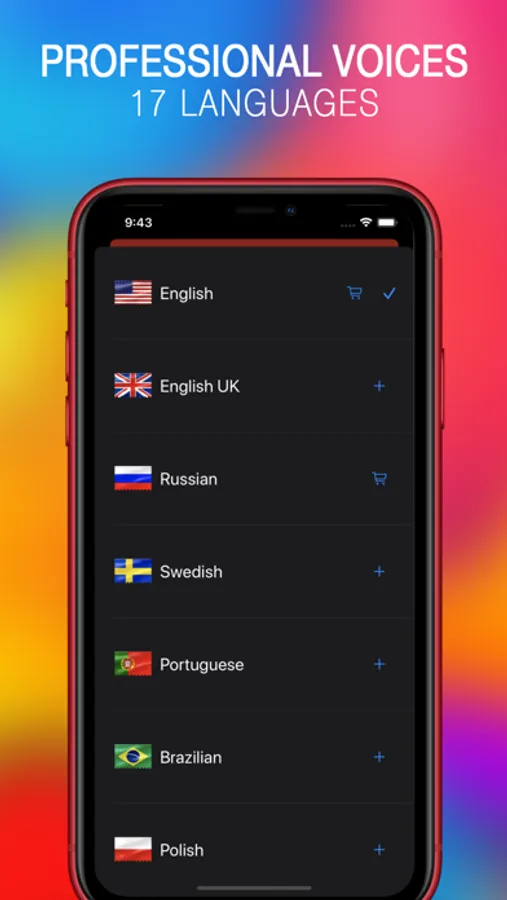
This is a sample version. We can't guess what is your preferred language? So, we've added an In-App purchase that enables the full version of your favorite High Quality voice language. vBookz can read 17 different languages.
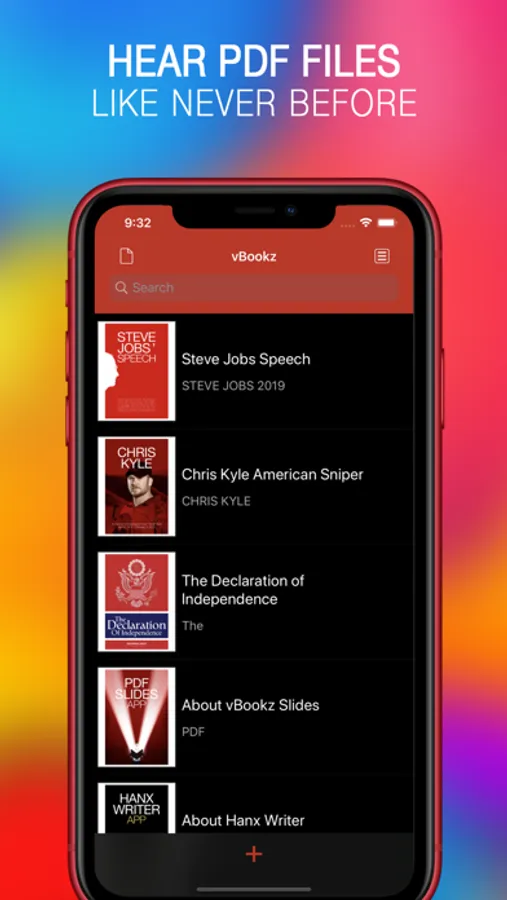
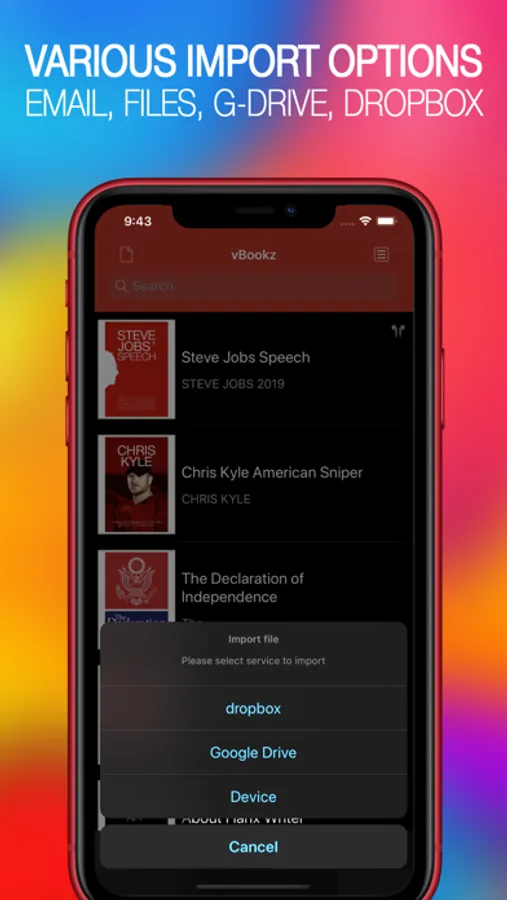
vBookz reads PDF files out loud, from 'Dropbox', 'G-Drive' and 'iOS Files'.
Downloadable voices
■ Built-in English US voice.
■ 17 Premium voices from the best voice engine Acapela are available through in-app purchase and integrated iOS voices.
■ Languages: English (UK), French, German, Greek, Finnish, Dutch (NL), Portuguese, Portuguese (Brazil), Spanish, Italian, Swedish, Polish, Danish, Norwegian, Czech and Russian.
■ Male and Female voices.
Voice Reading
■ An easy play-pause button.
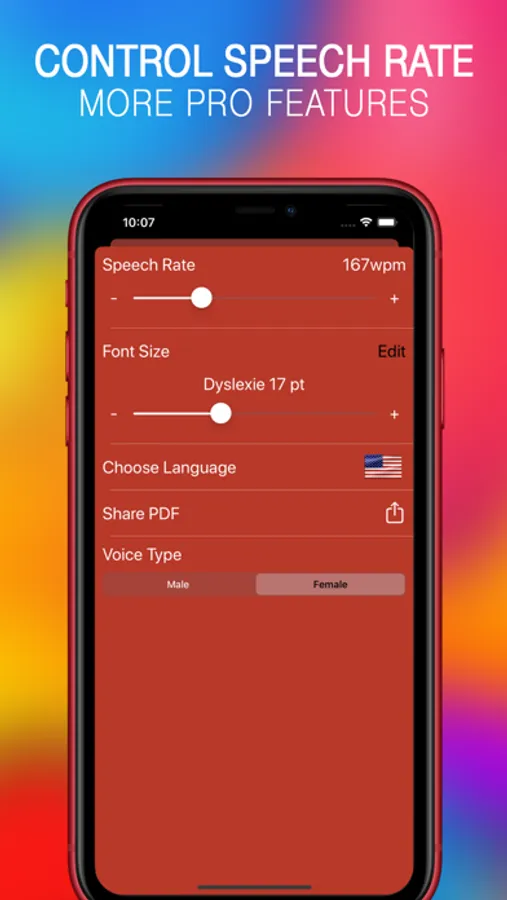
■ Change voice and reading speed (100-500 words per minute) on the fly.
Visual Reading
■ Great design and layout.
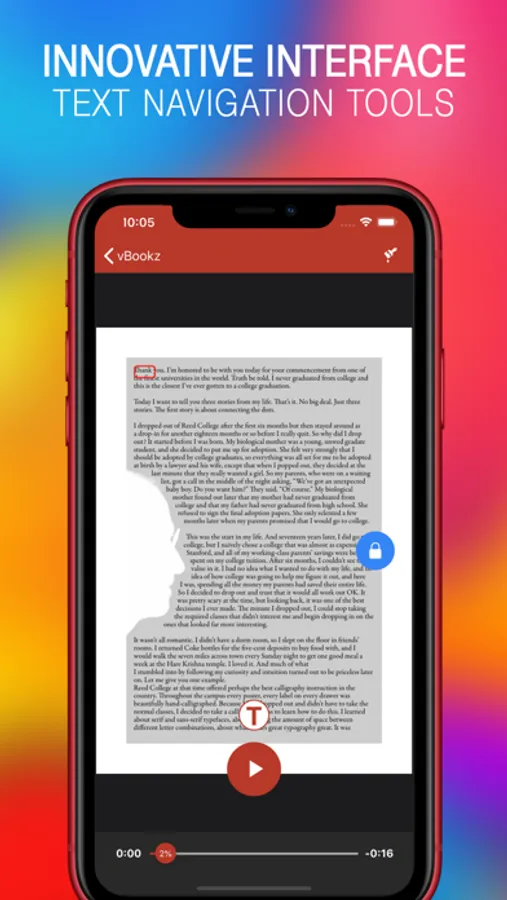
■ Switches between original layout and text-only view.
■ Synchronized word and line highlighting.
■ Text auto-scrolling.
■ The original 'Dyslexie' font.
■ Helvetica, Verdana and Georgia fonts.
■ Font size up to 30 points.
■ Special color themes.
Getting Content
■ Open files directly from eMail, Dropbox, G-Drive or Files.
■ PDF files.
■ Enables PDF sharing through email.
■ Show PDF documents with their original layout.
Navigating
■ Drag and drop cursor navigation.
■ Remembers speech and visual location where you stopped.
■ Elapse time.
Here are some of our on-shelf PDF (English) titles:
■ Tim Cook's Speech
■ Steve Jobs Speech
■ The Declaration of independence
Notes
■ © vBookz is under license and enabled by patented technology.
■ DRM-protected content is not playable.
■ Scanned image PDFs should first get OCR.
vBookz PDF Voice Reader Screenshots
Tap to Rate:
Reviews for vBookz PDF Voice Reader
Iamdprice
Will not place hold
This app starts over at the same spot every time you open it and close it I bought it as a e-book reader, but it’s pointless
BluesQueen
Didn’t restore PDFs after new phone purchase
I got a new iPhone, but my collection of PDFs did not download. Restored purchase thru the menu. Nothing. My device details: Device type - 'iPhone17,3' OS - 'iOS' version '18.3.1' Free disk space - 303.47 GB / 476.30 GB Ver 5.3.11 (build 5.3.17)