In this voice reading app, you can listen to documents with high-quality voices and customize playback settings. Includes multiple language options, integration with cloud services, and highlighting features.
AppRecs review analysis
AppRecs rating 2.6. Trustworthiness 83 out of 100. Review manipulation risk 23 out of 100. Based on a review sample analyzed.
★★☆☆☆
2.6
AppRecs Rating
Ratings breakdown
5 star
42%
4 star
0%
3 star
8%
2 star
8%
1 star
42%
What to know
✓
Low review manipulation risk
23% review manipulation risk
✓
Credible reviews
83% trustworthiness score from analyzed reviews
⚠
Mixed user feedback
Average 2.9★ rating suggests room for improvement
About Voyzer Voice Reader
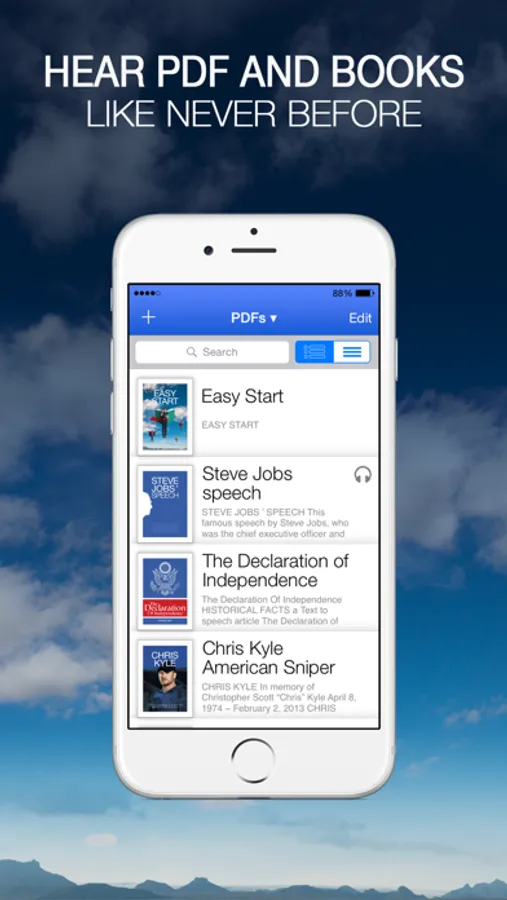
The all-in-one Voyzer Voice Reader supports reading PDF, non-DRM ePUB eBooks, Own typed files and Wikipedia. It is integrated with Dropbox, G-Drive and Gutenberg.
The Voyzer Voice Reader has a leading live text to speech generator with no need for conversion nor stored audio files.
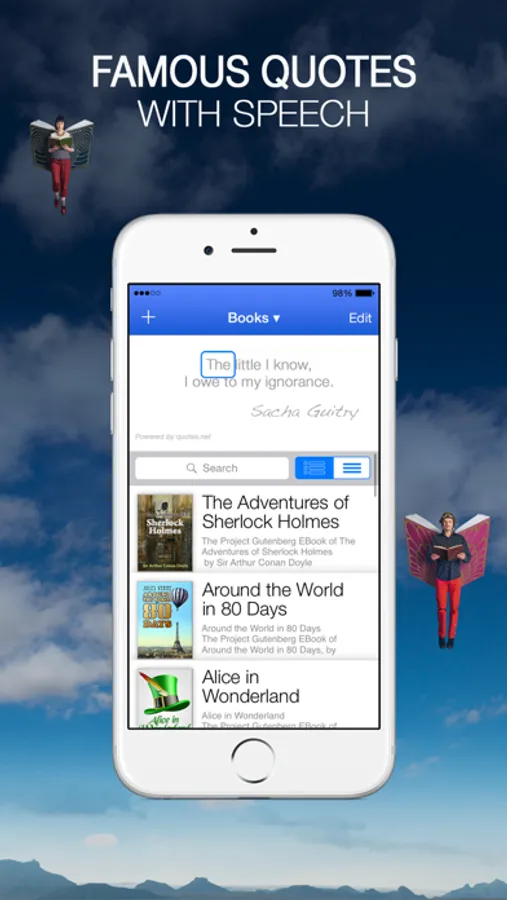
Famous Quotes
Voyzer offers you a hidden feature that you may discover as most enjoyable.
In order to discover it, all you have to do is to pull down the library and listen.
Voices
■ Built-in English US voice.
■ Auto language detector.
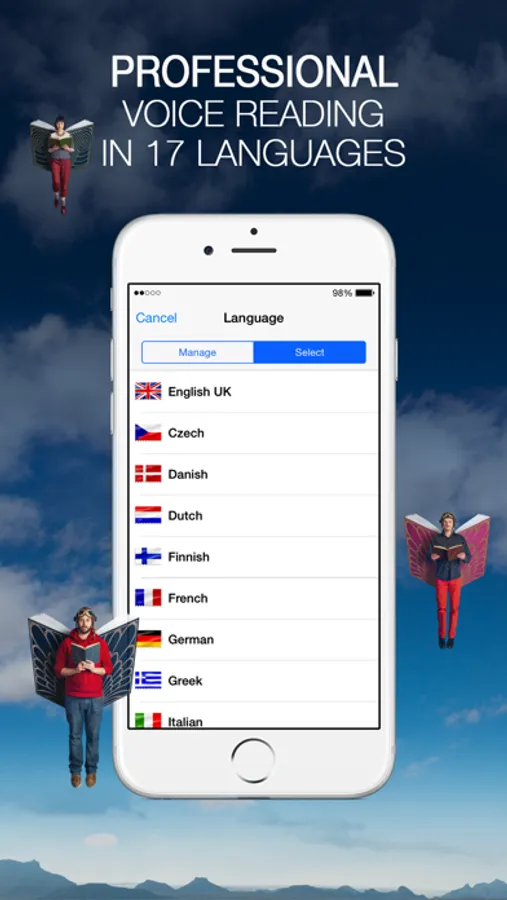
■ 17 premium voices from the best voice engine Acapela are available through in-app purchase and integrated iOS voices.
■ Languages: English (UK), French, German, Greek, Finnish, Dutch (NL), Portuguese, Portuguese (Brazil), Spanish, Italian, Swedish, Polish, Danish, Norwegian, Czech and Russian.
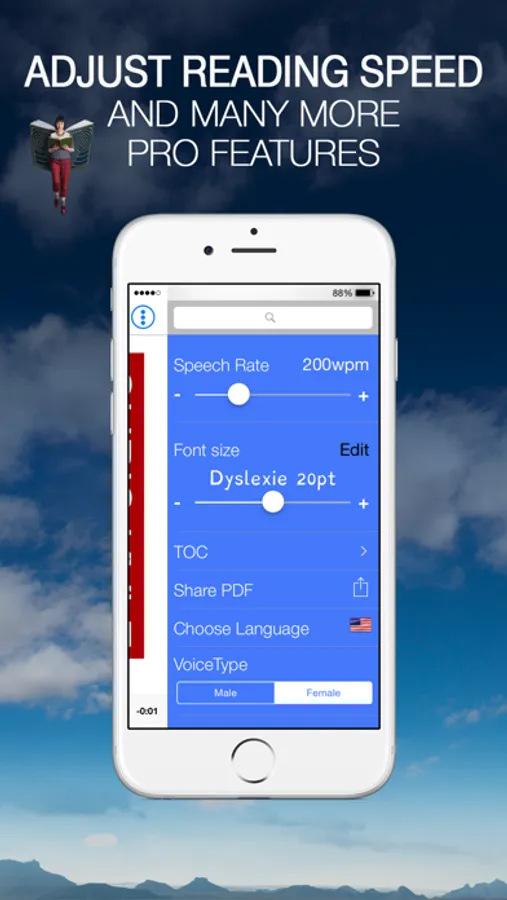
■ Male and Female voices.
Voice Reading
■ An easy play-pause button.
■ Continue reading when you lock the screen.
■ Change voice and reading speed (100-500 words per minute) on the fly.
■ Correct pronunciation with your own pronunciation dictionary.
Visual Reading
■ Great design and layout.
■ Switch between original layout and text-only view on PDF documents.
■ Synchronized word and line highlighting.
■ Text auto-scrolling.
■ The original 'Dyslexie' font.
■ Helvetica, Verdana and Georgia fonts.
■ Font size up to 30 points.
■ Special color themes.
Getting Content
■ PDF files.
■ DRM-free EPUB Textbooks.
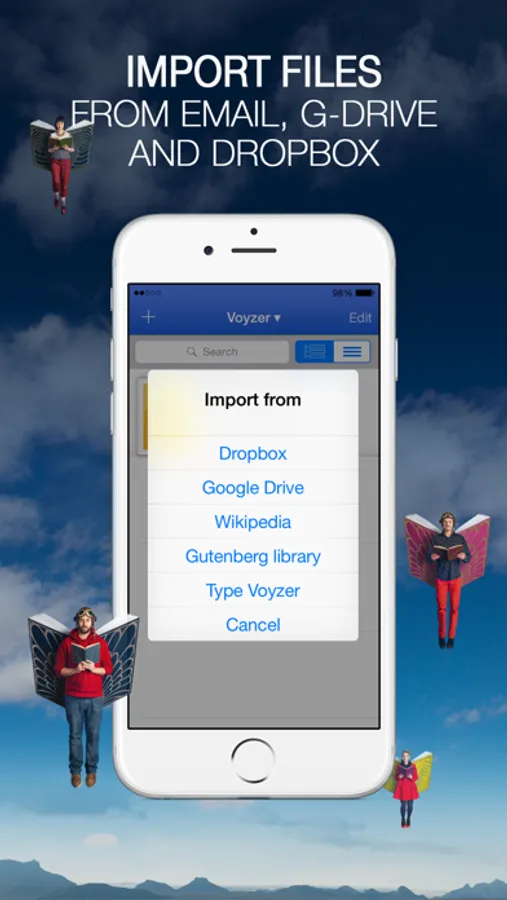
■ Open files directly from Mail, Dropbox, G-Drive and Safari.
■ Gutenberg's library with over 40,000 books.
■ Built-in Wikipedia Voice Reader.
■ Import using iTunes from a PC or Mac
■ Store and view PDF documents with original layout.
■ Export files using email.
■ Quote and share to Facebook and Twitter.
Navigating
■ Drag and drop cursor navigation.
■ Full text search.
■ Remembers speech and visual location where you stopped.
■ Bookmarking.
■ Elapse time.
Type Voyzer
A simple, intuitive voice writing tool that helps you write your own readable PDF files.
Type Voyzer reads your writing using text-to-speech proofreading to reduce mistakes.
■ Great text editor.
■ Select language to type with.
■ Text-To-Speech Proofreading.
■ Use type or voice dictation.
■ Use copy paste to import text from other apps.
■ Save text for further editing.
■ Export text as a PDF file.
Notes
■ © Voyzer is under license and enabled by patent pending technology.
■ DRM-protected books from iBooks, Kindle or others are not playable.
■ Scanned image PDFs should first get OCR.
Voyzer Voice Reader Screenshots
Tap to Rate:
Reviews for Voyzer Voice Reader
Byrd Nick
Used since 2016 with few complaints
This helps me read PDF articles and books while commuting, doing house work, or exercising. The crop feature is essential. As with all PDF documents, footnotes render the documents inaccessible to people who read via text-to-speech (because the variation in footer size across pages with different amounts of footnoting). That’s an issue with authors/publishers, not this app. Of course, the first app to solve that problem can take my money (unless it uses a subscription model; I only buy apps with permanent licenses).
mad haitian
I have purchased your app but it is not letting me activate it.
I have purchased this app but can activate it and it keeps prompting me to buy it again and again