
With this app, you can upload debit card documentation and claims using photos or files, and access real-time account data through a responsive website. Includes claim submission features, account viewing options, and access to account management tools.
AppRecs review analysis
AppRecs rating 1.2. Trustworthiness 61 out of 100. Review manipulation risk 31 out of 100. Based on a review sample analyzed.
★☆☆☆☆
1.2
AppRecs Rating
Ratings breakdown
5 star
5%
4 star
0%
3 star
1%
2 star
3%
1 star
91%
What to know
✓
Authentic reviews
No red flags detected
⚠
Mixed user feedback
Average 1.3★ rating suggests room for improvement
⚠
High negative review ratio
93% of sampled ratings are 1–2 stars
About Flores Mobile
Simply log on to the application using your PID or User Name and your password.
Capture for Debit Card Documentation or Claim Submissions
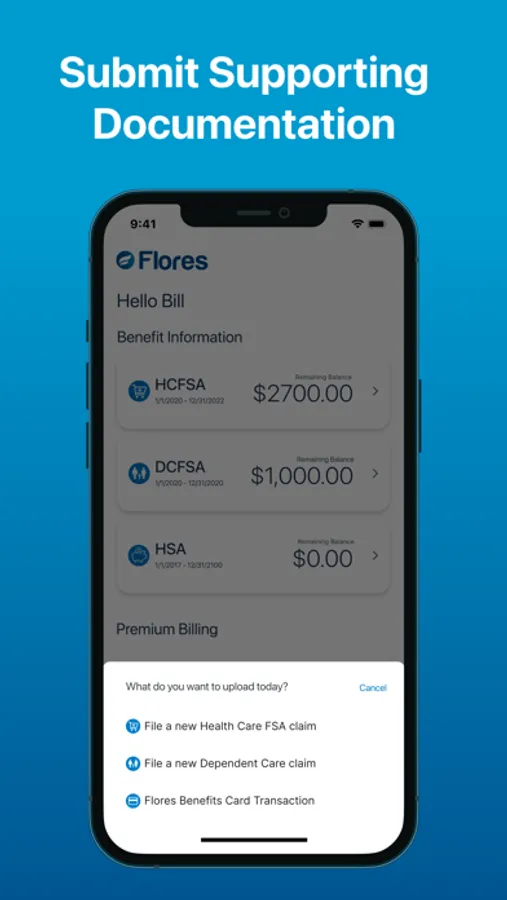
To submit a claim, select “Upload” from the main screen then select the type of claim to upload. You can then photograph your documentation, upload up to 10 images from your camera roll, and add claim details.
Once your claim is submitted you will receive the standard e-Status messages as the document is processed by Flores.
Viewing Account Information
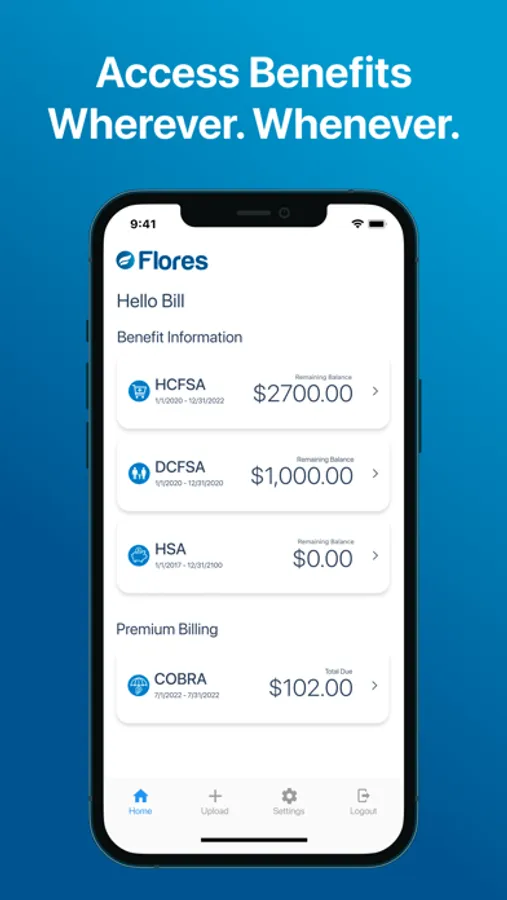
You are also able to access your Flores Account Information using this mobile app. By selecting one of your accounts, you will be taken to the responsive Flores247.com website without a need for an additional login. Through this portal you can view account history, plan documents, add Authorized Users, add/edit Direct Deposit information, and access helpful guides.
Flores Mobile Screenshots


Tap to Rate:
Reviews for Flores Mobile
Shawnna S
Terrible
The app is useless. It’s literally just a white screen with Flores and their icon. My balance used to display but that stopped a while ago. At this point it’s just taking up space on my phone. Don’t bother with it. Just use the website. It doesn’t even deserve one star but I was forced to give it to post the review. So really 0 stars out of 5.
Gtwertfdd
Don’t work
I can open it but it doesn’t show me any information.