AppRecs review analysis
AppRecs rating 5.0. Trustworthiness 82 out of 100. Review manipulation risk 24 out of 100. Based on a review sample analyzed.
★★★★★
5.0
AppRecs Rating
Ratings breakdown
5 star
67%
4 star
0%
3 star
0%
2 star
0%
1 star
33%
What to know
✓
Low review manipulation risk
24% review manipulation risk
✓
Credible reviews
82% trustworthiness score from analyzed reviews
✓
High user satisfaction
67% of sampled ratings are 5 stars
About MusicFans
MusicFans features:
1. Support FLAC(Free Lossless Audio Codec), APE(Monkey’s Audio), PCM WAVE audio file playing, also support MP3 Audio file playing.
2. Support CUE playlist
3. Support background and screenlocked playing, automatically continue after phone call, SMS
4. Support remote and mic control(paly/pause/next/prev)
5. Build-in HTTP Server, more convenient for importing audio files from computer to iPhone/iPad
6. change album artwork by picking image from Photo Lib
7. Share album files(cue and audio file) to the other applications
8. Import audio files shared from other applications
9. Support audio format conversion for common formats.
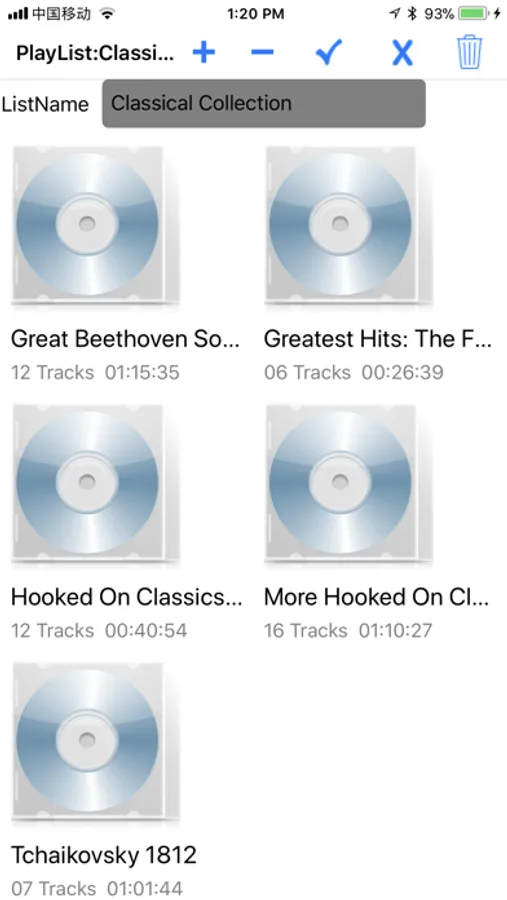
10. Support album playlists.
11. Audio files can be imported by dragging and dropping
FAQ:
1. Can’t import CUE playlist file
I’ve imported FLAC(or APE) with its corresponding CUE file by using iTunes File sharing, but the CUE does not appear in the application’s play interface.
Firstly, if CUE file’s content includes non-ASCII characters (such as Eastern Asia charsets: Chinese, Japanese), you must ensure that the CUE file is saved in UTF-8 format. Try to use Notepad in Windows to open the CUE file and then save as UTF-8 format.
Secondly, the audio file name specified by the FILE field in CUE must exactly the same as FLAC or APE file, both CUE and FLAC(or APE) must be in the same directory.
2. Does the MuscFans support single(unpaired) FLAC or APE playing?
YES, just import the single FLAC or APE audio file into the application by iTunes file sharing.
1. Support FLAC(Free Lossless Audio Codec), APE(Monkey’s Audio), PCM WAVE audio file playing, also support MP3 Audio file playing.
2. Support CUE playlist
3. Support background and screenlocked playing, automatically continue after phone call, SMS
4. Support remote and mic control(paly/pause/next/prev)
5. Build-in HTTP Server, more convenient for importing audio files from computer to iPhone/iPad
6. change album artwork by picking image from Photo Lib
7. Share album files(cue and audio file) to the other applications
8. Import audio files shared from other applications
9. Support audio format conversion for common formats.
10. Support album playlists.
11. Audio files can be imported by dragging and dropping
FAQ:
1. Can’t import CUE playlist file
I’ve imported FLAC(or APE) with its corresponding CUE file by using iTunes File sharing, but the CUE does not appear in the application’s play interface.
Firstly, if CUE file’s content includes non-ASCII characters (such as Eastern Asia charsets: Chinese, Japanese), you must ensure that the CUE file is saved in UTF-8 format. Try to use Notepad in Windows to open the CUE file and then save as UTF-8 format.
Secondly, the audio file name specified by the FILE field in CUE must exactly the same as FLAC or APE file, both CUE and FLAC(or APE) must be in the same directory.
2. Does the MuscFans support single(unpaired) FLAC or APE playing?
YES, just import the single FLAC or APE audio file into the application by iTunes file sharing.
MusicFans Screenshots
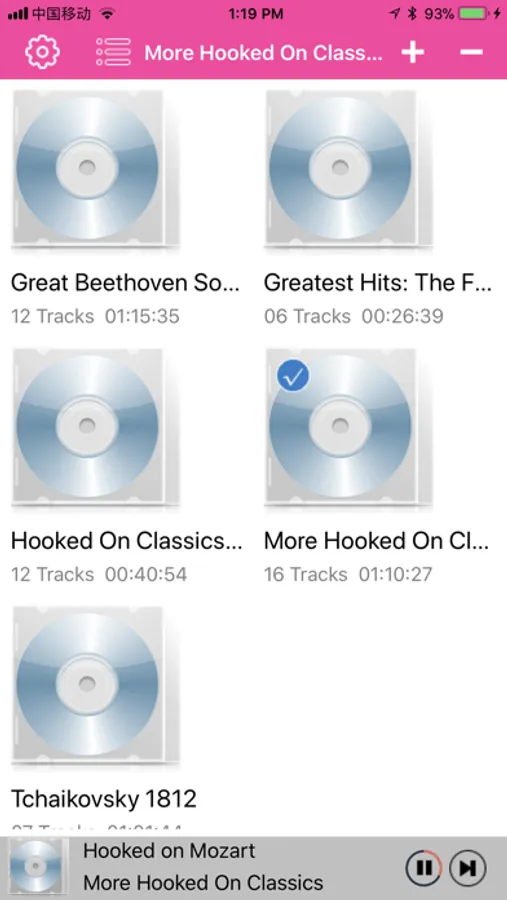
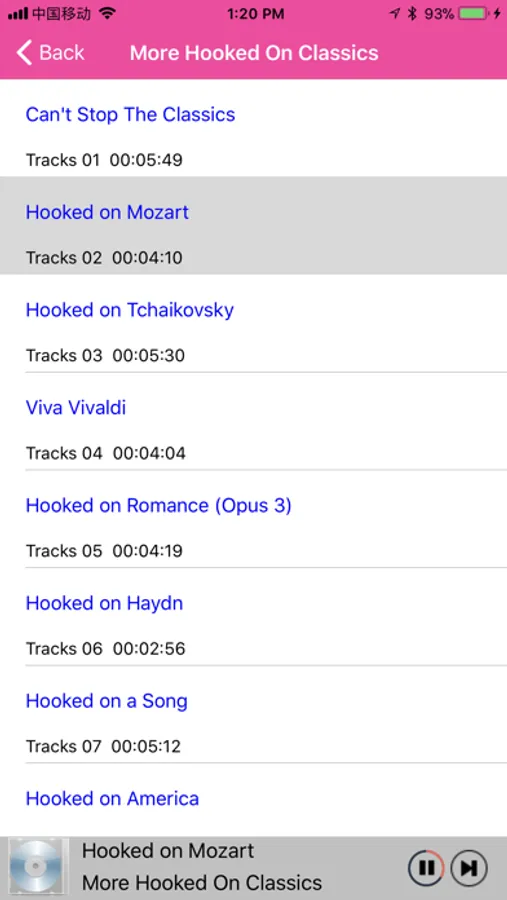
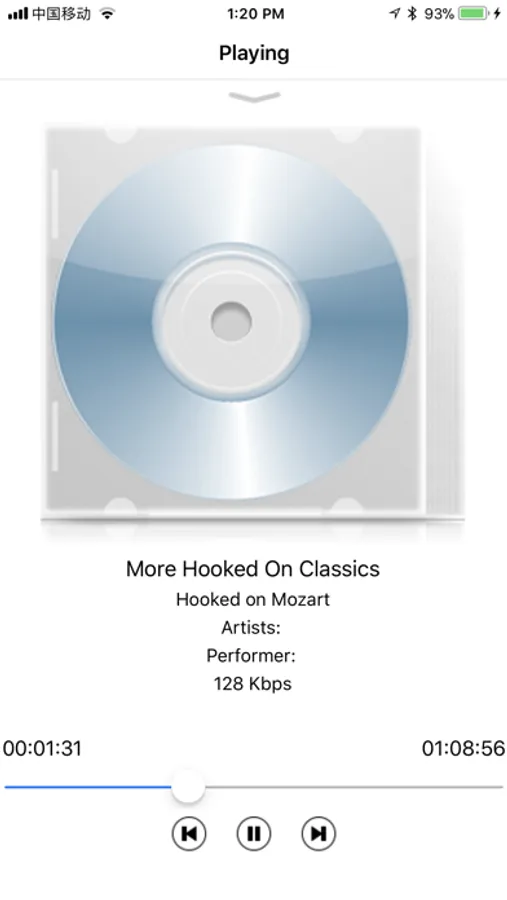
Tap to Rate:
Reviews for MusicFans
DurantMan1967
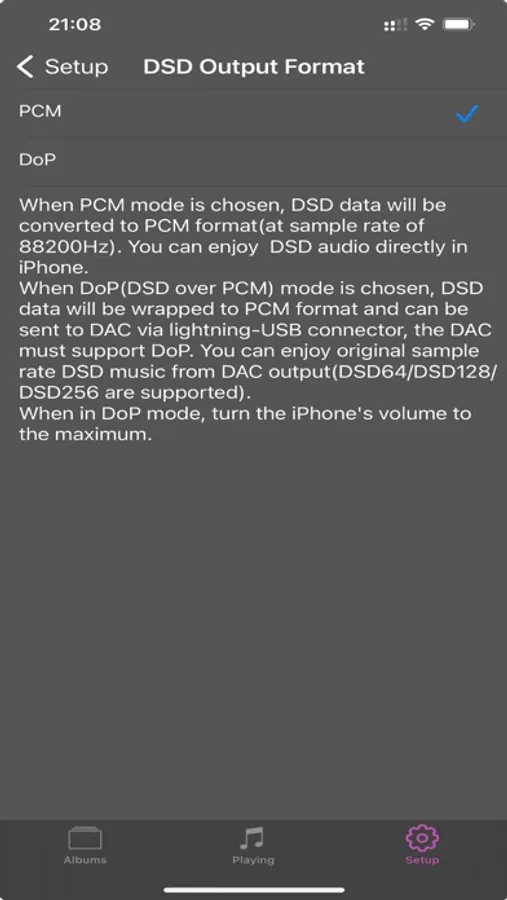
Good DSD player
Plays DSD very well and amplifies the signal for DSD quiet audio
CpSandy
Good player, UI need to improve
The player is very good and some of the functionality like upload multiple file, dff support. Only part to concentrate for this player is the UI and usability