In this audio editing app, you can cut, merge, and enhance audio files with various tools and effects. Includes voice editing, vocal removal, and audio format conversions.
AppRecs review analysis
AppRecs rating 4.2. Trustworthiness 75 out of 100. Review manipulation risk 26 out of 100. Based on a review sample analyzed.
★★★★☆
4.2
AppRecs Rating
Ratings breakdown
5 star
80%
4 star
6%
3 star
4%
2 star
2%
1 star
9%
What to know
✓
Low review manipulation risk
26% review manipulation risk
✓
Credible reviews
75% trustworthiness score from analyzed reviews
⚠
Pricing complaints
Many low ratings mention paywalls or pricing
About Audio Editor : Audiolab
[Audio Editor]
- Voice Editor: Support high-precision zoom to clip audio, cut, undo, redo at any time.
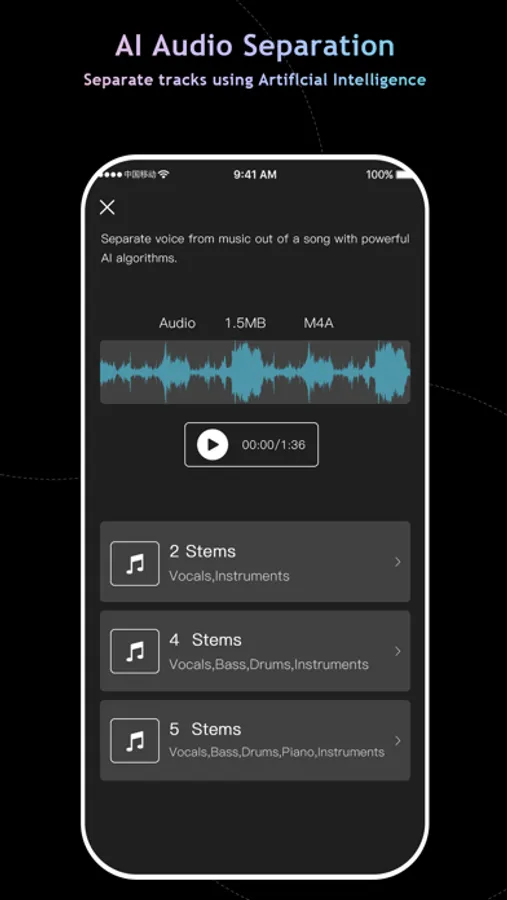
- Vocal Remover: Extract vocal, accompaniment and various instruments from any audio.
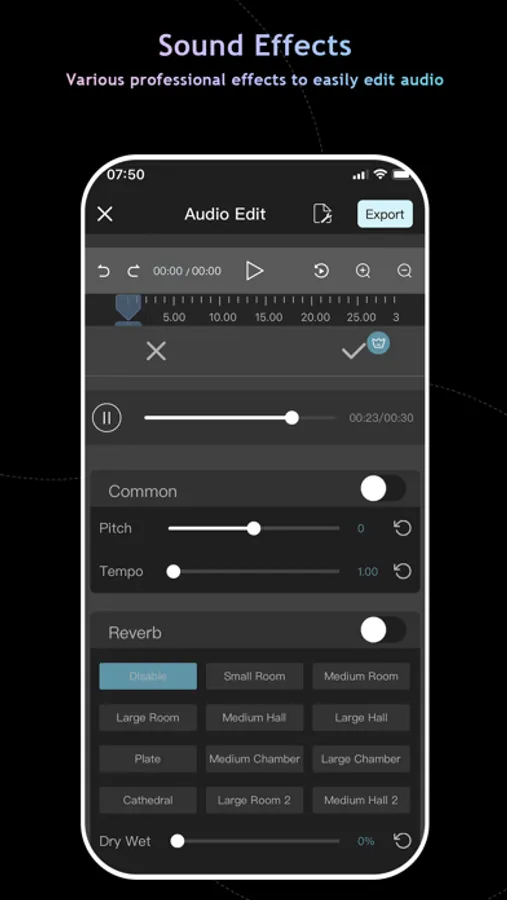
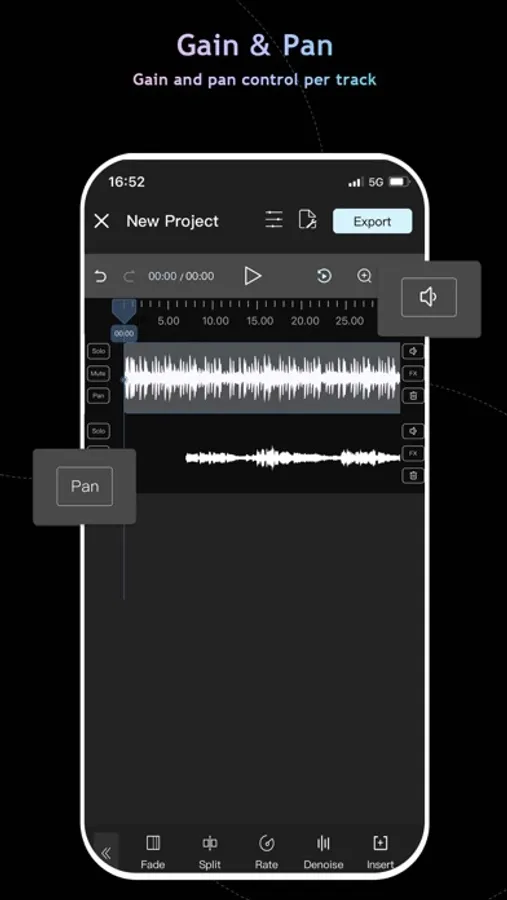
- Audio Enhancer: Reverb, Chorus, Gain, Time Stretch, Pitch to Audio, EQ, Tempo and more
- Music Editor: Music clips, mergers, mixing and other advanced features, easy to play ringtones and music.
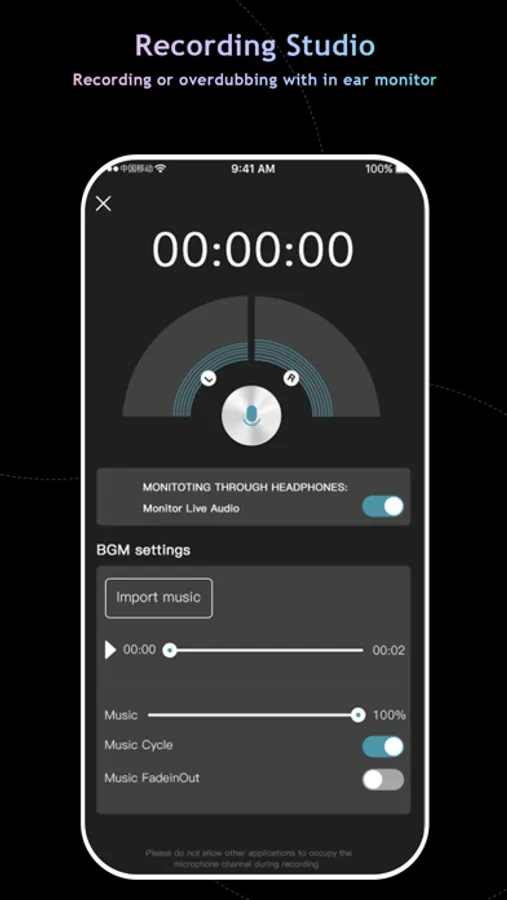
- Music Recorder: Add background music, sound effects and breaks music from our audio library, or you can choose to upload your own audio files.
- MP3 converter: Extract lossless MP3 or other formats of audio from videos, support multi track extraction, and convert audio files into different music formats.
- Compose Video: The simplest video dubbing is to add a video first, then click Add dubbing. After completion, you can listen to it and adjust the volume, including dubbing and original sound.
[Audio Effects]
- Pitch: Rising and falling, change the voice within one second
- Tempo: Ranges from 0.1 to 32
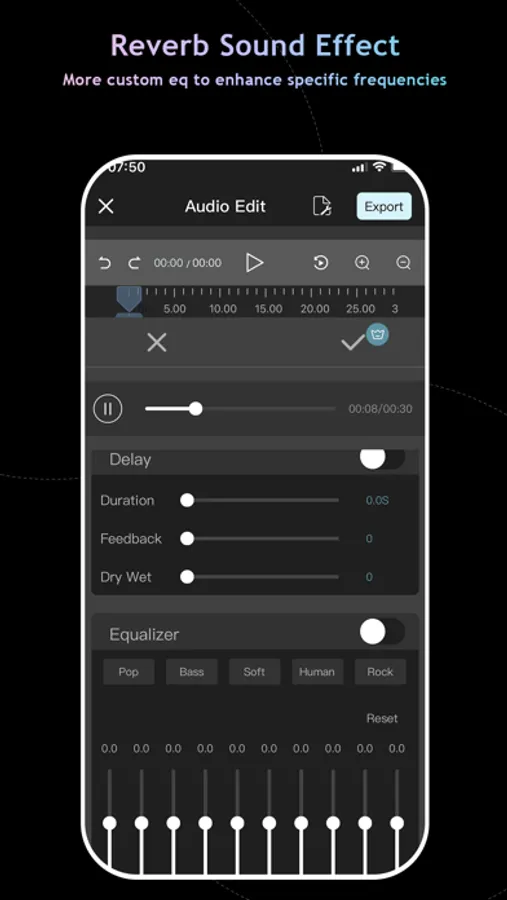
- Reverb : Room, living room and church, etc., switch the scenario as one wishes
- Distortion : Electronic, echo and metal, etc., feel different audio
- Delay : Support max 2s delay special-effects
- Equalizer: Bass boost and human voice resonance, etc., custom equalizer with 10 sections of frequency. It makes your audio voice clear, high pitch transparent and low pitch "rhythmic"
- Denoise: Recurrent Neural Network Noise Reduction.
[Voice recorder]
- Voice recorder - recording your stories with a single tap.
- Support AirPods and other Bluetooth headset to play and recording.
[Characteristics]
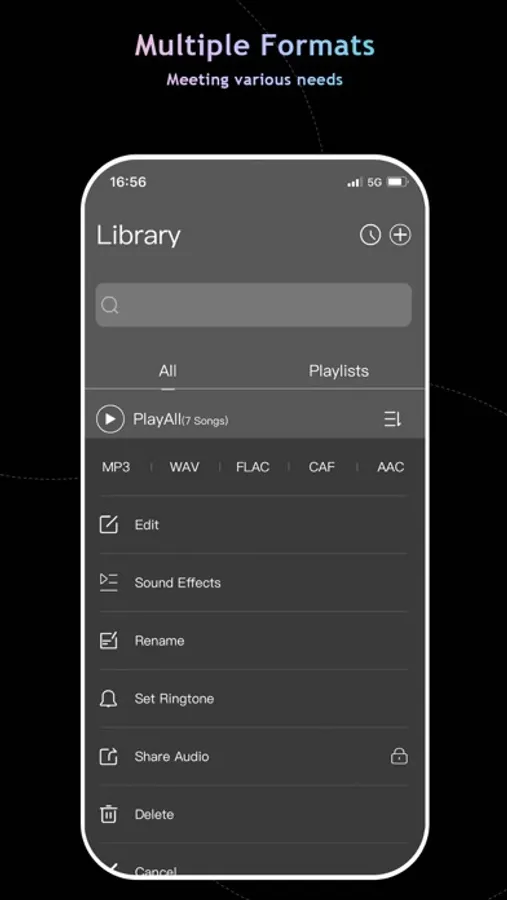
- Via of media file support import and export (M4A, MP3, WAV, AAC).A variety of sound quality export to meet different needs
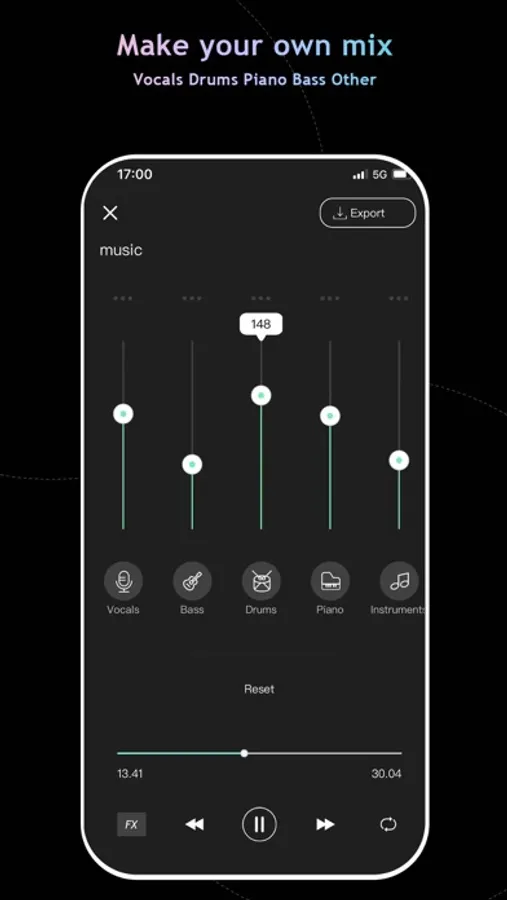
- Sound Editor: Remove vocals from audio track of video file and save accompaniment part, split track in 2, 4 or 5 stems, then mix with your own voice recording.
- Setting as ringtone: Set the audio as the phone ringtone
- Format conversion: Support many audio formats with free conversion, such as mp3, wav, aiff, etc.
Audio Editor is perfect for:
• Lovers of music production and audio editing
• Podcast Maker and Talk Show producer
• Music students and teachers
• Drummers
• Singers
• Bassists
• Guitarists
• Pianists
• Karaoke enthusiasts
• Social Media Content Creators
• Youtube and TikTok video secondary creation
• Especially for users who are familiar with Audacity or Audition
Audio Editor Highlights:
• Audio Editor: Simple operation to complete the most complex functions.
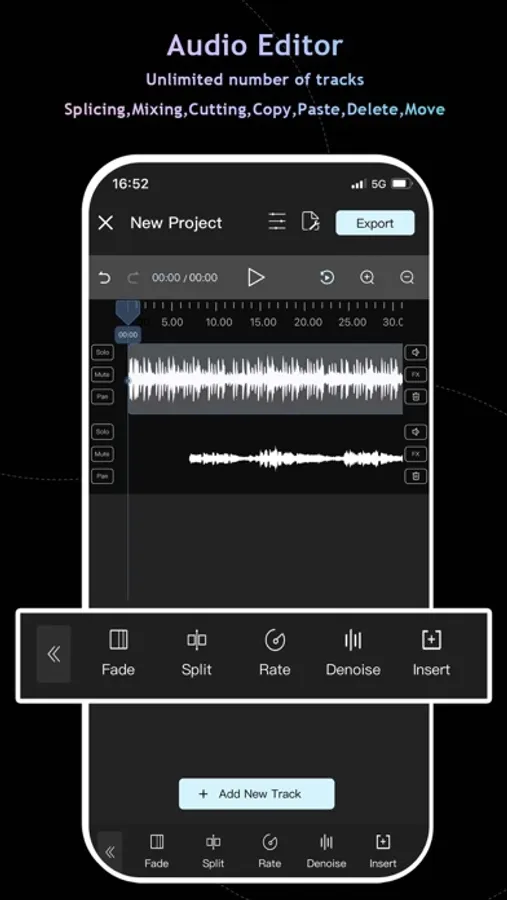
• Multitrack audio editing and mixing, professional jitter quantization and anti-interference filters ensure the sound quality of the audio mixer output and the smoothness of the cut sound boundary.
• Non-linear editing with copy, cut, paste, remove, replace, move etc. with full undo/redo.
• AI powered vocal remover & vocal extractor: extract instruments and vocals from any audio file.
• Built-in audio extractor: Extract audio track automatically when import from video file
Official Website:
http://www.mp3trimmer.net/
Terms of Service: https://www.freeprivacypolicy.com/live/d7c014e6-476f-4696-aa5f-5e21490a89f2
Privacy Policy: https://www.freeprivacypolicy.com/live/3548eb65-6524-4b49-bd6b-3fb6ef7b39e7
About Audio Editor Pro subscriptions:
Try Audio Editor Pro with a free trial. You'll be charged a subscription fee when the trial ends only, except if you cancel the subscription before. Audio Editor Pro subscriptions are charged monthly or annually to your iTunes.
Audio Editor : Audiolab Screenshots
Tap to Rate:
Reviews for Audio Editor : Audiolab
Nomadziggies
Easier
I’ve only been on it for a few minutes and so far it’s been way easier to figure out than all the other apps I’ve been trying
LilW3ruihuihwiuh
Horrible
This stupid app is crashing and glitching my audio every two seconds. I also feel very limited to what I can do without paying. The payed subscription wouldn’t even be worth it with the extra “benefits” shown. This app severely needs an update or something because it hardly works. Very terrible.