
With this AI chat client, you can communicate with multiple AI models, process images, and generate responses. Includes features like conversation saving, image input, and model switching.
AppRecs review analysis
AppRecs rating 3.9. Trustworthiness 81 out of 100. Review manipulation risk 23 out of 100. Based on a review sample analyzed.
★★★☆☆
3.9
AppRecs Rating
Ratings breakdown
5 star
77%
4 star
7%
3 star
4%
2 star
1%
1 star
12%
What to know
✓
Low review manipulation risk
23% review manipulation risk
✓
Credible reviews
81% trustworthiness score from analyzed reviews
⚠
Pricing complaints
Many low ratings mention paywalls or pricing
About Pal Chat - AI Chat Client
The last AI iOS app you'll need! Pal Chat is a lightweight, powerful, and feature-rich AI Chat Client for your iPhone.
It supports EVERY AI model in one interface, including support for: GPT-5.2, Claude 4.6, Gemini 3, Grok 4.1, Advanced Voice Mode, Image input, GPT-Image, Groq, Perplexity, OpenRouter, DeepSeek, Mistral, Fal.ai, Together.ai, custom endpoints, and fully offline local models.
No ads, fully private and secure - NO data is collected.
Features Overview:
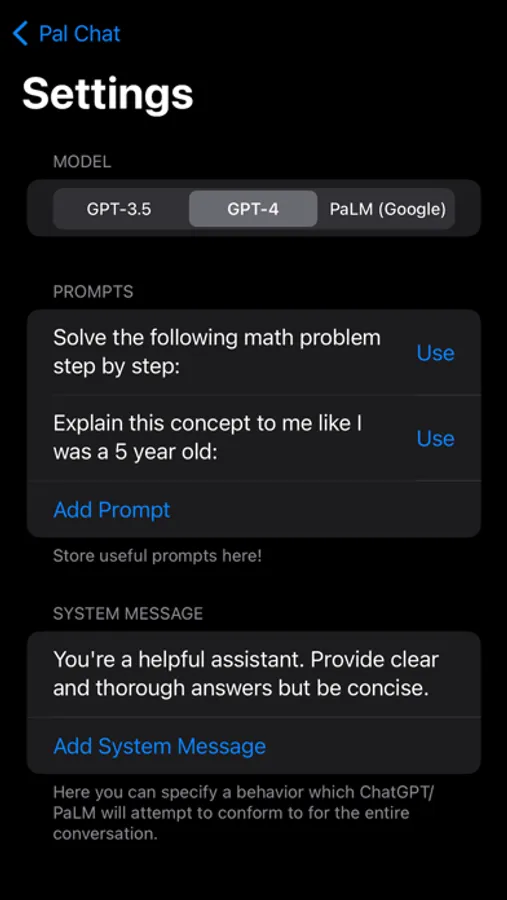
- Save multiple prompts and system messages
- Store conversation history on-device
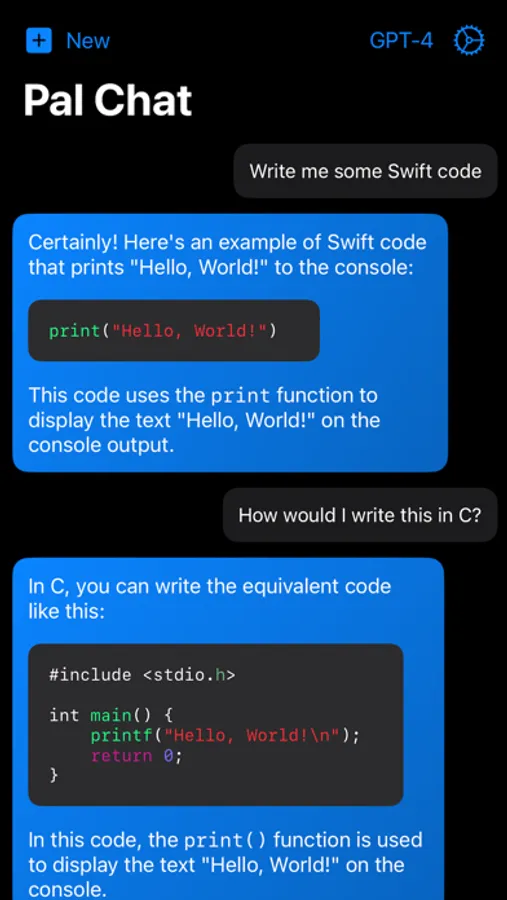
- Use Image input to process images
- Generate images through GPT-Image, Stable Diffusion, Flux, or Fal.ai
- Regenerate responses
- Edit your questions
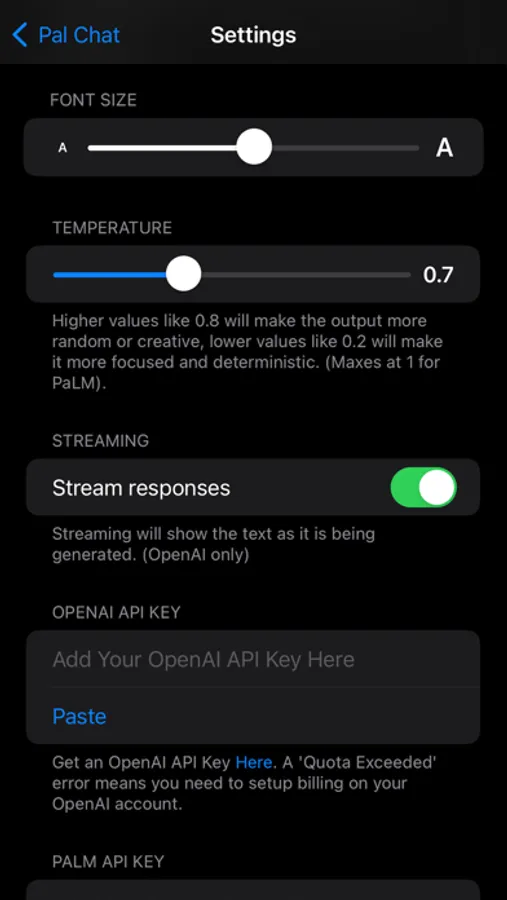
- Stream the response
- Easily switch between models
- See the token length and cost of the conversation
- Copy an entire conversation from the history page
- Full Markdown, LaTeX, and Syntax Highlighting Support
- Siri Shortcuts Support
Some Benefits of the App over the website:
- No usage limits
- Privacy - History is only stored on-device
- Lets you edit the system message and temperature values
- Universal - easily switch many different models
Make sure to get an API Key!
‘Pal’ is not liable for any content generated.
Terms of Use: https://bit.ly/termsOfUsePalChatEULA
Privacy Policy: https://bit.ly/privacyPolicyPalChatEULA
It supports EVERY AI model in one interface, including support for: GPT-5.2, Claude 4.6, Gemini 3, Grok 4.1, Advanced Voice Mode, Image input, GPT-Image, Groq, Perplexity, OpenRouter, DeepSeek, Mistral, Fal.ai, Together.ai, custom endpoints, and fully offline local models.
No ads, fully private and secure - NO data is collected.
Features Overview:
- Save multiple prompts and system messages
- Store conversation history on-device
- Use Image input to process images
- Generate images through GPT-Image, Stable Diffusion, Flux, or Fal.ai
- Regenerate responses
- Edit your questions
- Stream the response
- Easily switch between models
- See the token length and cost of the conversation
- Copy an entire conversation from the history page
- Full Markdown, LaTeX, and Syntax Highlighting Support
- Siri Shortcuts Support
Some Benefits of the App over the website:
- No usage limits
- Privacy - History is only stored on-device
- Lets you edit the system message and temperature values
- Universal - easily switch many different models
Make sure to get an API Key!
‘Pal’ is not liable for any content generated.
Terms of Use: https://bit.ly/termsOfUsePalChatEULA
Privacy Policy: https://bit.ly/privacyPolicyPalChatEULA
Pal Chat - AI Chat Client Screenshots
Tap to Rate:
Reviews for Pal Chat - AI Chat Client
Tacit-Bud
Frustrating!!
The update may be pretty but flawed as all get out!!! Please FIX! The hellish scrolling. It’s impossible to even highlight or select specific text to copy. How does anyone use this app effectively?
Quasar_maser
Needs UI update
When using a long model name, the sides of the chat get cut off so I can't press the send button