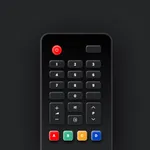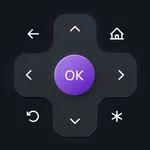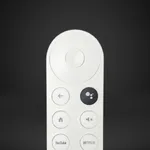
With this remote control app, you can navigate media content, launch apps, and adjust volume on Chromecast with Google TV. Includes device connection setup, application list, and a large touchpad for easier control.
AppRecs review analysis
AppRecs rating 4.6. Trustworthiness 71 out of 100. Review manipulation risk 24 out of 100. Based on a review sample analyzed.
★★★★☆
4.6
AppRecs Rating
Ratings breakdown
5 star
82%
4 star
6%
3 star
4%
2 star
2%
1 star
7%
What to know
✓
Low review manipulation risk
24% review manipulation risk
✓
Credible reviews
71% trustworthiness score from analyzed reviews
⚠
Ad complaints
Many low ratings mention excessive ads
About Fochro - Remote for Chromecast
This application allows you to control the Chromecast media player with Google TV. Launch your favorite channels like Netflix or YouTube in one tap. Play movies, shows, and music. Use your phone as a fully functional remote control: navigate content, and change TV volume.
Buttons are organized as on the original hardware Remote for Chromecast. But also there is a big touchpad for more convenient navigation. There is a separate tab with a list of all applications installed on your media player.
Key features:
* Fully functional remote control;
* Automatic connection to a device;
* A large touchpad for content navigation;
* Keyboard for convenient text entry;
Connection:
Connect a phone or tablet and a TV to the Wi-Fi network. You need to set up your Chromecast device to be able to connect to it. Please refer to the in-app manual for more details.
Supported devices:
* Chromecast with Google TV (HD Version, 4K Version).
Disclaimer:
The “Remote for Chromecast” application is not an official product of Google.
Terms of Use: https://kraftwerk9.com/terms
Privacy Policy: https://kraftwerk9.com/privacy
Buttons are organized as on the original hardware Remote for Chromecast. But also there is a big touchpad for more convenient navigation. There is a separate tab with a list of all applications installed on your media player.
Key features:
* Fully functional remote control;
* Automatic connection to a device;
* A large touchpad for content navigation;
* Keyboard for convenient text entry;
Connection:
Connect a phone or tablet and a TV to the Wi-Fi network. You need to set up your Chromecast device to be able to connect to it. Please refer to the in-app manual for more details.
Supported devices:
* Chromecast with Google TV (HD Version, 4K Version).
Disclaimer:
The “Remote for Chromecast” application is not an official product of Google.
Terms of Use: https://kraftwerk9.com/terms
Privacy Policy: https://kraftwerk9.com/privacy
Tap to Rate:
Reviews for Fochro - Remote for Chromecast
anony5959
buttons suck
wdym i cant hit the ok button that’s so dumb
SigmaRizzle
Why?
It won’t connect