In this video recording app, you can capture videos with adjustable resolution, frame rate, and stabilization features. Use this app to record, edit with color correction and effects, and view your videos. Includes video stabilization, HDR support, and an intuitive gallery and editing tools.
AppRecs review analysis
AppRecs rating 2.9. Trustworthiness 80 out of 100. Review manipulation risk 24 out of 100. Based on a review sample analyzed.
★★☆☆☆
2.9
AppRecs Rating
Ratings breakdown
5 star
33%
4 star
10%
3 star
7%
2 star
10%
1 star
40%
What to know
✓
Low review manipulation risk
24% review manipulation risk
⚠
Mixed user feedback
Average 2.9★ rating suggests room for improvement
⚠
High negative review ratio
50% of sampled ratings are 1–2 stars
About Videon
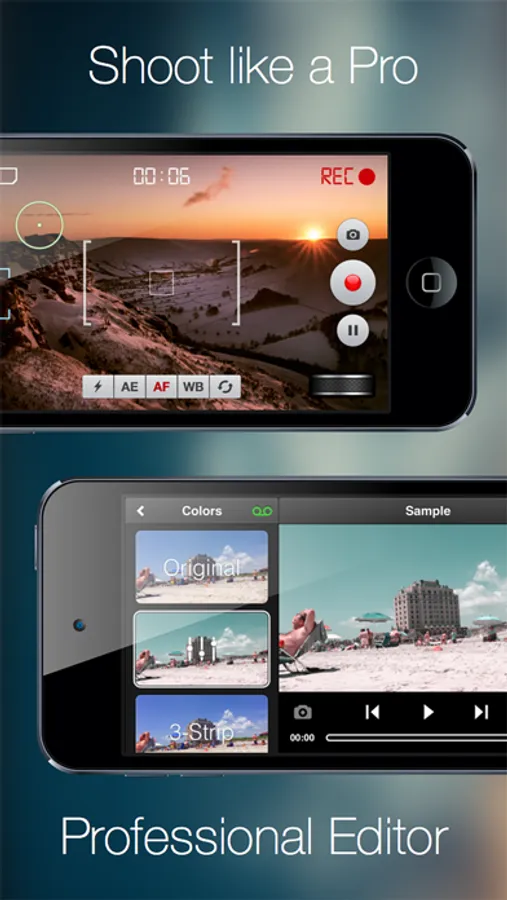
Now with full iOS8/iPhone 6/6+ support. Videon contains all the features necessary to record great videos - from capture to editing to viewing. The goal is simple - perfect videos! We combined our knowledge of cinematography with advice from industry professionals to create the most extensive video app available. Videon is your one stop app for everything video.
See the video: http://www.youtube.com/watch?v=P8XLWoFi5Pg
Features:
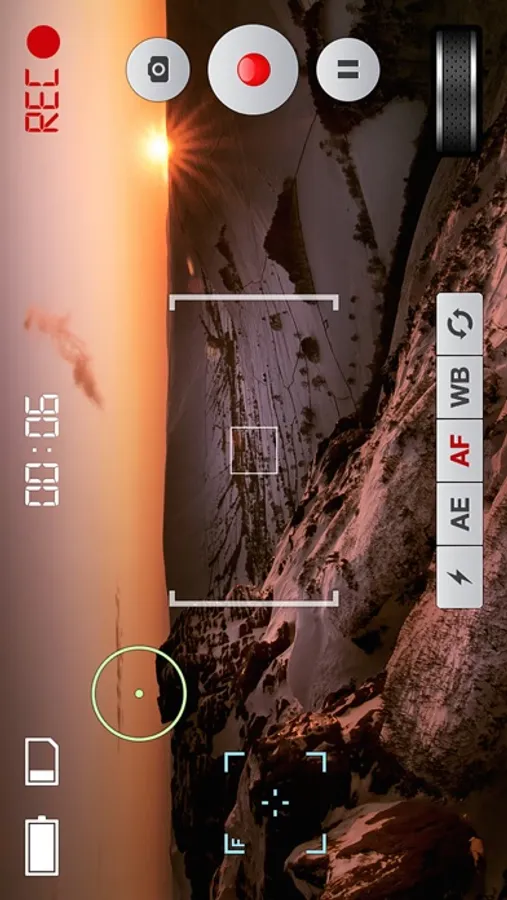
1. Capture
- Intuitive, comfortable interface
- Realtime Zoom controlled by a very intuitive Zoom Wheel (iPhone 4s+, iPod Touch 5th+, iPad 2+, on older devices video with zoom has to be rendered after recording, but it is still very smooth)
- Different resolutions - from Full HD down, including 2.35:1 cinema format
- Adjustable Frame Rate - you can set fixed rate, but also rate limit, for example from 24 to 30 FPS
- Support of iOS7 high framerates: 60fps and 120fps
- Video Stabilization
- HDR mode
- Save To App Documents, or to Camera Roll
- Pause Recording (iPhone 4s+, iPod Touch 5th+, iPad 2+)
- Take Photo during video recording (iPhone 4s+, iPod Touch 5th+, iPad 2+)
- Switch between front and back camera even while recording (iPhone 4s+, iPod 5th+, iPad 2+).
- Set Focus/Exposure point together or separately (double tap to reset)
- Audio Meter (iPhone 4s+, iPod Touch 5th+, iPad 2+)
- Set max Recording Duration
- HDR Video (iPhone 6/6+)
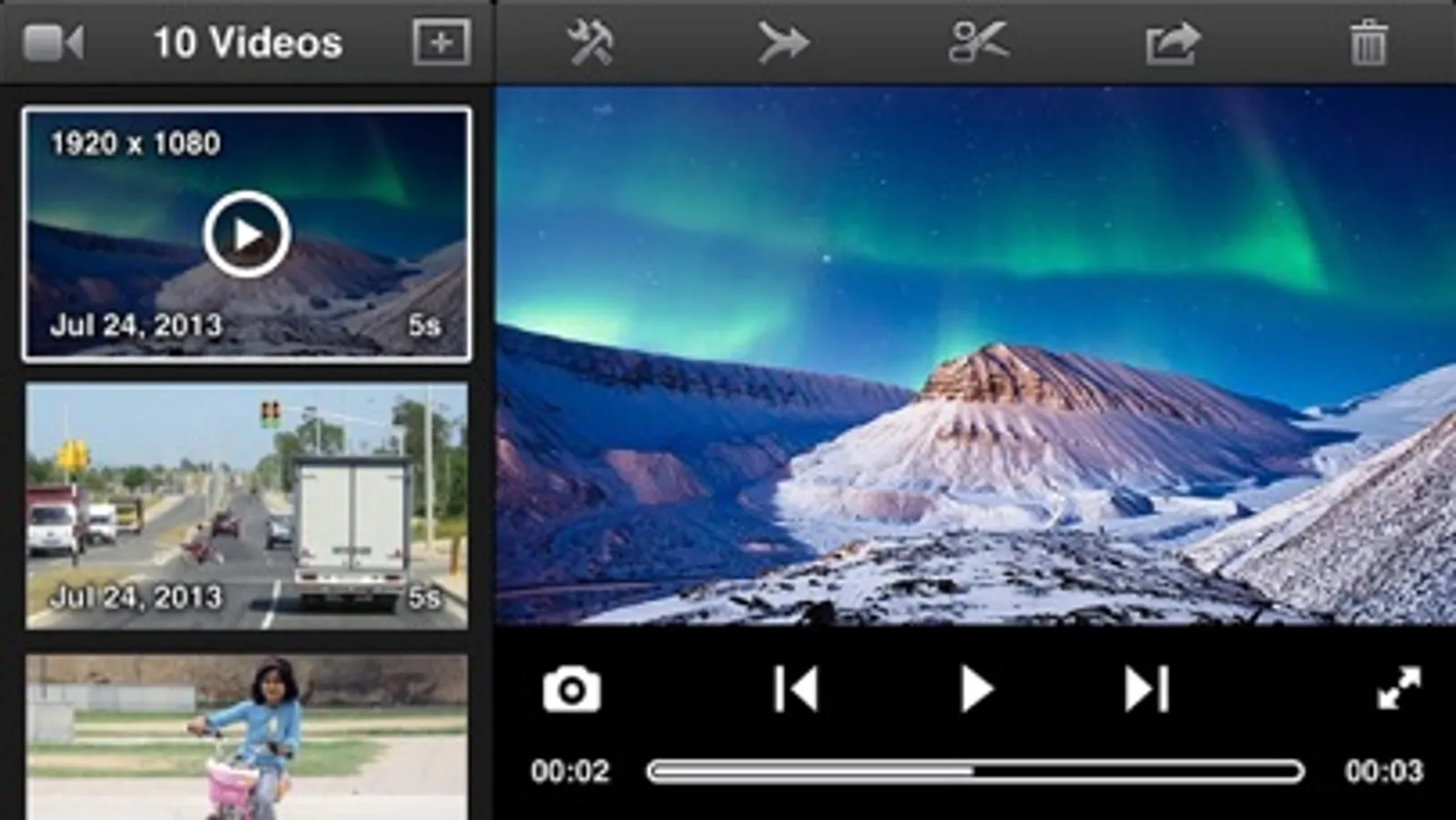
2. Gallery
- Innovative Interface
- Detailed video information
- Fullscreen mode
- Marked new videos (for videos not older that 7 days, and not watched in fullscreen)
- Delete
- Save To Camera Roll
- Import from Camera Roll
- Take Photo from video
- Double tap on thumbnail to open Editor
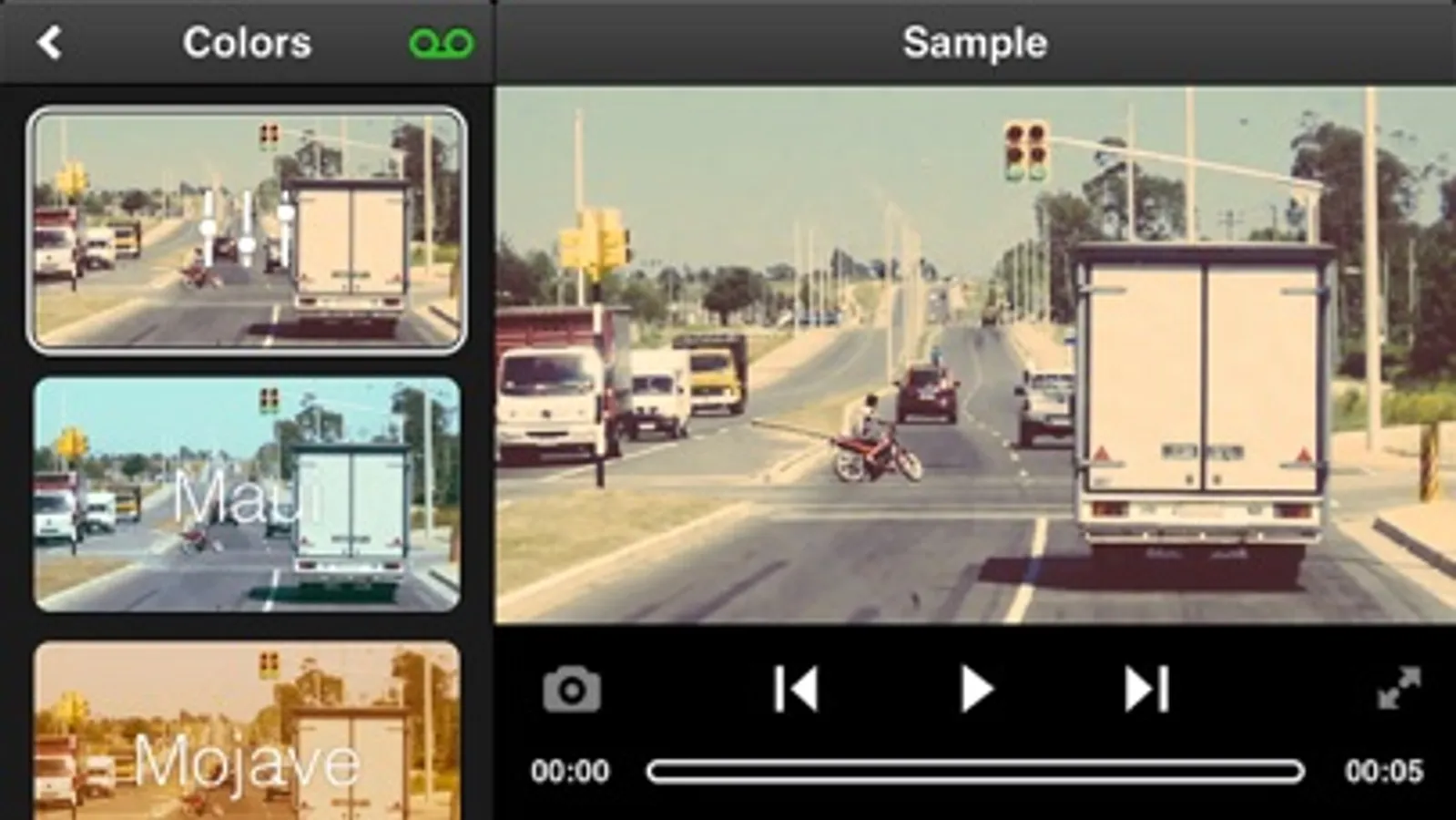
3. Editor
- 17 Color correction filters for simulation of cinematic effects, vintage film effects and more
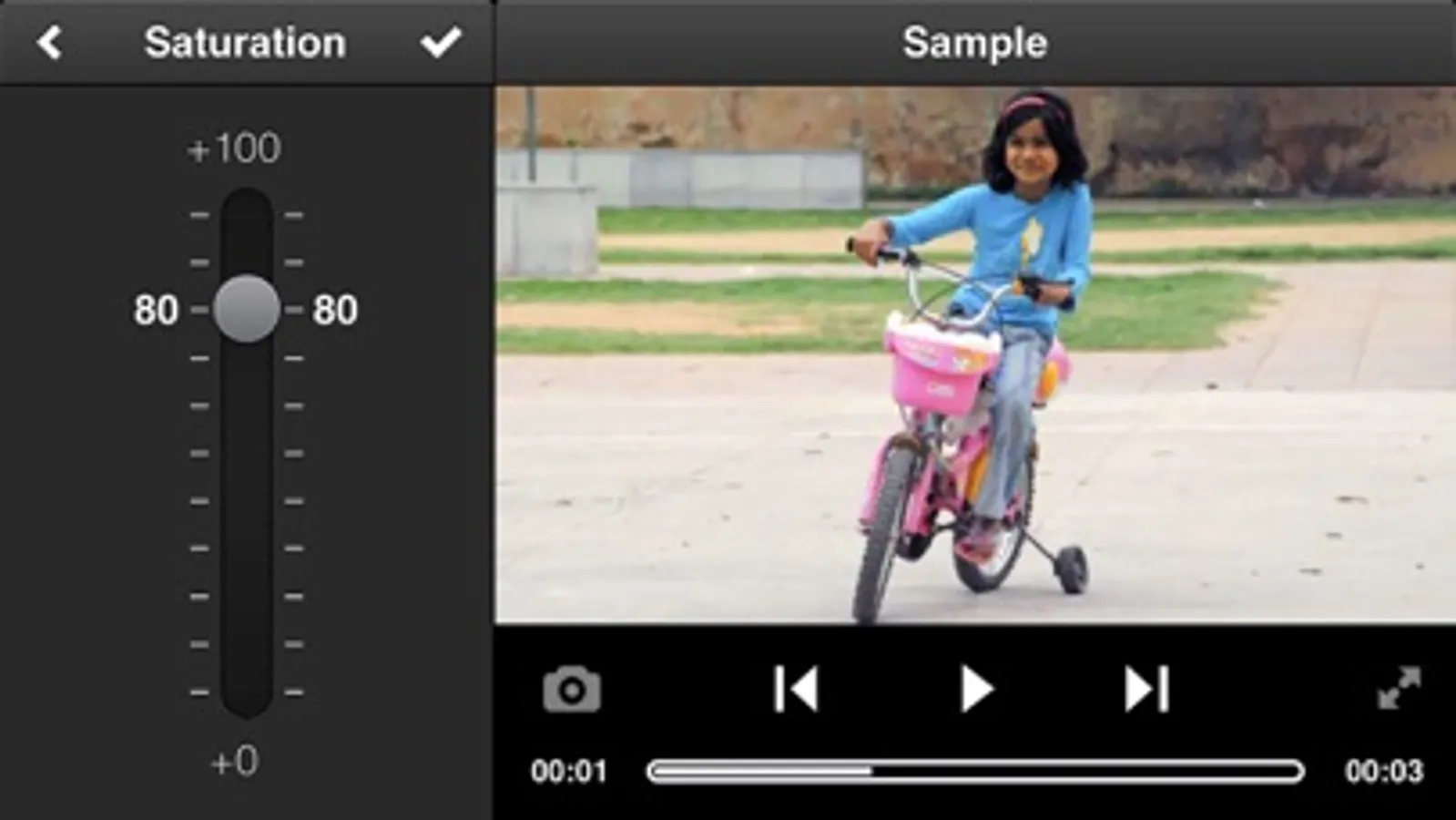
- Adjust: Exposure, Contrast, Hue, Saturation, Vibrance, Temperature, Highlights, Shadows; Sharpen, Blur, Straighten
- Effects: Speed (Slow Motion, Fast Motion), Reversing, Dust, Film Grain, Flicker, Chromatic Aberration, Invert, Vignette, Frames, Add Image
- Settings: Rotate (90/180/270), Change Aspect Ratio, Resize/Change Compression (with displaying final file size), FPS, Mute
- Combine effects in Editor for an authentic vintage film look.
- Realtime Preview of applied effects even when video is playing!
- Trim - with timeline zoom (tap and hold to zoom)
- Split video to 2 or more parts
- Merging videos
See the video: http://www.youtube.com/watch?v=P8XLWoFi5Pg
Features:
1. Capture
- Intuitive, comfortable interface
- Realtime Zoom controlled by a very intuitive Zoom Wheel (iPhone 4s+, iPod Touch 5th+, iPad 2+, on older devices video with zoom has to be rendered after recording, but it is still very smooth)
- Different resolutions - from Full HD down, including 2.35:1 cinema format
- Adjustable Frame Rate - you can set fixed rate, but also rate limit, for example from 24 to 30 FPS
- Support of iOS7 high framerates: 60fps and 120fps
- Video Stabilization
- HDR mode
- Save To App Documents, or to Camera Roll
- Pause Recording (iPhone 4s+, iPod Touch 5th+, iPad 2+)
- Take Photo during video recording (iPhone 4s+, iPod Touch 5th+, iPad 2+)
- Switch between front and back camera even while recording (iPhone 4s+, iPod 5th+, iPad 2+).
- Set Focus/Exposure point together or separately (double tap to reset)
- Audio Meter (iPhone 4s+, iPod Touch 5th+, iPad 2+)
- Set max Recording Duration
- HDR Video (iPhone 6/6+)
2. Gallery
- Innovative Interface
- Detailed video information
- Fullscreen mode
- Marked new videos (for videos not older that 7 days, and not watched in fullscreen)
- Delete
- Save To Camera Roll
- Import from Camera Roll
- Take Photo from video
- Double tap on thumbnail to open Editor
3. Editor
- 17 Color correction filters for simulation of cinematic effects, vintage film effects and more
- Adjust: Exposure, Contrast, Hue, Saturation, Vibrance, Temperature, Highlights, Shadows; Sharpen, Blur, Straighten
- Effects: Speed (Slow Motion, Fast Motion), Reversing, Dust, Film Grain, Flicker, Chromatic Aberration, Invert, Vignette, Frames, Add Image
- Settings: Rotate (90/180/270), Change Aspect Ratio, Resize/Change Compression (with displaying final file size), FPS, Mute
- Combine effects in Editor for an authentic vintage film look.
- Realtime Preview of applied effects even when video is playing!
- Trim - with timeline zoom (tap and hold to zoom)
- Split video to 2 or more parts
- Merging videos
Videon Screenshots
Tap to Rate:
Reviews for Videon
harleycop
Frozen
For quite some time, this app has been unusable. I open it up and it won’t do anything. It won’t even let me review the videos I have stored in there.
bgbir
Update Required .
Update very soon because its works very slowly . Add new features and also add ai tools .