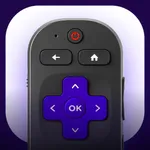
In this remote control app, you can manage TV functions such as changing channels, adjusting volume, and navigating menus using the trackpad. Includes Wi-Fi connectivity, device detection, and quick access to streaming platforms.
AppRecs review analysis
AppRecs rating 4.5. Trustworthiness 70 out of 100. Review manipulation risk 25 out of 100. Based on a review sample analyzed.
★★★★☆
4.5
AppRecs Rating
Ratings breakdown
5 star
80%
4 star
7%
3 star
3%
2 star
4%
1 star
6%
What to know
✓
Low review manipulation risk
25% review manipulation risk
✓
High user satisfaction
80% of sampled ratings are 5 stars
About Remote Controller for TV
Connecting the app to your device is simple. Just ensure your iOS device and Roku TV are connected to the same Wi-Fi network and you’re good to go!
Key Features:
---------------------------------
• Connect automatically to Roku TVs on your Wi-Fi network
• Access all Smart TV buttons for seamless control
• Spacious Trackpad for easy menu and content navigation
• Effortlessly manage & change TV channels
• Launch popular platforms like Youtube, Netflix, Tubi, HBO, Prime Video, and more with a single tap
• Make fast searches with text entry using your device's keyboard for channels such as Netflix or Youtube, or for searching on your Smart TV
• Compatible with all TV models running Smart TV OS
NEVER LOSE YOUR REMOTE AGAIN
Constantly misplacing your TV remote? Remote Controller for TV acts as the original remote control, granting access to all your device's functionalities straight from your smartphone!
SEAMLESS CONTROL
With its straightforward design and intuitive interface, there's no clutter of buttons or intricate configurations. Use Remote Controller for TV just like you would a regular TV remote!
CONNECT IN SECONDS
With TCL Roku, setup is a breeze. Remote Controller for TV automatically detects and lets you connect to every Smart TV on your network with a tap!
Note: Some apps like YouTube and Hulu+ utilize their own on-screen keyboards instead of the iOS keyboard.
Remote Controller for TV is compatible with all Roku models including Roku 1, Roku 2, Roku 3, Streaming Stick, Express, Express+, Premiere, Premiere+, Ultra, Roku TV, TCL Roku TV, Sharp Roku TV, Hisense, Philips, Onn Roku TV & more.
* Please note that Remote Controller for TV is not an official Roku product, and we are not affiliated with the Roku company.
Privacy Policy https://loopmobile.io/privacy.html
Terms of use https://loopmobile.io/tos.html
Tap to Rate:
Reviews for Remote Controller for TV
Mad dad!!
Very unhappy
So the reason why I down loaded this app and subscribed to it is because we lost the original remote and now guess what we can’t use this app because we don’t have the original one to get into settings on the tv to enable other remotes to be used ? Why does it mention losing the remote if you can’t use this one without the original one ? I want this subscription closed and I can’t even get in touch with support . FIX IT NOW !
No your man
No little
No