
Panasonic LUMIX Flow
PANASONIC ENTERTAINMENT & COMMUNICATION CO., LTD.
3.2 ★
27 ratings
Free
AppRecs review analysis
AppRecs rating 3.2. Trustworthiness 79 out of 100. Review manipulation risk 21 out of 100. Based on a review sample analyzed.
★★★☆☆
3.2
AppRecs Rating
Ratings breakdown
5 star
41%
4 star
11%
3 star
7%
2 star
7%
1 star
33%
What to know
✓
Low review manipulation risk
21% review manipulation risk
✓
Credible reviews
79% trustworthiness score from analyzed reviews
About Panasonic LUMIX Flow
Smoothly streamline your video production workflow, from script writing to editing!
From dramas and documentaries to music videos and dance clips in the entertainment genre, LUMIX Flow is easy to use even for beginners and supports a smooth video production process.
【LUMIX Mode】
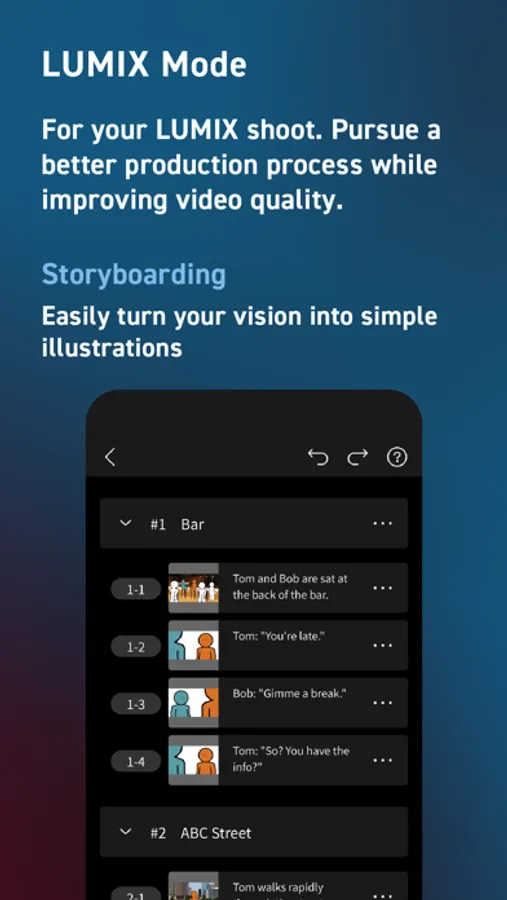
Easily create scripts, storyboards, and shot lists. Use the app to visually sketch out scenes, illustrating your subject's position, direction, shot angle and more.
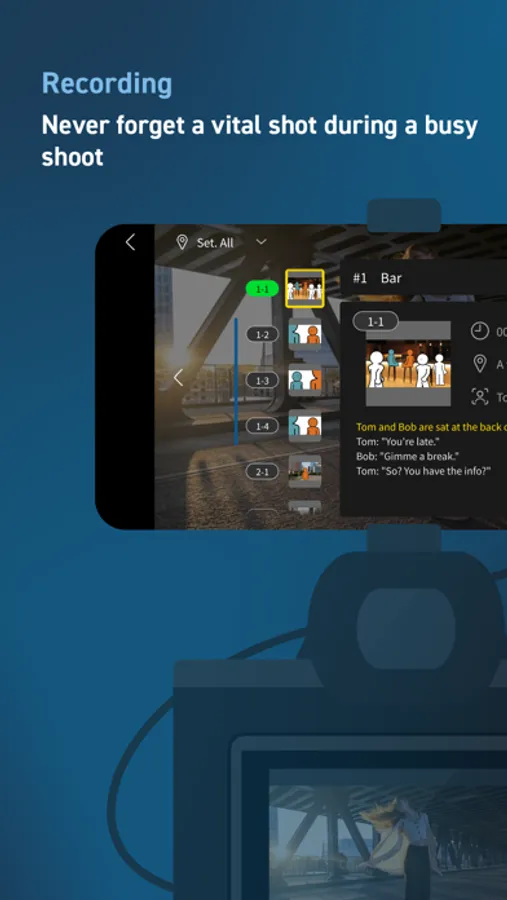
Use your smartphone as an external monitor for your LUMIX camera. Check your shot list and storyboard on your smartphone while shooting. You can easily see which shots have already been taken at a glance, ensuring you never forget a key shot and allowing you to work through your shoot smoothly and efficiently.
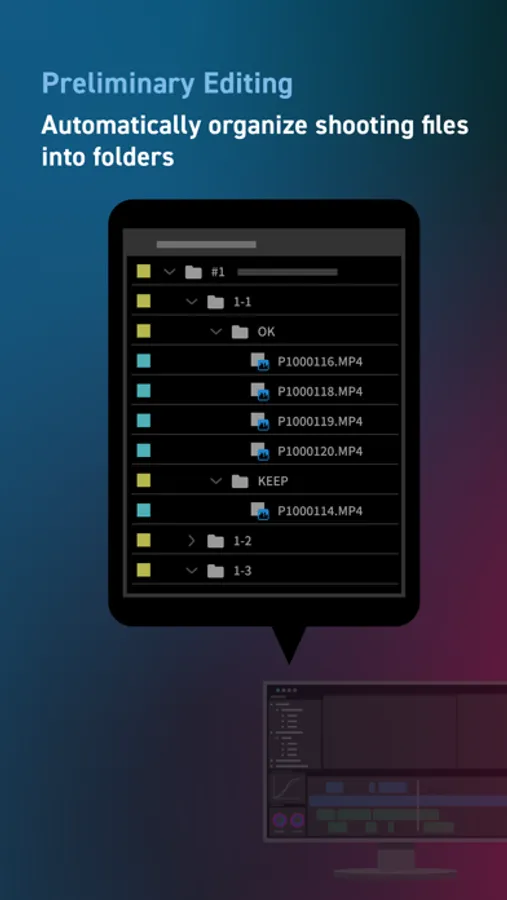
Shooting files are automatically divided into folders based on your ' OK / KEEP / BAD' rating by importing XML files from the app into your video editing software. Efficiently organize files after shooting and shorten the time you spend editing.
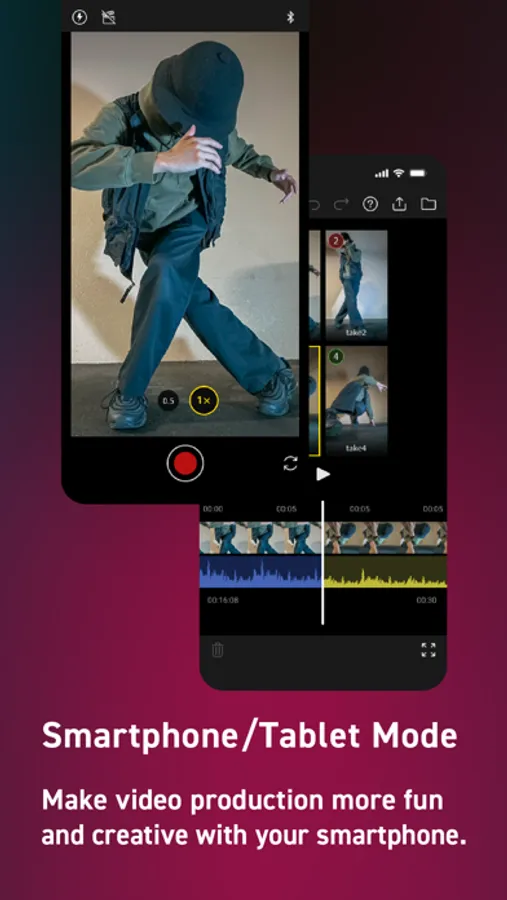
【Smartphone/Tablet Mode】
You can script, shoot, and edit a short drama or documentary video using just your smartphone, enjoying all the fun of filmmaking without the need for a camera or computer.
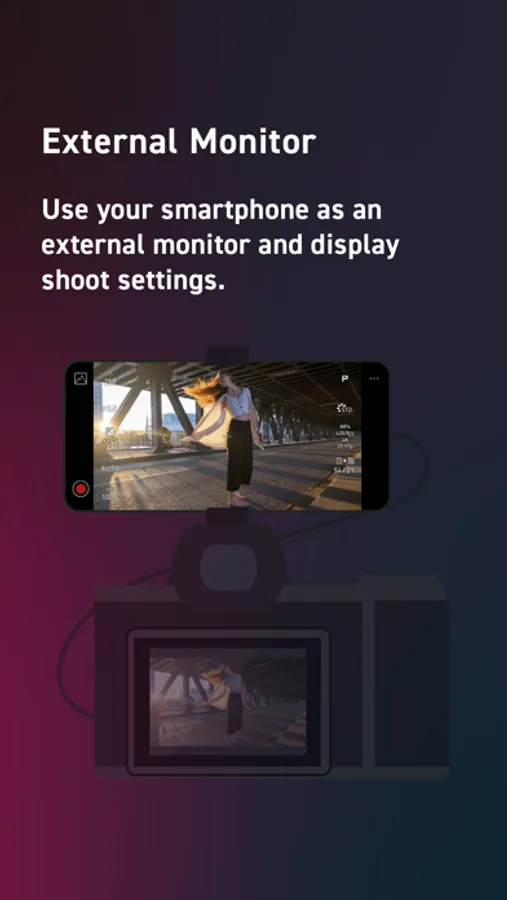
【External Monitor】
Connect your smartphone to your LUMIX camera to use it as an external monitor while shooting. Quickly check focus on-site.
Compatible with: DC-S1RM2, DC-S1M2, DC-S1M2ES, DC-S5M2, DC-S5M2X, DC-GH7
OS Compatibility: iOS 15.4 or higher
*Recommended for models with a USB Type-C connector. To connect with a Lightning cable, a genuine Apple 'Lightning-USB Camera Adapter' or 'Lightning-USB3 Camera Adapter' is required.
[Notes]
・Be aware that when using the location information recording function, continued use of the GPS function can lead to a dramatic decrease in battery capacity.
・For information on using this app or compatible models, visit the following support page.
https://panasonic.jp/support/global/cs/soft/lumix_flow/index.html
・Please understand that we will not be able to contact you directly even if you use the “Email Developer” link.
Panasonic LUMIX Flow Screenshots
Tap to Rate:
Reviews for Panasonic LUMIX Flow
S5ii User
Chill Out Dudes
I don’t know what the absolute losers in the comments are up to but I feel like they should have something better to do than annoy the poor people at Panasonic with their reviews. Consider who this app is most useful for, for a moment. It’s not professionals who already have sophisticated rigs, quality monitors, and all of that. It’s probably amateurs or (amateurish professionals) who don’t want to take on the overhead of getting a top of the line monitor. Yes, there are useful updates that this app could have that Panasonic should implement, lut view assist being one, but overall it’s pretty solid. The app is easy to use and there’s not much latency. For amateurs, that’s probably two of the most important things that you could look for in this app.
DrDJInfinity
Amazing Addition
For S1II and S5IIx, this is a fantastic addition to the already capable cameras!