About DriveTracker - Driving Log
■ Every Road You Drive, Saved on a Map
DriveTracker records your drives and shows them on a map.
Where did you go? How far did you drive? It's all there. Every road you've taken, right at your fingertips.
■ What You Can Do
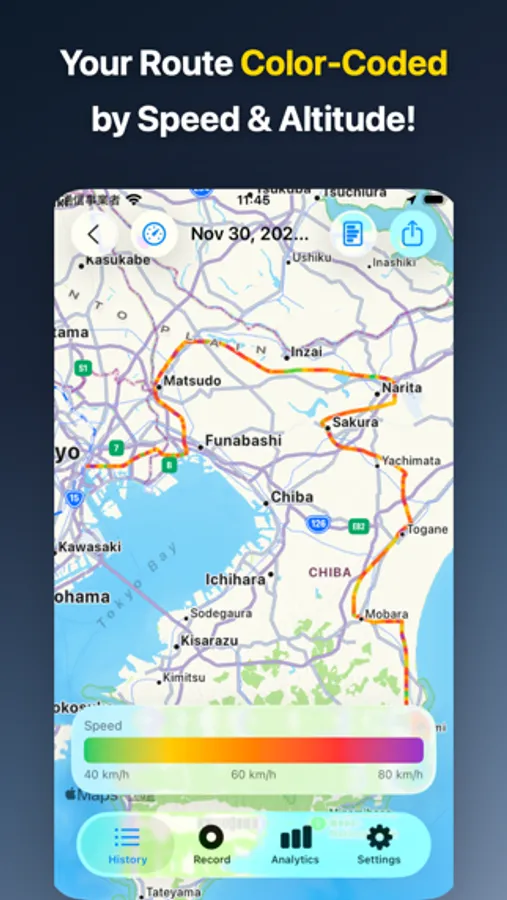
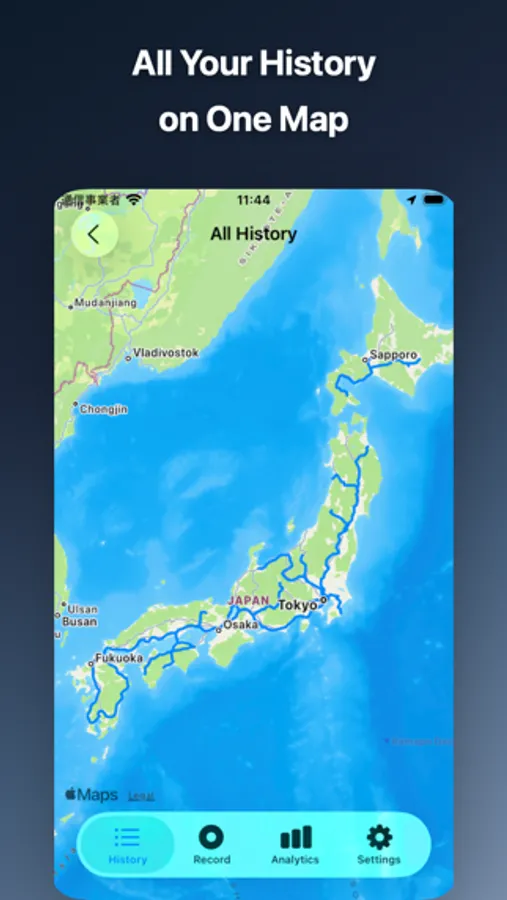
・Your Routes Stay on the Map
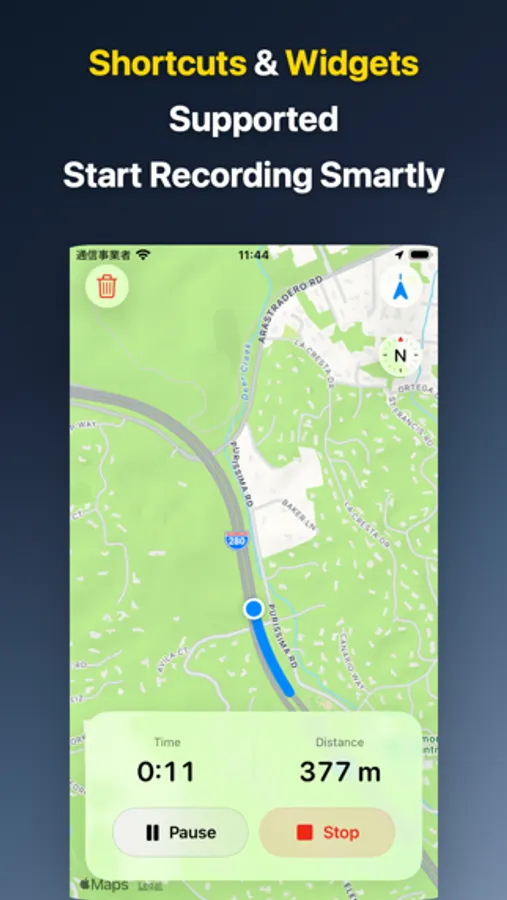
Every road you drive gets recorded automatically. Open the map and see everywhere you've been!
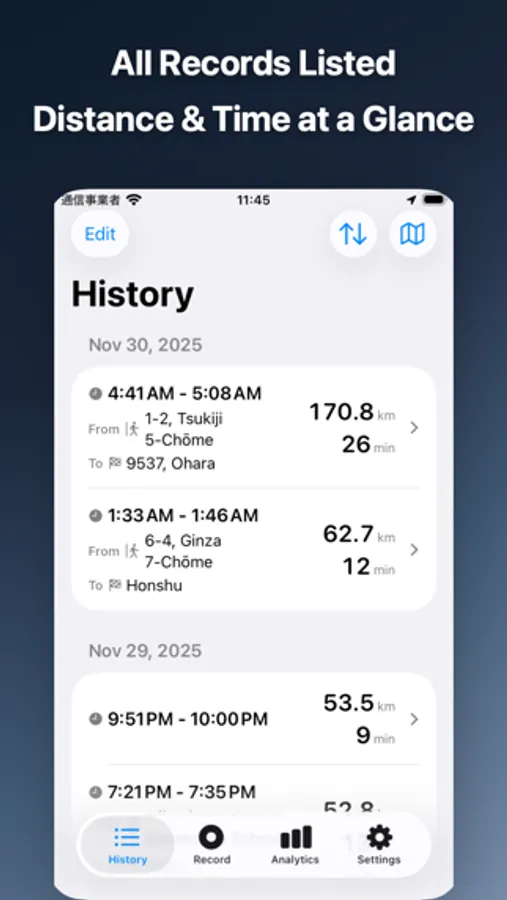
・Look Back at Any Trip
Pick a past drive by date or place. "Where did I go that day?" — now you'll know.
・See Distance & Time as You Go
While you're driving, check how far you've gone and how long it's been. Simple as that.
・Pause When You Need To
Taking a break? Hit pause. Ready to go? Resume. Record at your own pace.
・Share Your Drives
Tell friends and family where you went, how far, how long. Relive your road trip together!
■ Dig Into the Numbers
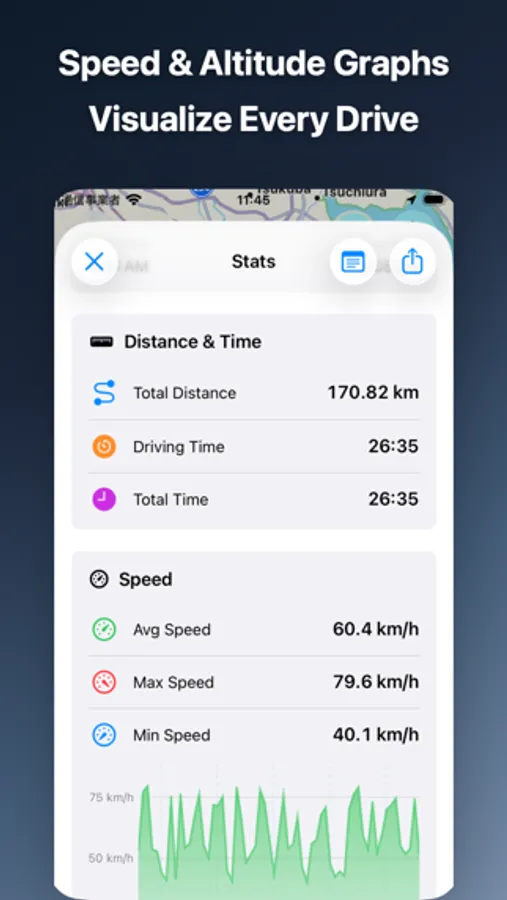
・Graphs That Make Sense
See your driving patterns clearly:
- Distance over time
- Speed changes
- Driving vs. stopped time
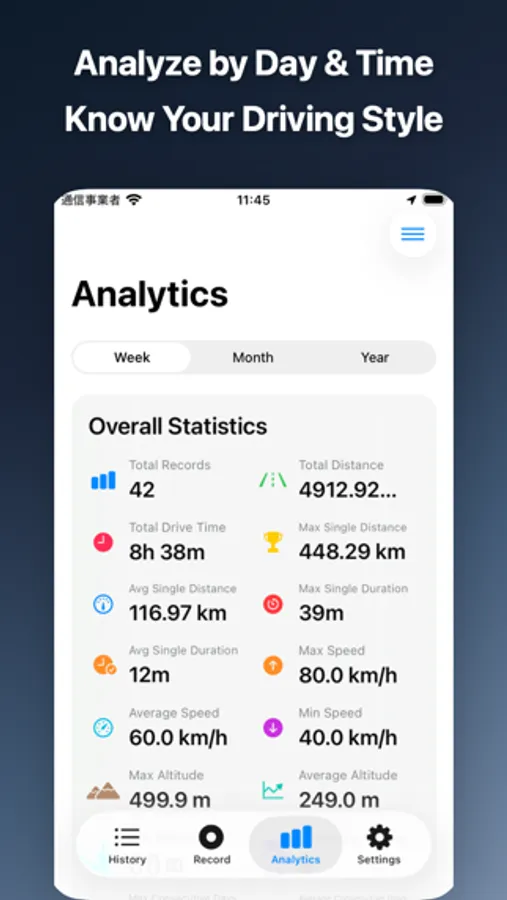
Check by day, week, month, or year. Spot trends instantly!
・Reports for Any Period
Today, this week, this month, this year... Pick any timeframe. "How much did I drive this month?" Done.
・Custom Date Ranges
Want to check "last 2 weeks" or "September"? Easy.
・Export to CSV
Grab all your records as a CSV file. Crunch the numbers in Excel or Google Sheets.
■ Works Anywhere
・No Internet? No Problem
Record even offline! Deep in the mountains with no signal? If GPS works, you're good.
・iCloud Keeps You Synced
Your records sync automatically between iPhone and iPad. Switch devices without losing anything.
■ Control Without Opening the App
・Talk to Siri
"Start recording." "Stop recording." Hands-free, eyes on the road.
・Home Screen Widget
Tap a widget to start or stop. No need to launch the app.
・Lock Screen Widget
Add it to your lock screen too. Control recording without unlocking.
・Shortcuts Automation
Set up rules: "Start when Bluetooth connects" or "Stop when I get home." Apple Shortcuts makes it happen.
・Live Activity
While recording, info shows on your lock screen and Dynamic Island. Glance anytime.
■ Made For
・Road Trip Lovers
Record your drives and revisit routes on the map. Remember that scenic detour!
・Motorcycle Riders
Share how far you rode with friends. Save routes for next time.
・Delivery & Sales Drivers
Track daily mileage. Know which routes, how far.
・Number Nerds
See your driving habits in data. Graphs that actually make sense.
・Travel Memories
Save every drive from your trips. "Where did we go that time?" Now you'll remember.
Terms of Use: https://sbryu.com/apps/drivetracker/terms-of-use
Privacy Policy: https://sbryu.com/apps/drivetracker/privacy-policy
DriveTracker records your drives and shows them on a map.
Where did you go? How far did you drive? It's all there. Every road you've taken, right at your fingertips.
■ What You Can Do
・Your Routes Stay on the Map
Every road you drive gets recorded automatically. Open the map and see everywhere you've been!
・Look Back at Any Trip
Pick a past drive by date or place. "Where did I go that day?" — now you'll know.
・See Distance & Time as You Go
While you're driving, check how far you've gone and how long it's been. Simple as that.
・Pause When You Need To
Taking a break? Hit pause. Ready to go? Resume. Record at your own pace.
・Share Your Drives
Tell friends and family where you went, how far, how long. Relive your road trip together!
■ Dig Into the Numbers
・Graphs That Make Sense
See your driving patterns clearly:
- Distance over time
- Speed changes
- Driving vs. stopped time
Check by day, week, month, or year. Spot trends instantly!
・Reports for Any Period
Today, this week, this month, this year... Pick any timeframe. "How much did I drive this month?" Done.
・Custom Date Ranges
Want to check "last 2 weeks" or "September"? Easy.
・Export to CSV
Grab all your records as a CSV file. Crunch the numbers in Excel or Google Sheets.
■ Works Anywhere
・No Internet? No Problem
Record even offline! Deep in the mountains with no signal? If GPS works, you're good.
・iCloud Keeps You Synced
Your records sync automatically between iPhone and iPad. Switch devices without losing anything.
■ Control Without Opening the App
・Talk to Siri
"Start recording." "Stop recording." Hands-free, eyes on the road.
・Home Screen Widget
Tap a widget to start or stop. No need to launch the app.
・Lock Screen Widget
Add it to your lock screen too. Control recording without unlocking.
・Shortcuts Automation
Set up rules: "Start when Bluetooth connects" or "Stop when I get home." Apple Shortcuts makes it happen.
・Live Activity
While recording, info shows on your lock screen and Dynamic Island. Glance anytime.
■ Made For
・Road Trip Lovers
Record your drives and revisit routes on the map. Remember that scenic detour!
・Motorcycle Riders
Share how far you rode with friends. Save routes for next time.
・Delivery & Sales Drivers
Track daily mileage. Know which routes, how far.
・Number Nerds
See your driving habits in data. Graphs that actually make sense.
・Travel Memories
Save every drive from your trips. "Where did we go that time?" Now you'll remember.
Terms of Use: https://sbryu.com/apps/drivetracker/terms-of-use
Privacy Policy: https://sbryu.com/apps/drivetracker/privacy-policy
DriveTracker - Driving Log Screenshots
Tap to Rate: