About ProjectCam - Photo Folders
Is your camera roll a mess?
Work photos, hobby shots, personal pics... all dumped in the same place. Finding anything later? Good luck.
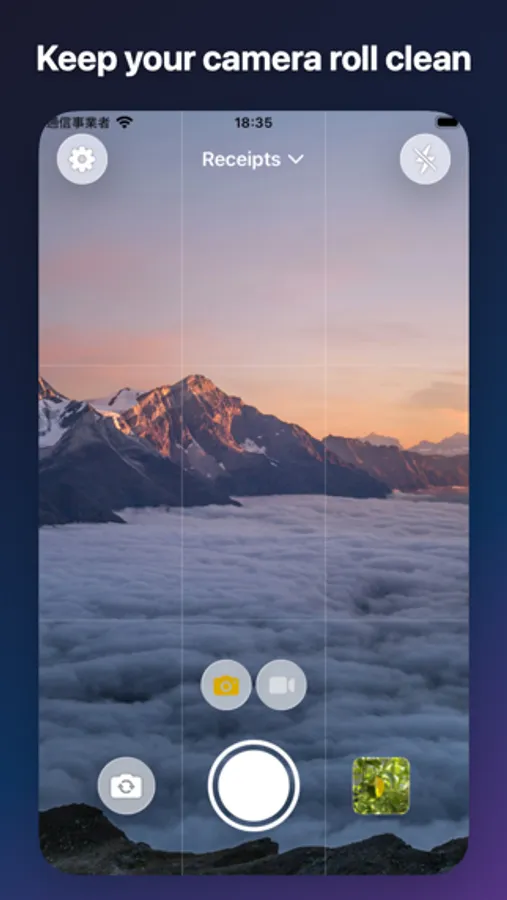
With ProjectCam, just pick a project before you shoot. Photos get sorted automatically.
And here's the best part: nothing saves to your iPhone's Photos app. Everything stays in its own separate space, so your camera roll stays clean.
---
Perfect for you if:
- You want to keep work and personal photos separate
- You need to track photos by job or project
- You hate cluttering your camera roll
- You're tired of searching for photos later
- You want to organize receipts by month
- You have photos you'd rather keep private
---
Key Features
[Project Management]
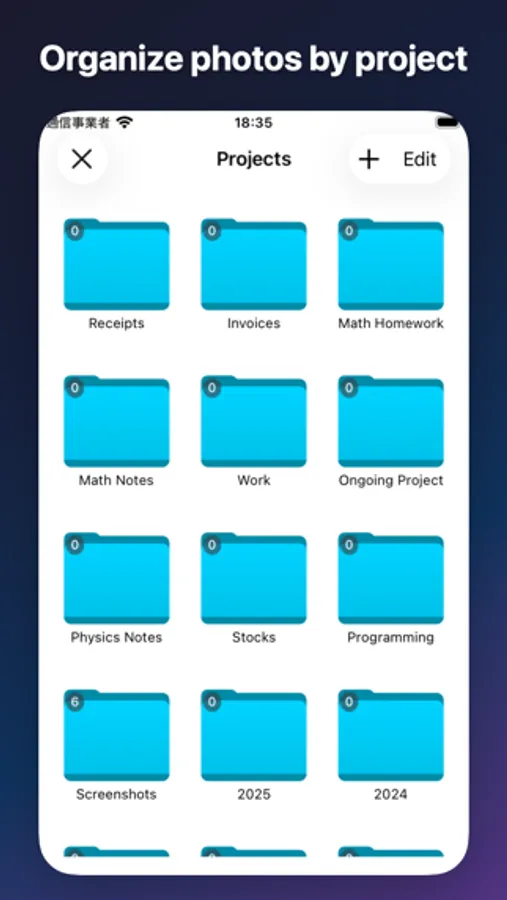
Create projects for different topics. Photos and videos get sorted right when you take them.
[Privacy-First]
Photos stay inside the app only. Completely separate from your iPhone's photo library.
[Dead Simple]
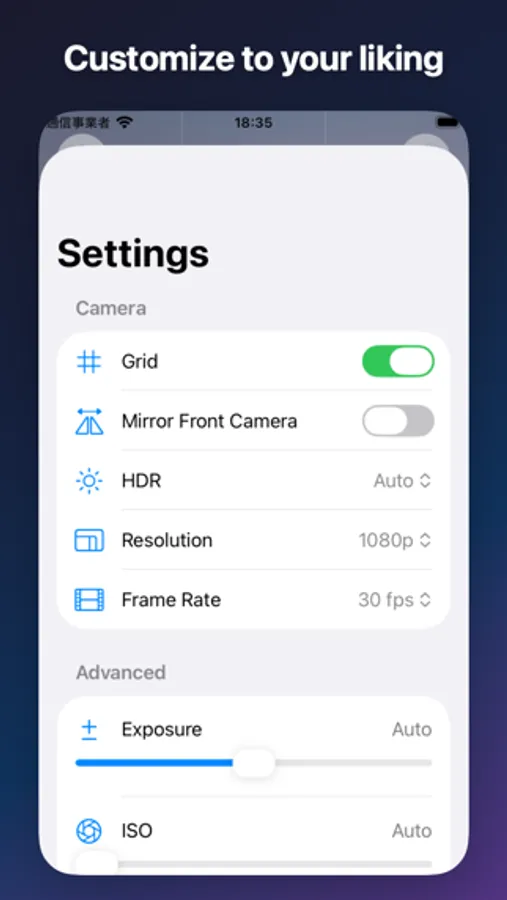
Pick a project, hit the shutter. That's it. No complicated settings.
---
Go Premium
- Unlimited projects
- HDR capture
- 4K video
- Manual controls (ISO, exposure, shutter speed)
- No ads
---
How people use it
[Work & Business]
- Real estate property photos
- Construction site progress
- Product inventory tracking
- Receipt management for expenses
- Tax document storage
[Reselling & Commerce]
- Product photos for online selling
- Marketplace listing photos
- Handmade item documentation
[Tracking & Observation]
- Progress tracking & before/after shots
- Time-lapse documentation (plants, DIY, fitness)
- Travel albums by destination
- Recipe documentation
[Private]
- Photos you don't want others to see
- Secret albums
- Private-only folders
---
FAQ
Q. Does it save to my iPhone Photos?
A. No. Everything stays inside the app only.
Q. Can I use it for free?
A. Yes. Up to 2 projects, completely free.
Q. Where are my photos stored?
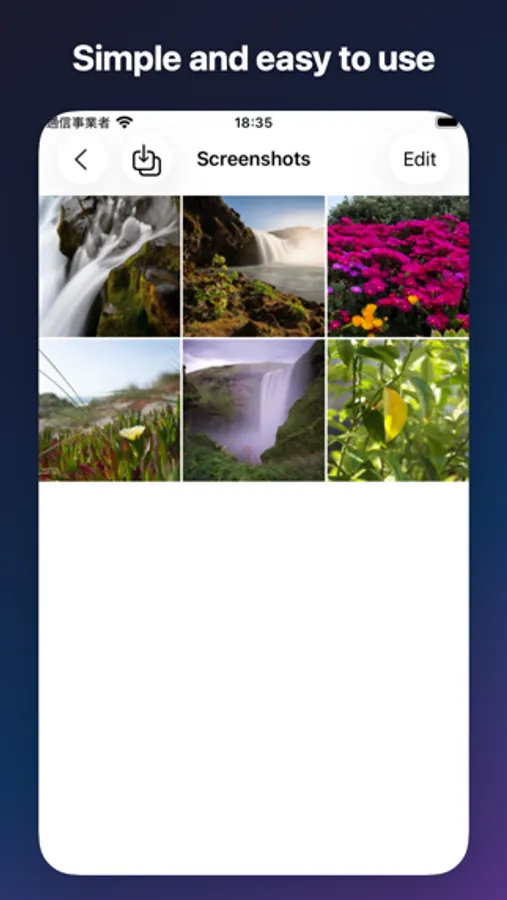
A. In project folders inside the app.
---
Want a cleaner camera roll? Download now.
---
Terms of Use: https://sbryu.com/apps/projectcam/terms-of-use
Privacy Policy: https://sbryu.com/apps/projectcam/privacy-policy
Work photos, hobby shots, personal pics... all dumped in the same place. Finding anything later? Good luck.
With ProjectCam, just pick a project before you shoot. Photos get sorted automatically.
And here's the best part: nothing saves to your iPhone's Photos app. Everything stays in its own separate space, so your camera roll stays clean.
---
Perfect for you if:
- You want to keep work and personal photos separate
- You need to track photos by job or project
- You hate cluttering your camera roll
- You're tired of searching for photos later
- You want to organize receipts by month
- You have photos you'd rather keep private
---
Key Features
[Project Management]
Create projects for different topics. Photos and videos get sorted right when you take them.
[Privacy-First]
Photos stay inside the app only. Completely separate from your iPhone's photo library.
[Dead Simple]
Pick a project, hit the shutter. That's it. No complicated settings.
---
Go Premium
- Unlimited projects
- HDR capture
- 4K video
- Manual controls (ISO, exposure, shutter speed)
- No ads
---
How people use it
[Work & Business]
- Real estate property photos
- Construction site progress
- Product inventory tracking
- Receipt management for expenses
- Tax document storage
[Reselling & Commerce]
- Product photos for online selling
- Marketplace listing photos
- Handmade item documentation
[Tracking & Observation]
- Progress tracking & before/after shots
- Time-lapse documentation (plants, DIY, fitness)
- Travel albums by destination
- Recipe documentation
[Private]
- Photos you don't want others to see
- Secret albums
- Private-only folders
---
FAQ
Q. Does it save to my iPhone Photos?
A. No. Everything stays inside the app only.
Q. Can I use it for free?
A. Yes. Up to 2 projects, completely free.
Q. Where are my photos stored?
A. In project folders inside the app.
---
Want a cleaner camera roll? Download now.
---
Terms of Use: https://sbryu.com/apps/projectcam/terms-of-use
Privacy Policy: https://sbryu.com/apps/projectcam/privacy-policy
ProjectCam - Photo Folders Screenshots
Tap to Rate: