In this app, you can select photos from your device to print using FUJIFILM instax SHARE smartphones printers. Includes photo selection, printer control, and print management features.
AppRecs review analysis
AppRecs rating 2.0. Trustworthiness 78 out of 100. Review manipulation risk 29 out of 100. Based on a review sample analyzed.
★★☆☆☆
2.0
AppRecs Rating
Ratings breakdown
5 star
16%
4 star
7%
3 star
6%
2 star
12%
1 star
59%
What to know
⚠
Pricing complaints
Many low ratings mention paywalls or pricing
⚠
Mixed user feedback
Average 2.1★ rating suggests room for improvement
⚠
High negative review ratio
72% of sampled ratings are 1–2 stars
About instax SHARE
[Select Your Best Shot!]
"instax SHARE" is an app to print images from your smartphone with the smartphone printer instax SHARE SP-1/SP-2/SP-3(FUJIFILM). You can enjoy beautiful instax print by simply selecting best shots in your smartphone or tablet within less than a minute.
[Supported Printer]
FUJIFILM instax SHARE Smartphone Printer SP-1/SP-2/SP-3
* Not support to old model printers.
[Caution]
(1)iCloud
If you want to print a picture stored in iCloud, save it to your device first and then print it.
(2) Permissions setting of "instax SHARE" application.
Some or all of the functions can not be used unless you enable the following permissions of "instax SHARE" application.
Please enable the authority by referring to the following procedure.
After installation, you will be asked for permission when using the following functions for the first time, please enable it.
The "Take a picture" function need the "Camera" permission.
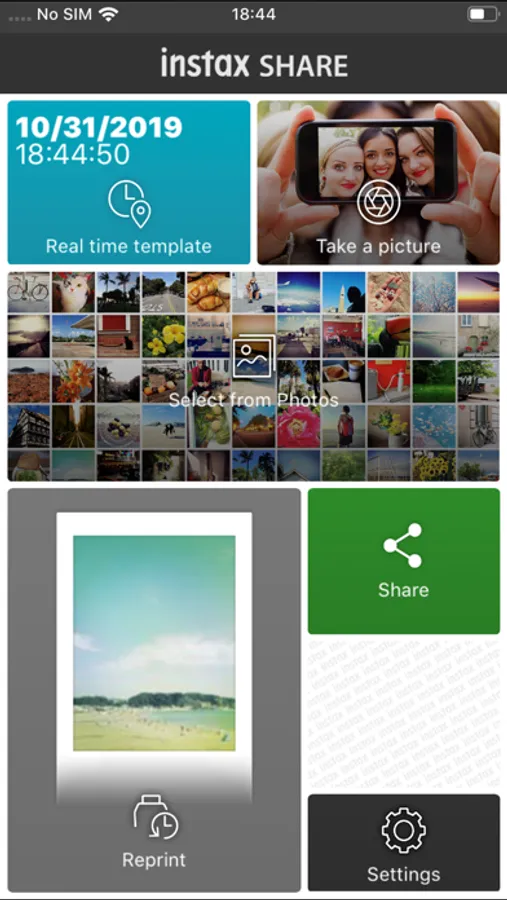
The "Real time template" function need the "Camera" permission and the "Location" permission.
"Selection from Photos" function need the "Photos" permission.
If the authority is set to invalid, please enable it with the following operation.
--Example of operation on iPhone 6s (iOS 10.3.3)--
1.Tap "Settings"
2.Tap "instax SHARE"
3."ALLOW INSTAX SHARE TO ACCESS"
Please enable all of "Camera" "Photo" "Location".
Note: If you have not used the following functions ,these permission settings wil not be displayed.
The "Camera" permission has required by the "Take a picture" function and the "Real time template" function.
"Location" permission has required by the "Real time template" function.
The "Photos" permission has required by the "Selection from Photos" function.
[How to print]
Print photos taken with smartphones.
1. Turn on the printer.
2. **Important** By "Settings" app on your smartphone device, Choose "Wi-Fi", turn on the Wi-Fi, and choose and connect the printer SSID (INSTAX-xxxxxxxx, wrote at printer bottom) from the "CHOOSE A NETWORK..." list. (Excute once, will be connected automatically from the next time.)
3. Launch the instax SHARE app.
4. Select image from Photos or SNS, or take photo with a smartphone camera.
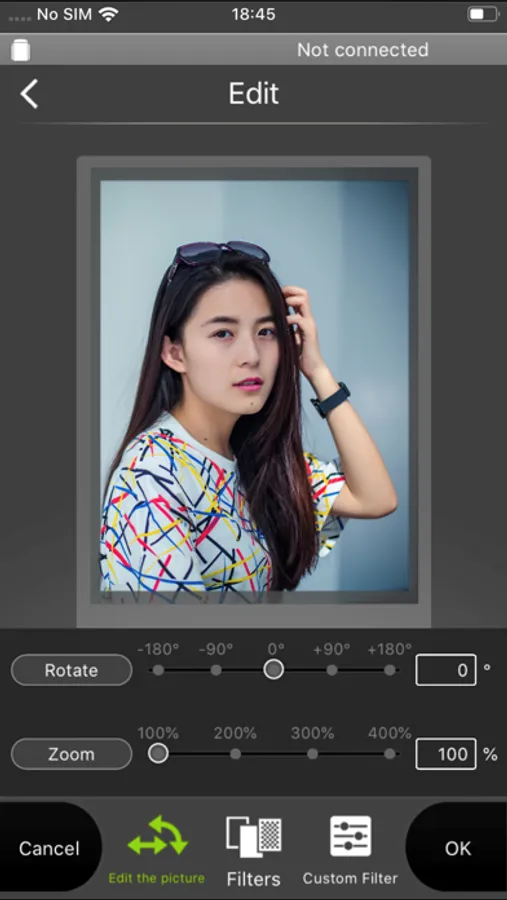
5. Once image is selected, press Edit and edit the image (scaling, rotate, filter and template).
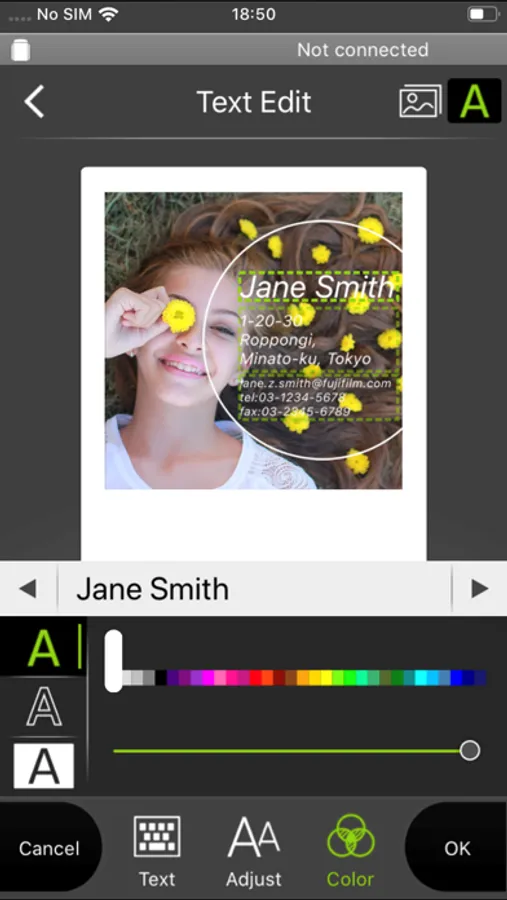
6. Post message on a template if template which accepts text is selected.
7. Press "Connect and print." when editting is completed.
8. When you print for the first time, will be asked password for the printer, please enter initial password that is wrote in User's Guide of the printer.
[When you can not update in AppStore]
Phenomenon:
On the AppStore update screen, the instaxSHARE application is displayed in "Available Updates"
However ,Sometimes "Update button" has been changed to "open button",and con not be updated.
Workaround:
Please uninstall the instaxSHARE application and reinstall it.
(When reinstalling, "Reprint image" saved in the application will be cleared.)
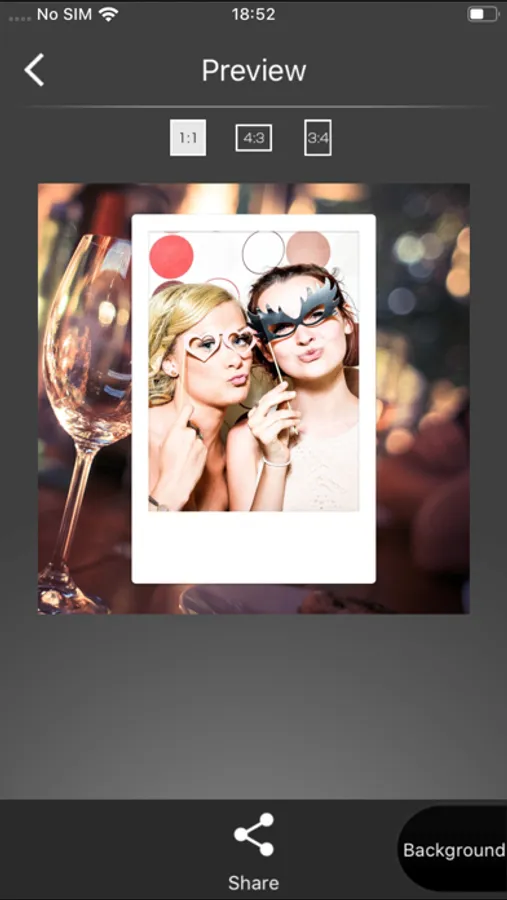
instax SHARE Screenshots
Tap to Rate:
Reviews for instax SHARE
Aashler
Don’t try on your phone
I spent an hour trying to connect my printer to my iPhone, however no matter the troubleshooting I tried it wouldn’t connect or print. Luckily, I was able to connect it to my iPad and use it for some odd reason I have no explanation for. You’d think that if a customer spent $100+ on an item no matter how old it is, Fujifilm would keep it updated and usable. But no, the latest/last update completely blocks your printer from being used. It shouldn’t be this difficult to print and use this product/app.
Yrlly
App needs an update.
I paid for this fuji film printer hoping it would last a while. However it only was short lived. The app no longer allows me to print any of my photos despite the information on the download page saying it was compatible with my iphone. We are now on IOS 18 not 11. Please update the app.