With this PDF cropper, you can import PDF files, crop edges using preset or custom modes, and export the cropped files. Includes options for device presets, custom framing, and page symmetry.
AppRecs review analysis
AppRecs rating 2.6. Trustworthiness 83 out of 100. Review manipulation risk 21 out of 100. Based on a review sample analyzed.
★★☆☆☆
2.6
AppRecs Rating
Ratings breakdown
5 star
39%
4 star
11%
3 star
0%
2 star
17%
1 star
33%
What to know
✓
Low review manipulation risk
21% review manipulation risk
✓
Credible reviews
83% trustworthiness score from analyzed reviews
About PDF Cropper
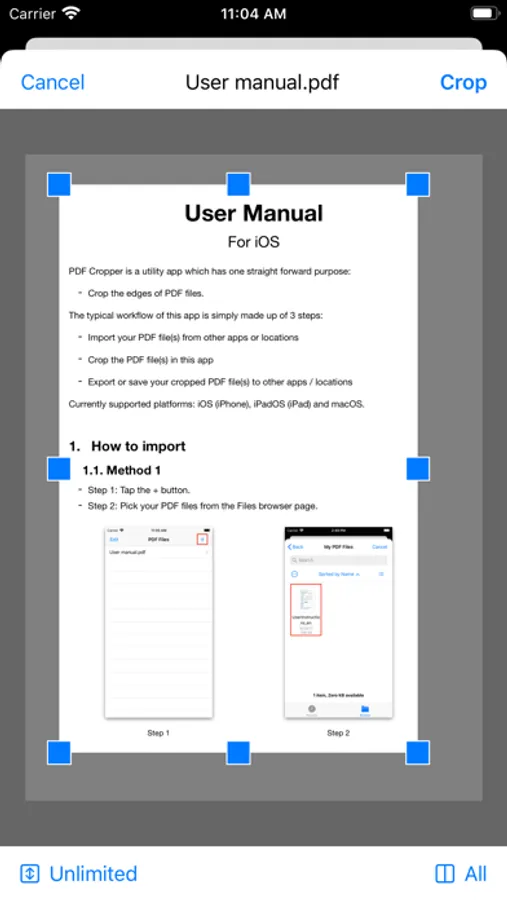
The typical workflow of this app is simply made up of 3 steps:
- Import your PDF file(s) from other apps or locations.
- Crop the PDF file(s) in this app.
- Export or save your cropped PDF file(s) to other apps / locations.
Currently supported platforms: iOS (iPhone), iPadOS (iPad) and macOS. Purchase once, run everywhere.
Features:
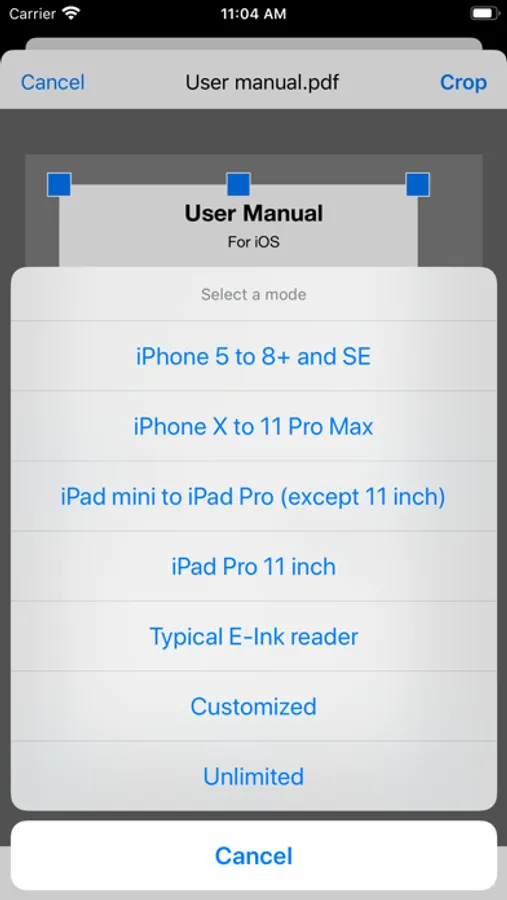
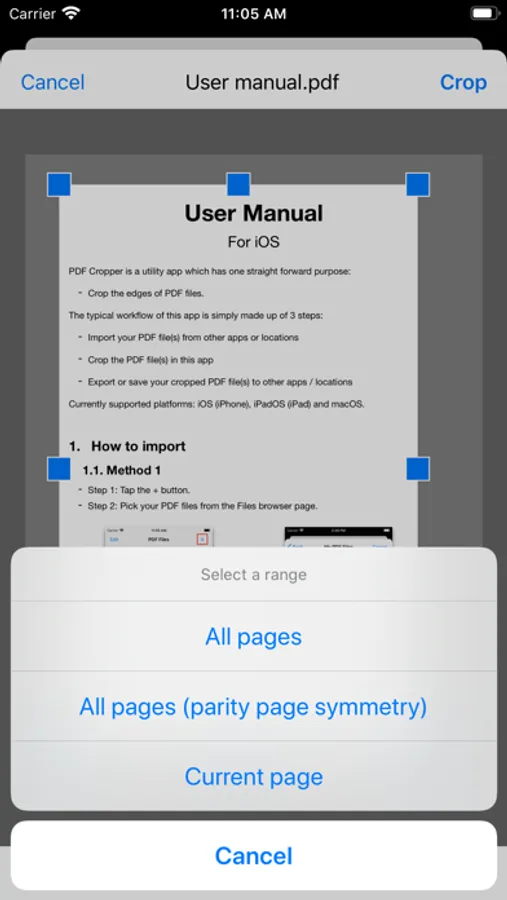
- Preset crop modes for common devices: iPhone, iPad, and E-Ink devices.
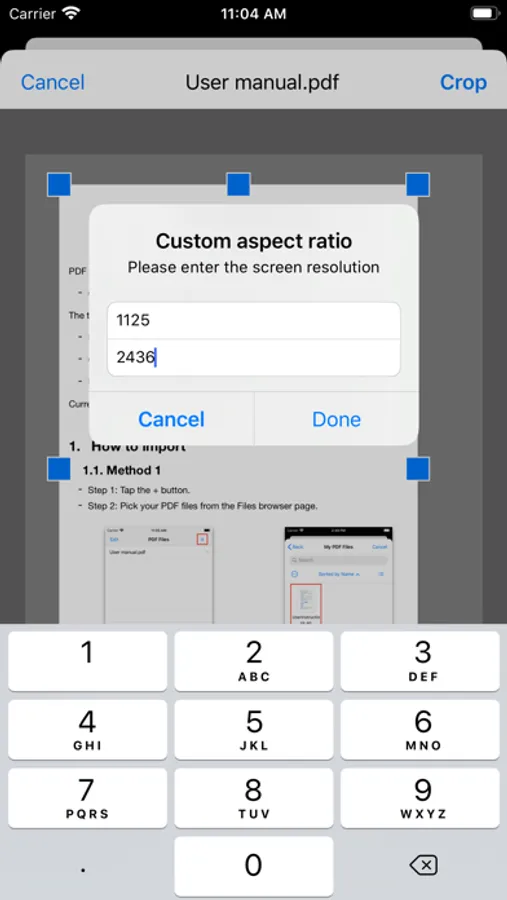
- Custom crop mode: enter width/height to make a crop frame fitting any device.
- Extra options: Parity page symmetry or single page cropping.
- Easy drag & drop to import/export PDF files.
PDF Cropper Screenshots
Tap to Rate:
Reviews for PDF Cropper
moon28682868
Needs more options
In order to make it more practical please add several other options like crop odd pages only or even pages only also crop certain pages with certain numbers
hansf07
The crop app does not work
I was trying to avoid the Abobe products to just crop a pdf and I bought this. This app does not work. Completely buggy. Avoid at all costs. Apple should do more to insure the apps they sell actually work.