
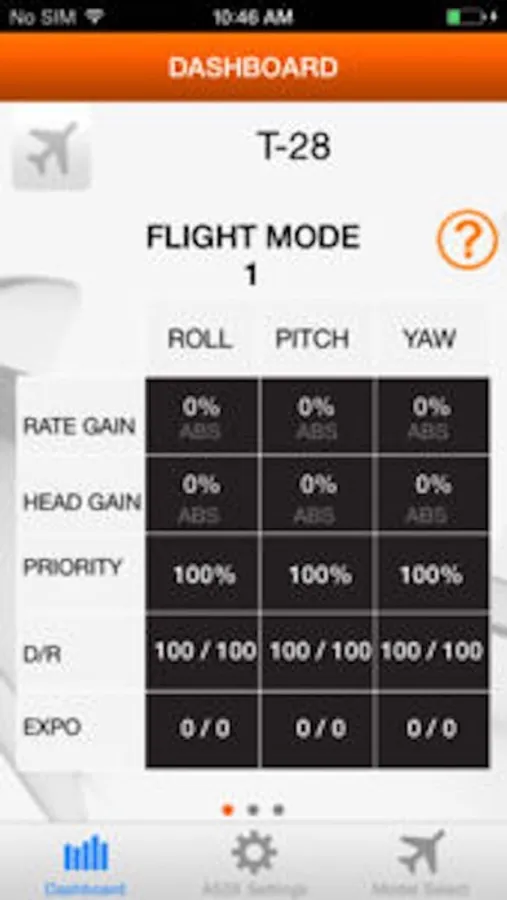
In this programming app, you can create flight modes, activate wing and tail mixes, and make servo adjustments. Includes tools for gain tuning, channel mapping, and dual rate and expo settings.
AppRecs review analysis
AppRecs rating 2.1. Trustworthiness 75 out of 100. Review manipulation risk 26 out of 100. Based on a review sample analyzed.
★★☆☆☆
2.1
AppRecs Rating
Ratings breakdown
5 star
15%
4 star
8%
3 star
10%
2 star
16%
1 star
52%
What to know
✓
Low review manipulation risk
26% review manipulation risk
⚠
Mixed user feedback
Average 2.2★ rating suggests room for improvement
⚠
High negative review ratio
68% of sampled ratings are 1–2 stars
About Spektrum AS3X Programmer
- Create different AS3X flight modes
- Activate different wing and tail mixes
- Make servo adjustments: reverse, subtrim, travel and balance
- Adjust dual rate and expo
- Map output for each channel
- Make gain adjustments
And more!
It is compatible with the following Spektrum AS3X receivers:
· AR6335 6-Channel Nanolite (SPMAR6335)
· AR636 6-Channel Sport (SPMAR636)
· AR7350 7-Channel (SPMAR7350)
· AR9350 9-Channel (SPMAR9350)
A Spektrum AS3X Programming Cable with Audio Connector (SPMA3080) is required.
What is AS3X Technology?
AS3X (Artificial Stabilization – 3-aXis) technology is a combination of 3-axis sensors and exclusive software that works behind the scenes to smooth out the effects of disruptive forces like turbulence and torque. It doesn’t limit your control or fly the plane for you. You simply feel like you’re flying an expertly tuned model that does exactly what you want.
To learn more about AS3X technology, visit spektrumrc.com/AS3X.
Spektrum AS3X Programmer Screenshots
Tap to Rate:
Reviews for Spektrum AS3X Programmer
jensonearth
Disappointing!
Neither is the Spektrum Bluetooth dongle recognized by iPhone or laptop, but this app also doesn’t list the AR631 receiver. Very disappointing especially when considering the premium pricing of Spektrum products. All my FrSky Open TX gear works flawlessly at a fraction of the cost. I may get a FrSky receiver for my eflite Commander.
MacSquirrel
Connectivity
Just a little learning curve but I got it , you have to watch the right and left hand upper corner to ensure your connected and listen for the servos to wiggle after making a selection . Good for my older 636 receivers I still have x4