CAD Reader-View & Measure DWG
Beijing Honghu Yuntu Technology Co., Ltd.
4.2 ★
20 ratings
Free
AppRecs review analysis
AppRecs rating 4.2. Trustworthiness 62 out of 100. Review manipulation risk 29 out of 100. Based on a review sample analyzed.
★★★★☆
4.2
AppRecs Rating
Ratings breakdown
5 star
65%
4 star
15%
3 star
0%
2 star
10%
1 star
10%
What to know
✓
Low review manipulation risk
29% review manipulation risk
✓
High user satisfaction
80% of sampled ratings are 4+ stars (4.2★ average)
About CAD Reader-View & Measure DWG
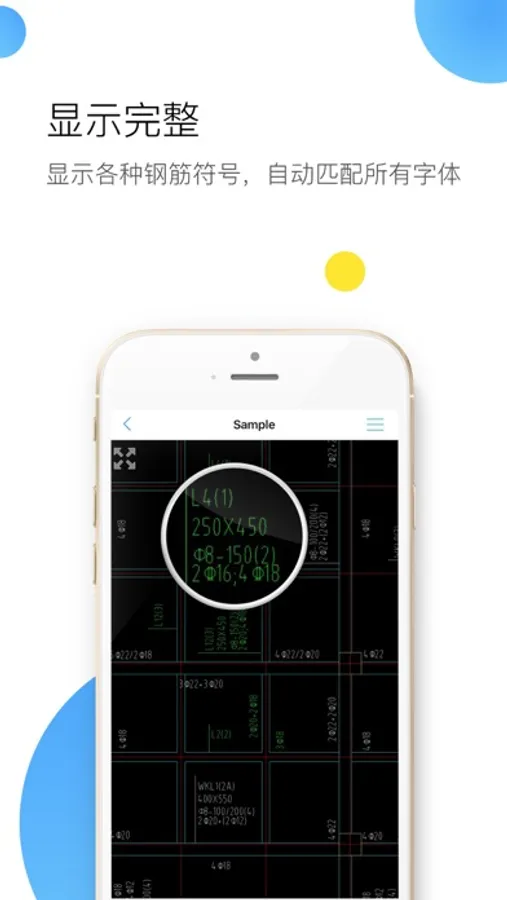
CADReader is a cross-platform CAD software that is fully compatible with DWG, DXF and PDF formats. It provides essential tools such as Viewing, Measuring and Annotations Tools to meet the demands of engineers, designers and quantity surveyors alike.
CADReader Highlights:
1. Fast Access to Drawings
• View multiple drawings at once (Fully compatible with AutoCAD)
• Supports both DWG and DXF Formats
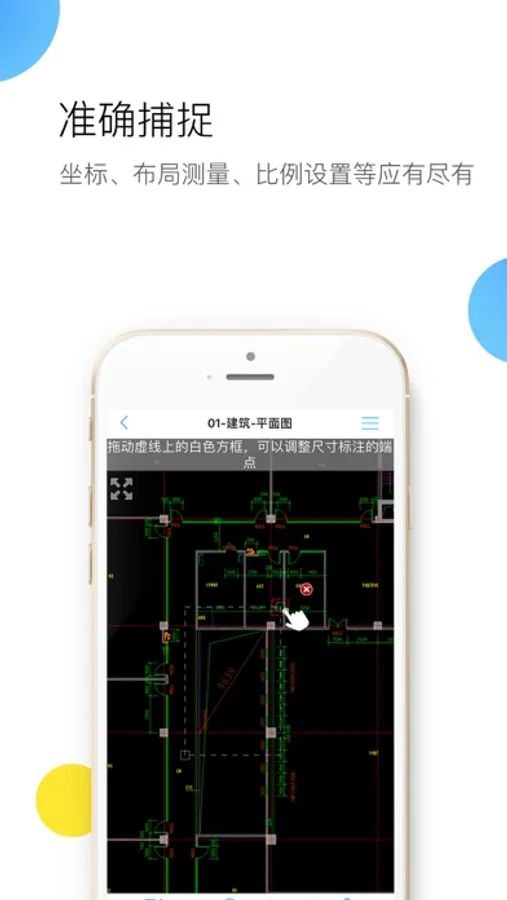
2. Quick Measurement Tools
• Scale drawing tool
• Continuous measure in length (m)
• Measure polygon area (m2)
• Measure radius, angles, arc length, coordinates etc.
• Automatic snapping points for better accuracy
3. Efficient Collaboration Tools
• Capture site pictures and attach as annotations
• Record voice messages and attach as annotations
• Draw lines, shapes, revision clouds
• Import/Export drawing comments/annotations
• Add texts
4. Advanced Features
• Convert PDF to CAD
• Layer management
• Switching between model and layout view
Still have questions? Feel free to contact our technical support via whatsapp or email, we provide 1-to-1 services for free!
Email: cadreaderservice@gmail.com
WA: https://wa.me/60167402995
Don't forget to follow our social media pages to learn more tips and tutorials!
YouTube: https://www.youtube.com/@cadreader
TikTok: https://www.tiktok.com/@officialcadreader
LinkedIn: https://www.linkedin.com/company/cadreader/
Website: https://dwg.fastcadreader.com/
CADReader Highlights:
1. Fast Access to Drawings
• View multiple drawings at once (Fully compatible with AutoCAD)
• Supports both DWG and DXF Formats
2. Quick Measurement Tools
• Scale drawing tool
• Continuous measure in length (m)
• Measure polygon area (m2)
• Measure radius, angles, arc length, coordinates etc.
• Automatic snapping points for better accuracy
3. Efficient Collaboration Tools
• Capture site pictures and attach as annotations
• Record voice messages and attach as annotations
• Draw lines, shapes, revision clouds
• Import/Export drawing comments/annotations
• Add texts
4. Advanced Features
• Convert PDF to CAD
• Layer management
• Switching between model and layout view
Still have questions? Feel free to contact our technical support via whatsapp or email, we provide 1-to-1 services for free!
Email: cadreaderservice@gmail.com
WA: https://wa.me/60167402995
Don't forget to follow our social media pages to learn more tips and tutorials!
YouTube: https://www.youtube.com/@cadreader
TikTok: https://www.tiktok.com/@officialcadreader
LinkedIn: https://www.linkedin.com/company/cadreader/
Website: https://dwg.fastcadreader.com/
CAD Reader-View & Measure DWG Screenshots


Tap to Rate:
Reviews for CAD Reader-View & Measure DWG
HawaiianKong
No instructions
Just a white screen with a sample drawing and an “add folder” button. What is this? There’s no way to import files from anything or do anything useful, and no instructions.
你好啦啦啦yyy
👍
软件很好用 客服态度很好 回的很及时 图纸问题也能解决 👍