Yo Player: PiP Video Browser
Konstantinos Papadakis
4.5 ★
914 ratings
Free
In this video browser, you can watch online videos without ads and keep media playing in the background. Includes ad blocking, offline downloads, and background playback features.
AppRecs review analysis
AppRecs rating 4.1. Trustworthiness 72 out of 100. Review manipulation risk 26 out of 100. Based on a review sample analyzed.
★★★★☆
4.1
AppRecs Rating
Ratings breakdown
5 star
79%
4 star
7%
3 star
4%
2 star
2%
1 star
8%
What to know
✓
Low review manipulation risk
26% review manipulation risk
✓
Credible reviews
72% trustworthiness score from analyzed reviews
⚠
Ad complaints
Many low ratings mention excessive ads
About Yo Player: PiP Video Browser
Stream from the web with our built-in ad-blocking browser, download files for offline viewing, and enjoy seamless background playback.
Ad-Free Background Streaming
• Watch videos without annoying ads, pop-ups, or interruptions
• Keep playing with screen locked, Picture-in-Picture (PiP), or in the background
• Works seamlessly with the most popular video websites
• AirPlay support for TV and speakers
Download & Save
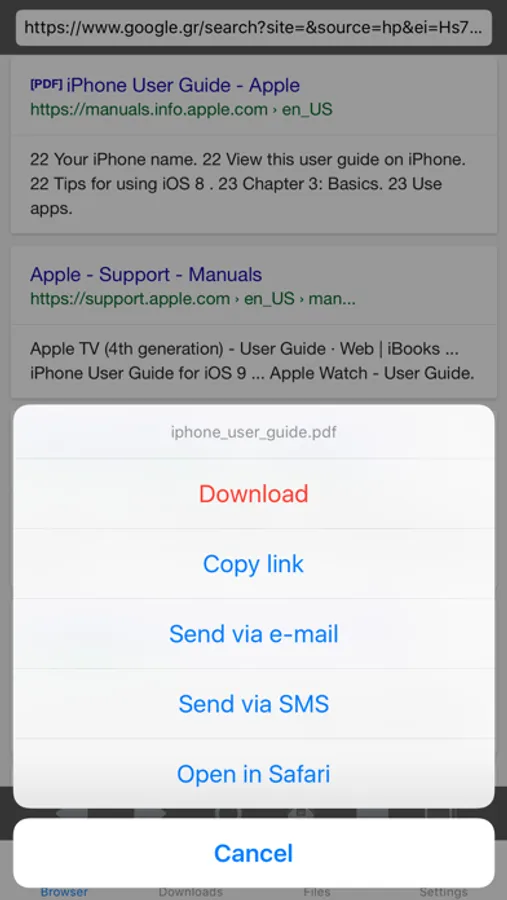
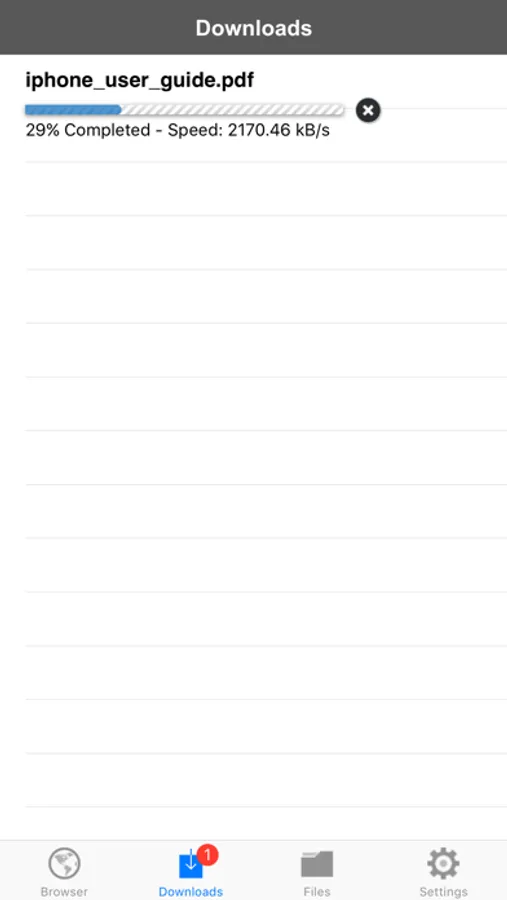
• Save videos and audio from supported sites
• Supports MP3, MP4, and more
• Access your files offline anytime
Built-In File Manager
• Organize videos, PDFs, images, and archives
• Rename, share, and open files in other apps
• Visual thumbnails for quick browsing
PDF Viewer
• Swipe navigation between pages
• Pinch to zoom
• Print support and interactive links
Terms of Use: https://www.apple.com/legal/internet-services/itunes/dev/stdeula/
Yo Player: PiP Video Browser Screenshots
Tap to Rate:
Reviews for Yo Player: PiP Video Browser
Ccsisibutt
Not good
Ads blocking the app can use it.
Mattstar69
I wanted to like it…
But I found it difficult when I started a download and ad took up the full screen and at first I thought okay well I didn’t pay for the app and developers have every right to recoup what they spent their time making. Plus I knew there was an option to pay for the removal of ads so if I liked the app I could and intended to do that. Developer makes their money and I no longer to be violated through the harvesting of my browsing habits by advertisers. Win, win. The positive is I didn’t have to pay money to learn if the app was worth the buying and I’m glad that I didn’t cause it didn’t work how I expected. So after few full screen ads and about 75% of my file has been downloaded I step away from the phone for maybe 4 or 5 minutes. I come back and a full screen ad is up again and I go to close it, only it won’t close. It’s not frozen mind you if I touch the wrong part of the full page ad (basically anywhere that isn’t the X in the top left corner the ad triggers safari to open and take me to the web page of the ad the app displayed. After closing said web page and safari I go back to the app and the ad is still there. The X still highlights when tapped but still didn’t close the app. After launching safari several times I finally hard close the app. There’s a notification bubble with the number 1 but when I open the app there is no file the download is gone. No partially completed nothing to tell me that it failed. Nothing I haven’t a clue what the notification bubble was there to tell me as there weren’t any notifications. To be fair because I couldn’t close the ad it’s possible the download hadn’t finished. It should’ve but maybe it didn’t but what grinds my gears is the not knowing what happened as well as the use of intrusive ads and their hijacking phone functionality. So given that I didn’t pay for the app, I’m not too more annoyed, disappointed but wanna share my experience maybe I’ll give the app a try again once it’s been updated but as for now I’ll keep looking for a download manager that works on iOS.