
AppRecs review analysis
AppRecs rating 4.5. Trustworthiness 77 out of 100. Review manipulation risk 24 out of 100. Based on a review sample analyzed.
★★★★☆
4.5
AppRecs Rating
Ratings breakdown
5 star
75%
4 star
11%
3 star
4%
2 star
7%
1 star
4%
What to know
✓
Low review manipulation risk
24% review manipulation risk
✓
Credible reviews
77% trustworthiness score from analyzed reviews
✓
High user satisfaction
86% of sampled ratings are 4+ stars (4.5★ average)
About Pic Navi
Pic Navi helps you view, edit, and manage photo metadata, including dates, times, and locations. Whether you’re organizing a trip, protecting your privacy, or fixing thousands of imported images, Pic Navi makes the process fast and intuitive.
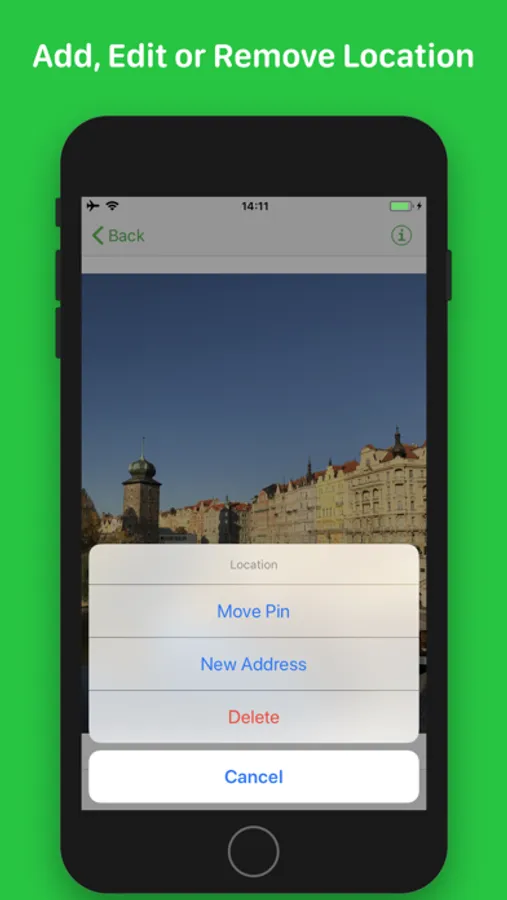
Edit location metadata with ease:
- See where a photo was taken on a map
- Add, change, or remove geotags
- Search by address or drag a pin
- Manually adjust coordinates if needed
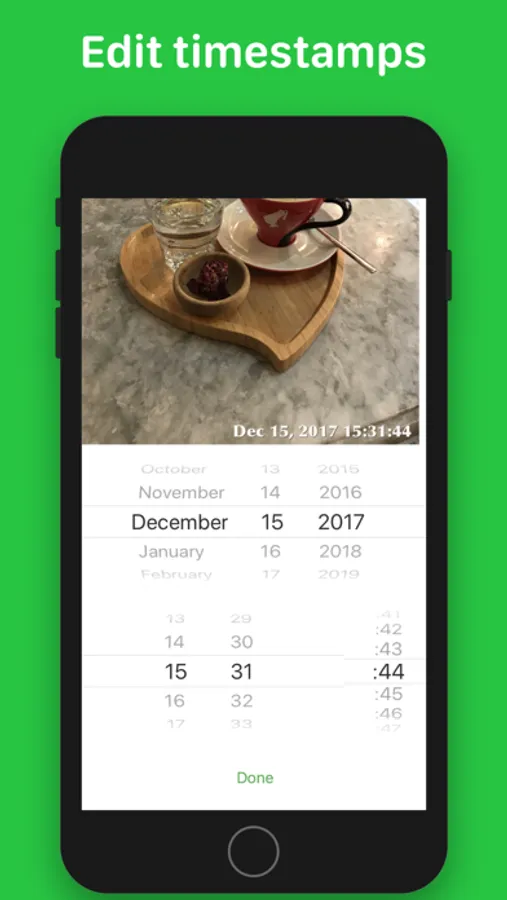
Fix photo dates and times:
- Set or correct timestamps
- Adjust time zone information
- Standardize dates across your library
- Perfect for scanned photos or imported files
Edit multiple photos at once:
- Select many photos and apply changes in bulk
- Assign one date or apply intervals
- Set a shared location or adjust individually
- Save time when organizing albums or trips
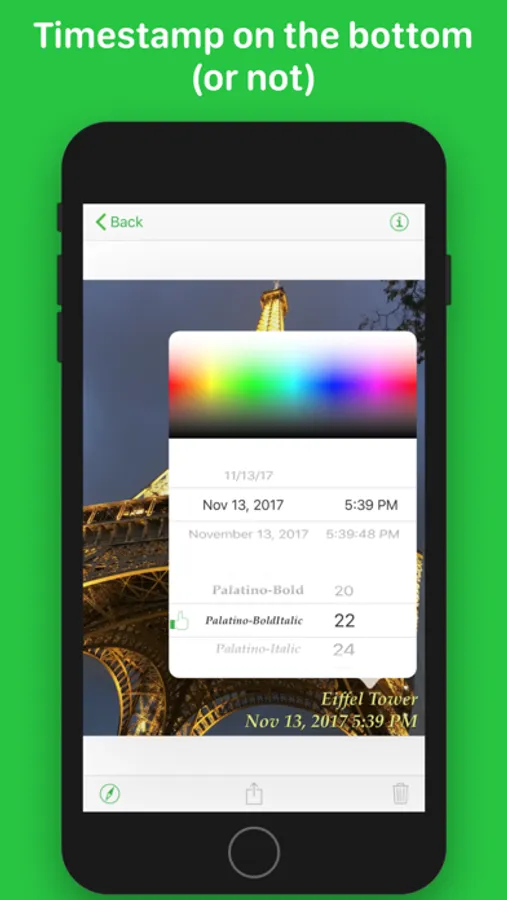
Label your photos visually:
- Add a date label to the corner of an image
- Include a short caption like “Europe 2025”
- Labels are optional and appear directly on the photo
- Great for journaling, sharing, or printing
Protect your privacy:
- Remove location data before sharing
- View embedded metadata details
- Avoid unintentionally exposing where a photo was taken
Designed to work with your existing photo library:
- No need to import or duplicate files
- Changes are saved directly to your iPhone or iPad library
- Supports all media types, including photos, videos, and Live Photos
Pic Navi is ideal for anyone who wants better control over photo organization. Whether you’re sorting travel photos, fixing camera roll imports, or preparing to share images online, Pic Navi helps you clean up metadata quickly and accurately.
Some features require a subscription. Non-subscribers can try basic editing with a daily limit.
Take control of time and place with Pic Navi.
Pic Navi Screenshots

Tap to Rate:
Reviews for Pic Navi
Magda11111
Not what I expected
Very confusing (how to use this app). I cannot figure it out, even with the support showing. Now I am worried that if I transfer my photos to my computer and they will no longer be on my iPhone I will loose everything? Wish I didn’t but this app:(
Avielc
App works excellent, suggest UI improvement
I talked to the developer about an issue I had with picture resize and he did an excellent job! He is really into it and I thank, him for that! The app works really nice! Very easy to modify geotag, though the general ui of the app is a little confusing, still worth 5 stars and the price! Thanks again to the developer for taking the time to do it.